
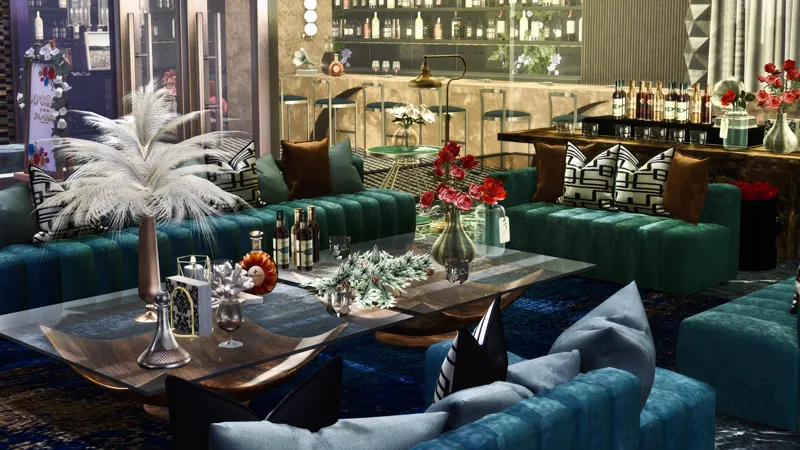
Vintage Lounge – Work in Progress 🍷 | A Retro Vibe in the Making
Here’s a little sneak peek of my upcoming build – a Vintage Lounge.
It’s still in its early concept stage, so changes (big or small) may happen along the way.
I’m experimenting with textures, lighting, and an atmosphere that feels both nostalgic and luxurious.
Your thoughts or suggestions are always welcome – I’m excited to shape this place into something truly special.
Stay tuned, this one’s going to be worth the wait. ✨
Comments (3)
Is this one available? I don't see links.
COLOCO O LOTE NO MEU JOGO E TENTO JOGAR FICA SO CARREGANDO NAO ENTRA NO LOTE POR QUE ISSO ?
Hi there👋 Thanks for your message! From my testing, the build works perfectly on my side, so the loading issue may be related to how the lot was placed or caching/mod conflicts. ✅ Recommended Fixes 1. Place the lot using Build Mode (not via World Map) • Enter the empty lot in Build Mode, place the build, then save the game. • Exit to Manage Worlds, then load into the lot in Live Mode. • This method gives the game time to register the new build properly. 2. Clear and reset the lot before placing • Bulldoze everything on the lot (including terrain and decorations). • Save, fully exit the game, then restart and attempt placement again. • This clears out any corrupted lot data. 3. Delete cache files & repair the game • Delete localthumbcache.package and avatarcache from the Sims 4 folder. • Use EA App or Steam’s Repair Game function to restore file integrity. 4. Ensure your CC is DX11‑compatible • If you’re using DX11, make sure any custom content (especially older CC) has been updated and repaired using Sims 4 Studio for DX11 compatibility. • Old CC without this fix can cause serious load freezes. If you’re still on DX9, this step can be skipped. 🧠 Why This May Occur • Some older gallery builds with extensive clutter, terrain edits, or bb.moveobjects settings may cause the game to hang during placement. • Cached lot data or outdated/excessive mods can interfere with the game’s loading process. 📋 Quick Fix Table Step Action ① Place build using Build Mode → Save → Exit → Re-enter ② Bulldoze entire lot → Save → Exit → Reload → Place again ③ Delete cache files → Repair Game → Reload Let me know how it goes—I’ll keep working with you until it works smoothly. 🌙 Warmly, BW666