
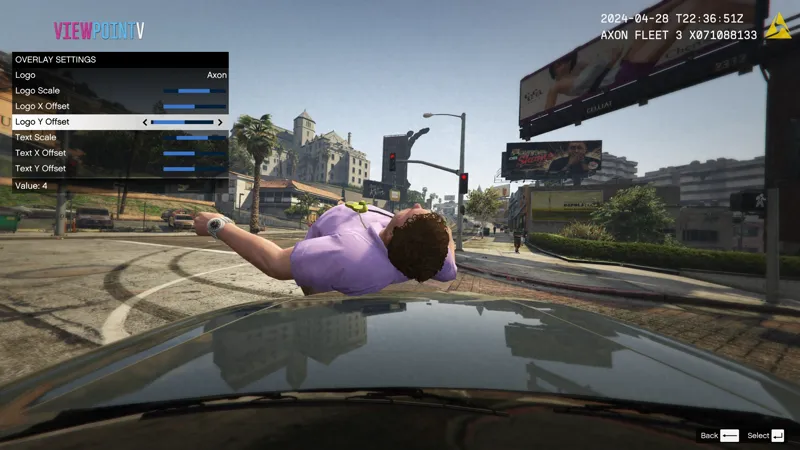
April 28th Update
Hey everyone, hope you're doing fine. I'll cut straight to the chase.
Single Player
Added Quick Switch. Now you can bind hotkeys for your favorite views. To enable Quick Switch and rebind keys, go to Controls.ini
Added the ability to scale and move bodycam overlay text and logo via the menu
Added Motorola logo
Added the ability to use custom text for the overlay. You can customize the text separately for each camera. To edit the text for each camera go to OverlaySettings.ini
Pressing the Menu Key repeatdly now correctly toggles the menu
Fixed camera teleporting from far away when switching to Cinematic Chase Camera
Cinematic Chase Camera now keeps the vehicle in view at all times
On Foot Third Person Camera now points at the position you aim at
Added an option to toggle turning with mouse for Chest Camera, Shoulder Camera, Head Camera, and First Person Camera
FiveM
Added ability to rebind menu key via the game's menu
Added ability to disable auto hair hiding
Added ability to disable auto prop hiding
Improvement to player's appear teleporting
There are many small changes to both the FiveM and SP versions that I forgot to include.
I will be doing a sprint this week, so another update will be released in the coming days with some features that didn't make it to this one. If you have anything you would like me to focus on, please comment below!
Have a good week, and thank you for your patience.
Comments (5)
Is there any way to disable auto center camera on the First Person In Vehicle camera? Its slow/delayed to move around and always auto returns to the center making it so you can't freely look where you want, also shooting from a car doesn't work very well, those are my only problems with the mod.
Hey, awesome update! Can you make a nightly build version of the update please?
Sure thing! Will send you ASAP
did u add a option to attach vehicle first person camera to player?
Yes, it is attached to the player now. There is no option to attach it to the seat of the vehicle though (like it was before). By the way, if you're seeing the driver's body when braking, you need to install Animation Disabled.oiv that is included in the arhive.