



Ultimate Diffusion based SECourses Video Upscaler App Almost Ready - I need your feedback
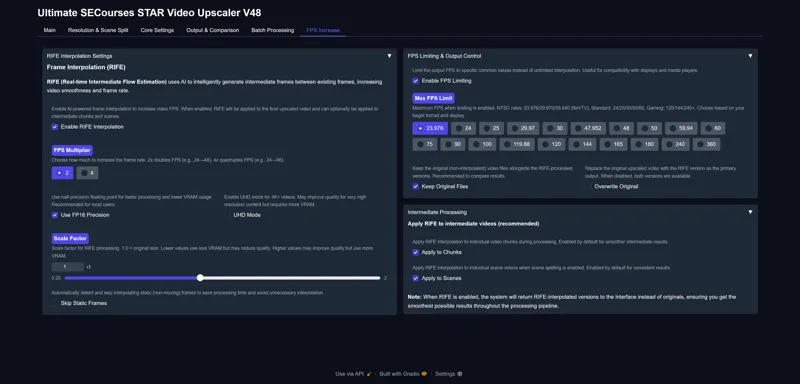
Update 1: RIFE FPS Increase Interpolation Implemented
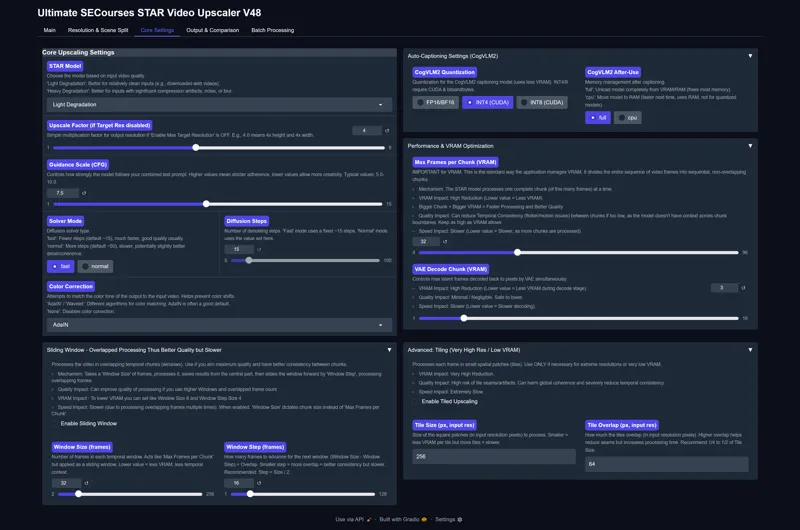
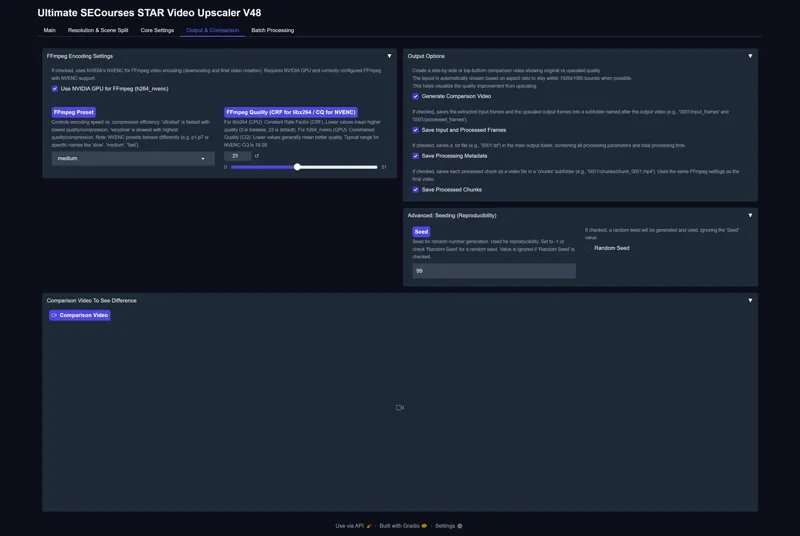
Please check the screenshots extremely carefully and what other features you would like to see please tell me
Hopefully I will add presets for 1280x720p (0.92 mega pixel) for each GPU like 6 GB, 8 GB, 12 GB, 16 GB, 24 GB, 32 GB, 48 GB, 80 GB, 96 GB
You will be also able to save and load your presets, every setting simply
Also hopefully I am gonna add cancel button which will cancel process immediately and generate final video from so far generated frames
Hopefully I will add fast GAN based upscalers too that upscales each frame
Currently our STAR model upscales context aware (like upscaling 32 frames at once) with diffusion based thus it is highest quality but slower and VRAM demanding
But other than these do you see we lack anything?
I have also attached screenshots as zip file to see in full screen
By the way, Bronze tier will be raised to 6.99 from 6.00 before the release of the app
Existing subscribers will not be impacted and will continue from their subscription price as long as they don't cancel
With this app, you will be able to upscale an entire movie fully automatically at industry level hopefully, like restoration of older movies
Comments (18)
can you please add this to your video enhancer https://iceclear.github.io/projects/seedvr2/
i may after release
Very much looking to trying out this video upscaler on my RTX5090!
Thanks a lot for comment. Yep I develop on RTX 5090 but it works on all GPUs . I have RTX 3090 ti as well to test
This looks promising. The cancel option you mentioned will be an important addition. I would have to get familiar with the program before making any suggestions. I do quite a bit of video editing and have work flows based on what I'm trying to achieve. I also have 6 or so paid programs I use on a regular basis. I think with AI upscaling, the most important feature for me is the ability to toggle face upscale on or off. I would normally add detail and grain well before considering AI for upscailing facial features.
awesome so your feedback will be immensely important to me.
why are you increasing price of subscription and fastly. you are forcing person like me to leave you, who really and keenly interested in AI and your wark. I AM your subscriber from beginning of 2024
subscribers wont be affected. only for new people
I'm excited to try this out. Thank you for putting it together.
thanks a lot. adding dynamic FPS reduce first feature so the time it takes to upscale can be shortened and later we can do fast RIFE FPS increase
I think this is looking perfect, it would be a great first release, we can then compare its results with Topaz Starlight (this release might be even better already) and vs other tools to improve it if needed. Just to add ideas in case you think they fit (now or in the future): Check "SVFR: AI Video Upscaling: Enhancing Low-Res Footage", maybe any of the SVFR like the video impainting (to remove unwanted stuff like watermarks or other) and also has black and white video coloring. That said, there's also a 2D video to 3D converter (https://github.com/nagadomi/nunif/tree/master/iw3) in case it also fits (not sure if this is the best current 2D to 3D solution though). Thanks for the update.
thanks nice ideas. i plan to release hopefully soon
My main concern would be to preserve likeness on a face while also fixing slight artifacts or adding detail. Sometimes it can be good at adding detail, but then lose some of the likeness. So a setting that is designed to balance those two things, with an emphasis on preserving facial likeness
Maybe lora options could be added to help keep the likeness, with it trained on whatever ai it uses.
Looks awesome! One suggestion for the output tab- include option to input custom filenames for each file type with duplicate filename checking!
can you elaborate more ? batch processing will save same file name as input. single processing saves as 0001 0002 0003 etc
In the Topaz video AI upscaler (an older version) there's an option to upscale to 7680x4320 (and it's possible to upscale to that on my 3090). The max target width slider in the Star video upscaler screenshot shows it goes up to 4096 wide. Could it go up to 7680x4320 on normal GPUS (eg. RTX3090)? Maybe it could also allow you to change the frame rate like the topaz one could (eg. convert 24 fps to 60 fps with interpolation, convert a video to slow motion etc.). Also in the GUI it's got "max target height" then "max target width". Normally I think things ask for width first so it might be a bit easier if those two were re-ordered. From the screenshots it seems to split it by scene and has an option to describe scenes (using CogVLM2). I think it could be good and helpful if there was something like this (maybe another app) that like the "critique" option in JoyCaption beta 1 (for critiquing images as if by an art critic) if you could have an option where it critiqued a whole short film based on multiple scene descriptions and could suggest changes that could make it better (like re-ordering scenes, cutting sections out, adding things etc.).
ye those are all fake upscales. this is real diffusion based upscale. perhaps you can upscale very big rest 1 frame by 1 frame but that reduces quality I plan to add fake upscales as well like ESRGAN based which you can use to upscale further after diffusion upscale