
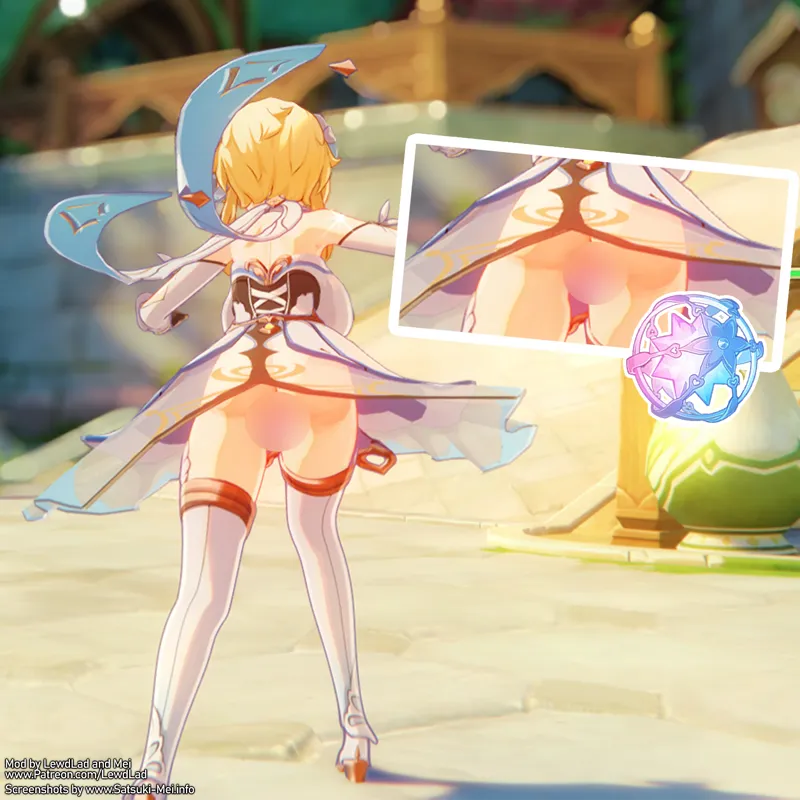
[Requested] Lumine Thicc Lewd Insertions Toggle (Download)
[Requested] Lumine Thicc Lewd Insertions Toggle (Gallery)
Modelled and textured by Lewd Lad
Base Body texturing (additional edits by Lewd Lad) for this model were done by 芽衣 Mei - https://satsuki-mei.info/ ⛩️
MOD INFO:
Requested by a Patron tier member - They wanted Thicc Lewd Lumine with an insertions toggle. It took me a while to fulfill this one though, due to the spate of big releases! It's only just calmed down, with the help of Nahida on the current 4.4 banner (because I won't make Nahida mods, meaning I'm freed up to fulfill requests!)
I've also forgotten the details - other than 'Thicc, Lumine, Insertions, Toggle'... so, I figured why not just make an awesome multi-toggle version with all the options! It also incorporates the new transparency tech to her dress and primogem to make it the best Lewd Lumine version to date!
Toggles through her outfit (dress, less dress, nude torso) and the insertions independently (Panties/Bottomless/Primos/Fate/Double Ended Dildo, Yelan Dice and Bangle!)
INSTRUCTIONS:
Press 'H' to toggle forward through Insertions/Bottoms
Press 'N' to toggle back through Insertions/Bottoms
Press 'Y' to toggle forward through her Dress Outfit.
Press 'Y' to toggle back through her Dress Outfit.
**To get transparency working, please download TexFx from here**
https://gamebanana.com/mods/485763
(copy and paste the TexFx folder into your mods folder)
To Remove the 'Remove Transparency Filter' (required to get TexFx working), check your 3DMigoto/ShaderFixes folder for these files
(Sort by Date Modified, then search for the top and bottom in the search box, the relevant files should be clustered up)
03e9873585ed2fde-ps_replace.txt
12ae8a564bf2681c-ps_replace.txt
20bb59f3e7b52e87-ps_replace.txt
32f182437a62034c-ps_replace.txt
42ed306337cebb10-ps_replace.txt
5d2f9a92d5f002c3-ps_replace.txt
70975104a09a3a6f-ps_replace.txt
742af2045e59d56b-ps_replace.txt
80c75c394de69211-ps_replace.txt
8f428d1fda524104-ps_replace.txt
91443888ff4df266-ps_replace.txt
97e4fd017aeeb054-ps_replace.txt
a8a49f5a334049e0-ps_replace.txt
b5669001c331f84d-ps_replace.txt
c16bc9c08d419f17-ps_replace.txt
d0639b102dd0e5c0-ps_replace.txt
d111eae8ce38442d-ps_replace.txt
dbe00d971f292a12-ps_replace.txt
e795de98764fb2b9-ps_replace.txt
eac761c0706dcd31-ps_replace.txt
ebc8ee29666487ae-ps_replace.txt
fdeb0b66140963cc-ps_replace.txt
Then Delete them.
Finally in the 3DMigoto/Mods folder delete the 'RemoveTransparencyFilter' folder
Mods
RemoveTransparencyFilter
CharacterShaders.ini
Underwater.ini
Comments (1)
I don't quite understand what TexFx does, and there doesn't seem to be a difference between using it and not using it, so is there a tutorial that even program dummies can understand?