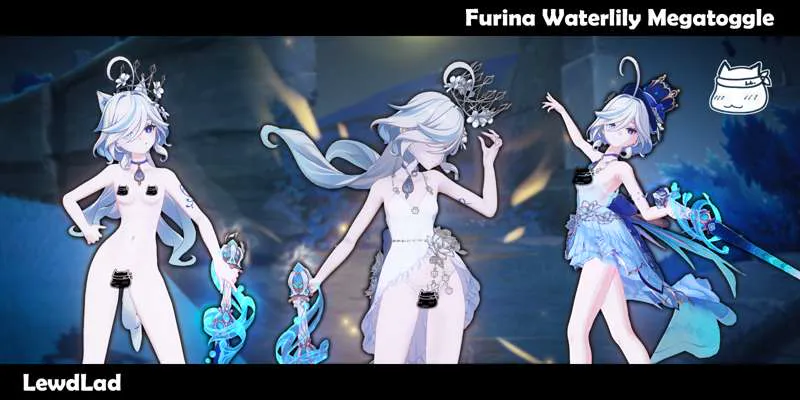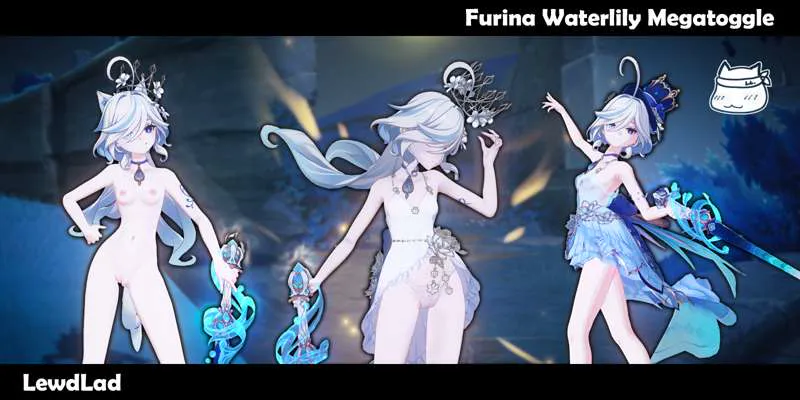

Furina Waterlily Megatoggle (Download)
2/11 - Fixed for 6.1
13/06/25 EDIT:
Updated to fix the transparency breakages that occurred a while back!
Redownload if you downloaded before the above date!
Download Attachments Linked Below
DOWNLOAD
Modelled/designed/textured by Lewd Lad
Additional Assistance & Fixes by Never Sharkcat
INFO
https://files.gamebanana.com/bitpit/ll_furina_waterlily_megatoggle.gif
Ahoy!
It's Furina! And Furrinya! This 1.3 million+ Megatoggle features our Waterlily outfit from last year, but upgraded with more transparency, better textures and more options! And our new Save/Load feature!
This mod has 2 colorschemes and variants for Pneuma and Ousia! One is a daintier, white variant with a luxurious crown and see through lingerie panties, while the blue variant has her magician hat and a skimpy thong~ And she can be a catgirl in both forms!
Of course, you can toggle off the Pneuma/Ousia lock and toggle these parts regardless of what form she's in!
We also have a randomiser and reset button if you want things to get messy, or return things to normal when it gets too messy respectively~
Anyways enjoy the mod!
INSTRUCTIONS
Hotkeys
+ - Randomise Outfit
BACKSPACE - Reset to Default (Note: Default means Pneuma/Ousia forms control the variant)
? - Toggle Help Menu
ARROW KEY DOWN - Save Current Outfit
ARROW KEY UP - Load Current Outfit
Outfit Keys
6 - Toggle Hat/Crown (4 variants)
Y - Toggle Top (4 variants)
H - Toggle Skirt (3 variants)
N - Toggle Panties (6 variants)
ALT + 6 - Toggle Hair Flowers (5 variants)
ALT + H - Toggle Arm Variant on/off
ALT + N - Toggle Heels (5 variants)
CTRL + Y - Toggle Choker (3 variants)
CTRL + N - Toggle Dress Tail (3 variants)
7 - Toggle Cat Ears on/off
8 - Toggle Cat Tail on/off
0 - Toggle Colors
REQUIRED TOOLS
Uses ORFix and TexFx.
Requires 3DM GIMI (Genshin Impact Model Importer).
Available in the XXMI Launcher - which keeps it auto-updated.
Use XXMI Launcher to keep all your utility mods upto date! Also includes 120FPS mode for Genshin Impact (in the settings in the launcher)
https://github.com/SpectrumQT/XXMI-Launcher
Alternatively, GIMI is also available here: