
Furina Bunny, Magician, Techwear Megatoggle (Download)
EDIT: Fixed issues with incorrect transparency parts turning up in the wrong toggles. Redownload for Fix.
Note: Due to Gape/Insertion, this mod will not be on early access
Download Attachment Linked Below
CREDITS
Modelled/designed/textured by Lewd Lad
Additional Assistance & Fixes by Never Sharkcat
INFO
Ahoy!
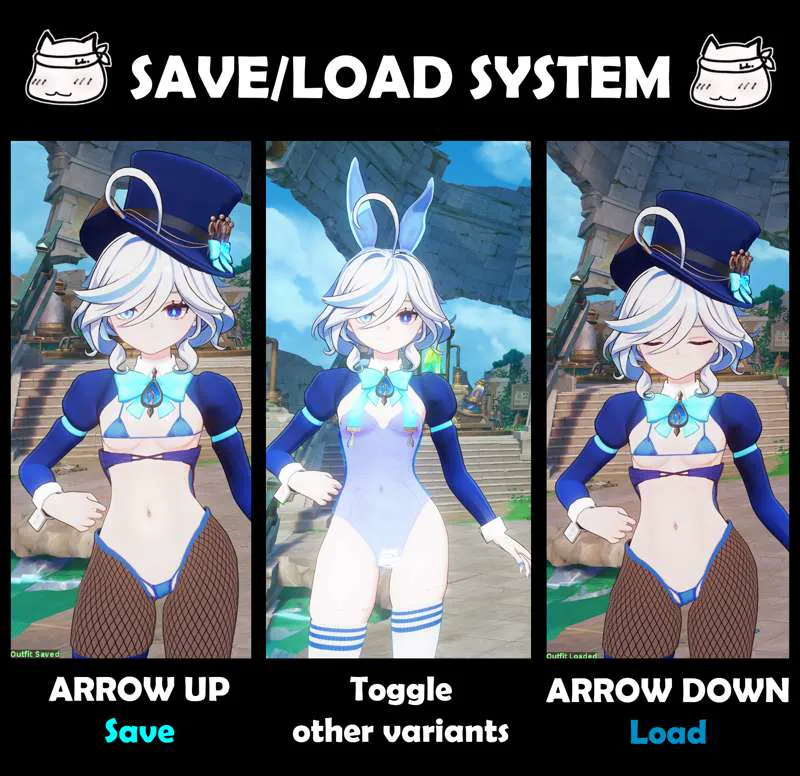
Last year I put together 3 different series for Furina, those being a sleek techwear outfit to accompany Arlecchino's and a bunny + magician combo inspired by Cheshire from Azur Lane! And now those 3 have been combined into a massive Megatoggle with over 23k combinations and our new Save/Load feature!
https://files.gamebanana.com/bitpit/lewdlad_furina_bunny_magician_techw.gif
This mod was a beast to put together (you can tell if you look at the ini file) but I'm really happy with it! All the variants work really well together! This mod also has a Vision insertion and if you didn't see from yesterday's announcement, that toggle will remain permanently paywalled due to Gamebanana and AGMG cracking down on those types of mods (For more info > https://www.patreon.com/posts/pussy-gape-to-124636526)
Anyways enjoy the mod!
INSTRUCTIONS
Hotkeys
< and > - Toggle Outfit Presets (7 variants)
BACKSPACE - Reset to Default
? - Toggle Help Menu
ARROW KEY DOWN - Save Current Outfit
ARROW KEY UP - Load Current Outfit
Outfit Keys
7 - Toggle Tail on/off
6 - Toggle Hat/Ears (4 variants)
Y - Toggle Jacket/Coat (5 variants)
H - Toggle Body (5 variants)
N - Toggle Stockings (3 variants)
ALT + 6 or 8 - Toggle Collar (3 variants)
ALT + Y or 9 - Toggle Tops (3 variants)
ALT + H or 0 - Toggle Bottoms/insertion (4 variants)
ALT + N or _ - Toggle Footwear (3 variants)
REQUIRED TOOLS
Uses ORFix and TexFx.
Requires 3DM GIMI (Genshin Impact Model Importer).
Available in the XXMI Launcher - which keeps it auto-updated.
Use XXMI Launcher to keep all your utility mods upto date! Also includes 120FPS mode for Genshin Impact (in the settings in the launcher)
https://github.com/SpectrumQT/XXMI-Launcher
Alternatively, GIMI is also available here: