
Normals Fix (weird dark legs) for Genshin Mods
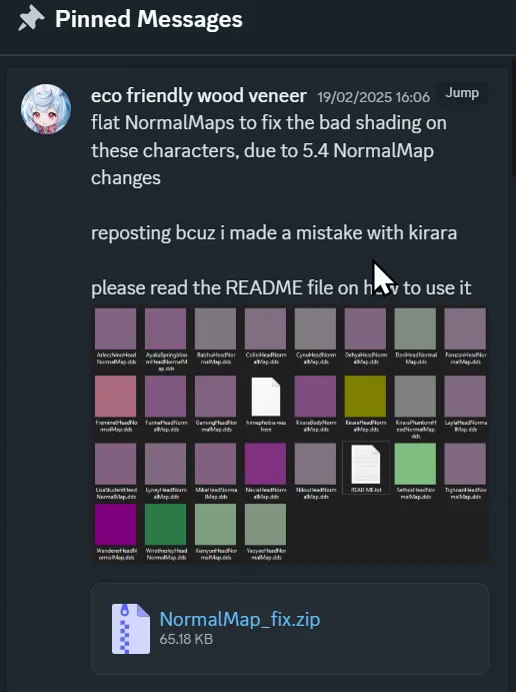
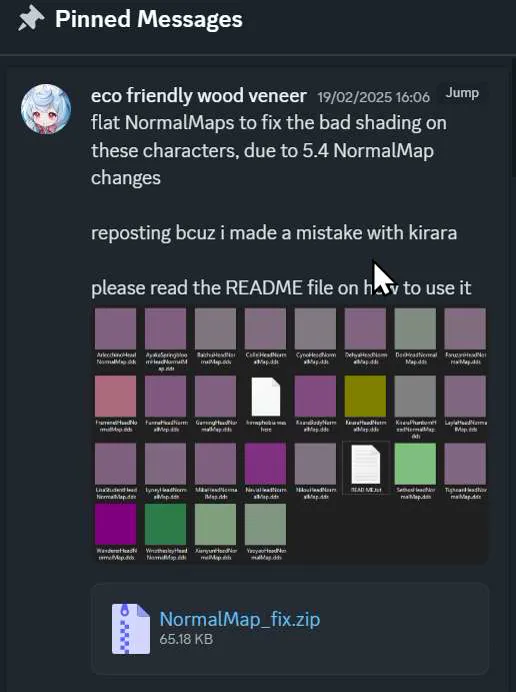
So we have a fix for the normal maps issue (the one that causes a mismatch in coloration from the legs and body in some characters) from a friendly modder by the name of 'Eco Friendly Wood Veneer' over on AGMG.
Essentially, the gist of the issue is that Genshin updated its normals formats for each character... making them specific to each character instead of using a consistent format/style.
As a result, a bunch of characters have had their skins go weird. Well, the fix is basically a bunch of different colored maps specific to each character.
The fix can be found on the AGMG discord under the mod fixes channel under the pinned links. I've also attached it below for your liberty.
Essentially drag and drop the normal map into the mod folder. You might have to rename the file to replace the normal map that's in there, as the naming convention can vary from modder to modder (myself included).
Comments (4)
I saw a fix for the BodyNormalMap on gamebanana that I've been using. That fix was for the weird shadows and dark spots on certain characters. Is this a different fix? or is this the same fix except for specific characters?
Can you post a link for that fix? I've been looking for it but I don't see anything.
In the case of there being multiple normal maps in the mod folder (HeadNormalMap.dds and BodyNormalMap.dds) are we only replacing the head maps? I noticed your attachments are all head maps, so I assume the answer is yes, just checking though.
I think so!