
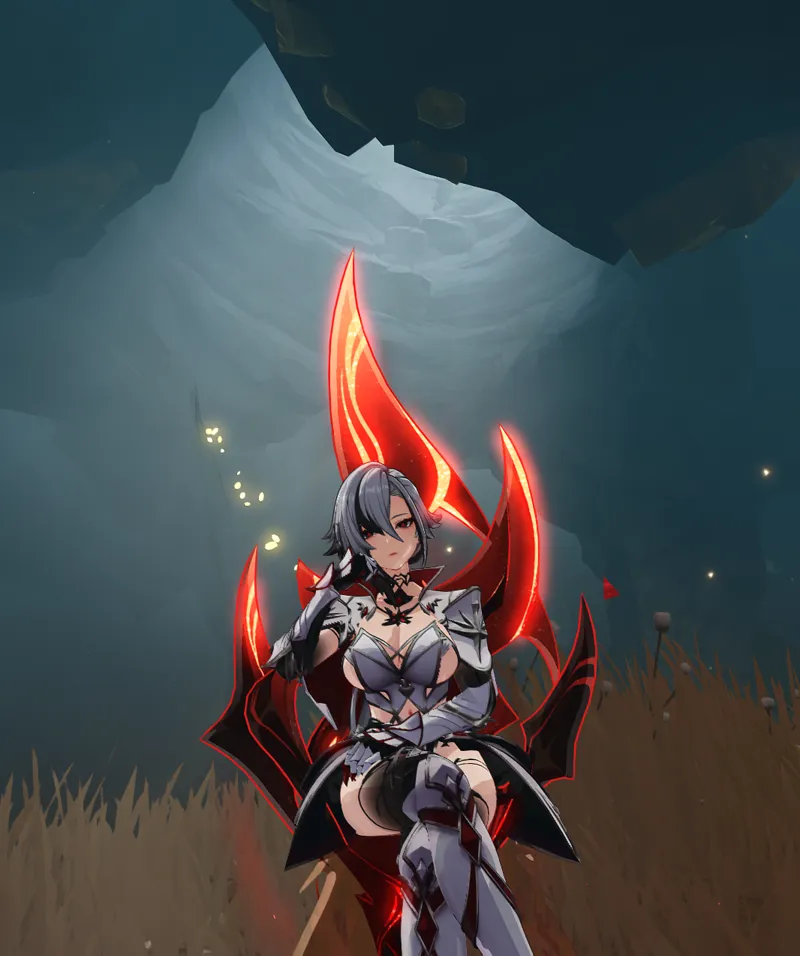
Arlecchino Crimson Knight WIP (Download)
Arlecchino Crimson Knight WIP (Gallery)
Designed, Modelled and Textured by LewdLad
MOD INFO:
4.6 is out and Arlecchino along with her! Hope all you wanters are now havers :D. I've got her in a 95% working state - just some extra touchups to fix up the clipping issues on her thighs and various other areas, but I figured I'd put out the WIP today just so that you guys can enjoy it sooner than later!
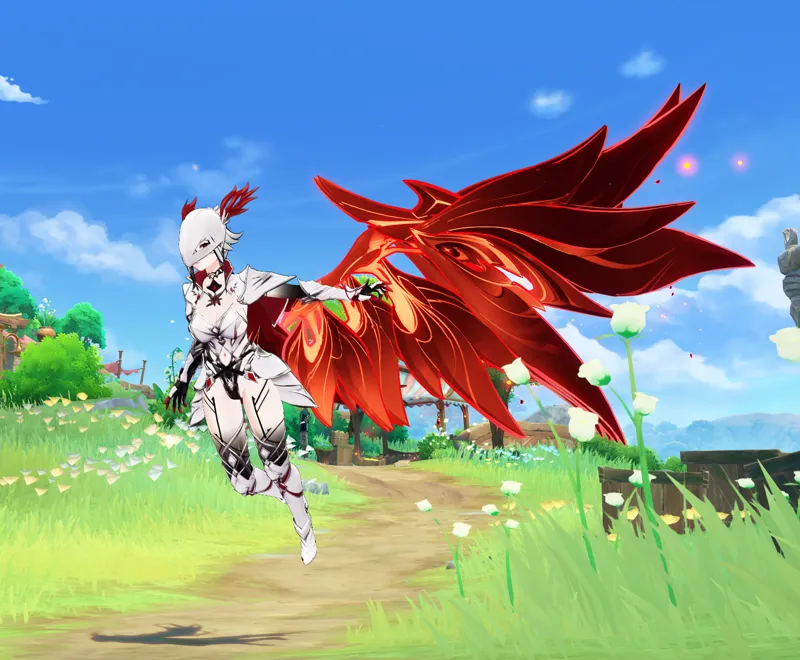
Super happy with this outfit - looks amazing on her with her move set... check out that charge attack glide! Whew! Hope you all enjoy her as much as I've been enjoying making her... and get ready for a lot of Arlecchino content - I'll be making a 3rd yet unrevealed outfit for her, that'll come after the Crimson Knight and
INSTRUCTIONS:
*To get transparency working, please download TexFx from here*
https://github.com/SinsOfSeven/TexFx/releases
(copy and paste the TexFx folder into your mods folder)
To Remove the 'Remove Transparency Filter' (required to get TexFx working), check your 3DMigoto/ShaderFixes folder for these files
(Sort by Date Modified, then search for the top and bottom in the search box, the relevant files should be clustered up)
03e9873585ed2fde-ps_replace.txt
12ae8a564bf2681c-ps_replace.txt
20bb59f3e7b52e87-ps_replace.txt
32f182437a62034c-ps_replace.txt
42ed306337cebb10-ps_replace.txt
5d2f9a92d5f002c3-ps_replace.txt
70975104a09a3a6f-ps_replace.txt
742af2045e59d56b-ps_replace.txt
80c75c394de69211-ps_replace.txt
8f428d1fda524104-ps_replace.txt
91443888ff4df266-ps_replace.txt
97e4fd017aeeb054-ps_replace.txt
a8a49f5a334049e0-ps_replace.txt
b5669001c331f84d-ps_replace.txt
c16bc9c08d419f17-ps_replace.txt
d0639b102dd0e5c0-ps_replace.txt
d111eae8ce38442d-ps_replace.txt
dbe00d971f292a12-ps_replace.txt
e795de98764fb2b9-ps_replace.txt
eac761c0706dcd31-ps_replace.txt
ebc8ee29666487ae-ps_replace.txt
fdeb0b66140963cc-ps_replace.txt
Then Delete them.
Finally in the 3DMigoto/Mods folder delete the 'RemoveTransparencyFilter' folder
Mods:
RemoveTransparencyFilter
CharacterShaders.ini
Underwater.ini
Uses 'ORFix' to fix reflections and outlines. Download from
https://github.com/leotorrez/LeoTools/blob/main/releases/ORFix.ini
And place in your 3DM genshin ./mods/buffervalues/ folder
Instructions @
https://github.com/leotorrez/LeoTools/blob/main/guides/ORFixGuide.md
DOWNLOAD HERE
Comments (6)
My lord that is good.
Impecable Lewd!!! Proporciones perfectas. Saludos.
so glad i pulled her first pull
Why is my cape yellow instead of red? is there any bug of my TexFx Mod?
yes, please re-download texfx from their github! it was one of the things that broke this patch.
Words cannot express how much I love you for this