
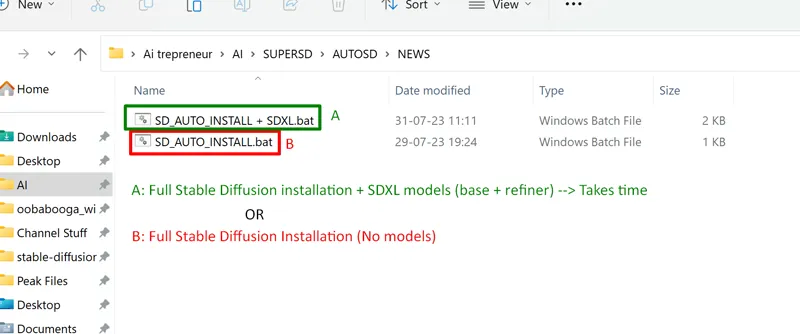
1-Click INSTALL Stable Diffusion Auto1111
Hey everyone! I've created 2 cool little files to make the Stable Diffusion installation much easier. No more fumbling through complicated installation steps - these files automates it all for you with just 1-CLICK!
Here's how it works:
1. Download ONE OF THE the batch file from this Patreon post and put it in an empty folder somewhere on your computer.
2. Double click the batch file to run it. Sit back and relax! The file will automatically:
- Install Python and other dependencies
- Clone the Stable Diffusion repository from GitHub
- Download the required model files (only the SD_AUTO_INSTALL + SDXL.bat)
- Launch the web UI interface
In just a few minutes, you'll have Stable Diffusion up and running without any hassle. No coding or manual installation required!
Let me know if you run into any issues getting it set up!
And as always, supporting me on Patreon allows me to keep creating helpful resources like this for the AI art community. Thank you for your support - now go make some awesome art