
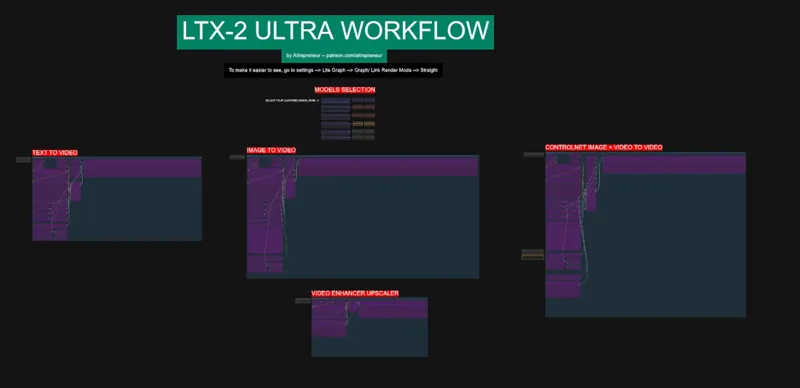
LTX-2 ULTRA WORKFLOW
Hey everyone! I’ve just released a new video on IMAGE TO VIDEO WITH SOUND KING, called
“LTX-2”. It’s an absolutely insane open source model that can generates videos with sound from either a simple text prompt, an image or even a sound file and can run on LESS THAN 8GB OF VRAM! This is one of the most fun model I have ever tried!
You can check out the video right here: https://youtu.be/KKdEgpA3rjw
I also created a 1-click installer for the Webui for my Patreon supporters for Local AND Runpod, that you can find right here: https://www.patreon.com/posts/148469807
Here the link to the manual install guide: https://pastebin.com/f7phSQWs
Down below you will also find the LTX-2_ULTRA_WORKFLOW.json for free for you to use!
As always, supporting me on Patreon allows me to keep creating helpful resources like this for the community. Thank you for your support - now go have some fun😉!
PS: there is a slight mistake in the workflow that always needs a sound file uploaded to work even if you don't want to but it's easy to solve, just dl that sound file and load it before doing any video generation: SOUND FILE

Comments (65)
Thank you so much, i very like your workflow. Question : Why you dont use any negative prompt in T2V & I2V? is thrre any issue with this? You add it in Video Extender but no negative in both T2V & I2V.
Just something left during testing, we are using either the distilled model or the dev with the distilled lora so negatives prompts don't work that well
I'm leaning pretty heavily on this LTX-2 controlnet image + video to video workflow. I tried get results with the new LTX 2.3 FMLF, but nothing really worked well. LTX 2.3 went off script pretty quickly. Until there is a similar workflow for LTX 2.3 do you know a way to add additional images to the V2V workflow as the video goes on? In the old days I was able to have a series of images and a traveling prompt that lined up against an initial video clip. Not sure if that is possible here. Thanks again for all of your work!
Controlnet or IC doesn't work well with the lxt2.3, no matter what the results were disapointing. I would rather use animate or scail, I want to make a video update on that soon
Great workflow. Works great. Do you have a version for FLF either for LTX-2 or LTX-2.3? Your WAN2.2 FirstLastFrame workflow is awesome. It would be great to have that for LTX. Thanks.
If I want to upgrade my comfyui setup with all needed models, etc. but I don't want to clean install every time you have somthing new. is there an easy way to use the installer scripts to update instead of to install clean?
?anyone knows?
Problem : LatentUpscaleModelLoader Error while deserializing header: incomplete metadata, file not fully covered
Hey guys anyone having or have solved this issue? LTXVLoopingSampler mat1 and mat2 shapes cannot be multiplied (1024x3840 and 15360x3840) TIPS: If you have any "Load CLIP" or "*CLIP Loader" nodes in your workflow connected to this sampler node make sure the correct file(s) and type is selected. I tried to change the clips and models from the unsloth to KJ and nothing works. gonna have to convert this into a fp8 version to make it work. If anyone knows how to solve this incompatibility please help.
got the same issue
would love to see Frame To Frame added to this workflow at some point - this is something I've used a lot in your WAN 2.2 Workflow. Now I need to use another workflow for that which is slightly less convenient.
I need my subscription canceled please help. Ive resubscribed on a new account and i’d like to keep subscribing however, i lost my access to my old account 2 months ago, I cant find another way to reach out to you personally. Previous account was Hannaali**995@gmail.com card ending in 3083
I ran the Runpod version of this workflow, following the setup process exactly and using the famed 1-click installer. Once the workflow is Run, the following error is thrown: LTXVImgToVideoInplace CUDA error: no kernel image is available for execution on the device CUDA kernel errors might be asynchronously reported at some other API call, so the stacktrace below might be incorrect. For debugging consider passing CUDA_LAUNCH_BLOCKING=1 Compile with `TORCH_USE_CUDA_DSA` to enable device-side assertions. What guidance can you offer to get the workflow to operate correctly? Thank you.
For me, none of the Get_MODELS seem to be active. I've got the same problem with the Z-Image, so not sure why. If anyone has a solution, I'd love to hear it. *****problem solved*** It looks like parts of this don't work if you have the Nodes 2 switched on.
I've tried the ComfyUI versions for LTX2 (Kijai's, Benji's, and yours), but the rendering was too slow and the quality was too bad. Then I switched to LTX2 with Wan2GP and it's day and night difference. I now make perfectly looking 10-second lip-sync videos in just 2 minutes (720p) or 6 minutes (1080p). I'm using an RTX 5090 + 96 GB RAM. I still don't understand why the quality and generation speed differ so much between ComfyUI and Wan2GP.
im trying to use the ultra workflow, and have spent 6hrs on chat gpt trying to figure out how to get the custom nodes to work. im using the runpod template listed. comfy is constantly failing to install these. is there any advise?
can you update the workflow or at least give us alternatives?
Can you help?
Cannot execute because a node is missing the class_type property.: Node ID '#743:578'
Good afternoon, before i run the batch files, do i copy them to the location where the other batch files resite? For me that it the "ComfyUI_windows_portable" folder.
I'm having issues with the video upscaler, where it doesn't show the result, and when I check in the outputs folder, it fails to load the video, saying "file.mp4 is not UTF-8 encoded". How can I fix that? Thanks
Power Lora Loader (rgthree) 'dict' object has no attribute 'model' started to pop up few minutes ago. I have no explanation, worked still wonderfully earlier today. Do you have any possible pointers maybe?
Thank you for this workflow! I'm running this on an RTX 4090 (24GB VRAM) + 96GB System RAM I'm facing a persistent issue that I can't resolve regarding the LoRA loading. Checkpoint: LTX-2-dev-Q8_0.gguf (Also tested with LTX-2-dev-Q4_K_M.gguf, google_gemma-3-12b-it-Q4_K_M.gguf, LoRA: ltx-2-19b-distilled-lora-384.safetensors (loaded via Power Lora Loader). The error: text_embedding_projection.aggregate_embed.lora_A.weight lora key not loaded: text_embedding_projection.aggregate_embed.lora_B.weight lora key not loaded: Is there a specific GGUF version of the model or a specific setting in ComfyUI required to map these LoRA keys correctly to the Dev GGUF? It seems the architecture of the GGUF Dev model doesn't match the keys expected by the Distilled LoRA.
The detailer lora appears to be too strong, at least for my taste. After disabling it, the results are perfect. Thank you for sharing this.
Hi! I'm trying to run your LTX-2 workflow, but I'm getting "Missing nodes" errors for the Float nodes (Audio - Video Duration and CFG). I've already installed ComfyUI-LogicUtils and ComfyUI-Logic-Redux, but they don't resolve the issue. Could you clarify which custom node pack contains these specific Float nodes, or what's the correct replacement? Should I just use standard Primitive nodes instead? Thanks for the workflow!
I keep getting the following error: - This workflow uses custom nodes you haven't installed yet. DWPreprocessor in subgraph 'New Subgraph' Install these nodes to run this workflow, or replace them with installed alternatives. Missing nodes are highlighted in red on the canvas. I have tried numerous thing to try and resolve this, but cannot find a solution. I am running option 2 for a 12GB Card
I followed the tutorial step by step exactly as shown, but the workflow does not run on my setup. I’m getting this error when loading the UNet: ValueError: GGUF magic invalid This happens inside UnetLoaderGGUF → GGUFReader(path). Setup GPU: RTX 4070 Super OS: Windows ComfyUI and all nodes updated Used exactly the files and links provided in the tutorial I re-downloaded the GGUF, checked file size, updated nodes, and restarted ComfyUI, but the error persists. Could you please confirm: which exact GGUF file/version is known to work, or if the tutorial/workflow needs an update? Thanks.
is there a way to do first and last frame in this workflow?
I also want to do this
Hi the upscaler is not included in the embedded workflow dl. I downloaded it two times now.
For anyone who is interested in prompting for this model their website has some great information. Here is the link: https://ltx.io/model/model-blog/prompting-guide-for-ltx-2
Hello friend. I'm getting this message in ControlNet Image Video. How can I fix it?............ SamplerCustomAdvanced too many values to unpack (expected 4)
Some people on reddit are talking about doing v2v and extending videos, or taking wan videos and running them through LTX to add sound. Any chance you're looking into this and will put out an update?
This thing keeps saying GGUF Magic Invalid.
You need to download the itx-219b dev-Q6_K the one form the bat only is 1kb
https://pastebin.com/f7phSQWs K, the huggingface repo does not have the unet models, text encoders and diffusion models. Am I at the wrong place?
Many thanks for another great video & workflow! Fyi, to reduce new node installs, KJNodes includes: - "Calc" (calculator) node for simple math operations, like `(a*b)+1` and `int` to `float`. - "Switch" node for boolean processing. ;)
I get a similar error when I try either the text to video or image-video controlnet to video: No input found for flattened id [48] slot [0]. I believe this means there is a problem with a get set node, but can't figure out where the problem is. (Image to video is working).
So I did a text to video successfully but when I do the image to video, I get an error = No input found for flattened id [493] slot [0]. Anyone have this issue
Hello there, first of all thank you for this! Everything seems to run nicely, except the custom audio does no lip sync altogether. The person in the video is not moving their lips. It is playing on top of the generated i2v. Do you have any pointer what I may have missed?
It is the prompting. Should anybody run into similar situations, it's all about proper prompting. Thank you again for your great work!
I'm trying to use your workflow but I keep getting this error: Prompt execution failed Prompt outputs failed validation: Required input is missing: images VHS_VideoCombine: - Required input is missing: images I'm using the text to video section so not sure what images it means.
I was got same problem - I have to download again workflow and works now okay.
Dear author! Could you please tell me? If I use the workflow from ComfyUI templates, when generating a video, it first downscales the quality (0.5x upscale), making it less resource-intensive, and then upscales the video to 2x upscale to achieve the original resolution. Have you removed this feature? With the original templates, I can make a 20-second video in 3 minutes with the maximum model on an RTX 4080 Super, but with your workflow, even guff models cause an OOM after 8 seconds of video. I also tried a template from a Russian author; it works very quickly without GUFF models. But I still want to use your Workflow. YouTube link: https://www.youtube.com/watch?v=5eYgCvIF2xI Link to his workflow: https://drive.google.com/file/d/1F6RFVi9-4O_4kzomQ-C2UOy6uIcJGNYf/view
It's because you are probably not running the bat files I made, you need to add the reserve vram argument and no caching
👏 good job
Text 2 video dont work for me, even if i disable the LOAD AUDIO, i allways getting this error "Failed to validate prompt for output 514: * LoadAudio 909: - Custom validation failed for node: audio - Invalid audio file: Phyllis' Clichés for a Rainy Day - The Office US.wav Output will be ignored"
you NEED to input the audio file, that's why I put the text, small annyoance but easy to fix, I even gave the link to the audio file I used in the video
Thanks for this, man. It works really well, and I've gotten good results. My only concern is the time it takes, 11m to generate a 5 second clip with 16GB vram. It seems like most of that time is spent loading the models from scratch after every generation. Is there a way to change this behavior?
I have 16GB of VRAM and 128GB of RAM. I always launch ComfyUI like this: # CUDA / PyTorch optimizations export SAGE_ATTENTION=1 export PYTORCH_CUDA_ALLOC_CONF=expandable_segments:True export CUDA_VISIBLE_DEVICES=0 # backend startup python run.py And all models and processes work. According to the LTX-2 workflow from ComfyUI, the video takes 2-5 minutes to generate in 10 seconds. But with the author's workflow, it's OOM. I'm looking for the cause.
Working perfectly and a lot of fun to play with. Thank you!
No prompt enhancer in this workflow? LTX seems to like longer prompts, so enhancer can help improve a basic prompt. The default workflow that comes with LTX nodes has that if you want to look at it to add something similar for yourself or your audience to use.
This is for Flux, but aitrepeneur has a text generator at: https://www.patreon.com/posts/1-click-install-112499787 but does look similar to what I use by another author. I don't use his myself but another's Qwen3-VL model variant node which downloads the Qwen3-VL model of your choice with everything from Simple, Detailed, Ultra Detailed, Video, etc., all in one Comfy node, add a Load Image and Load Video (the node has an Image/Video (just switch the noodle depending on your needs and disable the other for "error" purposes) then add a Preview As Text to the output and viola'. Perhaps aitrepeneur could modify his version. I'm not trying to rain on this excellent author's site. His generator could be modified in a minute, I'm sure.
I like to follow along with you in the videos. Can you please publish the prompt you use when you share. It would be very helpful!
I mean they are pretty basic, you can just give chatgpt the ltx-2 prompting guide and ask it to generate new prompts for you
I did everything correctly but I have the following error: UnetLoaderGGUF GGUF magic invalid I used the one click installer, I updated all Comfy UI nodes from the Manager, but I still have that error. I chose 12 GB. I have the latest drivers from NVidia for my 3080 Ti.
Same here. I'm trying a reinstall
Same I have Failed to find the following ComfyRegistry list ComfyUI-MelBandRoFormer
Ok I fixed it, had to switch channel from dev to default in the manager.
run_nvidia_gpu-LTX2-16GB+.bat This file is empty! Completely empty! There isn't a single command in it. There are commands for 8 and for 12, but there's nothing here at all!
Yup, because of the name of the file... I updated the installers. or you can just dl the missing file here: https://huggingface.co/Aitrepreneur/FLX/resolve/main/run_nvidia_gpu-LTX2-16GB.bat
Hi! Thanks for new piece of art. But can't test it. Getting this error. Could you help? LTXVAudioVAEEncode ERROR: VAE is invalid: None If the VAE is from a checkpoint loader node your checkpoint does not contain a valid VAE. Show Report Help Fix This
you need to update comfyui and update all the nodes using the manager
i guess ill kick the trouble shooting off, my comfui was updated ahead of time and all the nodes are updated but the melbandroformer custom node keeps failing to import and idk why
what error do you see? If you have a node that fails to import there might be some module missing maybe, it should tell you in the cmd window