
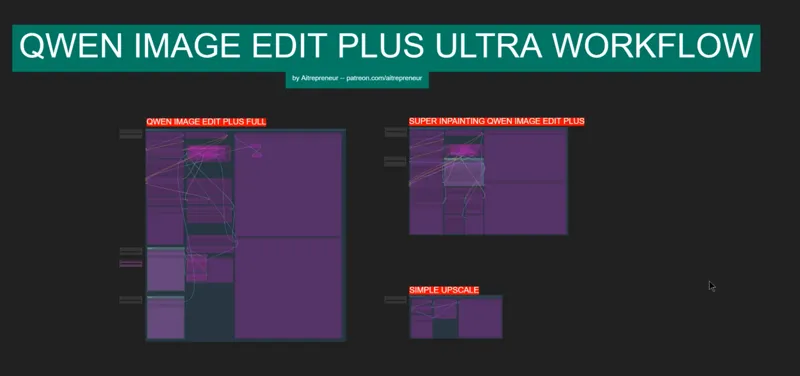
QWEN IMAGE EDIT 2509 (PLUS) NEW NANO BANANA COMPETITOR WORKFLOW!
EDIT 1st October: I updated the workflow for the people who had those weird "ghosting" issues, this should solve the problem. DO NOT ALSO FORGET, to dl the
Qwen-Image-Edit-Lightning-4steps lora (EDIT not NORMAL like before), either use this link :
https://huggingface.co/Aitrepreneur/FLX/resolve/main/Qwen-Image-Edit-Lightning-4steps-V1.0.safetensors?download=true
to dl the lora into the ComfyUI_windows_portable\ComfyUI\models\loras folder
or just use the nodes model installer if you need it.
I explain it + color editing trick in this short update video: https://youtu.be/-DRDZZd2zKs
I will update the workflow further once nunchaku get the lora support ready
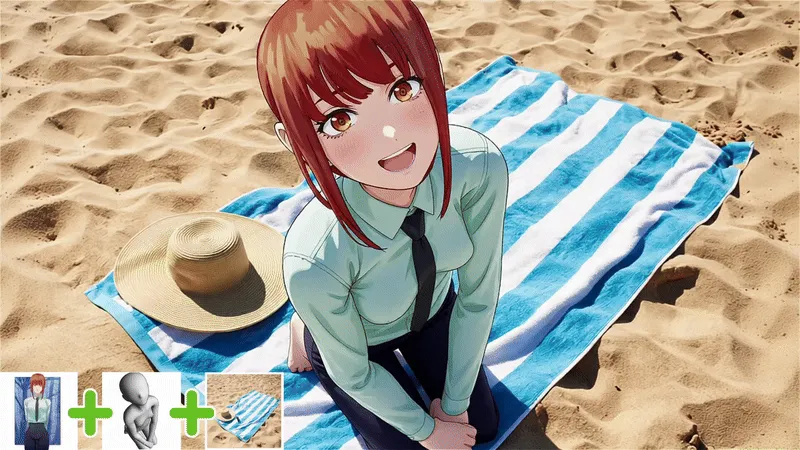
Hey everyone! I've just released a new video on "THE NEW OPEN-SOURCE NANO BANANA COMPETITOR!", called "QWEN IMAGE EDIT 2509 (PLUS)". And it’s basically Qwen image edit but much more powerful…A model that is able to automatically edits multiple images together with just a simple text prompt with insane precision!
You can check out the video right here: https://youtu.be/1VzPOLkcN64
I also created a 1-click installer for the Webui for my Patreon supporters for Local AND Runpod, that you can find right here: https://www.patreon.com/posts/139876451
Here the link to the manual install guide: https://pastebin.com/zW4EDqxt
Down below you will also find the QWEN-IMAGE-EDIT-PLUS_ULTRA.json for free for you to use!
As always, supporting me on Patreon allows me to keep creating helpful resources like this for the community. Thank you for your support - now go have some fun😉!
Comments (73)
The inpainting just stopped working. Anyone else having this problem?
After updating ComfyUI to the latest version, I started getting "RuntimeError: gather(): Expected dtype int64 for index" errors from this workflow. I tried the nuclear solution by deleting the folder and reinstalling from scratch, but it won't work anymore. Looks like ComfyUI updates broke compatibility with it. Please help! **UPDATE (2025.12.09): Ok, I think I have figured it out. The problem is on the GGUF loader, where it became incompatible with the latest ComfyUI, which now requires the gather() index param to be an int64 (instead of int32). This is easy to fix. Open "ComfyUI \custom_nodes\ComfyUI-GGUF\dequant.py" and go to line 280 and locate: qs = torch.gather(kvalues, dim=-1, index=qs.to(torch.int32)).reshape((n_blocks, -1, 32)) and change it to: qs = torch.gather(kvalues, dim=-1, index=qs.to(torch.int64)).reshape((n_blocks, -1, 32)) so that torch gets the int64 index param that it now requires. Now restart ComfyUI and everything is fixed. ^____^
Thank you!!! This got it working for me. I was using this workflow via API and updated to play with Z Image. That one change got me rolling again.
Guys where are good pages to get some nice loras?
Civitai
When I try and load this work flow I get a pop up that says Missing Node Types When loading the graph, the following node types were not found ReferenceLatent ResizeMask GrowMaskWithBlur ImageResizeKJv2 TextEncodeQwenImageEditPlus CFGNorm PrimitiveStringMultiline I've tried to use the Manager but it doesn't seem to work for these. Any ideas? Thanks!
Hi, do you have any suggestions or idea how to make better results with this qwen model. I want to change pose of a person but the generated images are wery smooth/blured. There is no detail. Even when I use 3000 px input images. I used for test full version of qwen edit bf16 and the results are the same.
The ghosting issues make this impossible to use
did anyone ever figure out the ghosting issue?
it sounds like the issue i am having, ive made some progress on making it not as bad today. mainly been tweaking things in the "Grow Mask with Blur" and upped cfg value to 3.2 (cfg is just kinda shot in the dark though) would love to figure it out though.
Whenever I try to use openpose I get the Error "OpenposePreprocessor No module named 'skimage'". Any ideas?
Your workflow doesent work. i get an error: mat1 and mat2 shapes cannot be multiplied (748x1280 and 3840x1280). i use the q4 k_S version. and the clip model which is standart in your workflow
Hello. mediapipe does not install with the version of ComfyUI portable in the pastebin instructions. This appears to be (another) python problem. The portable contains python 3.13. I am trying downgrading to python 3.10. mediapipe installs then. Not sure yet if the whole show will also work with 3.10. Also, there is no such file Qwen-Image-Edit-Lightning-8steps-V1.1.safetensors as referenced by the pastbin instructions. I am trying 1.0
I had to get an older version of torch.
Hi! I’m encountering the error “mat1 and mat2 shapes cannot be multiplied (77x768 and 3072x768)” when using the TextEncodeQwenImageEditPlus node, even after following the instructions to add the correct mmproj file. Could you please help me figure out how to fix this? Thanks in advance for your time and for the great work on this project!
have you used the installer? and do you have the Qwen2.5-VL-7B-Instruct-mmproj-BF16.gguf file in the ComfyUI_windows_portable\ComfyUI\models\text_encoders folder?
I seem to be getting Stuck at 75% K sampler - how long should it take to render an Qwen Image Edit? 4090 24GB
It finally rendered. 23.5 mins kinda long
Hi and thanks for your workflow, but It doesn't work for me and I don't know why, I've downloaded the Q6_K model and both text encoders the UD_Q4_K_S and mmproj-BF16, as the instructions said, but when I run it, it just generates a black image and it doesn't give me any feedback, so I dont know what could have happened. Any idea? I have the newest workflow also.
First of all thanks for the amazing workflow but i still have the ghosting, image loses a lot of details, gets blurry. i wish it worked like the inpainting workflow, would've been the best thing ever..
have you redownloaded the new workflow? the workflow had to be reuploaded hours ago because of a Patreon issue
generated image changes a lot, its kind 3d ish look like ai eventhough up[loading real life photo, it becomes like 3d painting. and it changes face slightly when asking change pose. im pretty sure there are some files missing not exactly like your set up. so can you please just upload your whole comfyui folder to download, so no single file is missing and we get exactly result you are getting.
no files are missing if you are able to generate an image, the only issue might just be the quantized model, I noticed that the more quantized the worse the model is, Q4 is unfortunately really bad, if you try Q/8, you'll get much better results
Hi friend. I installed it locally, with all the updates and models. But I still get an error when I try to generate an image. I also see that in the comments, several people are saying the same thing.
DM me
Hi friends, I need help. It won't let me use this workflow. I've been trying to fix it for days, but I can't. I've already downloaded the new FT, but nothing works. Help. Thank you very much. -------mat1 and mat2 shapes cannot be multiplied------
have you used the installer? and do you have the Qwen2.5-VL-7B-Instruct-mmproj-BF16.gguf file in the ComfyUI_windows_portable\ComfyUI\models\text_encoders folder?
Getting an error , anyone knows how to fix it? TextEncodeQwenImageEditPlus mat1 and mat2 shapes cannot be multiplied (768x1280 and 3840x1280)
https://github.com/city96/ComfyUI-GGUF/issues/329#issuecomment-3301540352 is the fix
I still get pixel shifting each time with the newest workflow/models, but it's much better. No way to truly fix that huh?
Inpainting is the only way for now, this new model is much better than the previous one for that so this issue might get completely fixed for the next iteration maybe
I am also still seeing the "ghosting effect"
Yup, it's Patreon being dumb, the site had issues for hours today and it didn't save the correct file...I reuploaded the correct file AGAIN...so now it should work....
Sorry, the new update didn’t fix the problem again... I don’t understand why!
DM me
Will we get any wan animate for transfering animated poses into pictures?
Having some good results with this. I had a few questions: 1. I want to do clothing replacement on a target image from a reference image (similar pose, different clothing) fairly precisely using in painting. So sort of a combination of the two workflows. Obviously the in painting workflow doesn’t accept a second image and the main workflow sometimes struggles to know what I’m talking about (very specific clothing pieces rather than just t-shirt). The work around has been to use the in painting model to remove the clothing then the second model to dress the person in the outfit from the reference. I’d rather be able to in paint and say ‘change the flip flops to those in image 2’ 2. Can i give regional guidance? eg tell the model where in the reference image the flip flops are 3. At the same time, the model is introducing detail from its training, eg if I upload a reference image of a black V-neck t-shirt, the model might make it a round neck (because I assume most t-shirts have round necks). Is there any levers i can twiddle or better prompting language to make the cut and style of a garment more exact - I assume I shouldn’t be negative prompting? 4. I’m noticing the colours are overly saturated. Everything looks a bit ‘crispy’. Particularly when clothing items are white. I’m working with nicely shot photography and don’t want very sharp contrast. Is there anything I can change? 5. If I remove clothing with inpainting, it doesn’t seem to follow the texture of adjacent bare skin. For example, my subject has freckles on their legs, if I take their skirt up higher, the newly exposed skin has a very flat look without the detail. Is there a trick to having it continue with the exiting skin tone and pattern more naturally?
I am still having trouble with these controlnet preprocessors. Somehow they are not installed correctly. from custom_controlnet_aux.open_pose import OpenposeDetector ModuleNotFoundError: No module named 'custom_controlnet_aux.open_pose' Does anybody know how to fix this?
aynone else getting this actually working? i installed yesterday, tons of errors, issues, doesnt even work on reboot. i had to delete error nodes just to get ti working. .;.. very sloppy work.
No =/
Are there any nsfw lora out there for qwen edit? The model is more censored than everything I saw before. :-/
Can you create one of these Workflows that has support for 4 Loras? That would be great. Thanks.
im getting error true openpose node: Prompt execution failed Prompt outputs failed validation: Switch any [Crystools]: - Required input is missing: on_true - Required input is missing: on_false the open pose feature is disabled im running a simple prompt with 1 image and cant get this workflow to work
Move the node where you can choose OpenPose or Depth inside Controlnet group as showed here: https://imgur.com/a/gpCKQhD Enable controlnet and later disable it and it should work
You said there won't be any shifts in the output image (in the youtube video), but while using your workflow as it is, there is a shift in the output image. You must have updated the workflow or something. Can you please fix it?
I can confirm this: using a single image edit on the left workflow has issues with the result. It's like having two images on each.
My end result is always a completely black square. :'( I assume I probably have some package or another that is a version too old or something like that. But curious as to if anyone else has this issue and found a fix. I'm not getting any errors in my console, but this warning: "Falling back to numpy dequant for qtype: 23" does appear many many times.
It should be from sage attention
anyone else get crazy lag, im unable to naviate due to lag on runpod??
Unfortunately, I'm having a problem with your Workflow. During generation, for example, when changing clothing and especially when changing poses, images 1 and 2 overlap, creating an unpleasant effect. This looks completely different from the one in your video. Example generations using prompts identical to those in your video are shown below to better understand the problem: https://imgur.com/a/I4UkFi8 I also noticed several errors in your workflow that affect the ControlNet function. In your Workflow, the True-->OpenposeFalse-->Depth node is outside the ControlNet group, so even though ControlNet is disabled, this option remains active and generates the error described in the YouTube comment "switch any crystools: required input is missing: on_true and on_false." Moving this node to the ControlNet group solves this problem, as does moving the Preview Image, which eliminates the visible error seen in your video. The depth and preview image were also incorrectly linked, which meant there was no visible preview of the depth mask when the false option was selected in the node described at the beginning. I've fixed everything so it looks clear and works correctly below. If you'd like, I can send you the corrected workflow (I don't want to share it directly so I don't steal your work). https://imgur.com/a/gpCKQhD For completeness - I use Qwen-Image-Edit-2509-Q4_K_S.gguf on RTX 3060 with 12 GB VRAM and 32 GB RAM, perhaps the Q8 version does not contain these errors but I have no way to check it.
how did you fix the 2 images mixed together
RTX-4090 user here...I am achieving consistency in the output face only by disconnecting the VAE input in the TextEncodeQwenImageEditPlus module. When that IS connected, the final face often ends up blurry/shifted and ruined. IMPORTANT: But you must reconnect this VAE connection when using ControlNet stuff, as it doesn't work otherwise...
yea, I added another vae loader down to the controlnet group and that connects back up to the textencode input
hate to say it but the vae for qwen isn't in that repository that you outline in the pastebin - where can I find it?
It is. Just need to scroll down and click to expand for more options.
Hello! Thank you for releasing this new 2509 workflow. Is it possible to add an additional reference image to the inpainting workflow? My use case if trying to add a tattoo to a person's body - specific location
It doesn't work well for this, one better way to do it is this way: https://imgur.com/a/TjHyZVU upload your image + image you want to tattoo, open with mask editor, then chose the brush and color the area you want to change then click save, then in your prompt you can say something like "tattoo the red part of the woman's arm in image 1 with the black drawing from image 2" then click run
Does the one click installer work with both ComfyUI portable and also the regular ComfyUI installs? Or is it only meant for one or the other?
It's meant for the portable version yes but it can be easily modified for the regular one
Hi, I keep getting this error: mat1 and mat2 shapes cannot be multiplied (784x1280 and 3840x1280) regardless of what image size I put in
you have not correctly selected the correct model and clip model
it certainly is better! it takes less time and gives the results! I still can't get control net to act on more than a 1024x1024 of the image size but at this point I think it's more Qwen Edit plus itself than anything. a bummer because I wanted to try to get it to go further than this with the image size.
well this is strange! I didn't change anything yet controlnet and everything now is working even in larger than 1024x1024. The more I think I understand how it works I only get proven wrong... at least this time it's a pleasant one!
i see that in your workflow you use the LORA Qwen Image Lightning 4 Steps, but there is a specific version called Qwen Image Edit 4 steps, on the githut of lightx2v (Two special version, them), i am wrong ?
yes and you can use both, both Qwen-Image-Lightning and Qwen-Image-Edit-Lightning
The Q8 model doesn't seems to fit in RTX 3090? When model is loading I see: Falling back to numpy dequant for qtype: 23 Falling back to numpy dequant for qtype: 23 loaded partially 20756.402980926512 20756.163330078125 0 Then 4 steps of generation pass, but the process fails on "Requested to load WanVAE" Windows task manager shows 99% of VRAM loaded
it should work fine, I got a 4090 with 24gb as well, so make sure you are not running other stuff in the background. Otherwise you can still dl the Q5 model instead
Hey. I can't use the workflow. It's saying 'This model is not currently supported - (Model architecture not allowed for conversion! (i.e. reference VS diffusers format))' Updated my Comfy and Custom Nodes just before trying it. The last Qwen Image Edit WFs still works.
this is a gguf node issue, make sure that the gguf node is updated to the latest version or reinstall the node
another wf that doesn't work >< cannot reshape array of size 2993888 into shape (18432,2112)
It works, you just need to select the correct model, the correct clip and make sure you updated comfyui with the update comfyui bat file, you can dm if need be
Does this work flow include the nunchaku version? https://huggingface.co/nunchaku-tech/nunchaku-qwen-image-edit-2509
No i made the video when lora support wasn't added yet but I can add it now if you need it