
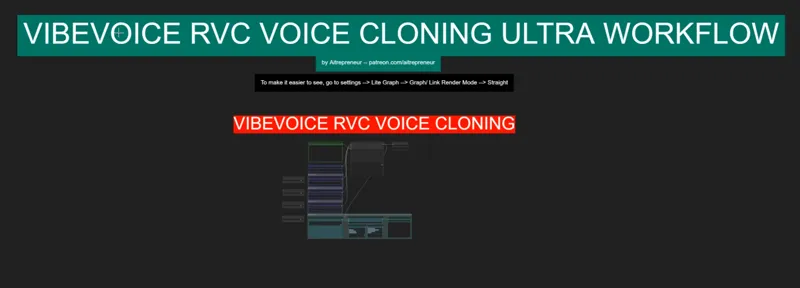
VIBEVOICE RVC BEST TTS AI VOICE CLONING WORKFLOW!
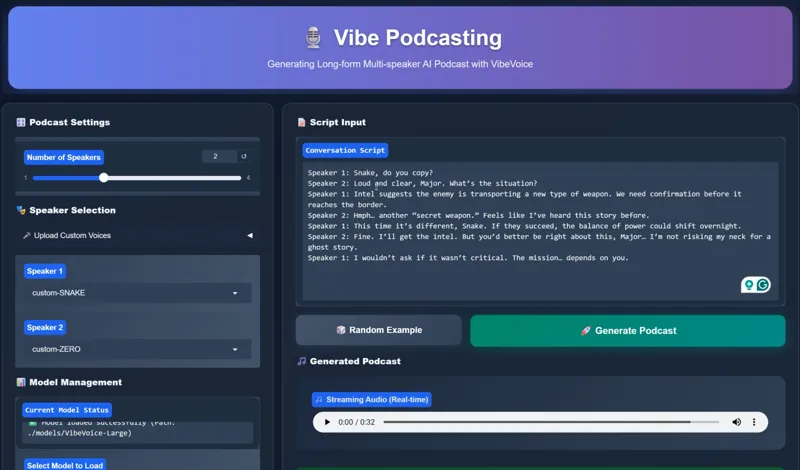
Hey everyone! I’ve just released a brand-new video on “The ULTIMATE Local TTS AI Voice Cloning”, featuring the brand-new VibeVoice model. This one is a total game-changer it can clone voices with as little as 10 seconds of audio, generate conversations between up to 4 voices at the same time, and even switch across multiple languages… all running locally on your own computer. 👀🎤
You can check out the video right here: https://youtu.be/XtaPZmlyMMw
I also created a 1-click installer for the Webui for my Patreon supporters for Local AND Runpod, that you can find right here: https://www.patreon.com/posts/139346699
As well as the installer for the Vibevoice & RVC webui: https://www.patreon.com/posts/139346683
Here the link to the manual install guide: https://pastebin.com/FX07hPLc
Down below you will also find the VIBEVOICE-RVC_VOICE_CLONING.json for free for you to use!
As always, supporting me on Patreon allows me to keep creating helpful resources like this for the community. Thank you for your support - now go have some fun😉!

Comments (16)
Another failed attempt. No models installed. I'm sorry but this is getting silly. The scripts for local install always give problems (gave up on runpod) . I need to spend hours fixing things and trying to locate models etc.. I like the videos you put out but please include clear instructions where to get the models in case your scripts fail to work. I don't mind downloading things manually but I hate to search for them and "guessing"which one is the correct one
After starting RVC training, an error occurs regardless of whether the graphics card is 4090 or 5090. Does anyone know how to fix this? Traceback (most recent call last): File "multiprocessing\process.py", line 315, in _bootstrap File "multiprocessing\process.py", line 108, in run File "D:\AI\RVC1006Nvidia\infer\modules\train\train.py", line 132, in run dist.init_process_group( File "D:\AI\RVC1006Nvidia\runtime\lib\site-packages\torch\distributed\distributed_c10d.py", line 888, in init_process_group store, rank, world_size = next(rendezvous_iterator) File "D:\AI\RVC1006Nvidia\runtime\lib\site-packages\torch\distributed\rendezvous.py", line 245, in _env_rendezvous_handler store = _create_c10d_store(master_addr, master_port, rank, world_size, timeout) File "D:\AI\RVC1006Nvidia\runtime\lib\site-packages\torch\distributed\rendezvous.py", line 176, in _create_c10d_store return TCPStore( RuntimeError: unmatched '}' in format string
i ran the autoinstaller but there are no models included. where do i get the VibeVoice model?
Same (Used the VIBEVOICE-RVC-NODES_INSTALL.bat because I had ComfyUI allready installed)
Stuck at 0% with the below msg using comfi ui For better performance, install the package with: `pip install huggingface_hub[hf_xet]` or `pip install hf_xet` Xet Storage is enabled for this repo, but the 'hf_xet' package is not installed. Falling back to regular HTTP download. For better performance, install the package with: `pip install huggingface_hub[hf_xet]` or `pip install hf_xet` Xet Storage is enabled for this repo, but the 'hf_xet' package is not installed. Falling back to regular HTTP download. For better performance, install the package with: `pip install huggingface_hub[hf_xet]` or `pip install hf_xet`
I have tried everything. and when I go to generate it just never goes past zero%. I am not sure what i am doing wrong. I followed the video and read the instructions and still nothing.
I loaded a mp3-file called jenny.mp3 but got this error: Failed to validate prompt for output 595: * LoadAudio 597: - Custom validation failed for node: audio - Invalid audio file: DIOGOOD.wav Output will be ignored invalid prompt: {'type': 'prompt_outputs_failed_validation', 'message': 'Prompt outputs failed validation', 'details': '', 'extra_info': {}} Exception in callback _ProactorBasePipeTransport._call_connection_lost(None) handle: Traceback (most recent call last): File "asyncio\events.py", line 88, in _run File "asyncio\proactor_events.py", line 165, in _call_connection_lost
I'm doing exactly what the video shows, but my output audio sounds nothing like the guy. i ripped the audio from an interview as well.
I tried downloading the large model and got a out of memory error. I have 8 gb of vram. Anything I can do?
So getting errors with this specific custom node, which has been fixed in the upstream custom-node which also uses SafeAttention: VibeVoiceMultipleSpeakersNode Error generating multi-speaker speech: VibeVoice generation failed: 'DynamicCache' object has no attribute 'key_cache'
I've heard that disabling sageattention in the run bat file can fixe the issue
How much Vram it use?, will it work on 4gb vram?
Oof...4gb is a bit too low...maybe the 1.5b...but with that I just suggest runpod
How about IndexTTS2 ?
I tried it, not bad but not as good a Vibevoice and EXTREMELY limited, only English and Chines language
Excelent! Thank you!