
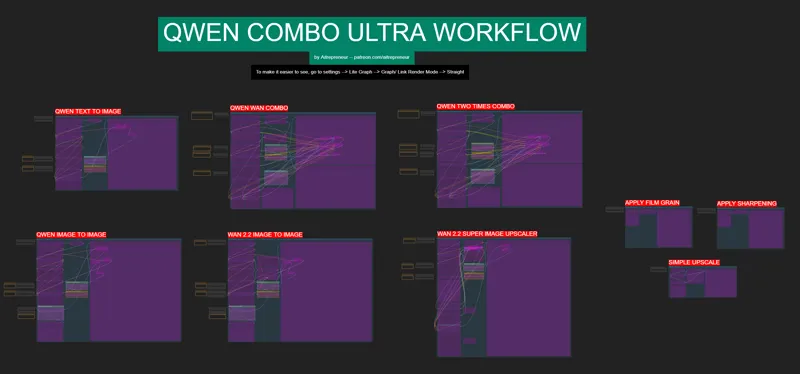
QWEN COMBO ULTRA WORKFLOW!
EDIT 12 AUGUST: 4 STEPS LORA IS OUT! THE WORKFLOW AND INSTALLERS HAVE BEEN UPDATED! SO NOW YOU CAN GENERATE AN IMAGE TWICE AS FAST...AI GOES REALLY FAST HUH..😅
YOU CAN REDOWNLOAD THE WORKFLOW AND EITHER USE THE QWEN-ULTRA-MODELS-NODES_INSTALL.bat inside the comfyui folder or dl the lora from this link: https://huggingface.co/Aitrepreneur/FLX/resolve/e70ebc249a07b2076db848b166d8ff1c759ce953/Qwen-Image-Lightning-4steps-V1.0.safetensors?download=true
and put it inside the ComfyUI_windows_portable\ComfyUI\models\loras folder
HAVE FUN! 🙃
Hey everyone! I've just released a new video on the NEW QWEN IMAGE MODEL!
THE NEW BEST TEXT TO IMAGE MODEL ever made!
Insane artstyle, incredible prompt following, great text design and just amazing quality. It can do everythingl. BUT...NOT BY ITSELF...
The only way to TRULY Make it the best is THE SUPER COMBO TEAM QWEN + WAN 2.2! And My Workflow makes this possible!
You can check out the video right here: https://youtu.be/7P4LHEAEGNg
I also created a 1-click installer for the Webui for my Patreon supporters for Local AND Runpod, that you can find right here: https://www.patreon.com/posts/136261655
Here the link to the manual install guide: https://pastebin.com/18cv3Ww7
Down below you will also find the QWEN_COMBO_ULTRA_WORKFLOW.json for free for you to use!
As always, supporting me on Patreon allows me to keep creating helpful resources like this for the community. Thank you for your support - now go have some fun😉!

Comments (70)
mat1 and mat2 shapes cannot be multiplied (784x1280 and 3840x1280) i tried several clip models but it didnt work for me. google says maybe its from the node itself.
How do you fix the white screen?
i managed to make all the issues and alert work by using chatgpt. DO the same if you have issues
I recall someone asking for an auto prompter but I cant recall where someone in here though. I created an wan2.2 prompt generator to properly generate the correct style of prompts for the most realistic, and advance. It uses either LMStudio or OLLAMA for the back end. I have an exe and the source code on my github. Hope it helps someone. https://github.com/Wontfallo/Wan2-2_Prompt_Generator.git
I did the installation in runpod but when i try any workflow, it get stuck. It never finish. i did try the qwen text to image, qwen combo, ect. I hit run, is reach the ksampler and stay there...
I'm getting this error, can anyone advise? mat1 and mat2 shapes cannot be multiplied (5292x1280 and 3840x1280) thanks guys
Update comfyui by using the update comfyui bat file inside the update folder and update all the nodes by using the manager by clicking on update all, then you can restart and re drag and drop the workflow in again
I tried the Qwen image to image, every time I do it either comfyui just freezes up or my pc actually crashes.
did you find a solution? i have the same issue
So no matter what i do i keep getting this message "When loading the graph, the following node types were not found Upscale by Factor with Model (WLSH)" You mind passing discord inv and helpinh me out?The invitation under ur video doesn't work
you can dm me instead
I have used the RunPod installer and the Workflow for QWEN on a RTX 5090 and i get this: CUDA error: no kernel image is available for execution on the device CUDA kernel errors might be asynchronously reported at some other API call, so the stacktrace below might be incorrect. For debugging consider passing CUDA_LAUNCH_BLOCKING=1 Compile with `TORCH_USE_CUDA_DSA` to enable device-side assertions. it does work on a RTX 4090
you can't use blackwell gpu with my template right now unless you are willing to do some manual install commands
Hi, where in this workflow would i add the Juggernaut XL from CivitAi ? or generally, how do i modify this workflow for other LoRAs and Models from CivitAi ????????
different models need to be handled differently. You may get a workflow for SDXL or other Model-Architectures on CivitAi too.
i think i found best seed: 999999999999999 1039338885633958
Is there a way to share height/width between the two parts of the combo? To save time updating both t2v and i2v when changing aspects?
yes you can create 2 int nodes and then connect them to the width and heigh part of the nodes
Would it be possible to add one more module to this workflow to complete it; turn your final image into a video, like runi it through wan 2.2? That would be awesome.
Check his previous youtube video for WAN 2.2, there you have the workflow for image to video, and you can copy that part over in comfyui (ctrl+drag to select that part and ctrl+c, ctrl+v in the new workflow)
Thank you so much, I got it working after getting only blurry images (like I got also with the WAN 2.2 Image2Video). I finally figured out that I was missing some Loras and now it works. Thanks so much for your work, you're awesome. Also actually this was probably your funniest video, with the comments about WAN 2.2. ;)
hi bro, iam getting blurry images as well. could you help me with fixing this
I have a problem I cant run the workflow. Every time I try to run an error stating: Clip loader gguf unexpected text model architecture type in GGUF file "quen2vl". Does anyone knwo a solution for that?
Try to close the program.... and run the comfy update bat file inside of your comfy folder's \update folder. That was the only thing that could fix the GGUF loader errors I was getting.
i2v is kind looping at the end, but my loop_count is set to 0, how do i fix it, i want the model stay in position after movement, for example i say "move to left" then she moves to left but at last second she walks back to right
Hi. I'm having this same issue. Its not quite a loop, but it looks like its trying to loop. Any solution to this?
I can't see the link to download the updated workflow? I managed to download the original workflow a couple of days ago but not seeing it now.
Worked it out. For anyone else with this issue if you view the post from the Patreon home page the links don't exist but they appear fine when you browse the posts from the Aitrepreneur page directly.
Hi K ! I can't remember if I said that before, in RGThree Settings at the bottom there is an option Groups > SHOW FAST TOGGLES IN GROUP HEADERS, so the Fast Groups Bypasser became obsolete, unless it applies to several groups
Seems promising for inpainting to or are the results bad?
Doesn't work for inpainting yet
1) What file type or LoRa's can be used for WAN and Qwen? 2) Do you just keep the seed if you want to retain the same subject? for consistent subject generation for different things?
1) Each lora needs to be trained for each model, only lora trained on the wan model work on the wan model, same with Qwen or any other models 2) Possibly but the best way is just lora training or using something like the Kontext model
Yeah; I ran the nightly and it rolled something back and removed the qwen option from the cliploader. fortunately just going back to stable and it got restored.
The stable version got updated, just update it to the latest version now
I updated comfy and am using the nightly version and getting this cannot reshape array of size 24259885 into shape (3072,8448)
Send screenshots of the parameters
help CLIPLoaderGGUF GGUF magic invalid
DM me screenshots of the parameters
Do you happen to know if there are any other lora formats that might be compatible with this? I've only managed to find about a handful of QWEN loras so far.
it's a fairly new model, be patient or train your own, I'm training a few right now, it's pretty good
cannot reshape array of size 7802545 into shape (18432,1728) Someone please help.
just update comfyui with the update comfyui bat file inside the update folder and you change to the nightly build inside the manager like showed in the video
ive never used comfy before so i dont know yet how to trubbleshoot but i get this error after using the 1 click installer anyone know whats the issue? Prompt outputs failed validation: UnetLoaderGGUF: - Value not in list: unet_name: 'Qwen_Image_Distill-Q4_K_S.gguf' not in ['Qwen_Image_Distill-Q5_K_S.gguf', 'Wan2.2-T2V-A14B-LowNoise-Q5_K_S.gguf']
means the Q4 K S gguf file is not in the \model\diffusion_models. the Q4 version is preselected in the workflow, and if you downloaded the Q5 version, you have to manually select it in the unetloadergguf node.
I have installed with bat and update CUI but getting error.. Unexpected text model architecture type in GGUF file: 'qwen2vl'
go into comfyui manager, node manager and manually update or change ComfyUI-GGUF node to nightly version. worked for me.
I still get poor images with the lora in 4 steps, but decent images with 12 steps and above. I'm not sure if the rgthree lora loader is loading it right (everything's updated). any thoughts?
same here with the 4 steps
QWEN+QWEN IS CRAZY GOOD! game changing!
Is there a Mac option
yes but I can't provide support for it since I don't use apple products
My images don't look as crisp as yours using the default settings and prompt. Using a RTX 3090 with Ubuntu 24, any thoughts? Could it be the new 4 Step LORA?
Use the combo workflow of course, to get the best results
Pulling my hair out with this one: Prompt outputs failed validation: CLIPLoaderGGUF: - Value not in list: type: 'qwen_image' not in ['stable_diffusion', 'stable_cascade', 'sd3', 'stable_audio', 'mochi', 'ltxv', 'pixart', 'cosmos', 'lumina2', 'wan', 'hidream', 'chroma', 'ace', 'omnigen2'] Using the packaged workflow with the selected "Qwen2.5-VL-7B-Instruct-UD-Q4_K_S.gguf" Any help would be appreciated!
have you updated comfyui?
I keep getting this error. Ive tried all three versions and they all fail. -------- Downloading ComfyUI -------- % Total % Received % Xferd Average Speed Time Time Time Current Dload Upload Total Spent Left Speed 0 0 0 0 0 0 0 0 --:--:-- --:--:-- --:--:-- 0 91 2028M 91 1850M 0 0 6277k 0 0:05:30 0:05:01 0:00:29 5427k curl: (18) end of response with 187232291 bytes missing Download failed. Press any key to continue . . .
This looks like a connection issue maybe a VPN or something else interfering
I can't find qwen_image_vae.safetensors in the main branch directory. Am I blind? can anyone help?
vae file is in the models/vae folder if you used the installer correctly
Ideally I'd like a model that generates images indistinguishable from real photos. Unfortunately this is not it. Wan by itself is still better at it.
Base model yes, wait until we get realistic loras...
What paid online portal is the best so far at combining the latest workflows and models?
Runpod?
but is it as PG13 as Kontext?
yes but loras are already here, wan was the same and look what we can do with it
I think Chroma is better over all currently
A merge between Chroma and Big Lust would be the best for that stuff i reckon
So now this is the bestest??
It's always the best when new stuff comes out :)