
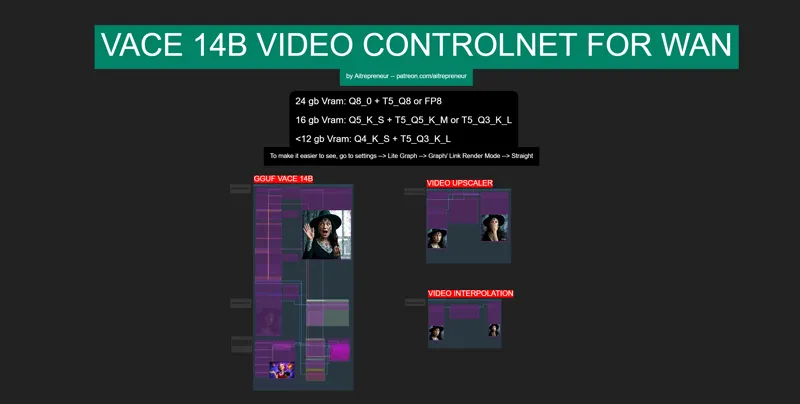
VACE VIDEO CONTROLNET IMAGE TO VIDEO WORKFLOW!
Hey everyone! I've just released a new video on "THE NEW AI VIDEO CONTROLNET KING! ", called "VACE". Simply THE MOST POWERFUL UPGRADE TO AI VIDEO GENERATION EVER! A ControlNet-style adapter for WAN 2.1 that gives you perfect control over your video generations using OpenPose, Depth, Segmentation AND WHEN Paired with the special LoRA CausVid, you can now generate videos up to 4x faster than before… It's just amazing!
You can check out the video right here: https://youtu.be/zhNKpdL03PA
I also created a 1-click installer for the Webui for my Patreon supporters for Local AND Runpod, that you can find right here: 1-Click INSTALL VACE VIDEO CONTROLNET IMAGE TO VIDEO ComfyUI WebUI! | Patreon
Here the link to the manual install guide: https://pastebin.com/i1jzaRna
Down below you will also find the VACE_IMAGE-TO-VIDEO_CONTROLNET.json for free for you to use!
As always, supporting me on Patreon allows me to keep creating helpful resources like this for the community. Thank you for your support - now go have some fun😉!

Comments (33)
I'm a bit perplexed. Generating a 3-4 sec clip with 1280x720 @25fps resolution with 12 steps and the LoRa on my RTX 4090 (12900k 128GB DDR4) takes a whopping 20 minutes. Is that normal? VRAM and GPU seem to be maxed out the entire time. If that's normal; thats fine. But is it?
hey all I'm getting this error anyone know how to repair it? the depth-anything folder is empty...# ComfyUI Error Report ## Error Details - **Node ID:** 170 - **Node Type:** DepthAnythingV2Preprocessor - **Exception Type:** FileNotFoundError - **Exception Message:** [Errno 2] No such file or directory: 'C:\\Users\\john\\Desktop\\comfy\\ComfyUI_windows_portable\\ComfyUI\\custom_nodes\\comfyui_controlnet_aux\\ckpts\\depth-anything\\Depth-Anything-V2-Small\\.cache\\huggingface\\download\\Wgzz53Hpl7-m749TyT1Y6_XeYfg=.715fade13be8f229f8a70cc02066f656f2423a59effd0579197bbf57860e1378.incomplete'
I fixed the pose and depth issues via manual download and placement. if you have this issue pop the error logs into chat gpt it will take a while but you will get it fixed
Hi, I've tried to make a test video, and I keep getting the same kind of error : When I tried with the medium model, it gave me this error : MPS backend out of memory (MPS allocated: 33.17 GiB, other allocations: 164.62 MiB, max allowed: 36.27 GiB). Tried to allocate 3.15 GiB on private pool. Use PYTORCH_MPS_HIGH_WATERMARK_RATIO=0.0 to disable upper limit for memory allocations (may cause system failure). And now I've tried with the lowest model, and it took like a full 24 hours (it's a 7 second video that I've reduced to 720x480 and 2 seconds), and it gives me this error : MPS backend out of memory (MPS allocated: 16.67 GiB, other allocations: 19.58 GiB, max allowed: 36.27 GiB). Tried to allocate 759.38 MiB on private pool. Use PYTORCH_MPS_HIGH_WATERMARK_RATIO=0.0 to disable upper limit for memory allocations (may cause system failure). I have a M1 Max Mac Studio with 32GB. Is it just not enought ? Or is there a wrong parameter somewhere ? Thanks for your help :)
hi love your creations, i'm getting this error when trying to do video to image :LoaderGGUF cannot reshape array of size 13834627 into shape (5120,2880) comfyui
Im like almost there but when i run it it Ksampler error ? touch out of memory.. any help
dm me the full error log but this sound like you are running out of memory so not enough vram
I just upgraded my GPU to 5070 Ti 16 GB VRAM, but I get this error after the Controlnet finishes the process: KSampler Allocation on device (in ComfyUI) And the following in the console: =================== File "C:\AI\ComfyUI_windows_portable\ComfyUI\comfy\ldm\flux\math.py", line 43, in apply_rope xk_out = freqs_cis[..., 0] * xk_[..., 0] + freqs_cis[..., 1] * xk_[..., 1] ~~~~~~~~~~~~~~~~~~~~~~~~~~~~~~~~^~~~~~~~~~~~~~~~~~~~~~~~~~~~~~~~~ torch.OutOfMemoryError: Allocation on device Got an OOM, unloading all loaded models. Prompt executed in 1.62 seconds =================== I even downloaded the "Wan2.1-VACE-14B-Q4_K_S.gguf" thinking maybe the 5 is heavy, but sadly the same error. Any idea what is going on? Is there something wrong with my new GFX Card ?
you are running out of memory unfortunately, make sure you are running the latest nvidia drivers as well with sysmem fallback activated
It doesn't work for me. It generates the depth preview but there is no output. It also doesn't seem to even begin generating the video but just stops after pose preview. No, wait. It says something about composing but it's gone too fast to be real. And yeah, then... no video output.
dm me your parameters and gpu, you are probably running out of memory
What do we do when we are using runpod and there are missing nodes due to clean installation? Is there an easy way to download all missing nodes? I don't see that in the instructions anywhere.
Dear Aitrepreneur, thanx for your content! I haven't practiced AI for a long time, and now I'm trying to catch up with the changes over the past 2 years). It feels like several epochs have changed before my eyes))). But I have a question. You're saying that the model is uncensored. And nswf works can be found on the Internet. But all my attempts to generate uncensored content fail, even if all input files are nsfw. Can you tell me what I'm doing wrong?
Can this just generate video from image with no reference video?
Interesting would be if you could make a workflow, that could help to make AMV with Vace.
Hey for some reason my output video is not 100% the reference image, what am i doing wrong?
100% of what aspect?
i also cant see the json workflow file :(
This worked for me, I need to pay attention to his instructions (I'm a simple guy) but it's magic and it works.
Can I also use a Lora of a character in this workflow? Where/How would I need to put it in?
In the lora loader node
i cant find the json workflow
It's on this post
Getting this error once it get to ksampler section KSampler The size of tensor a (34980) must match the size of tensor b (35640) at non-singleton dimension 1
Same problem, waiting for a solution
A whole bunch of nodes missing on the Json file. I tried searching for them but can't seem to find them. Were they rename and changed? The VideoHelperSuite doesn't allow you to input a video file.
have you used the installer? all the nodes and models will be downloaded
thank you
The reactor node that this uses doesn't seem to be available anymore.
i can't seem to save the videos after they are done generating it says i need ffmpeg, i downloaded it but don't know where to connect can you please help me?
Download ffmpeg extract it to your main directory in C: then add it to your enviroments. ( Win button env ) copy the ffmpeg exe to the comfyUI root folder. rename the copyed one to ffmpeg.exe this helped me with that. good luck
Thank you so much for always taking the time to create these
Thanks! If you have time can you have a look at flux work Flow update?