
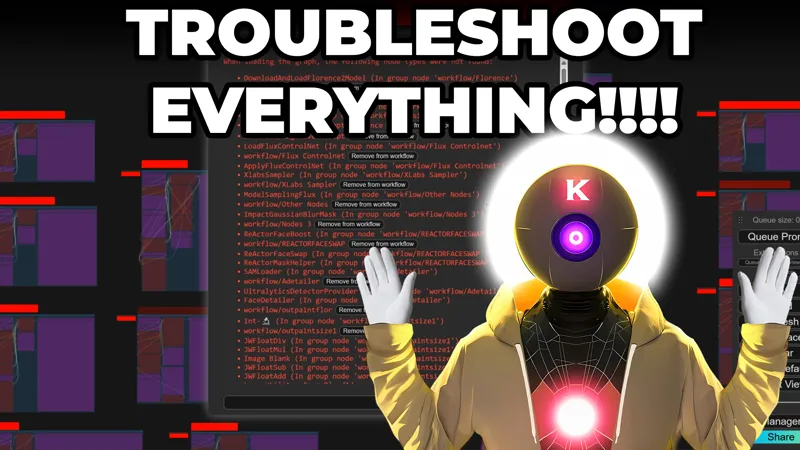
Exclusive Patreon Video: Troubleshooting Flux Workflow Comfyui!
Video timestamp:
00:00: Intro
01:22: Best practices when creating a folder for Ai tools
02:17: Local install process from scratch
04:45: Initial install complete + verification correct models download
07:45: THE FOLLOWING NODE TYPES WERE NOT FOUND WHEN LOADING THE WORKFLOW
08:40: Manager button not present in comfyui + updating comfyui
git clone https://github.com/ltdrdata/ComfyUI-Manager.git
11:10: Installing Missing custom nodes + error missing nodes
12:50: Error. No naistyles.csv found
13:09: Still missing nodes??
14:00: Magic???
14:20: Change Ui to something more beautiful
15:10: generate Image
15:34: PULID ERROR FIX: TypeError: forward_orig() takes from 7 to 9 positional arguments but 10 were given
git reset --hard cc9cf6d1bd957d764ad418258b61d7e08187573b
17:12: GGUF ERROR Q8 MODELS NOT FOUND
18:08: PULID or Reactor Node missing
18:33: CUDA_PATH is set but CUDA wasn't able to be loaded
19:00: Local install ending info
19:22: Runpod installation
22:49: Loading workflow + Installation of missing nodes
26:06: Conclusion
FIX THE RUNPOD PULID ERROR FIX: TypeError: forward_orig() takes from 7 to 9 positional arguments but 10 were given:
First once everything is installed, go back to the pod and click "Connect to HTTP Service Port 8000" and click on the red stop button. Which will stop comfyui. Then go inside the comfyui folder (where you put the 1 click installer), click on the terminal icon on the right and there type:
git reset --hard cc9cf6d1bd957d764ad418258b61d7e08187573b
press enter and you should see a message saying "HEAD is now at cc9cf6d Rename some nodes in Display Name Mappings (nodes.py) (#5439)"
then go back to the Service Port 8000 and now click on the green button to start comfyui back again, look at the logs files to see when the webui has started back up, it's ready when you see :
"Starting server
To see the GUI go to: http://0.0.0.0:3001"
go back to port 3000 to use comfyui.
Hey everyone! I've created a special exclusive Patreon video on how to completely troubleshoot most (if not all) most common errors for the Flux workflow version and comfyui installation. This video will go through (slowly) the entire installation process from scratch STEP BY STEP for both local and runpod installation. Giving you tips, tricks, advice and fixes to the most common issues, errors and questions I have received since the video came out. This should really help you troubleshoot most if not all of your problems for this particular installation. So, enjoy!
And if you still have issues, don't hesitate to send me a dm with as much info as possible so I can help find a solution to your problem asap ;)
Patreon post with the 1 click installers: https://www.patreon.com/posts/1-click-install-115233636
As always, supporting me on Patreon allows me to keep creating helpful resources like this for the community. Thank you for your support - now go have some fun😉!

Comments (185)
If anyone gets this error (or similar): TypeError: undefined is not an object (evaluating 'linkRenderController.mark_link_list_outdated') Clear your browser cache or open a new incognito window. I had this issue, where the browser had cached an old copy of the JavaScript code.
Is there any way how can i contact Aitrepeneur?
Hi, I'm getting this when i want to generate something. I'm using runpod. Thanks for your time Error Failed to get input node 0 for group node child 1321:1 with slot 0
same
runpod does not work with this workflow, I did everything as in the video... but the worst thing is, if I stop the pod, then comfyui can't be started at all and I would have to reinstall everything... that sucks. comfyui can no longer be started via venv because the process is already running... which is not true. K that's garbage sorry 😅🙏
just first do the comfyui update THEN use the installer, once it's done, go back to the comfyui, click restart and load the workflow, it's not that complicated
Hi, I have an error when installing the nodes, I have followed every step correctly but at the moment of wanting to install the nodes it seems like it gets stuck and nevers show anything, not even on my terminal. It seems like a connection type of problem but I've tried it many times and I keep getting stuck at that final step, it's quite frustrating.
For those of you missing the Manager button despite having the folder in the custom nodes folder, run COMFY\ComfyUI_windows_portable\update\update_comfyui.bat Next time you lunch ComfyUI, it should be there.
Hi I'm using runpod to work in FLUX, ran into a problem that the manager button is missing when installing, help please.
so basicaly i m still getting the same custom nodes to update always : "ComfyUI-GGUF" , "ComfyUI-KJNodes" and "ComfyUI-VideoHelperSuite", and when it comes to update all custom nodes there s nothing that will change, even restarting it or stuff like that, anyone can help? please
I am not sure what I am missing when it comes to this. It definitely has not been smooth between, needing to install in a specific location, to the immense size it takes up, some of these things would have been nice to know before having to go through a troubleshooting video. The troubleshooting video helped with some issues but I still cannot get the comfyUI to actually do anything. Clicking Queue does absolutely nothing on my end, there is no feedback in the UI or the command line. I have reinstalled the whole thing, I have updated the UI, all the nodes used in the workflow, I have reloaded the workflow doing the whole "magic" thing, definitely no magic there. Given there is no feedback from the thing, I have no clue what else to try.
Same issue - Clicking Queue does absolutely nothing on my end, some nodes red after "magic" action. When i try gen image (no red nodes) it doesn't do nothing - no errors
Not being able to generate anything NSFW, theres a safety checker on reactor which is blocking. Is there a way to solve that, please
I have all custom nodes installed, but still getting this error. WanImageToVideo (In group node 'workflow>WANIMAGEPARAM') workflow>WANIMAGEPARAM Int-🔬 (In group node 'workflow>skyreelslogic') workflow>skyreelslogic Compare-🔬 (In group node 'workflow>skyreelslogic') If ANY return A else B-🔬 (In group node 'workflow>skyreelslogic') workflowskyreelslogic workflowWANIMAGEPARAM
same
I'm getting error Cannot execute because a node is missing the class_type property.: Node ID '#561' when upscaling. And I get this with other options as well. It was working find in V2 but when I updated to V3 the issues started. The nodes that are not working are ComfyUI-CogVIdeoXWrapper, ComfyUI_UltimateSDUpscale and ComfyUI-Logic
More context https://github.com/ssitu/ComfyUI_UltimateSDUpscale/issues/126
Hey, big fan! So I got it all up and operational, however when I use Hunyuan Video to Video Option A - I get an error message - HYVideoSampler 'video_length - 1 (that's minus one frame)' must be a multiple of 4, got 344 I know it's operator error, but I just dont see the option for video length in the sampler node. Any idea?
send me a dm
Hey bro I have issue that when I connect to runpod for second time its giving me error: The port is not up yet NOTE: This is not necessarily an error Check your container logs for the following: Ensure that the applications have completed syncing to /workspace. Ensure that there are no errors. Ensure that the logs say Container is READY! If the container is READY Check your application logs (refer to the README for more information). Refresh (Button)
Were you able to fix this? I'm having the same issue.
I just started with a damn blank install of windows to try this. There is no floating taskbar for me. I feel retarded?! I've downloaded and installed a 200+ gig folder 3 times now and have to jump between all these posts and don't know what to do. I NEED a guide to install the base and then the lora trainer?!
https://i.imgur.com/FmGQMam.png
Not sure what the problem is. I'm quite familiar with Python and Scripting, and yet your script seems to crash hard without context or error. It worked once before, and I've since removed that setup. Really not clear what the issue is haha
I can't resolve the "_c.pyn" error. I've tried several ways. "python exe entry point not found"
I read that AMD processor (my case) does not support "xformers". I saw that the solution would be to uninstall it.
How big is the folder supposed to be when it's all successfully installed? It's taking 300gb and hasn't finished yet, I ran out of space on my C drive....
has anyone tried this on a mac? just got comfy locally with the test workflow running fine but it seem the installer that you kindky share with us is PC focus
So I have followed your guide with somewhat success, however nothing ever seems to go exactly how you show in your video... I got all the way into ComfyUI without the menu, got the old menu running, but no manager button... tried updating everything, still no manager... I get this error when running the ComfyUI, hoping you can shed some light on the issue? Failed to execute startup-script: C:\Users\omdav\Documents\AI\ComfyUI_windows_portable\ComfyUI\custom_nodes\ComfyUI-Manager\prestartup_script.py / No module named 'chardet' Beyond this error I get a lot of "no module named etc." with names such as Dill, chardet, pykalman etc... what's going on? I'm assuming something didn't install correctly
I have been trying my best to download all of this locally, but something always seems to get in the way. I'm not sure what it is i am doing wrong, but i feel like i have to start from scratch completely, but i am not even sure completely how i would go about removing everything that seemingly has been updated or downloaded through these one click installations. right now i keep getting this error that just tries to download this one thing again and again. "Successfully downloaded t5xxl_fp8_e4m3fn.safetensors Attempt 1 of 3 to download t5xxl_fp8_e4m3fn.safetensors... ** Resuming transfer from byte position 4893934904" i would try to start over from scratch, but like i said, I'm unsure on how to completely do that with out potentially causing more issues.
I have the exact same issue, but I managed to go through it painfully one at a time by killing the process and restarting it. Saying NO to re-downloading all that was successfully installed, and then the one that failed would go on to download successfully. However, I ended up running out of space... How big is it supposed to be when fully installed? It's already taken 300gb before being finished....
that was extremely helpful! thank you!
Comment and question.
Thank you for your work. I've got a problem in packages installation : can't write executable - trying to use .deleteme logic (cygdb.exe.deleteme)
I have the manager installed but is still not showing up. Any ideas?
took me two weeks because I'm impatient. But everything finally works. Thank you so much for this video.
i have a problem with the outpainting it doesnt work.. unet name doesnt have flux1 fill dev in it.. even if i connect it it want work .. pls help
Reloading the workflow file, does not work for me. Missing Node Types When loading the graph, the following node types were not found LivePortraitCropper (In group node 'workflow>LIVEPORTRAITIMGPARAM') workflow>LIVEPORTRAITIMGPARAM LivePortraitProcess (In group node 'workflow>LIVEPORTRAITIMGPARAM') LivePortraitComposite (In group node 'workflow>LIVEPORTRAITIMGPARAM') workflow>LIVEPORTRAITVID2VIDPARAM workflowLIVEPORTRAITIMGPARAM LivePortraitLoadCropper DownloadAndLoadLivePortraitModels LivePortraitLoadMediaPipeCropper workflowLIVEPORTRAITVID2VIDPARAM
and for me(( may be it is becouse i have desktop version?
LOLL i had everything work perfect but nothing was happenign when i clicked queue, but magic section of this video solved it
Same for me on V3!
I can't even start the installation. For some reason, it does not detect the 7zip in my PC, even though I do have it installed. And before that I also got this message: "curl: (35) schannel: next InitializeSecurityContext failed: CRYPT_E_NO_REVOCATION_CHECK (0x80092012) - The revocation function was unable to check revocation for the certificate. [ERROR] Download failed. Please restart the installer" It does not matter if I decide to install or not Schnnel; I guess I'll have to somehow install manually...
I encountered the same issue but discovered a solution: Add 7-Zip to your system PATH variable (you can find instructions via Google). Once added, open Command Prompt as an administrator and type "7z" to verify the system recognizes it—if successful, you'll see 7-Zip's parameter list. Keep this Command Prompt window open, then run your batch file. This approach resolved the problem for me.
Get the following error at Liveportrait img2vid: ImageResizeKJ height and width must be > 0
The "Magic" is what was missing for me! Great job! ;)
(RUNPOD - V3 ULTIMATE FLUX & VIDEO GENERATION ComfyUI WebUI) Have tried all mentioned steps from the video for the missing node types , restarting server, reloading browser, re-inserting the .json workflow -> In the error logs i detected missing py packages. I had to install them with "pip install pykalman" and "pip install insightface"
When installing my Command window disappears then nothing happens. The install directory then only has the Git installer .exe in there but nothing else apart from the 1 click .bat. Very frustrating.
Looks like it got hung up installing Git. Manually installed and has now progressed after re-clicking the 1-click install.bat.
are you still alive?
I think he isnt lol never answering his Supporters aswell - truly sad
Love the v2 workflow. Is it not possible to run xformers with it? i cant seem to resolve dependencies to install it without breaking things.
your v2 workflow is still my goto, i really love it. And hope you pull it together to create or give us an update. I suggest to break it down in smaller parts until you can putt it all together in a ultimate v3. see you around!
Thanks for your great tutorials. Hope that everything is OK since you haven't posted anything lately. I was wondering if you could make a tutorial/workflow on how to use Flux GGUF with batch prompts, with the prompts read from a txt file? Thanks!
Yeah, I made the mistake of hitting Update all, and that blew up PulID and AEDetailer for my install. Just hoping for a V3, perhaps with OpenPose or Character Generation. And he has been MIA for a while. I hope he's OK. Staying on top of AI from the bleachers is hard enough. I think he even admitted having a video prepped and then the next week something comes out that blows it away; has got to be frustrating!
Jo, guy. I hope everything is fine. Would like to hear something new soon.
It's been months since you posted anything hope everything is alright
Hey, First of all - thanks for the great guides. I am currently using the v2 Ultimate Workflow for Flux and providing my own Loras. I have success utilizing these Loras in stable-diffusion but I'm getting: lora key not loaded: lora_unet_output_blocks_5_1_transformer_blocks_1_ff_net_2.alpha lora key not loaded: lora_unet_output_blocks_5_1_transformer_blocks_1_ff_net_2.lora_down.weight lora key not loaded: lora_unet_output_blocks_5_1_transformer_blocks_1_ff_net_2.lora_up.weight Any Idea what I can do to utilize this Lora in flux? I created the safetensor with your previous guide from last year.
Hey guys Has anyone figured out what is causing the following error when attempting to run Image To Video? Failed to validate prompt for output 1227: * CogVideoSampler 1237:1: - Return type mismatch between linked nodes: feta_args, VAE != FETAARGS * CogVideoDecode 1237:2: - Required input is missing: vae Output will be ignored Failed to validate prompt for output 1218: Output will be ignored Prompt executed in 0.01 seconds Can't figure out how to fix it? does anyone know how to fix this
error when using the INSIGHTFACE_AUTO_INSTALL.bat inside python embed Collecting onnxruntime==1.19.2 Using cached onnxruntime-1.19.2-cp312-cp312-win_amd64.whl.metadata (4.7 kB) ERROR: Could not find a version that satisfies the requirement onnxruntime-gpu==1.15.1 (from versions: 1.17.0, 1.17.1, 1.18.0, 1.18.1, 1.19.0, 1.19.2, 1.20.0, 1.20.1) ERROR: No matching distribution found for onnxruntime-gpu==1.15.1 Failed to install InsightFace wheel file or onnxruntime.
took me about a week to get it but I finally got it working. check to make sure that everything downloaded correctly. I think mine quietly failed some downloads somewhere but the script merrily continued what it was doing. I went back and verified each download and it worked. Hope this helps somebody.
i hope after this 9th install on runpod i will be able to use it. between the connection on runpod having issues and me loosing gpus i feel as tho runpod is a scam. love your tutorials but unfortunatly trying to troubleshoot on runpod is a joke and just when you get it running your gpu gets taken away. i use on demand and everything following the videos. its sad but i guess illl just go back to local on my 3070 laptop. 3.5 hours to install is a but of a joke.
another dead end fail. many errors and failures to install missing nodes on runpod. updating comfyui breaks the manager and installing the manager again from terminal does not make it appear again.
im having trouble with the first image generation, safetensors_rust.SafetensorError: Error while deserializing header: MetadataIncompleteBuffer
ComfyUI Error Report ## Error Details - **Node ID:** 123 - **Node Type:** UNETLoader - **Exception Type:** safetensors_rust.SafetensorError - **Exception Message:** Error while deserializing header: MetadataIncompleteBuffer ## Stack Trace ``` File "C:\Users\Nilse\AI\Comfy\ComfyUI_windows_portable\ComfyUI\execution.py", line 327, in execute output_data, output_ui, has_subgraph = get_output_data(obj, input_data_all, execution_block_cb=execution_block_cb, pre_execute_cb=pre_execute_cb) ^^^^^^^^^^^^^^^^^^^^^^^^^^^^^^^^^^^^^^^^^^^^^^^^^^^^^^^^^^^^^^^^^^^^^^^^^^^^^^^^^^^^^^^^^^^^^^^^^^^^^^^^^^ File "C:\Users\Nilse\AI\Comfy\ComfyUI_windows_portable\ComfyUI\execution.py", line 202, in get_output_data return_values = _map_node_over_list(obj, input_data_all, obj.FUNCTION, allow_interrupt=True, execution_block_cb=execution_block_cb, pre_execute_cb=pre_execute_cb) ^^^^^^^^^^^^^^^^^^^^^^^^^^^^^^^^^^^^^^^^^^^^^^^^^^^^^^^^^^^^^^^^^^^^^^^^^^^^^^^^^^^^^^^^^^^^^^^^^^^^^^^^^^^^^^^^^^^^^^^^^^^^^^^^^^^^^^^^^^^^^^^^^^ File "C:\Users\Nilse\AI\Comfy\ComfyUI_windows_portable\ComfyUI\execution.py", line 174, in _map_node_over_list process_inputs(input_dict, i) File "C:\Users\Nilse\AI\Comfy\ComfyUI_windows_portable\ComfyUI\execution.py", line 163, in process_inputs results.append(getattr(obj, func)(**inputs)) ^^^^^^^^^^^^^^^^^^^^^^^^^^^^ File "C:\Users\Nilse\AI\Comfy\ComfyUI_windows_portable\ComfyUI\nodes.py", line 908, in load_unet model = comfy.sd.load_diffusion_model(unet_path, model_options=model_options) ^^^^^^^^^^^^^^^^^^^^^^^^^^^^^^^^^^^^^^^^^^^^^^^^^^^^^^^^^^^^^^^^^^^^^ File "C:\Users\Nilse\AI\Comfy\ComfyUI_windows_portable\ComfyUI\comfy\sd.py", line 993, in load_diffusion_model sd = comfy.utils.load_torch_file(unet_path) ^^^^^^^^^^^^^^^^^^^^^^^^^^^^^^^^^^^^^^ File "C:\Users\Nilse\AI\Comfy\ComfyUI_windows_portable\ComfyUI\comfy\utils.py", line 36, in load_torch_file sd = safetensors.torch.load_file(ckpt, device=device.type) ^^^^^^^^^^^^^^^^^^^^^^^^^^^^^^^^^^^^^^^^^^^^^^^^^^^^^ File "C:\Users\Nilse\AI\Comfy\ComfyUI_windows_portable\python_embeded\Lib\site-packages\safetensors\torch.py", line 313, in load_file with safe_open(filename, framework="pt", device=device) as f: ^^^^^^^^^^^^^^^^^^^^^^^^^^^^^^^^^^^^^^^^^^^^^^^^^^ ``` ## System Information - **ComfyUI Version:** 0.3.10 - **Arguments:** ComfyUI\main.py --windows-standalone-build - **OS:** nt - **Python Version:** 3.11.8 (tags/v3.11.8:db85d51, Feb 6 2024, 22:03:32) [MSC v.1937 64 bit (AMD64)] - **Embedded Python:** true - **PyTorch Version:** 2.5.1+cu121 ## Devices - **Name:** cuda:0 NVIDIA GeForce RTX 3060 : cudaMallocAsync - **Type:** cuda - **VRAM Total:** 12884377600 - **VRAM Free:** 11793334272 - **Torch VRAM Total:** 0 - **Torch VRAM Free:** 0 ## Logs ``` 2025-01-12T21:21:56.054135 - [START] Security scan2025-01-12T21:21:56.054135 - 2025-01-12T21:21:57.498074 - [DONE] Security scan2025-01-12T21:21:57.498074 - 2025-01-12T21:21:57.597230 - ## ComfyUI-Manager: installing dependencies done.2025-01-12T21:21:57.598227 - 2025-01-12T21:21:57.598227 - ** ComfyUI startup time:2025-01-12T21:21:57.598227 - 2025-01-12T21:21:57.598227 - 2025-01-12 21:21:57.5982025-01-12T21:21:57.598227 - 2025-01-12T21:21:57.598227 - ** Platform:2025-01-12T21:21:57.598227 - 2025-01-12T21:21:57.598227 - Windows2025-01-12T21:21:57.598227 - 2025-01-12T21:21:57.598227 - ** Python version:2025-01-12T21:21:57.598227 - 2025-01-12T21:21:57.598227 - 3.11.8 (tags/v3.11.8:db85d51, Feb 6 2024, 22:03:32) [MSC v.1937 64 bit (AMD64)]2025-01-12T21:21:57.598227 - 2025-01-12T21:21:57.598227 - ** Python executable:2025-01-12T21:21:57.598227 - 2025-01-12T21:21:57.598227 - C:\Users\Nilse\AI\Comfy\ComfyUI_windows_portable\python_embeded\python.exe2025-01-12T21:21:57.598227 - 2025-01-12T21:21:57.598227 - ** ComfyUI Path:2025-01-12T21:21:57.598227 - 2025-01-12T21:21:57.598227 - C:\Users\Nilse\AI\Comfy\ComfyUI_windows_portable\ComfyUI2025-01-12T21:21:57.598227 - 2025-01-12T21:21:57.598227 - ** User directory:2025-01-12T21:21:57.598227 - 2025-01-12T21:21:57.598227 - C:\Users\Nilse\AI\Comfy\ComfyUI_windows_portable\ComfyUI\user2025-01-12T21:21:57.598227 - 2025-01-12T21:21:57.598227 - ** ComfyUI-Manager config path:2025-01-12T21:21:57.598227 - 2025-01-12T21:21:57.599731 - C:\Users\Nilse\AI\Comfy\ComfyUI_windows_portable\ComfyUI\user\default\ComfyUI-Manager\config.ini2025-01-12T21:21:57.599731 - 2025-01-12T21:21:57.599731 - ** Log path:2025-01-12T21:21:57.599731 - 2025-01-12T21:21:57.599731 - C:\Users\Nilse\AI\Comfy\ComfyUI_windows_portable\ComfyUI\user\comfyui.log2025-01-12T21:21:57.599731 - 2025-01-12T21:21:59.177334 - Prestartup times for custom nodes: 2025-01-12T21:21:59.178338 - 0.0 seconds: C:\Users\Nilse\AI\Comfy\ComfyUI_windows_portable\ComfyUI\custom_nodes\comfyui-easy-use 2025-01-12T21:21:59.178338 - 0.0 seconds: C:\Users\Nilse\AI\Comfy\ComfyUI_windows_portable\ComfyUI\custom_nodes\rgthree-comfy 2025-01-12T21:21:59.178338 - 3.3 seconds: C:\Users\Nilse\AI\Comfy\ComfyUI_windows_portable\ComfyUI\custom_nodes\ComfyUI-Manager 2025-01-12T21:21:59.178338 - 2025-01-12T21:22:00.889746 - Total VRAM 12288 MB, total RAM 16245 MB 2025-01-12T21:22:00.889746 - pytorch version: 2.5.1+cu121 2025-01-12T21:22:00.890755 - Set vram state to: NORMAL_VRAM 2025-01-12T21:22:00.891755 - Device: cuda:0 NVIDIA GeForce RTX 3060 : cudaMallocAsync 2025-01-12T21:22:01.987030 - Using pytorch attention 2025-01-12T21:22:03.700719 - [Prompt Server] web root: C:\Users\Nilse\AI\Comfy\ComfyUI_windows_portable\ComfyUI\web 2025-01-12T21:22:05.581720 - ?[34m[ComfyUI-Easy-Use] server: ?[0mv1.2.6 ?[92mLoaded?[0m2025-01-12T21:22:05.581720 - 2025-01-12T21:22:05.581720 - ?[34m[ComfyUI-Easy-Use] web root: ?[0mC:\Users\Nilse\AI\Comfy\ComfyUI_windows_portable\ComfyUI\custom_nodes\comfyui-easy-use\web_version/v2 ?[92mLoaded?[0m2025-01-12T21:22:05.581720 - 2025-01-12T21:22:05.828386 - ### Loading: ComfyUI-Impact-Pack (V8.3)2025-01-12T21:22:05.828386 - 2025-01-12T21:22:05.898050 - [Impact Pack] Wildcards loading done.2025-01-12T21:22:05.898050 - 2025-01-12T21:22:05.905067 - ### Loading: ComfyUI-Impact-Subpack (V1.2.6) 2025-01-12T21:22:06.035297 - [Impact Subpack] ultralytics_bbox: C:\Users\Nilse\AI\Comfy\ComfyUI_windows_portable\ComfyUI\models\ultralytics\bbox 2025-01-12T21:22:06.035297 - [Impact Subpack] ultralytics_segm: C:\Users\Nilse\AI\Comfy\ComfyUI_windows_portable\ComfyUI\models\ultralytics\segm 2025-01-12T21:22:06.044807 - Total VRAM 12288 MB, total RAM 16245 MB 2025-01-12T21:22:06.044807 - pytorch version: 2.5.1+cu121 2025-01-12T21:22:06.045808 - Set vram state to: NORMAL_VRAM 2025-01-12T21:22:06.045808 - Device: cuda:0 NVIDIA GeForce RTX 3060 : cudaMallocAsync 2025-01-12T21:22:06.067097 - ?[94mtheUpsiders Logic Nodes: ?[92mLoaded?[0m2025-01-12T21:22:06.067097 - 2025-01-12T21:22:06.158164 - ### Loading: ComfyUI-Manager (V3.6.5) 2025-01-12T21:22:06.289822 - ### ComfyUI Version: v0.3.10-51-g90f349f9 | Released on '2025-01-12' 2025-01-12T21:22:06.857795 - [ComfyUI-Manager] default cache updated: https://raw.githubusercontent.com/ltdrdata/ComfyUI-Manager/main/model-list.json 2025-01-12T21:22:07.024659 - [ComfyUI-Manager] default cache updated: https://raw.githubusercontent.com/ltdrdata/ComfyUI-Manager/main/alter-list.json 2025-01-12T21:22:07.660051 - [ComfyUI-Manager] default cache updated: https://raw.githubusercontent.com/ltdrdata/ComfyUI-Manager/main/extension-node-map.json 2025-01-12T21:22:08.430795 - Please 'pip install xformers'2025-01-12T21:22:08.430795 - 2025-01-12T21:22:08.432795 - Nvidia APEX normalization not installed, using PyTorch LayerNorm2025-01-12T21:22:08.432795 - 2025-01-12T21:22:08.506911 - Please 'pip install xformers'2025-01-12T21:22:08.506911 - 2025-01-12T21:22:08.508912 - Nvidia APEX normalization not installed, using PyTorch LayerNorm2025-01-12T21:22:08.508912 - 2025-01-12T21:22:08.577212 - ?[0;33m[ReActor]?[0m - ?[38;5;173mSTATUS?[0m - ?[0;32mRunning v0.5.2-b1 in ComfyUI?[0m2025-01-12T21:22:08.577212 - 2025-01-12T21:22:08.654006 - Torch version: 2.5.1+cu1212025-01-12T21:22:08.654006 - 2025-01-12T21:22:08.675958 - [ComfyUI-Manager] default cache updated: https://raw.githubusercontent.com/ltdrdata/ComfyUI-Manager/main/custom-node-list.json 2025-01-12T21:22:08.866121 - C:\Users\Nilse\AI\Comfy\ComfyUI_windows_portable2025-01-12T21:22:08.867123 - 2025-01-12T21:22:08.867123 - ############################################2025-01-12T21:22:08.867123 - 2025-01-12T21:22:08.867123 - C:\Users\Nilse\AI\Comfy\ComfyUI_windows_portable\custom_nodes\ComfyUI-NAI-styler\CSV2025-01-12T21:22:08.867123 - 2025-01-12T21:22:08.867123 - ############################################2025-01-12T21:22:08.867123 - 2025-01-12T21:22:08.867123 - []2025-01-12T21:22:08.867123 - 2025-01-12T21:22:08.867123 - ############################################2025-01-12T21:22:08.867123 - 2025-01-12T21:22:09.136996 - ------------------------------------------2025-01-12T21:22:09.136996 - 2025-01-12T21:22:09.136996 - ?[34mComfyroll Studio v1.76 : ?[92m 175 Nodes Loaded?[0m2025-01-12T21:22:09.136996 - 2025-01-12T21:22:09.136996 - ------------------------------------------2025-01-12T21:22:09.137996 - 2025-01-12T21:22:09.137996 - ** For changes, please see patch notes at https://github.com/Suzie1/ComfyUI_Comfyroll_CustomNodes/blob/main/Patch_Notes.md2025-01-12T21:22:09.137996 - 2025-01-12T21:22:09.137996 - ** For help, please see the wiki at https://github.com/Suzie1/ComfyUI_Comfyroll_CustomNodes/wiki2025-01-12T21:22:09.137996 - 2025-01-12T21:22:09.137996 - ------------------------------------------2025-01-12T21:22:09.137996 - 2025-01-12T21:22:09.146013 - ?[36;20m[comfyui_controlnet_aux] | INFO -> Using ckpts path: C:\Users\Nilse\AI\Comfy\ComfyUI_windows_portable\ComfyUI\custom_nodes\comfyui_controlnet_aux\ckpts?[0m 2025-01-12T21:22:09.147012 - ?[36;20m[comfyui_controlnet_aux] | INFO -> Using symlinks: False?[0m 2025-01-12T21:22:09.147012 - ?[36;20m[comfyui_controlnet_aux] | INFO -> Using ort providers: ['CUDAExecutionProvider', 'DirectMLExecutionProvider', 'OpenVINOExecutionProvider', 'ROCMExecutionProvider', 'CPUExecutionProvider', 'CoreMLExecutionProvider']?[0m 2025-01-12T21:22:09.196825 - # 😺dzNodes: LayerStyle -> ?[1;33mCannot import name 'guidedFilter' from 'cv2.ximgproc' A few nodes cannot works properly, while most nodes are not affected. Please REINSTALL package 'opencv-contrib-python'. For detail refer to ?[4mhttps://github.com/chflame163/ComfyUI_LayerStyle/issues/5?[0m?[m2025-01-12T21:22:09.197825 - 2025-01-12T21:22:09.277977 - [ComfyUI-Manager] default cache updated: https://raw.githubusercontent.com/ltdrdata/ComfyUI-Manager/main/github-stats.json 2025-01-12T21:22:09.278977 - FETCH DATA from: C:\Users\Nilse\AI\Comfy\ComfyUI_windows_portable\ComfyUI\user\default\ComfyUI-Manager\cache\2233941102_nodes_page_1_limit_1000.json2025-01-12T21:22:09.278977 - 2025-01-12T21:22:09.291504 - [DONE]2025-01-12T21:22:09.291504 - 2025-01-12T21:22:09.329078 - nightly_channel: https://raw.githubusercontent.com/ltdrdata/ComfyUI-Manager/main/cache 2025-01-12T21:22:09.330078 - FETCH DATA from: C:\Users\Nilse\AI\Comfy\ComfyUI_windows_portable\ComfyUI\user\default\ComfyUI-Manager\cache\1514988643_custom-node-list.json2025-01-12T21:22:09.330078 - 2025-01-12T21:22:09.566110 - [DONE]2025-01-12T21:22:09.566110 - 2025-01-12T21:22:10.280430 - ?[34mWAS Node Suite: ?[0mOpenCV Python FFMPEG support is enabled?[0m2025-01-12T21:22:10.280430 - 2025-01-12T21:22:10.280430 - ?[34mWAS Node Suite ?[93mWarning: ?[0m`ffmpeg_bin_path` is not set in `C:\Users\Nilse\AI\Comfy\ComfyUI_windows_portable\ComfyUI\custom_nodes\pr-was-node-suite-comfyui-47064894\was_suite_config.json` config file. Will attempt to use system ffmpeg binaries if available.?[0m2025-01-12T21:22:10.280430 - 2025-01-12T21:22:10.988994 - ?[34mWAS Node Suite: ?[0mFinished.?[0m ?[32mLoaded?[0m ?[0m218?[0m ?[32mnodes successfully.?[0m2025-01-12T21:22:10.988994 - 2025-01-12T21:22:10.989498 - ?[3m?[93m"Believe you can and you're halfway there."?[0m?[3m - Theodore Roosevelt?[0m 2025-01-12T21:22:10.989498 - 2025-01-12T21:22:11.015072 - 2025-01-12T21:22:11.015072 - ?[92m[rgthree-comfy] Loaded 42 epic nodes. 🎉?[00m2025-01-12T21:22:11.015072 - 2025-01-12T21:22:11.015072 - 2025-01-12T21:22:11.032809 - Import times for custom nodes: 2025-01-12T21:22:11.032809 - 0.0 seconds: C:\Users\Nilse\AI\Comfy\ComfyUI_windows_portable\ComfyUI\custom_nodes\websocket_image_save.py 2025-01-12T21:22:11.032809 - 0.0 seconds: C:\Users\Nilse\AI\Comfy\ComfyUI_windows_portable\ComfyUI\custom_nodes\comfyui-logic 2025-01-12T21:22:11.032809 - 0.0 seconds: C:\Users\Nilse\AI\Comfy\ComfyUI_windows_portable\ComfyUI\custom_nodes\comfyui-mxtoolkit 2025-01-12T21:22:11.032809 - 0.0 seconds: C:\Users\Nilse\AI\Comfy\ComfyUI_windows_portable\ComfyUI\custom_nodes\ComfyUI-Universal-Styler 2025-01-12T21:22:11.033811 - 0.0 seconds: C:\Users\Nilse\AI\Comfy\ComfyUI_windows_portable\ComfyUI\custom_nodes\ComfyUI-GGUF 2025-01-12T21:22:11.033811 - 0.0 seconds: C:\Users\Nilse\AI\Comfy\ComfyUI_windows_portable\ComfyUI\custom_nodes\ComfyUI_JPS-Nodes 2025-01-12T21:22:11.033811 - 0.0 seconds: C:\Users\Nilse\AI\Comfy\ComfyUI_windows_portable\ComfyUI\custom_nodes\comfyui-custom-scripts 2025-01-12T21:22:11.033811 - 0.0 seconds: C:\Users\Nilse\AI\Comfy\ComfyUI_windows_portable\ComfyUI\custom_nodes\comfyui-various 2025-01-12T21:22:11.033811 - 0.0 seconds: C:\Users\Nilse\AI\Comfy\ComfyUI_windows_portable\ComfyUI\custom_nodes\comfyui_ultimatesdupscale 2025-01-12T21:22:11.033811 - 0.0 seconds: C:\Users\Nilse\AI\Comfy\ComfyUI_windows_portable\ComfyUI\custom_nodes\comfyui-frame-interpolation 2025-01-12T21:22:11.033811 - 0.0 seconds: C:\Users\Nilse\AI\Comfy\ComfyUI_windows_portable\ComfyUI\custom_nodes\derfuu_comfyui_moddednodes 2025-01-12T21:22:11.034811 - 0.0 seconds: C:\Users\Nilse\AI\Comfy\ComfyUI_windows_portable\ComfyUI\custom_nodes\x-flux-comfyui 2025-01-12T21:22:11.034811 - 0.0 seconds: C:\Users\Nilse\AI\Comfy\ComfyUI_windows_portable\ComfyUI\custom_nodes\rgthree-comfy 2025-01-12T21:22:11.034811 - 0.0 seconds: C:\Users\Nilse\AI\Comfy\ComfyUI_windows_portable\ComfyUI\custom_nodes\comfyui-kjnodes 2025-01-12T21:22:11.034811 - 0.0 seconds: C:\Users\Nilse\AI\Comfy\ComfyUI_windows_portable\ComfyUI\custom_nodes\comfyui-dream-project 2025-01-12T21:22:11.034811 - 0.0 seconds: C:\Users\Nilse\AI\Comfy\ComfyUI_windows_portable\ComfyUI\custom_nodes\comfyui_controlnet_aux 2025-01-12T21:22:11.034811 - 0.1 seconds: C:\Users\Nilse\AI\Comfy\ComfyUI_windows_portable\ComfyUI\custom_nodes\comfyui-videohelpersuite 2025-01-12T21:22:11.034811 - 0.1 seconds: C:\Users\Nilse\AI\Comfy\ComfyUI_windows_portable\ComfyUI\custom_nodes\ComfyUI-PuLID-Flux-Enhanced 2025-01-12T21:22:11.034811 - 0.1 seconds: C:\Users\Nilse\AI\Comfy\ComfyUI_windows_portable\ComfyUI\custom_nodes\comfyui-impact-pack 2025-01-12T21:22:11.034811 - 0.1 seconds: C:\Users\Nilse\AI\Comfy\ComfyUI_windows_portable\ComfyUI\custom_nodes\ComfyUI-Long-CLIP 2025-01-12T21:22:11.035810 - 0.1 seconds: C:\Users\Nilse\AI\Comfy\ComfyUI_windows_portable\ComfyUI\custom_nodes\comfyui-reactor-node 2025-01-12T21:22:11.035810 - 0.1 seconds: C:\Users\Nilse\AI\Comfy\ComfyUI_windows_portable\ComfyUI\custom_nodes\comfyui-impact-subpack 2025-01-12T21:22:11.035810 - 0.2 seconds: C:\Users\Nilse\AI\Comfy\ComfyUI_windows_portable\ComfyUI\custom_nodes\comfyui_layerstyle 2025-01-12T21:22:11.035810 - 0.2 seconds: C:\Users\Nilse\AI\Comfy\ComfyUI_windows_portable\ComfyUI\custom_nodes\comfyui-tensorops 2025-01-12T21:22:11.035810 - 0.2 seconds: C:\Users\Nilse\AI\Comfy\ComfyUI_windows_portable\ComfyUI\custom_nodes\ComfyUI_Comfyroll_CustomNodes 2025-01-12T21:22:11.035810 - 0.2 seconds: C:\Users\Nilse\AI\Comfy\ComfyUI_windows_portable\ComfyUI\custom_nodes\comfyui-florence2 2025-01-12T21:22:11.035810 - 0.4 seconds: C:\Users\Nilse\AI\Comfy\ComfyUI_windows_portable\ComfyUI\custom_nodes\comfyui-easy-use 2025-01-12T21:22:11.035810 - 0.4 seconds: C:\Users\Nilse\AI\Comfy\ComfyUI_windows_portable\ComfyUI\custom_nodes\ComfyUI-Manager 2025-01-12T21:22:11.035810 - 0.8 seconds: C:\Users\Nilse\AI\Comfy\ComfyUI_windows_portable\ComfyUI\custom_nodes\comfyui-cogvideoxwrapper 2025-01-12T21:22:11.035810 - 1.6 seconds: C:\Users\Nilse\AI\Comfy\ComfyUI_windows_portable\ComfyUI\custom_nodes\pr-was-node-suite-comfyui-47064894 2025-01-12T21:22:11.036811 - 1.9 seconds: C:\Users\Nilse\AI\Comfy\ComfyUI_windows_portable\ComfyUI\custom_nodes\ComfyUI-PuLID-Flux 2025-01-12T21:22:11.036811 - 2025-01-12T21:22:11.049696 - Starting server 2025-01-12T21:22:11.049696 - To see the GUI go to: http://127.0.0.1:8188 2025-01-12T21:22:11.921398 - FETCH DATA from: C:\Users\Nilse\AI\Comfy\ComfyUI_windows_portable\ComfyUI\custom_nodes\ComfyUI-Manager\extension-node-map.json2025-01-12T21:22:11.921398 - 2025-01-12T21:22:11.928423 - [DONE]2025-01-12T21:22:11.928423 - 2025-01-12T21:22:13.173925 - Error. No naistyles.csv found. Put your naistyles.csv in the custom_nodes/ComfyUI_NAI-mod/CSV directory of ComfyUI. Then press "Refresh". Your current root directory is: C:\Users\Nilse\AI\Comfy\ComfyUI_windows_portable\ComfyUI 2025-01-12T21:22:13.173925 - 2025-01-12T21:22:13.174929 - Error. No naistyles.csv found. Put your naistyles.csv in the custom_nodes/ComfyUI_NAI-mod/CSV directory of ComfyUI. Then press "Refresh". Your current root directory is: C:\Users\Nilse\AI\Comfy\ComfyUI_windows_portable\ComfyUI 2025-01-12T21:22:13.174929 - 2025-01-12T21:22:13.174929 - Error. No naistyles.csv found. Put your naistyles.csv in the custom_nodes/ComfyUI_NAI-mod/CSV directory of ComfyUI. Then press "Refresh". Your current root directory is: C:\Users\Nilse\AI\Comfy\ComfyUI_windows_portable\ComfyUI 2025-01-12T21:22:13.174929 - 2025-01-12T21:22:13.174929 - Error. No naistyles.csv found. Put your naistyles.csv in the custom_nodes/ComfyUI_NAI-mod/CSV directory of ComfyUI. Then press "Refresh". Your current root directory is: C:\Users\Nilse\AI\Comfy\ComfyUI_windows_portable\ComfyUI 2025-01-12T21:22:13.174929 - 2025-01-12T21:22:13.174929 - Error. No naistyles.csv found. Put your naistyles.csv in the custom_nodes/ComfyUI_NAI-mod/CSV directory of ComfyUI. Then press "Refresh". Your current root directory is: C:\Users\Nilse\AI\Comfy\ComfyUI_windows_portable\ComfyUI 2025-01-12T21:22:13.174929 - 2025-01-12T21:22:13.174929 - Error. No naistyles.csv found. Put your naistyles.csv in the custom_nodes/ComfyUI_NAI-mod/CSV directory of ComfyUI. Then press "Refresh". Your current root directory is: C:\Users\Nilse\AI\Comfy\ComfyUI_windows_portable\ComfyUI 2025-01-12T21:22:13.174929 - 2025-01-12T21:22:13.255909 - []2025-01-12T21:22:13.255909 - 2025-01-12T21:22:13.255909 - []2025-01-12T21:22:13.255909 - 2025-01-12T21:31:27.044244 - got prompt 2025-01-12T21:31:27.144848 - VAE load device: cuda:0, offload device: cpu, dtype: torch.bfloat16 2025-01-12T21:31:27.421321 - CLIP/text encoder model load device: cuda:0, offload device: cpu, current: cpu, dtype: torch.float16 2025-01-12T21:31:38.169419 - !!! Exception during processing !!! Error while deserializing header: MetadataIncompleteBuffer 2025-01-12T21:31:38.192521 - Traceback (most recent call last): File "C:\Users\Nilse\AI\Comfy\ComfyUI_windows_portable\ComfyUI\execution.py", line 327, in execute output_data, output_ui, has_subgraph = get_output_data(obj, input_data_all, execution_block_cb=execution_block_cb, pre_execute_cb=pre_execute_cb) ^^^^^^^^^^^^^^^^^^^^^^^^^^^^^^^^^^^^^^^^^^^^^^^^^^^^^^^^^^^^^^^^^^^^^^^^^^^^^^^^^^^^^^^^^^^^^^^^^^^^^^^^^^ File "C:\Users\Nilse\AI\Comfy\ComfyUI_windows_portable\ComfyUI\execution.py", line 202, in get_output_data return_values = _map_node_over_list(obj, input_data_all, obj.FUNCTION, allow_interrupt=True, execution_block_cb=execution_block_cb, pre_execute_cb=pre_execute_cb) ^^^^^^^^^^^^^^^^^^^^^^^^^^^^^^^^^^^^^^^^^^^^^^^^^^^^^^^^^^^^^^^^^^^^^^^^^^^^^^^^^^^^^^^^^^^^^^^^^^^^^^^^^^^^^^^^^^^^^^^^^^^^^^^^^^^^^^^^^^^^^^^^^^ File "C:\Users\Nilse\AI\Comfy\ComfyUI_windows_portable\ComfyUI\execution.py", line 174, in _map_node_over_list process_inputs(input_dict, i) File "C:\Users\Nilse\AI\Comfy\ComfyUI_windows_portable\ComfyUI\execution.py", line 163, in process_inputs results.append(getattr(obj, func)(**inputs)) ^^^^^^^^^^^^^^^^^^^^^^^^^^^^ File "C:\Users\Nilse\AI\Comfy\ComfyUI_windows_portable\ComfyUI\nodes.py", line 908, in load_unet model = comfy.sd.load_diffusion_model(unet_path, model_options=model_options) ^^^^^^^^^^^^^^^^^^^^^^^^^^^^^^^^^^^^^^^^^^^^^^^^^^^^^^^^^^^^^^^^^^^^^ File "C:\Users\Nilse\AI\Comfy\ComfyUI_windows_portable\ComfyUI\comfy\sd.py", line 993, in load_diffusion_model sd = comfy.utils.load_torch_file(unet_path) ^^^^^^^^^^^^^^^^^^^^^^^^^^^^^^^^^^^^^^ File "C:\Users\Nilse\AI\Comfy\ComfyUI_windows_portable\ComfyUI\comfy\utils.py", line 36, in load_torch_file sd = safetensors.torch.load_file(ckpt, device=device.type) ^^^^^^^^^^^^^^^^^^^^^^^^^^^^^^^^^^^^^^^^^^^^^^^^^^^^^ File "C:\Users\Nilse\AI\Comfy\ComfyUI_windows_portable\python_embeded\Lib\site-packages\safetensors\torch.py", line 313, in load_file with safe_open(filename, framework="pt", device=device) as f: ^^^^^^^^^^^^^^^^^^^^^^^^^^^^^^^^^^^^^^^^^^^^^^^^^^ safetensors_rust.SafetensorError: Error while deserializing header: MetadataIncompleteBuffer 2025-01-12T21:31:38.197540 - Prompt executed in 11.14 seconds 2025-01-12T21:31:48.418428 - got prompt 2025-01-12T21:31:48.530244 - Using pytorch attention in VAE 2025-01-12T21:31:48.544868 - Using pytorch attention in VAE 2025-01-12T21:31:48.886988 - VAE load device: cuda:0, offload device: cpu, dtype: torch.bfloat16 2025-01-12T21:31:48.948071 - !!! Exception during processing !!! Error while deserializing header: MetadataIncompleteBuffer 2025-01-12T21:31:48.949076 - Traceback (most recent call last): File "C:\Users\Nilse\AI\Comfy\ComfyUI_windows_portable\ComfyUI\execution.py", line 327, in execute output_data, output_ui, has_subgraph = get_output_data(obj, input_data_all, execution_block_cb=execution_block_cb, pre_execute_cb=pre_execute_cb) ^^^^^^^^^^^^^^^^^^^^^^^^^^^^^^^^^^^^^^^^^^^^^^^^^^^^^^^^^^^^^^^^^^^^^^^^^^^^^^^^^^^^^^^^^^^^^^^^^^^^^^^^^^ File "C:\Users\Nilse\AI\Comfy\ComfyUI_windows_portable\ComfyUI\execution.py", line 202, in get_output_data return_values = _map_node_over_list(obj, input_data_all, obj.FUNCTION, allow_interrupt=True, execution_block_cb=execution_block_cb, pre_execute_cb=pre_execute_cb) ^^^^^^^^^^^^^^^^^^^^^^^^^^^^^^^^^^^^^^^^^^^^^^^^^^^^^^^^^^^^^^^^^^^^^^^^^^^^^^^^^^^^^^^^^^^^^^^^^^^^^^^^^^^^^^^^^^^^^^^^^^^^^^^^^^^^^^^^^^^^^^^^^^ File "C:\Users\Nilse\AI\Comfy\ComfyUI_windows_portable\ComfyUI\execution.py", line 174, in _map_node_over_list process_inputs(input_dict, i) File "C:\Users\Nilse\AI\Comfy\ComfyUI_windows_portable\ComfyUI\execution.py", line 163, in process_inputs results.append(getattr(obj, func)(**inputs)) ^^^^^^^^^^^^^^^^^^^^^^^^^^^^ File "C:\Users\Nilse\AI\Comfy\ComfyUI_windows_portable\ComfyUI\nodes.py", line 908, in load_unet model = comfy.sd.load_diffusion_model(unet_path, model_options=model_options) ^^^^^^^^^^^^^^^^^^^^^^^^^^^^^^^^^^^^^^^^^^^^^^^^^^^^^^^^^^^^^^^^^^^^^ File "C:\Users\Nilse\AI\Comfy\ComfyUI_windows_portable\ComfyUI\comfy\sd.py", line 993, in load_diffusion_model sd = comfy.utils.load_torch_file(unet_path) ^^^^^^^^^^^^^^^^^^^^^^^^^^^^^^^^^^^^^^ File "C:\Users\Nilse\AI\Comfy\ComfyUI_windows_portable\ComfyUI\comfy\utils.py", line 36, in load_torch_file sd = safetensors.torch.load_file(ckpt, device=device.type) ^^^^^^^^^^^^^^^^^^^^^^^^^^^^^^^^^^^^^^^^^^^^^^^^^^^^^ File "C:\Users\Nilse\AI\Comfy\ComfyUI_windows_portable\python_embeded\Lib\site-packages\safetensors\torch.py", line 313, in load_file with safe_open(filename, framework="pt", device=device) as f: ^^^^^^^^^^^^^^^^^^^^^^^^^^^^^^^^^^^^^^^^^^^^^^^^^^ safetensors_rust.SafetensorError: Error while deserializing header: MetadataIncompleteBuffer 2025-01-12T21:31:48.950078 - Prompt executed in 0.50 seconds ``` ## Attached Workflow Please make sure that workflow does not contain any sensitive information such as API keys or passwords. ``` Workflow too large. Please manually upload the workflow from local file system. ``` ## Additional Context (Please add any additional context or steps to reproduce the error here)
I am getting error of installing PuLID-Flux custom node. [Prompt Server] web root: C:\AI\Data\Packages\ComfyUI\web ### Loading: ComfyUI-Manager (V3.3.13) ### ComfyUI Version: v0.3.10-44-g2ff3104 | Released on '2025-01-10' Traceback (most recent call last): File "C:\AI\Data\Packages\ComfyUI\nodes.py", line 2106, in load_custom_node module_spec.loader.exec_module(module) File "", line 883, in exec_module File "", line 241, in _call_with_frames_removed File "C:\AI\Data\Packages\ComfyUI\custom_nodes\ComfyUI-PuLID-Flux\__init__.py", line 1, in from .pulidflux import NODE_CLASS_MAPPINGS, NODE_DISPLAY_NAME_MAPPINGS File "C:\AI\Data\Packages\ComfyUI\custom_nodes\ComfyUI-PuLID-Flux\pulidflux.py", line 11, in from insightface.app import FaceAnalysis ModuleNotFoundError: No module named 'insightface' Cannot import C:\AI\Data\Packages\ComfyUI\custom_nodes\ComfyUI-PuLID-Flux module for custom nodes: No module named 'insightface' Import times for custom nodes: 0.0 seconds: C:\AI\Data\Packages\ComfyUI\custom_nodes\websocket_image_save.py 0.0 seconds (IMPORT FAILED): C:\AI\Data\Packages\ComfyUI\custom_nodes\ComfyUI-PuLID-Flux 0.4 seconds: C:\AI\Data\Packages\ComfyUI\custom_nodes\ComfyUI-Manager ------------------------ saying insightface module can't install. I have visual studeo with C++ installed and installed python properly. plus, this is portable version so I don't think it shouldn't matter anyway, but yes, I can not process any farther. because of this .
When I try to install missing Nodes Run Pod after every single one. I cant use Install ALL. Is this a RunPod Issue?
i was thinking the same thing its been a while, almost 2 months
What happened to you? I miss your content!
Thank you, sir! I was pulling out what little hair I had left trying to get the actual install to finish. Dealt with a bunch of Python errors and conflicts. Dealt with a bunch of WTF errors, too. Was almost ready to give up until I found your setup. And especially your troubleshooting video and explanation. I am a hardware guy, so, the vast landscape of OpenSource left me frustrated. My head doesn't work they way a developer's does. Thank you for showing what to expect and how to tackle. So far, things are looking good. Just waiting for the last download to complete.
any updates?
can you explain me why you need to install it into a USER folder in windows.. and not into by example a external drive to use it as portable?
Any idea why I am getting the following ComfyUI-Manager error? I even deleted the file that came with it (wouldnt work) and pulled again from github (still doesnt work). Error message below: C:\Users\Sonny\AI\COMFY\ComfyUI_windows_portable>.\python_embeded\python.exe -s ComfyUI\main.py --windows-standalone-build [START] Security scan [DONE] Security scan Failed to execute startup-script: C:\Users\Sonny\AI\COMFY\ComfyUI_windows_portable\ComfyUI\custom_nodes\ComfyUI-Manager\prestartup_script.py / module 'folder_paths' has no attribute 'get_user_directory' Prestartup times for custom nodes: 1.5 seconds (PRESTARTUP FAILED): C:\Users\Sonny\AI\COMFY\ComfyUI_windows_portable\ComfyUI\custom_nodes\ComfyUI-Manager Total VRAM 8192 MB, total RAM 32612 MB pytorch version: 2.3.1+cu121 Set vram state to: NORMAL_VRAM Device: cuda:0 NVIDIA GeForce GTX 1070 with Max-Q Design : cudaMallocAsync Using pytorch cross attention Traceback (most recent call last): File "C:\Users\Sonny\AI\COMFY\ComfyUI_windows_portable\ComfyUI\nodes.py", line 1931, in load_custom_node module_spec.loader.exec_module(module) File "", line 940, in exec_module File "", line 241, in _call_with_frames_removed File "C:\Users\Sonny\AI\COMFY\ComfyUI_windows_portable\ComfyUI\custom_nodes\ComfyUI-Manager\__init__.py", line 8, in import manager_server # noqa: F401 ^^^^^^^^^^^^^^^^^^^^^ File "C:\Users\Sonny\AI\COMFY\ComfyUI_windows_portable\ComfyUI\custom_nodes\ComfyUI-Manager\glob\manager_server.py", line 13, in import git ModuleNotFoundError: No module named 'git' Cannot import C:\Users\Sonny\AI\COMFY\ComfyUI_windows_portable\ComfyUI\custom_nodes\ComfyUI-Manager module for custom nodes: No module named 'git' Import times for custom nodes: 0.0 seconds: C:\Users\Sonny\AI\COMFY\ComfyUI_windows_portable\ComfyUI\custom_nodes\websocket_image_save.py 0.0 seconds (IMPORT FAILED): C:\Users\Sonny\AI\COMFY\ComfyUI_windows_portable\ComfyUI\custom_nodes\ComfyUI-Manager Starting server To see the GUI go to: http://127.0.0.1:8188
Also, I have git installed.
If you see the purple boxes and nothing is showing in the missing portion of the nodes manager it's likely the install was successful. You just need to activate the relevant node using the option just to the left of the purple box. If you have a larger monitor you're going to probably have to zoom in a bit to see anything. Hope that helps!
Hi, thanks for the amazing work you've done. I'm watching your youtube video where you show the image to video process and i'm realizing that, when I execute it, it never executes the upscailing step. Should I activate something? Thanks!!!
Hi I had comfyui installed running well inc the Manger... used your script to do a full reinstall in a new folder... getting issues with the mgr install now. C:\Users\admin\Downloads\ComfyUi\ComfyUI_windows_portable>.\python_embeded\python.exe -s ComfyUI\main.py --windows-standalone-build [START] Security scan [DONE] Security scan Failed to execute startup-script: C:\Users\admin\Downloads\ComfyUi\ComfyUI_windows_portable\ComfyUI\custom_nodes\ComfyUI-Manager\prestartup_script.py / module 'folder_paths' has no attribute 'get_user_directory' Prestartup times for custom nodes: 1.3 seconds (PRESTARTUP FAILED): C:\Users\admin\Downloads\ComfyUi\ComfyUI_windows_portable\ComfyUI\custom_nodes\ComfyUI-Manager Is this PATH related in someway... any help appreciated.
I have the same problem, please help!!!
I have a huge problem switching from Automatic1111 to Comfy. I miss the automation; ideally, I’d like to have a workflow that allows generating image descriptions from a TXT file and also automatically upscaling the generated images. I’m also surprised that prompts aren’t saved in PNG files—can this be resolved somehow? Additionally, how can I generate characters that look the same across multiple generated images?
Curious how can I add negative prompts to some of these setups that don't have them like image gen and upscale?
Thank you so much for your easy to follow tutorials. I went from beginner to running this locally and on runpod, training loras now and can't believe how straight forward it is thanks to your guidance! I had a question regarding exporting images from runpod jupyter lab - is there a simple way to download the model->output folder with all the generated images? I cannot download the folder itself, it seems, rather download each individual file. After leaving it running overnight i'd like to batch download the outputs rather than click each one and download separately. Is this possible?
Guys, I highly recommend copying and pasting all errors into ChatGPT, it will solve it and provide Codes as links for Command Prompt (ALT+S then type cmd .. Enter)
If you do not see .safetensors models in Load Difference Model in FP8 Image Generation then the solution is to remove Flow Control Node.
Hey man, I had the same problem as the other guys, and it helped :D Thank you so much! :)
hey bro I seem to have a lot of the same errors of the people here mentioned , like models not really showing up and also flux node not really loading in, you have shared a swisstransfer link but that does not work anymore, my question now is does it effect me being not an C:/ Users but on E/AI as my E is a M.2 with way more storage, do we need to have this installation on the drive where windows is, thanks a lot man its a big and sick ass flow, which i cannot use sadly, but im just not smart enough
Seems to be related to Flux for image generation at all giving me issues. I followed your guide step by step with no errors. I do have 10 GB of VRAM in my 3070, so could that be the issue? I tried reinstalling any node modules using flux, but no luck. Getting the following error just doing image generation at all: invalid load key, '\x03 # ComfyUI Error Report ## Error Details - **Node ID:** 123 - **Node Type:** UNETLoader - **Exception Type:** _pickle.UnpicklingError - **Exception Message:** invalid load key, '\x03'. ## Stack Trace ``` File "F:\AI\ComfyAI\ComfyUI_windows_portable\ComfyUI\execution.py", line 328, in execute output_data, output_ui, has_subgraph = get_output_data(obj, input_data_all, execution_block_cb=execution_block_cb, pre_execute_cb=pre_execute_cb) ^^^^^^^^^^^^^^^^^^^^^^^^^^^^^^^^^^^^^^^^^^^^^^^^^^^^^^^^^^^^^^^^^^^^^^^^^^^^^^^^^^^^^^^^^^^^^^^^^^^^^^^^^^ File "F:\AI\ComfyAI\ComfyUI_windows_portable\ComfyUI\execution.py", line 203, in get_output_data return_values = _map_node_over_list(obj, input_data_all, obj.FUNCTION, allow_interrupt=True, execution_block_cb=execution_block_cb, pre_execute_cb=pre_execute_cb) ^^^^^^^^^^^^^^^^^^^^^^^^^^^^^^^^^^^^^^^^^^^^^^^^^^^^^^^^^^^^^^^^^^^^^^^^^^^^^^^^^^^^^^^^^^^^^^^^^^^^^^^^^^^^^^^^^^^^^^^^^^^^^^^^^^^^^^^^^^^^^^^^^^ File "F:\AI\ComfyAI\ComfyUI_windows_portable\ComfyUI\execution.py", line 174, in _map_node_over_list process_inputs(input_dict, i) File "F:\AI\ComfyAI\ComfyUI_windows_portable\ComfyUI\execution.py", line 163, in process_inputs results.append(getattr(obj, func)(**inputs)) ^^^^^^^^^^^^^^^^^^^^^^^^^^^^ File "F:\AI\ComfyAI\ComfyUI_windows_portable\ComfyUI\nodes.py", line 894, in load_unet model = comfy.sd.load_diffusion_model(unet_path, model_options=model_options) ^^^^^^^^^^^^^^^^^^^^^^^^^^^^^^^^^^^^^^^^^^^^^^^^^^^^^^^^^^^^^^^^^^^^^ File "F:\AI\ComfyAI\ComfyUI_windows_portable\ComfyUI\comfy\sd.py", line 935, in load_diffusion_model sd = comfy.utils.load_torch_file(unet_path) ^^^^^^^^^^^^^^^^^^^^^^^^^^^^^^^^^^^^^^ File "F:\AI\ComfyAI\ComfyUI_windows_portable\ComfyUI\comfy\utils.py", line 45, in load_torch_file pl_sd = torch.load(ckpt, map_location=device, pickle_module=comfy.checkpoint_pickle) ^^^^^^^^^^^^^^^^^^^^^^^^^^^^^^^^^^^^^^^^^^^^^^^^^^^^^^^^^^^^^^^^^^^^^^^^^^^^ File "F:\AI\ComfyAI\ComfyUI_windows_portable\ComfyUI\custom_nodes\ComfyUI-Impact-Subpack\modules\subcore.py", line 52, in torch_wrapper return orig_torch_load(*args, **kwargs) ^^^^^^^^^^^^^^^^^^^^^^^^^^^^^^^^ File "F:\AI\ComfyAI\ComfyUI_windows_portable\python_embeded\Lib\site-packages\torch\serialization.py", line 1040, in load return _legacy_load(opened_file, map_location, pickle_module, **pickle_load_args) ^^^^^^^^^^^^^^^^^^^^^^^^^^^^^^^^^^^^^^^^^^^^^^^^^^^^^^^^^^^^^^^^^^^^^^^^^^ File "F:\AI\ComfyAI\ComfyUI_windows_portable\python_embeded\Lib\site-packages\torch\serialization.py", line 1262, in _legacy_load magic_number = pickle_module.load(f, **pickle_load_args) ^^^^^^^^^^^^^^^^^^^^^^^^^^^^^^^^^^^^^^^^^ ``` ## System Information - **ComfyUI Version:** v0.3.9-17-gf18ebbd - **Arguments:** ComfyUI\main.py --windows-standalone-build - **OS:** nt - **Python Version:** 3.11.8 (tags/v3.11.8:db85d51, Feb 6 2024, 22:03:32) [MSC v.1937 64 bit (AMD64)] - **Embedded Python:** true - **PyTorch Version:** 2.3.1+cu121 ## Devices - **Name:** cuda:0 NVIDIA GeForce RTX 3080 : cudaMallocAsync - **Type:** cuda - **VRAM Total:** 10736762880 - **VRAM Free:** 9278981818 - **Torch VRAM Total:** 167772160 - **Torch VRAM Free:** 132794 ## Logs ``` 2024-12-23T04:08:49.329160 - 2024-12-23T04:08:49.329160 - 2024-12-23T04:08:49.332664 - 2024-12-23T04:08:49.333162 - 2024-12-23T04:08:49.333162 - 2024-12-23T04:08:49.334161 - 2024-12-23T04:08:49.334161 - 2024-12-23T04:08:49.334161 - 2024-12-23T04:08:49.346662 - 2024-12-23T04:08:49.346662 - 2024-12-23T04:08:49.346662 - 2024-12-23T04:08:49.348663 - 2024-12-23T04:08:49.348663 - 2024-12-23T04:08:49.348663 - 2024-12-23T04:08:49.350162 - 2024-12-23T04:08:49.350162 - 2024-12-23T04:08:49.350162 - 2024-12-23T04:08:49.351661 - 2024-12-23T04:08:49.351661 - 2024-12-23T04:08:49.351661 - 2024-12-23T04:08:49.354664 - 2024-12-23T04:08:49.354664 - 2024-12-23T04:08:49.354664 - 2024-12-23T04:08:49.355662 - 2024-12-23T04:08:49.355662 - 2024-12-23T04:08:49.355662 - 2024-12-23T04:08:49.368661 - 2024-12-23T04:08:49.368661 - 2024-12-23T04:08:49.369160 - 2024-12-23T04:08:49.370161 - 2024-12-23T04:08:49.370161 - 2024-12-23T04:08:49.370161 - 2024-12-23T04:08:49.370660 - 2024-12-23T04:08:49.370660 - 2024-12-23T04:08:49.371196 - 2024-12-23T04:08:49.372662 - 2024-12-23T04:08:49.372662 - 2024-12-23T04:08:49.372662 - 2024-12-23T04:08:49.383160 - 2024-12-23T04:08:49.383160 - 2024-12-23T04:08:49.383662 - 2024-12-23T04:08:49.386662 - 2024-12-23T04:08:49.386662 - 2024-12-23T04:08:49.386662 - 2024-12-23T04:08:49.415661 - 2024-12-23T04:08:49.415661 - 2024-12-23T04:08:49.415661 - 2024-12-23T04:08:49.416664 - 2024-12-23T04:08:49.417160 - 2024-12-23T04:08:49.417160 - 2024-12-23T04:08:49.429161 - 2024-12-23T04:08:49.429161 - 2024-12-23T04:08:49.429161 - 2024-12-23T04:08:49.436162 - 2024-12-23T04:08:49.436162 - 2024-12-23T04:08:49.436661 - 2024-12-23T04:08:49.453161 - 2024-12-23T04:08:49.453161 - 2024-12-23T04:08:49.453161 - 2024-12-23T04:08:49.454162 - 2024-12-23T04:08:49.454162 - 2024-12-23T04:08:49.454662 - 2024-12-23T04:08:49.457161 - 2024-12-23T04:08:49.457161 - 2024-12-23T04:08:49.457161 - 2024-12-23T04:08:49.458164 - 2024-12-23T04:08:49.458164 - 2024-12-23T04:08:49.458164 - 2024-12-23T04:08:49.461161 - 2024-12-23T04:08:49.461161 - 2024-12-23T04:08:49.461161 - 2024-12-23T04:08:50.167200 - [!]2024-12-23T04:08:50.167200 - 2024-12-23T04:08:50.167672 - 2024-12-23T04:08:50.167672 - 2024-12-23T04:08:50.167672 - [!]2024-12-23T04:08:50.167672 - 2024-12-23T04:08:50.167672 - [notice] A new release of pip is available: 24.1.2 -> 24.3.1 2024-12-23T04:08:50.167672 - 2024-12-23T04:08:50.167672 - [!]2024-12-23T04:08:50.167672 - 2024-12-23T04:08:50.168171 - [notice] To update, run: F:\AI\ComfyAI\ComfyUI_windows_portable\python_embeded\python.exe -m pip install --upgrade pip 2024-12-23T04:08:50.168171 - 2024-12-23T04:08:50.254169 - [ComfyUI-Manager] Startup script completed.2024-12-23T04:08:50.254169 - 2024-12-23T04:08:50.255172 - ####################################################################### 2024-12-23T04:08:50.255172 - 2024-12-23T04:08:51.272180 - Prestartup times for custom nodes: 2024-12-23T04:08:51.272180 - 0.0 seconds: F:\AI\ComfyAI\ComfyUI_windows_portable\ComfyUI\custom_nodes\rgthree-comfy 2024-12-23T04:08:51.273181 - 0.0 seconds: F:\AI\ComfyAI\ComfyUI_windows_portable\ComfyUI\custom_nodes\ComfyUI-Easy-Use 2024-12-23T04:08:51.273181 - 523.1 seconds: F:\AI\ComfyAI\ComfyUI_windows_portable\ComfyUI\custom_nodes\ComfyUI-Manager 2024-12-23T04:08:51.273181 - 2024-12-23T04:08:53.961205 - Total VRAM 10239 MB, total RAM 32708 MB 2024-12-23T04:08:53.961205 - pytorch version: 2.3.1+cu121 2024-12-23T04:08:53.962707 - Set vram state to: NORMAL_VRAM 2024-12-23T04:08:53.962707 - Device: cuda:0 NVIDIA GeForce RTX 3080 : cudaMallocAsync 2024-12-23T04:08:55.651222 - Using pytorch attention 2024-12-23T04:08:59.296261 - [Prompt Server] web root: F:\AI\ComfyAI\ComfyUI_windows_portable\ComfyUI\web 2024-12-23T04:09:00.616270 - The cache for model files in Diffusers v0.14.0 has moved to a new location. Moving your existing cached models. This is a one-time operation, you can interrupt it or run it later by calling `diffusers.utils.hub_utils.move_cache()`. 2024-12-23T04:09:05.746821 - ?[34m[ComfyUI-Easy-Use] server: ?[0mv1.2.6 ?[92mLoaded?[0m2024-12-23T04:09:05.747324 - 2024-12-23T04:09:05.747822 - ?[34m[ComfyUI-Easy-Use] web root: ?[0mF:\AI\ComfyAI\ComfyUI_windows_portable\ComfyUI\custom_nodes\ComfyUI-Easy-Use\web_version/v2 ?[92mLoaded?[0m2024-12-23T04:09:05.747822 - 2024-12-23T04:09:10.363362 - Failed to extract font properties from C:\Windows\Fonts\MarqueeSign.otf: Could not set the fontsize (invalid pixel size; error code 0x17) 2024-12-23T04:09:11.081869 - Matplotlib is building the font cache; this may take a moment. 2024-12-23T04:09:11.906622 - Failed to extract font properties from C:\Windows\Fonts\VintageBulbSign.otf: Could not set the fontsize (invalid pixel size; error code 0x17) 2024-12-23T04:09:17.180680 - generated new fontManager 2024-12-23T04:09:17.699933 - [Flow Control] Checkpoint presets database : F:\AI\ComfyAI\ComfyUI_windows_portable\ComfyUI\custom_nodes\ComfyUI-Flow-Control\db/checkpoints.json2024-12-23T04:09:17.700434 - 2024-12-23T04:09:17.804934 - [Flow Control] Flux presets database : F:\AI\ComfyAI\ComfyUI_windows_portable\ComfyUI\custom_nodes\ComfyUI-Flow-Control\db/flux_checkpoints.json2024-12-23T04:09:17.804934 - 2024-12-23T04:09:17.883935 - [Flow Control] Lora info database : F:\AI\ComfyAI\ComfyUI_windows_portable\ComfyUI\custom_nodes\ComfyUI-Flow-Control\db/loras.json2024-12-23T04:09:17.883935 - 2024-12-23T04:09:17.910438 - ------------------------------------------2024-12-23T04:09:17.910438 - 2024-12-23T04:09:17.910936 - ?[34mFlow Control v1.00 : ?[92m 15 Nodes Loaded?[0m2024-12-23T04:09:17.910936 - 2024-12-23T04:09:17.910936 - ------------------------------------------2024-12-23T04:09:17.910936 - 2024-12-23T04:09:18.236439 - ### Loading: ComfyUI-Impact-Pack (V8.1.5)2024-12-23T04:09:18.236439 - 2024-12-23T04:09:18.797945 - [Impact Pack] Wildcards loading done.2024-12-23T04:09:18.798445 - 2024-12-23T04:09:18.799444 - ### Loading: ComfyUI-Impact-Subpack (V1.1)2024-12-23T04:09:18.799444 - 2024-12-23T04:09:18.908875 - Creating new Ultralytics Settings v0.0.6 file ✅ View Ultralytics Settings with 'yolo settings' or at 'C:\Users\Panos\AppData\Roaming\Ultralytics\settings.json' Update Settings with 'yolo settings key=value', i.e. 'yolo settings runs_dir=path/to/dir'. For help see https://docs.ultralytics.com/quickstart/#ultralytics-settings. 2024-12-23T04:09:18.975379 - [Impact Subpack] ultralytics_bbox: F:\AI\ComfyAI\ComfyUI_windows_portable\ComfyUI\models\ultralytics\bbox 2024-12-23T04:09:18.975379 - [Impact Subpack] ultralytics_segm: F:\AI\ComfyAI\ComfyUI_windows_portable\ComfyUI\models\ultralytics\segm 2024-12-23T04:09:19.039878 - Total VRAM 10239 MB, total RAM 32708 MB 2024-12-23T04:09:19.039878 - pytorch version: 2.3.1+cu121 2024-12-23T04:09:19.041417 - Set vram state to: NORMAL_VRAM 2024-12-23T04:09:19.041417 - Device: cuda:0 NVIDIA GeForce RTX 3080 : cudaMallocAsync 2024-12-23T04:09:19.254379 - ?[94mtheUpsiders Logic Nodes: ?[92mLoaded?[0m2024-12-23T04:09:19.254379 - 2024-12-23T04:09:19.476384 - ### Loading: ComfyUI-Manager (V2.55.5)2024-12-23T04:09:19.476882 - 2024-12-23T04:09:19.733885 - ### ComfyUI Version: v0.3.9-17-gf18ebbd | Released on '2024-12-23'2024-12-23T04:09:19.734384 - 2024-12-23T04:09:20.171387 - [ComfyUI-Manager] default cache updated: https://raw.githubusercontent.com/ltdrdata/ComfyUI-Manager/main/github-stats.json2024-12-23T04:09:20.171887 - 2024-12-23T04:09:20.226389 - [ComfyUI-Manager] default cache updated: https://raw.githubusercontent.com/ltdrdata/ComfyUI-Manager/main/custom-node-list.json2024-12-23T04:09:20.226889 - 2024-12-23T04:09:20.264389 - [ComfyUI-Manager] default cache updated: https://raw.githubusercontent.com/ltdrdata/ComfyUI-Manager/main/extension-node-map.json2024-12-23T04:09:20.264389 - 2024-12-23T04:09:20.274389 - [ComfyUI-Manager] default cache updated: https://raw.githubusercontent.com/ltdrdata/ComfyUI-Manager/main/model-list.json2024-12-23T04:09:20.274888 - 2024-12-23T04:09:20.275891 - [ComfyUI-Manager] default cache updated: https://raw.githubusercontent.com/ltdrdata/ComfyUI-Manager/main/alter-list.json2024-12-23T04:09:20.276391 - 2024-12-23T04:09:21.566901 - F:\AI\ComfyAI\ComfyUI_windows_portable\python_embeded\Lib\site-packages\timm\models\layers\__init__.py:48: FutureWarning: Importing from timm.models.layers is deprecated, please import via timm.layers warnings.warn(f"Importing from {__name__} is deprecated, please import via timm.layers", FutureWarning) 2024-12-23T04:09:21.617406 - Please 'pip install xformers'2024-12-23T04:09:21.617406 - 2024-12-23T04:09:21.619402 - Nvidia APEX normalization not installed, using PyTorch LayerNorm2024-12-23T04:09:21.619402 - 2024-12-23T04:09:22.009406 - Please 'pip install xformers'2024-12-23T04:09:22.009406 - 2024-12-23T04:09:22.010905 - Nvidia APEX normalization not installed, using PyTorch LayerNorm2024-12-23T04:09:22.010905 - 2024-12-23T04:09:22.242908 - ?[0;33m[ReActor]?[0m - ?[38;5;173mSTATUS?[0m - ?[0;32mRunning v0.5.2-a2 in ComfyUI?[0m2024-12-23T04:09:22.242908 - 2024-12-23T04:09:23.822440 - Torch version: 2.3.1+cu1212024-12-23T04:09:23.822440 - 2024-12-23T04:09:24.517959 - F:\AI\ComfyAI\ComfyUI_windows_portable2024-12-23T04:09:24.517959 - 2024-12-23T04:09:24.518456 - ############################################2024-12-23T04:09:24.518456 - 2024-12-23T04:09:24.518456 - F:\AI\ComfyAI\ComfyUI_windows_portable\custom_nodes\ComfyUI-NAI-styler\CSV2024-12-23T04:09:24.518456 - 2024-12-23T04:09:24.518959 - ############################################2024-12-23T04:09:24.518959 - 2024-12-23T04:09:24.519456 - []2024-12-23T04:09:24.519456 - 2024-12-23T04:09:24.519456 - ############################################2024-12-23T04:09:24.519456 - 2024-12-23T04:09:27.711486 - ------------------------------------------2024-12-23T04:09:27.711486 - 2024-12-23T04:09:27.711987 - ?[34mComfyroll Studio v1.76 : ?[92m 175 Nodes Loaded?[0m2024-12-23T04:09:27.711987 - 2024-12-23T04:09:27.711987 - ------------------------------------------2024-12-23T04:09:27.711987 - 2024-12-23T04:09:27.712489 - ** For changes, please see patch notes at https://github.com/Suzie1/ComfyUI_Comfyroll_CustomNodes/blob/main/Patch_Notes.md2024-12-23T04:09:27.712489 - 2024-12-23T04:09:27.712489 - ** For help, please see the wiki at https://github.com/Suzie1/ComfyUI_Comfyroll_CustomNodes/wiki2024-12-23T04:09:27.712489 - 2024-12-23T04:09:27.712489 - ------------------------------------------2024-12-23T04:09:27.712489 - 2024-12-23T04:09:27.774489 - ?[36;20m[comfyui_controlnet_aux] | INFO -> Using ckpts path: F:\AI\ComfyAI\ComfyUI_windows_portable\ComfyUI\custom_nodes\comfyui_controlnet_aux\ckpts?[0m 2024-12-23T04:09:27.774989 - ?[36;20m[comfyui_controlnet_aux] | INFO -> Using symlinks: False?[0m 2024-12-23T04:09:27.775490 - ?[36;20m[comfyui_controlnet_aux] | INFO -> Using ort providers: ['CUDAExecutionProvider', 'DirectMLExecutionProvider', 'OpenVINOExecutionProvider', 'ROCMExecutionProvider', 'CPUExecutionProvider', 'CoreMLExecutionProvider']?[0m 2024-12-23T04:09:28.142991 - DWPose: Onnxruntime with acceleration providers detected2024-12-23T04:09:28.143490 - 2024-12-23T04:09:31.052019 - 2024-12-23T04:09:31.052523 - ?[92m[rgthree-comfy] Loaded 42 exciting nodes. 🎉?[00m2024-12-23T04:09:31.053025 - 2024-12-23T04:09:31.053025 - 2024-12-23T04:09:33.158042 - ?[34mWAS Node Suite: ?[0mCreated default conf file at `F:\AI\ComfyAI\ComfyUI_windows_portable\ComfyUI\custom_nodes\was-node-suite-comfyui\was_suite_config.json`.?[0m2024-12-23T04:09:33.158541 - 2024-12-23T04:09:34.310052 - ?[34mWAS Node Suite: ?[0mOpenCV Python FFMPEG support is enabled?[0m2024-12-23T04:09:34.310052 - 2024-12-23T04:09:34.310554 - ?[34mWAS Node Suite ?[93mWarning: ?[0m`ffmpeg_bin_path` is not set in `F:\AI\ComfyAI\ComfyUI_windows_portable\ComfyUI\custom_nodes\was-node-suite-comfyui\was_suite_config.json` config file. Will attempt to use system ffmpeg binaries if available.?[0m2024-12-23T04:09:34.310554 - 2024-12-23T04:09:35.368062 - ?[34mWAS Node Suite: ?[0mFinished.?[0m ?[32mLoaded?[0m ?[0m220?[0m ?[32mnodes successfully.?[0m2024-12-23T04:09:35.368062 - 2024-12-23T04:09:35.368564 - ?[3m?[93m"Success is not final, failure is not fatal: It is the courage to continue that counts."?[0m?[3m - Winston Churchill?[0m 2024-12-23T04:09:35.368564 - 2024-12-23T04:09:35.588065 - Import times for custom nodes: 2024-12-23T04:09:35.588065 - 0.0 seconds: F:\AI\ComfyAI\ComfyUI_windows_portable\ComfyUI\custom_nodes\websocket_image_save.py 2024-12-23T04:09:35.589064 - 0.0 seconds: F:\AI\ComfyAI\ComfyUI_windows_portable\ComfyUI\custom_nodes\ComfyUI-Logic 2024-12-23T04:09:35.589064 - 0.0 seconds: F:\AI\ComfyAI\ComfyUI_windows_portable\ComfyUI\custom_nodes\ComfyUI-mxToolkit 2024-12-23T04:09:35.589565 - 0.0 seconds: F:\AI\ComfyAI\ComfyUI_windows_portable\ComfyUI\custom_nodes\ComfyUI-Universal-Styler 2024-12-23T04:09:35.589565 - 0.1 seconds: F:\AI\ComfyAI\ComfyUI_windows_portable\ComfyUI\custom_nodes\ComfyUI_JPS-Nodes 2024-12-23T04:09:35.589565 - 0.1 seconds: F:\AI\ComfyAI\ComfyUI_windows_portable\ComfyUI\custom_nodes\ComfyUI-GGUF 2024-12-23T04:09:35.589565 - 0.2 seconds: F:\AI\ComfyAI\ComfyUI_windows_portable\ComfyUI\custom_nodes\ComfyUI_UltimateSDUpscale 2024-12-23T04:09:35.590065 - 0.2 seconds: F:\AI\ComfyAI\ComfyUI_windows_portable\ComfyUI\custom_nodes\comfyui-various 2024-12-23T04:09:35.590065 - 0.2 seconds: F:\AI\ComfyAI\ComfyUI_windows_portable\ComfyUI\custom_nodes\ComfyUI-Impact-Subpack 2024-12-23T04:09:35.590065 - 0.2 seconds: F:\AI\ComfyAI\ComfyUI_windows_portable\ComfyUI\custom_nodes\x-flux-comfyui 2024-12-23T04:09:35.590065 - 0.2 seconds: F:\AI\ComfyAI\ComfyUI_windows_portable\ComfyUI\custom_nodes\ComfyUI-Custom-Scripts 2024-12-23T04:09:35.590564 - 0.2 seconds: F:\AI\ComfyAI\ComfyUI_windows_portable\ComfyUI\custom_nodes\Derfuu_ComfyUI_ModdedNodes 2024-12-23T04:09:35.590564 - 0.2 seconds: F:\AI\ComfyAI\ComfyUI_windows_portable\ComfyUI\custom_nodes\ComfyUI-Long-CLIP 2024-12-23T04:09:35.590564 - 0.2 seconds: F:\AI\ComfyAI\ComfyUI_windows_portable\ComfyUI\custom_nodes\ComfyUI-Frame-Interpolation 2024-12-23T04:09:35.590564 - 0.3 seconds: F:\AI\ComfyAI\ComfyUI_windows_portable\ComfyUI\custom_nodes\ComfyUI-KJNodes 2024-12-23T04:09:35.591065 - 0.3 seconds: F:\AI\ComfyAI\ComfyUI_windows_portable\ComfyUI\custom_nodes\ComfyUI-Flow-Control 2024-12-23T04:09:35.591065 - 0.3 seconds: F:\AI\ComfyAI\ComfyUI_windows_portable\ComfyUI\custom_nodes\ComfyUI-PuLID-Flux-Enhanced 2024-12-23T04:09:35.591065 - 0.4 seconds: F:\AI\ComfyAI\ComfyUI_windows_portable\ComfyUI\custom_nodes\rgthree-comfy 2024-12-23T04:09:35.591065 - 0.5 seconds: F:\AI\ComfyAI\ComfyUI_windows_portable\ComfyUI\custom_nodes\comfyui-tensorops 2024-12-23T04:09:35.591564 - 0.6 seconds: F:\AI\ComfyAI\ComfyUI_windows_portable\ComfyUI\custom_nodes\comfyui-dream-project 2024-12-23T04:09:35.591564 - 0.6 seconds: F:\AI\ComfyAI\ComfyUI_windows_portable\ComfyUI\custom_nodes\ComfyUI-Impact-Pack 2024-12-23T04:09:35.591564 - 0.6 seconds: F:\AI\ComfyAI\ComfyUI_windows_portable\ComfyUI\custom_nodes\ComfyUI-Manager 2024-12-23T04:09:35.591564 - 0.6 seconds: F:\AI\ComfyAI\ComfyUI_windows_portable\ComfyUI\custom_nodes\ComfyUI_Comfyroll_CustomNodes 2024-12-23T04:09:35.592063 - 0.8 seconds: F:\AI\ComfyAI\ComfyUI_windows_portable\ComfyUI\custom_nodes\comfyui_controlnet_aux 2024-12-23T04:09:35.592063 - 1.4 seconds: F:\AI\ComfyAI\ComfyUI_windows_portable\ComfyUI\custom_nodes\ComfyUI-Easy-Use 2024-12-23T04:09:35.592063 - 1.7 seconds: F:\AI\ComfyAI\ComfyUI_windows_portable\ComfyUI\custom_nodes\ComfyUI_LayerStyle 2024-12-23T04:09:35.592567 - 1.8 seconds: F:\AI\ComfyAI\ComfyUI_windows_portable\ComfyUI\custom_nodes\ComfyUI-PuLID-Flux 2024-12-23T04:09:35.592567 - 1.8 seconds: F:\AI\ComfyAI\ComfyUI_windows_portable\ComfyUI\custom_nodes\comfyui-reactor-node 2024-12-23T04:09:35.593063 - 2.4 seconds: F:\AI\ComfyAI\ComfyUI_windows_portable\ComfyUI\custom_nodes\ComfyUI-VideoHelperSuite 2024-12-23T04:09:35.593063 - 3.0 seconds: F:\AI\ComfyAI\ComfyUI_windows_portable\ComfyUI\custom_nodes\ComfyUI-CogVideoXWrapper 2024-12-23T04:09:35.593063 - 4.3 seconds: F:\AI\ComfyAI\ComfyUI_windows_portable\ComfyUI\custom_nodes\was-node-suite-comfyui 2024-12-23T04:09:35.593063 - 11.9 seconds: F:\AI\ComfyAI\ComfyUI_windows_portable\ComfyUI\custom_nodes\ComfyUI-Florence2 2024-12-23T04:09:35.593564 - 2024-12-23T04:09:35.610570 - Starting server 2024-12-23T04:09:35.611569 - To see the GUI go to: http://127.0.0.1:8188 2024-12-23T04:10:00.230853 - FETCH DATA from: F:\AI\ComfyAI\ComfyUI_windows_portable\ComfyUI\custom_nodes\ComfyUI-Manager\extension-node-map.json2024-12-23T04:10:00.238353 - 2024-12-23T04:10:00.247353 - [DONE]2024-12-23T04:10:00.247353 - 2024-12-23T04:10:00.502856 - [ERROR] An error occurred while retrieving information for the 'Florence2ModelLoader' node. 2024-12-23T04:10:00.504854 - Traceback (most recent call last): File "F:\AI\ComfyAI\ComfyUI_windows_portable\ComfyUI\server.py", line 579, in get_object_info out[x] = node_info(x) ^^^^^^^^^^^^ File "F:\AI\ComfyAI\ComfyUI_windows_portable\ComfyUI\server.py", line 546, in node_info info['input'] = obj_class.INPUT_TYPES() ^^^^^^^^^^^^^^^^^^^^^^^ File "F:\AI\ComfyAI\ComfyUI_windows_portable\ComfyUI\custom_nodes\ComfyUI-Florence2\nodes.py", line 150, in INPUT_TYPES "model": ([item.name for item in Path(folder_paths.models_dir, "LLM").iterdir() if item.is_dir()], {"tooltip": "models are expected to be in Comfyui/models/LLM folder"}), ^^^^^^^^^^^^^^^^^^^^^^^^^^^^^^^^^^^^^^^^^^^^^^^^^^^^^^^^^^^^^^^^^^^^^^^^^^^^^^^^^^^^^^^ File "F:\AI\ComfyAI\ComfyUI_windows_portable\ComfyUI\custom_nodes\ComfyUI-Florence2\nodes.py", line 150, in "model": ([item.name for item in Path(folder_paths.models_dir, "LLM").iterdir() if item.is_dir()], {"tooltip": "models are expected to be in Comfyui/models/LLM folder"}), ^^^^^^^^^^^^^^^^^^^^^^^^^^^^^^^^^^^^^^^^^^^^^^^^^^^^^^^^^^^^^^^^^^^^^^^^^^^^^^^^^^^^^^^ File "pathlib.py", line 931, in iterdir FileNotFoundError: [WinError 3] The system cannot find the path specified: 'F:\\AI\\ComfyAI\\ComfyUI_windows_portable\\ComfyUI\\models\\LLM' 2024-12-23T04:10:32.430144 - [ReActor] Downloading GFPGANv1.3.pth to F:\AI\ComfyAI\ComfyUI_windows_portable\ComfyUI\models\facerestore_models\GFPGANv1.3.pth: 100%|█████████▉| 332M/332M [00:30<00:00, 11.8MB/s]2024-12-23T04:10:32.433644 - [ReActor] Downloading GFPGANv1.3.pth to F:\AI\ComfyAI\ComfyUI_windows_portable\ComfyUI\models\facerestore_models\GFPGANv1.3.pth: 332MB [00:30, 11.5MB/s] 2024-12-23T04:10:32.436143 - 2024-12-23T04:11:02.879468 - [ReActor] Downloading GFPGANv1.4.pth to F:\AI\ComfyAI\ComfyUI_windows_portable\ComfyUI\models\facerestore_models\GFPGANv1.4.pth: 100%|█████████▉| 332M/332M [00:30<00:00, 11.8MB/s]2024-12-23T04:11:02.907222 - [ReActor] Downloading GFPGANv1.4.pth to F:\AI\ComfyAI\ComfyUI_windows_portable\ComfyUI\models\facerestore_models\GFPGANv1.4.pth: 332MB [00:30, 11.6MB/s] 2024-12-23T04:11:02.907724 - 2024-12-23T04:11:35.860852 - [ReActor] Downloading codeformer-v0.1.0.pth to F:\AI\ComfyAI\ComfyUI_windows_portable\ComfyUI\models\facerestore_models\codeformer-v0.1.0.pth: 100%|▉| 359M/359M [00:32<00:00, 11.82024-12-23T04:11:35.906757 - [ReActor] Downloading codeformer-v0.1.0.pth to F:\AI\ComfyAI\ComfyUI_windows_portable\ComfyUI\models\facerestore_models\codeformer-v0.1.0.pth: 359MB [00:32, 11.5MB/s] 2024-12-23T04:11:35.906757 - 2024-12-23T04:12:00.973406 - [ReActor] Downloading GPEN-BFR-512.onnx to F:\AI\ComfyAI\ComfyUI_windows_portable\ComfyUI\models\facerestore_models\GPEN-BFR-512.onnx: 100%|███▉| 271M/271M [00:24<00:00, 11.8MB/s]2024-12-23T04:12:00.976405 - [ReActor] Downloading GPEN-BFR-512.onnx to F:\AI\ComfyAI\ComfyUI_windows_portable\ComfyUI\models\facerestore_models\GPEN-BFR-512.onnx: 271MB [00:24, 11.5MB/s] 2024-12-23T04:12:00.976906 - 2024-12-23T04:12:26.071660 - [ReActor] Downloading GPEN-BFR-1024.onnx to F:\AI\ComfyAI\ComfyUI_windows_portable\ComfyUI\models\facerestore_models\GPEN-BFR-1024.onnx: 100%|█▉| 271M/272M [00:24<00:00, 11.8MB/s]2024-12-23T04:12:26.128660 - [ReActor] Downloading GPEN-BFR-1024.onnx to F:\AI\ComfyAI\ComfyUI_windows_portable\ComfyUI\models\facerestore_models\GPEN-BFR-1024.onnx: 272MB [00:24, 11.5MB/s] 2024-12-23T04:12:26.129160 - 2024-12-23T04:12:51.413793 - [ReActor] Downloading GPEN-BFR-2048.onnx to F:\AI\ComfyAI\ComfyUI_windows_portable\ComfyUI\models\facerestore_models\GPEN-BFR-2048.onnx: 100%|█▉| 272M/272M [00:24<00:00, 11.8MB/s]2024-12-23T04:12:51.417295 - [ReActor] Downloading GPEN-BFR-2048.onnx to F:\AI\ComfyAI\ComfyUI_windows_portable\ComfyUI\models\facerestore_models\GPEN-BFR-2048.onnx: 272MB [00:24, 11.5MB/s] 2024-12-23T04:12:51.417797 - 2024-12-23T04:12:51.421799 - Error. No naistyles.csv found. Put your naistyles.csv in the custom_nodes/ComfyUI_NAI-mod/CSV directory of ComfyUI. Then press "Refresh". Your current root directory is: F:\AI\ComfyAI\ComfyUI_windows_portable\ComfyUI 2024-12-23T04:12:51.422295 - 2024-12-23T04:12:51.422295 - Error. No naistyles.csv found. Put your naistyles.csv in the custom_nodes/ComfyUI_NAI-mod/CSV directory of ComfyUI. Then press "Refresh". Your current root directory is: F:\AI\ComfyAI\ComfyUI_windows_portable\ComfyUI 2024-12-23T04:12:51.422295 - 2024-12-23T04:12:51.422794 - Error. No naistyles.csv found. Put your naistyles.csv in the custom_nodes/ComfyUI_NAI-mod/CSV directory of ComfyUI. Then press "Refresh". Your current root directory is: F:\AI\ComfyAI\ComfyUI_windows_portable\ComfyUI 2024-12-23T04:12:51.423797 - 2024-12-23T04:12:51.424295 - Error. No naistyles.csv found. Put your naistyles.csv in the custom_nodes/ComfyUI_NAI-mod/CSV directory of ComfyUI. Then press "Refresh". Your current root directory is: F:\AI\ComfyAI\ComfyUI_windows_portable\ComfyUI 2024-12-23T04:12:51.424795 - 2024-12-23T04:12:51.425295 - Error. No naistyles.csv found. Put your naistyles.csv in the custom_nodes/ComfyUI_NAI-mod/CSV directory of ComfyUI. Then press "Refresh". Your current root directory is: F:\AI\ComfyAI\ComfyUI_windows_portable\ComfyUI 2024-12-23T04:12:51.425295 - 2024-12-23T04:12:51.425295 - Error. No naistyles.csv found. Put your naistyles.csv in the custom_nodes/ComfyUI_NAI-mod/CSV directory of ComfyUI. Then press "Refresh". Your current root directory is: F:\AI\ComfyAI\ComfyUI_windows_portable\ComfyUI 2024-12-23T04:12:51.425794 - 2024-12-23T04:12:51.718797 - []2024-12-23T04:12:51.718797 - 2024-12-23T04:12:51.718797 - []2024-12-23T04:12:51.719298 - 2024-12-23T04:29:17.036515 - got prompt 2024-12-23T04:29:17.202516 - Using pytorch attention in VAE 2024-12-23T04:29:17.205517 - Using pytorch attention in VAE 2024-12-23T04:29:18.646524 - Requested to load AutoencodingEngine 2024-12-23T04:29:18.745025 - loaded completely 9.5367431640625e+25 159.87335777282715 True 2024-12-23T04:29:46.588394 - !!! Exception during processing !!! invalid load key, '\x03'. 2024-12-23T04:29:46.605895 - Traceback (most recent call last): File "F:\AI\ComfyAI\ComfyUI_windows_portable\ComfyUI\execution.py", line 328, in execute output_data, output_ui, has_subgraph = get_output_data(obj, input_data_all, execution_block_cb=execution_block_cb, pre_execute_cb=pre_execute_cb) ^^^^^^^^^^^^^^^^^^^^^^^^^^^^^^^^^^^^^^^^^^^^^^^^^^^^^^^^^^^^^^^^^^^^^^^^^^^^^^^^^^^^^^^^^^^^^^^^^^^^^^^^^^ File "F:\AI\ComfyAI\ComfyUI_windows_portable\ComfyUI\execution.py", line 203, in get_output_data return_values = _map_node_over_list(obj, input_data_all, obj.FUNCTION, allow_interrupt=True, execution_block_cb=execution_block_cb, pre_execute_cb=pre_execute_cb) ^^^^^^^^^^^^^^^^^^^^^^^^^^^^^^^^^^^^^^^^^^^^^^^^^^^^^^^^^^^^^^^^^^^^^^^^^^^^^^^^^^^^^^^^^^^^^^^^^^^^^^^^^^^^^^^^^^^^^^^^^^^^^^^^^^^^^^^^^^^^^^^^^^ File "F:\AI\ComfyAI\ComfyUI_windows_portable\ComfyUI\execution.py", line 174, in _map_node_over_list process_inputs(input_dict, i) File "F:\AI\ComfyAI\ComfyUI_windows_portable\ComfyUI\execution.py", line 163, in process_inputs results.append(getattr(obj, func)(**inputs)) ^^^^^^^^^^^^^^^^^^^^^^^^^^^^ File "F:\AI\ComfyAI\ComfyUI_windows_portable\ComfyUI\nodes.py", line 894, in load_unet model = comfy.sd.load_diffusion_model(unet_path, model_options=model_options) ^^^^^^^^^^^^^^^^^^^^^^^^^^^^^^^^^^^^^^^^^^^^^^^^^^^^^^^^^^^^^^^^^^^^^ File "F:\AI\ComfyAI\ComfyUI_windows_portable\ComfyUI\comfy\sd.py", line 935, in load_diffusion_model sd = comfy.utils.load_torch_file(unet_path) ^^^^^^^^^^^^^^^^^^^^^^^^^^^^^^^^^^^^^^ File "F:\AI\ComfyAI\ComfyUI_windows_portable\ComfyUI\comfy\utils.py", line 45, in load_torch_file pl_sd = torch.load(ckpt, map_location=device, pickle_module=comfy.checkpoint_pickle) ^^^^^^^^^^^^^^^^^^^^^^^^^^^^^^^^^^^^^^^^^^^^^^^^^^^^^^^^^^^^^^^^^^^^^^^^^^^^ File "F:\AI\ComfyAI\ComfyUI_windows_portable\ComfyUI\custom_nodes\ComfyUI-Impact-Subpack\modules\subcore.py", line 52, in torch_wrapper return orig_torch_load(*args, **kwargs) ^^^^^^^^^^^^^^^^^^^^^^^^^^^^^^^^ File "F:\AI\ComfyAI\ComfyUI_windows_portable\python_embeded\Lib\site-packages\torch\serialization.py", line 1040, in load return _legacy_load(opened_file, map_location, pickle_module, **pickle_load_args) ^^^^^^^^^^^^^^^^^^^^^^^^^^^^^^^^^^^^^^^^^^^^^^^^^^^^^^^^^^^^^^^^^^^^^^^^^^ File "F:\AI\ComfyAI\ComfyUI_windows_portable\python_embeded\Lib\site-packages\torch\serialization.py", line 1262, in _legacy_load magic_number = pickle_module.load(f, **pickle_load_args) ^^^^^^^^^^^^^^^^^^^^^^^^^^^^^^^^^^^^^^^^^ _pickle.UnpicklingError: invalid load key, '\x03'. 2024-12-23T04:29:46.608391 - Prompt executed in 29.53 seconds 2024-12-23T04:30:58.793912 - got prompt 2024-12-23T04:31:00.128418 - !!! Exception during processing !!! invalid load key, '\x03'. 2024-12-23T04:31:00.129921 - Traceback (most recent call last): File "F:\AI\ComfyAI\ComfyUI_windows_portable\ComfyUI\execution.py", line 328, in execute output_data, output_ui, has_subgraph = get_output_data(obj, input_data_all, execution_block_cb=execution_block_cb, pre_execute_cb=pre_execute_cb) ^^^^^^^^^^^^^^^^^^^^^^^^^^^^^^^^^^^^^^^^^^^^^^^^^^^^^^^^^^^^^^^^^^^^^^^^^^^^^^^^^^^^^^^^^^^^^^^^^^^^^^^^^^ File "F:\AI\ComfyAI\ComfyUI_windows_portable\ComfyUI\execution.py", line 203, in get_output_data return_values = _map_node_over_list(obj, input_data_all, obj.FUNCTION, allow_interrupt=True, execution_block_cb=execution_block_cb, pre_execute_cb=pre_execute_cb) ^^^^^^^^^^^^^^^^^^^^^^^^^^^^^^^^^^^^^^^^^^^^^^^^^^^^^^^^^^^^^^^^^^^^^^^^^^^^^^^^^^^^^^^^^^^^^^^^^^^^^^^^^^^^^^^^^^^^^^^^^^^^^^^^^^^^^^^^^^^^^^^^^^ File "F:\AI\ComfyAI\ComfyUI_windows_portable\ComfyUI\execution.py", line 174, in _map_node_over_list process_inputs(input_dict, i) File "F:\AI\ComfyAI\ComfyUI_windows_portable\ComfyUI\execution.py", line 163, in process_inputs results.append(getattr(obj, func)(**inputs)) ^^^^^^^^^^^^^^^^^^^^^^^^^^^^ File "F:\AI\ComfyAI\ComfyUI_windows_portable\ComfyUI\nodes.py", line 894, in load_unet model = comfy.sd.load_diffusion_model(unet_path, model_options=model_options) ^^^^^^^^^^^^^^^^^^^^^^^^^^^^^^^^^^^^^^^^^^^^^^^^^^^^^^^^^^^^^^^^^^^^^ File "F:\AI\ComfyAI\ComfyUI_windows_portable\ComfyUI\comfy\sd.py", line 935, in load_diffusion_model sd = comfy.utils.load_torch_file(unet_path) ^^^^^^^^^^^^^^^^^^^^^^^^^^^^^^^^^^^^^^ File "F:\AI\ComfyAI\ComfyUI_windows_portable\ComfyUI\comfy\utils.py", line 45, in load_torch_file pl_sd = torch.load(ckpt, map_location=device, pickle_module=comfy.checkpoint_pickle) ^^^^^^^^^^^^^^^^^^^^^^^^^^^^^^^^^^^^^^^^^^^^^^^^^^^^^^^^^^^^^^^^^^^^^^^^^^^^ File "F:\AI\ComfyAI\ComfyUI_windows_portable\ComfyUI\custom_nodes\ComfyUI-Impact-Subpack\modules\subcore.py", line 52, in torch_wrapper return orig_torch_load(*args, **kwargs) ^^^^^^^^^^^^^^^^^^^^^^^^^^^^^^^^ File "F:\AI\ComfyAI\ComfyUI_windows_portable\python_embeded\Lib\site-packages\torch\serialization.py", line 1040, in load return _legacy_load(opened_file, map_location, pickle_module, **pickle_load_args) ^^^^^^^^^^^^^^^^^^^^^^^^^^^^^^^^^^^^^^^^^^^^^^^^^^^^^^^^^^^^^^^^^^^^^^^^^^ File "F:\AI\ComfyAI\ComfyUI_windows_portable\python_embeded\Lib\site-packages\torch\serialization.py", line 1262, in _legacy_load magic_number = pickle_module.load(f, **pickle_load_args) ^^^^^^^^^^^^^^^^^^^^^^^^^^^^^^^^^^^^^^^^^ _pickle.UnpicklingError: invalid load key, '\x03'. 2024-12-23T04:31:00.133417 - Prompt executed in 1.30 seconds 2024-12-23T04:31:45.143694 - got prompt 2024-12-23T04:32:11.053345 - !!! Exception during processing !!! invalid load key, '\x03'. 2024-12-23T04:32:11.054345 - Traceback (most recent call last): File "F:\AI\ComfyAI\ComfyUI_windows_portable\ComfyUI\execution.py", line 328, in execute output_data, output_ui, has_subgraph = get_output_data(obj, input_data_all, execution_block_cb=execution_block_cb, pre_execute_cb=pre_execute_cb) ^^^^^^^^^^^^^^^^^^^^^^^^^^^^^^^^^^^^^^^^^^^^^^^^^^^^^^^^^^^^^^^^^^^^^^^^^^^^^^^^^^^^^^^^^^^^^^^^^^^^^^^^^^ File "F:\AI\ComfyAI\ComfyUI_windows_portable\ComfyUI\execution.py", line 203, in get_output_data return_values = _map_node_over_list(obj, input_data_all, obj.FUNCTION, allow_interrupt=True, execution_block_cb=execution_block_cb, pre_execute_cb=pre_execute_cb) ^^^^^^^^^^^^^^^^^^^^^^^^^^^^^^^^^^^^^^^^^^^^^^^^^^^^^^^^^^^^^^^^^^^^^^^^^^^^^^^^^^^^^^^^^^^^^^^^^^^^^^^^^^^^^^^^^^^^^^^^^^^^^^^^^^^^^^^^^^^^^^^^^^ File "F:\AI\ComfyAI\ComfyUI_windows_portable\ComfyUI\execution.py", line 174, in _map_node_over_list process_inputs(input_dict, i) File "F:\AI\ComfyAI\ComfyUI_windows_portable\ComfyUI\execution.py", line 163, in process_inputs results.append(getattr(obj, func)(**inputs)) ^^^^^^^^^^^^^^^^^^^^^^^^^^^^ File "F:\AI\ComfyAI\ComfyUI_windows_portable\ComfyUI\nodes.py", line 894, in load_unet model = comfy.sd.load_diffusion_model(unet_path, model_options=model_options) ^^^^^^^^^^^^^^^^^^^^^^^^^^^^^^^^^^^^^^^^^^^^^^^^^^^^^^^^^^^^^^^^^^^^^ File "F:\AI\ComfyAI\ComfyUI_windows_portable\ComfyUI\comfy\sd.py", line 935, in load_diffusion_model sd = comfy.utils.load_torch_file(unet_path) ^^^^^^^^^^^^^^^^^^^^^^^^^^^^^^^^^^^^^^ File "F:\AI\ComfyAI\ComfyUI_windows_portable\ComfyUI\comfy\utils.py", line 45, in load_torch_file pl_sd = torch.load(ckpt, map_location=device, pickle_module=comfy.checkpoint_pickle) ^^^^^^^^^^^^^^^^^^^^^^^^^^^^^^^^^^^^^^^^^^^^^^^^^^^^^^^^^^^^^^^^^^^^^^^^^^^^ File "F:\AI\ComfyAI\ComfyUI_windows_portable\ComfyUI\custom_nodes\ComfyUI-Impact-Subpack\modules\subcore.py", line 52, in torch_wrapper return orig_torch_load(*args, **kwargs) ^^^^^^^^^^^^^^^^^^^^^^^^^^^^^^^^ File "F:\AI\ComfyAI\ComfyUI_windows_portable\python_embeded\Lib\site-packages\torch\serialization.py", line 1040, in load return _legacy_load(opened_file, map_location, pickle_module, **pickle_load_args) ^^^^^^^^^^^^^^^^^^^^^^^^^^^^^^^^^^^^^^^^^^^^^^^^^^^^^^^^^^^^^^^^^^^^^^^^^^ File "F:\AI\ComfyAI\ComfyUI_windows_portable\python_embeded\Lib\site-packages\torch\serialization.py", line 1262, in _legacy_load magic_number = pickle_module.load(f, **pickle_load_args) ^^^^^^^^^^^^^^^^^^^^^^^^^^^^^^^^^^^^^^^^^ _pickle.UnpicklingError: invalid load key, '\x03'. 2024-12-23T04:32:11.056845 - Prompt executed in 25.88 seconds 2024-12-23T04:34:00.140381 - got prompt 2024-12-23T04:34:00.188880 - !!! Exception during processing !!! invalid load key, '\x03'. 2024-12-23T04:34:00.189880 - Traceback (most recent call last): File "F:\AI\ComfyAI\ComfyUI_windows_portable\ComfyUI\execution.py", line 328, in execute output_data, output_ui, has_subgraph = get_output_data(obj, input_data_all, execution_block_cb=execution_block_cb, pre_execute_cb=pre_execute_cb) ^^^^^^^^^^^^^^^^^^^^^^^^^^^^^^^^^^^^^^^^^^^^^^^^^^^^^^^^^^^^^^^^^^^^^^^^^^^^^^^^^^^^^^^^^^^^^^^^^^^^^^^^^^ File "F:\AI\ComfyAI\ComfyUI_windows_portable\ComfyUI\execution.py", line 203, in get_output_data return_values = _map_node_over_list(obj, input_data_all, obj.FUNCTION, allow_interrupt=True, execution_block_cb=execution_block_cb, pre_execute_cb=pre_execute_cb) ^^^^^^^^^^^^^^^^^^^^^^^^^^^^^^^^^^^^^^^^^^^^^^^^^^^^^^^^^^^^^^^^^^^^^^^^^^^^^^^^^^^^^^^^^^^^^^^^^^^^^^^^^^^^^^^^^^^^^^^^^^^^^^^^^^^^^^^^^^^^^^^^^^ File "F:\AI\ComfyAI\ComfyUI_windows_portable\ComfyUI\execution.py", line 174, in _map_node_over_list process_inputs(input_dict, i) File "F:\AI\ComfyAI\ComfyUI_windows_portable\ComfyUI\execution.py", line 163, in process_inputs results.append(getattr(obj, func)(**inputs)) ^^^^^^^^^^^^^^^^^^^^^^^^^^^^ File "F:\AI\ComfyAI\ComfyUI_windows_portable\ComfyUI\nodes.py", line 894, in load_unet model = comfy.sd.load_diffusion_model(unet_path, model_options=model_options) ^^^^^^^^^^^^^^^^^^^^^^^^^^^^^^^^^^^^^^^^^^^^^^^^^^^^^^^^^^^^^^^^^^^^^ File "F:\AI\ComfyAI\ComfyUI_windows_portable\ComfyUI\comfy\sd.py", line 935, in load_diffusion_model sd = comfy.utils.load_torch_file(unet_path) ^^^^^^^^^^^^^^^^^^^^^^^^^^^^^^^^^^^^^^ File "F:\AI\ComfyAI\ComfyUI_windows_portable\ComfyUI\comfy\utils.py", line 45, in load_torch_file pl_sd = torch.load(ckpt, map_location=device, pickle_module=comfy.checkpoint_pickle) ^^^^^^^^^^^^^^^^^^^^^^^^^^^^^^^^^^^^^^^^^^^^^^^^^^^^^^^^^^^^^^^^^^^^^^^^^^^^ File "F:\AI\ComfyAI\ComfyUI_windows_portable\ComfyUI\custom_nodes\ComfyUI-Impact-Subpack\modules\subcore.py", line 52, in torch_wrapper return orig_torch_load(*args, **kwargs) ^^^^^^^^^^^^^^^^^^^^^^^^^^^^^^^^ File "F:\AI\ComfyAI\ComfyUI_windows_portable\python_embeded\Lib\site-packages\torch\serialization.py", line 1040, in load return _legacy_load(opened_file, map_location, pickle_module, **pickle_load_args) ^^^^^^^^^^^^^^^^^^^^^^^^^^^^^^^^^^^^^^^^^^^^^^^^^^^^^^^^^^^^^^^^^^^^^^^^^^ File "F:\AI\ComfyAI\ComfyUI_windows_portable\python_embeded\Lib\site-packages\torch\serialization.py", line 1262, in _legacy_load magic_number = pickle_module.load(f, **pickle_load_args) ^^^^^^^^^^^^^^^^^^^^^^^^^^^^^^^^^^^^^^^^^ _pickle.UnpicklingError: invalid load key, '\x03'. 2024-12-23T04:34:00.192379 - Prompt executed in 0.01 seconds ``` ## Attached Workflow Please make sure that workflow does not contain any sensitive information such as API keys or passwords. ``` Workflow too large. Please manually upload the workflow from local file system. ``` ## Additional Context (Please add any additional context or steps to reproduce the error here)
I'm getting the same error too. Any fixes?
I've been trying to use this locally and I'm following this video to start completely from scratch, but it keeps stopping at the same installation point. It gives me a git.2.41 application to use and it closes the command window opened up by the V2 bat file. I have a recording of my screen to show what happens when I try to follow the steps seen in the video, but I didn't want to link it here.
Has anyone solved the Unet loader and DualClipLoader value not in list errors? Installed on two completely different machines, with completely different hardware and they both fail in the same manner. Comfy all updated, no missing nodes, workflow loaded and reloaded a couple of times already. Can't get even the simplest txt2img workflow going :/
The only common things in both machines is Windows10 - is this workflow for some reason not compatible with Win10??
Hi again, After my initial success I had to move my installation to another drive. What I did was to delete initial install and to make a clean installation . My new install folder is 'c:\users\my_user\ai\.....' the old one was 'e:\FLUX\...' and it was working. I always choose install options 3 and B and I follow the instructions provided here, so no issues with the installation. However then I try the first flow "FP8 IMAGE GENERATION" I got this error : Prompt outputs failed validation UNETLoader: - Value not in list: unet_name: 'flux1-dev-fp8.safetensors' not in ['flux1-dev-Q8_0.gguf'] If I try to run this one "GGUF IMAGE GENERATION" i ger similar error: Prompt outputs failed validation DualCLIPLoaderGGUF: - Value not in list: clip_name2: 't5-v1_1-xxl-encoder-Q8_0.gguf' not in ['ViT-L-14-TEXT-detail-improved-hiT-GmP-TE-only-HF.safetensors', 'longclip-L.pt', 't5xxl_fp16.safetensors', 't5xxl_fp8_e4m3fn.safetensors'] I tried those flows: ULTIMATE_FLUX_ALL-IN-ONE.json V2-ULTIMATE_FLUX_ALL-IN-ONE-WORKFLOW_N20.json No change in behavior. I tried re-installing with antivirus enabled/disabled no difference. The only thing I noticed is that FP8 and Q8 flows are shown simultaneously. Can you tell me what I am missing or if you have any suggestion about how to resolve this issue.
I am having this issue too on installing a fresh setup on runpod
I am getting error when pressing queue after install: UNETLoader invalid load key, '\x03'. # ComfyUI Error Report ## Error Details - **Node ID:** 1241 - **Node Type:** UNETLoader - **Exception Type:** _pickle.UnpicklingError - **Exception Message:** invalid load key, '\x03'. ## Stack Trace ``` File "C:\Comfyui\ComfyUI_windows_portable\ComfyUI\execution.py", line 328, in execute output_data, output_ui, has_subgraph = get_output_data(obj, input_data_all, execution_block_cb=execution_block_cb, pre_execute_cb=pre_execute_cb) ^^^^^^^^^^^^^^^^^^^^^^^^^^^^^^^^^^^^^^^^^^^^^^^^^^^^^^^^^^^^^^^^^^^^^^^^^^^^^^^^^^^^^^^^^^^^^^^^^^^^^^^^^^ File "C:\Comfyui\ComfyUI_windows_portable\ComfyUI\execution.py", line 203, in get_output_data return_values = _map_node_over_list(obj, input_data_all, obj.FUNCTION, allow_interrupt=True, execution_block_cb=execution_block_cb, pre_execute_cb=pre_execute_cb) ^^^^^^^^^^^^^^^^^^^^^^^^^^^^^^^^^^^^^^^^^^^^^^^^^^^^^^^^^^^^^^^^^^^^^^^^^^^^^^^^^^^^^^^^^^^^^^^^^^^^^^^^^^^^^^^^^^^^^^^^^^^^^^^^^^^^^^^^^^^^^^^^^^ File "C:\Comfyui\ComfyUI_windows_portable\ComfyUI\execution.py", line 174, in _map_node_over_list process_inputs(input_dict, i) File "C:\Comfyui\ComfyUI_windows_portable\ComfyUI\execution.py", line 163, in process_inputs results.append(getattr(obj, func)(**inputs)) ^^^^^^^^^^^^^^^^^^^^^^^^^^^^ File "C:\Comfyui\ComfyUI_windows_portable\ComfyUI\nodes.py", line 893, in load_unet model = comfy.sd.load_diffusion_model(unet_path, model_options=model_options)
Getting the same errors others have reported here when trying "FP8 IMAGE GENERATION". This is the error message: Prompt outputs failed validation UNETLoader: - Value not in list: unet_name: 'flux1-dev-fp8.safetensors' not in ['flux1-dev-Q8_0.gguf', 'flux1-schnell-Q8_0.gguf'] The 11GB "flux1-dev-fp8.safetensors" is there in models\unet but it doesn't show up in the Load DIffusion Mode Node. If I try to change to the Q8 versions which show up in the node, the error now says: UNETLoader invalid load key, '\x03'. Please advise - I scanned the comments here but didn't see a solution. Let me know if I missed something.
I'm having the same issue. For some reason, the unet_name list is missing models that are in my "models\unet" folder.
Deffo worth joining patreon to get the batch file, it helped me a lot (which i had to tweak a bit because i already had a load of the models), i still had issues with florence and pluid but got through it with a bit if perseverance and learning. Comfy ui isnt for the faint of heart and you need to be prepared to learn a bit to be able to make it work.
I keep getting errors when installing for PuLID and Reactor: WARNING: The script onnxruntime_test.exe is installed in 'C:\Users\USER\Documents\ComfyUI_windows_portable...\Scripts' which is not on PATH. ImportError: DLL load failed while importing onnx_cpp2py_export: A dynamic link library (DLL) initialization routine failed. -- Ive tried everything, including installing your whole auto install from scratch on windows, and the CUDA runtime fixer scripts!
try this one: https://www.swisstransfer.com/d/e02e6c9e-b967-4ed8-aa5d-16ebdaddb48d same thing, put it inside the python embeded folder and run it
Thank you for all of your hard work and knowledge. Can you help guide me with the video? It looks like the workflow no longer connects parts under the video suite section. I get an error “Return type mismatch between linked nodes…” VHS Video Combine 1047 I’m not sure what happened. Any guidance would be appreciated. Thank you
make sure that you have downloaded the latest V2 N20 workflow and redrag and drop it inside comfyui, you might have moved/disconned nodes by mistake (it happens to me too)
I installed with your 1click installer the 3rd option + schnell model. When I try to use right away the FP8 Image Generation I get this error: Prompt outputs failed validation UNETLoader: - Value not in list: unet_name: 'flux1-dev-fp8.safetensors' not in ['flux1-dev-Q8_0.gguf', 'flux1-schnell-Q8_0.gguf'] here is the copy from the console: got prompt Failed to validate prompt for output 110: * UNETLoader 123: - Value not in list: unet_name: 'flux1-dev-fp8.safetensors' not in ['flux1-dev-Q8_0.gguf', 'flux1-schnell-Q8_0.gguf'] Output will be ignored invalid prompt: {'type': 'prompt_outputs_failed_validation', 'message': 'Prompt outputs failed validation', 'details': '', 'extra_info': {}} I did updated Comfy UI and installed all missing nodes. The GGUF Image Gen works fine. If I change the unet_name to for example flux1-schnell-Q8_0.gguf it does not give me that error but a different one saying UNETLoader, invalid load key, '\x03' Here is a copy from the console: got prompt !!! Exception during processing !!! invalid load key, '\x03'. Traceback (most recent call last): File "E:\AI_tools\ComfyUI_windows_portable\ComfyUI\execution.py", line 323, in execute output_data, output_ui, has_subgraph = get_output_data(obj, input_data_all, execution_block_cb=execution_block_cb, pre_execute_cb=pre_execute_cb) ^^^^^^^^^^^^^^^^^^^^^^^^^^^^^^^^^^^^^^^^^^^^^^^^^^^^^^^^^^^^^^^^^^^^^^^^^^^^^^^^^^^^^^^^^^^^^^^^^^^^^^^^^^ File "E:\AI_tools\ComfyUI_windows_portable\ComfyUI\execution.py", line 198, in get_output_data return_values = _map_node_over_list(obj, input_data_all, obj.FUNCTION, allow_interrupt=True, execution_block_cb=execution_block_cb, pre_execute_cb=pre_execute_cb) ^^^^^^^^^^^^^^^^^^^^^^^^^^^^^^^^^^^^^^^^^^^^^^^^^^^^^^^^^^^^^^^^^^^^^^^^^^^^^^^^^^^^^^^^^^^^^^^^^^^^^^^^^^^^^^^^^^^^^^^^^^^^^^^^^^^^^^^^^^^^^^^^^^ File "E:\AI_tools\ComfyUI_windows_portable\ComfyUI\execution.py", line 169, in _map_node_over_list process_inputs(input_dict, i) File "E:\AI_tools\ComfyUI_windows_portable\ComfyUI\execution.py", line 158, in process_inputs results.append(getattr(obj, func)(**inputs)) ^^^^^^^^^^^^^^^^^^^^^^^^^^^^ File "E:\AI_tools\ComfyUI_windows_portable\ComfyUI\nodes.py", line 893, in load_unet model = comfy.sd.load_diffusion_model(unet_path, model_options=model_options) ^^^^^^^^^^^^^^^^^^^^^^^^^^^^^^^^^^^^^^^^^^^^^^^^^^^^^^^^^^^^^^^^^^^^^ File "E:\AI_tools\ComfyUI_windows_portable\ComfyUI\comfy\sd.py", line 855, in load_diffusion_model sd = comfy.utils.load_torch_file(unet_path) ^^^^^^^^^^^^^^^^^^^^^^^^^^^^^^^^^^^^^^ File "E:\AI_tools\ComfyUI_windows_portable\ComfyUI\comfy\utils.py", line 43, in load_torch_file pl_sd = torch.load(ckpt, map_location=device, pickle_module=comfy.checkpoint_pickle) ^^^^^^^^^^^^^^^^^^^^^^^^^^^^^^^^^^^^^^^^^^^^^^^^^^^^^^^^^^^^^^^^^^^^^^^^^^^^ File "E:\AI_tools\ComfyUI_windows_portable\ComfyUI\custom_nodes\ComfyUI-Impact-Subpack\modules\subcore.py", line 52, in torch_wrapper return orig_torch_load(*args, **kwargs) ^^^^^^^^^^^^^^^^^^^^^^^^^^^^^^^^ File "E:\AI_tools\ComfyUI_windows_portable\python_embeded\Lib\site-packages\torch\serialization.py", line 1040, in load return _legacy_load(opened_file, map_location, pickle_module, **pickle_load_args) ^^^^^^^^^^^^^^^^^^^^^^^^^^^^^^^^^^^^^^^^^^^^^^^^^^^^^^^^^^^^^^^^^^^^^^^^^^ File "E:\AI_tools\ComfyUI_windows_portable\python_embeded\Lib\site-packages\torch\serialization.py", line 1262, in _legacy_load magic_number = pickle_module.load(f, **pickle_load_args) ^^^^^^^^^^^^^^^^^^^^^^^^^^^^^^^^^^^^^^^^^ _pickle.UnpicklingError: invalid load key, '\x03'. Prompt executed in 0.00 seconds
This goes also for FP8 IUmage to prompt. When I start it I get a popup error: DownloadAndLoadFlorence2Model Error no file named pytorch_model.bin, model.safetensors, tf_model.h5, model.ckpt.index or flax_model.msgpack found in directory E:\AI_tools\ComfyUI_windows_portable\ComfyUI\models\LLM\Florence-2-large. And indeed when I open the mentioned folder, those files are not in there
I'm trying to add inspire's 'load prompts from file' to the GGUF image gen. I added unzip from the output of inspire's and removed the sample text prompt. I then selected convert widget to input. I then connected the positive output from unzip to positive prompt's text input. however, a completely wrong image is generated. I've sucessfully used inspire's prompt from file before with a basic workflow
So... I'm still not getting Manager to appear. The custom nodes folder installs correctly, and I even tried deleting the folder and reinstalling it from github, but still nothing. Below is the text from the launch window. C:\AI_Tools\Image_Generation\ComfyUI\ComfyUI_windows_portable>.\python_embeded\python.exe -s ComfyUI\main.py --windows-standalone-build [START] Security scan [DONE] Security scan ## ComfyUI-Manager: installing dependencies done. ** ComfyUI startup time: 2024-12-13 08:27:21.040020 ** Platform: Windows ** Python version: 3.11.8 (tags/v3.11.8:db85d51, Feb 6 2024, 22:03:32) [MSC v.1937 64 bit (AMD64)] ** Python executable: C:\AI_Tools\Image_Generation\ComfyUI\ComfyUI_windows_portable\python_embeded\python.exe ** ComfyUI Path: C:\AI_Tools\Image_Generation\ComfyUI\ComfyUI_windows_portable\ComfyUI ** Log path: C:\AI_Tools\Image_Generation\ComfyUI\ComfyUI_windows_portable\comfyui.log Prestartup times for custom nodes: 2.3 seconds: C:\AI_Tools\Image_Generation\ComfyUI\ComfyUI_windows_portable\ComfyUI\custom_nodes\ComfyUI-Manager Total VRAM 8188 MB, total RAM 15567 MB pytorch version: 2.3.1+cu121 Set vram state to: NORMAL_VRAM Device: cuda:0 NVIDIA GeForce RTX 4060 Laptop GPU : cudaMallocAsync Using pytorch cross attention ### Loading: ComfyUI-Manager (V2.55.5) ### ComfyUI Version: latest-1470-g29c2e26 | Released on '2024-07-12' Traceback (most recent call last): File "C:\AI_Tools\Image_Generation\ComfyUI\ComfyUI_windows_portable\ComfyUI\nodes.py", line 1931, in load_custom_node module_spec.loader.exec_module(module) File "", line 940, in exec_module File "", line 241, in _call_with_frames_removed File "C:\AI_Tools\Image_Generation\ComfyUI\ComfyUI_windows_portable\ComfyUI\custom_nodes\ComfyUI-PuLID-Flux\__init__.py", line 1, in from .pulidflux import NODE_CLASS_MAPPINGS, NODE_DISPLAY_NAME_MAPPINGS File "C:\AI_Tools\Image_Generation\ComfyUI\ComfyUI_windows_portable\ComfyUI\custom_nodes\ComfyUI-PuLID-Flux\pulidflux.py", line 10, in from comfy.ldm.flux.layers import timestep_embedding ModuleNotFoundError: No module named 'comfy.ldm.flux' Cannot import C:\AI_Tools\Image_Generation\ComfyUI\ComfyUI_windows_portable\ComfyUI\custom_nodes\ComfyUI-PuLID-Flux module for custom nodes: No module named 'comfy.ldm.flux' Import times for custom nodes: 0.0 seconds: C:\AI_Tools\Image_Generation\ComfyUI\ComfyUI_windows_portable\ComfyUI\custom_nodes\websocket_image_save.py 0.0 seconds (IMPORT FAILED): C:\AI_Tools\Image_Generation\ComfyUI\ComfyUI_windows_portable\ComfyUI\custom_nodes\ComfyUI-PuLID-Flux 0.5 seconds: C:\AI_Tools\Image_Generation\ComfyUI\ComfyUI_windows_portable\ComfyUI\custom_nodes\ComfyUI-Manager Starting server To see the GUI go to: http://127.0.0.1:8188 [ComfyUI-Manager] default cache updated: https://raw.githubusercontent.com/ltdrdata/ComfyUI-Manager/main/model-list.json [ComfyUI-Manager] default cache updated: https://raw.githubusercontent.com/ltdrdata/ComfyUI-Manager/main/alter-list.json [ComfyUI-Manager] default cache updated: https://raw.githubusercontent.com/ltdrdata/ComfyUI-Manager/main/github-stats.json [ComfyUI-Manager] default cache updated: https://raw.githubusercontent.com/ltdrdata/ComfyUI-Manager/main/extension-node-map.json [ComfyUI-Manager] default cache updated: https://raw.githubusercontent.com/ltdrdata/ComfyUI-Manager/main/custom-node-list.json FETCH DATA from: C:\AI_Tools\Image_Generation\ComfyUI\ComfyUI_windows_portable\ComfyUI\custom_nodes\ComfyUI-Manager\extension-node-map.json [DONE]
well I don't see any specific error here, are you sure that the repo cloning for the ComfyUI-Manager was done correctly? Also try reinstalling from scratch, again everything should be installed from scratch automatically, could be your internet connection as well, check the error log during install and make a note of it
I have encountered an issue with the image-to-video conversion process. While the video with a lower frame rate successfully loads, the one requiring higher frame rate fails to do so. I am seeking guidance on how to resolve this discrepancy.
probably a lack of vram, try using the offload option
CREATE A NEW WINDOWS ACCOUNT (er, windows user), FIRST! After trying this install several times in the past, I figured that my meddling with AI in the beginning, and installing this-and-that must have been the problem. So, I decided to create a new windows account and just ran the bat; no install of python, git; anything. I followed along and it totally worked in the end and I generated the first image.
new windows account? You mean starting from a clean windows install? In that case yes, since in my installer, I put all the automatic install for Git, python, and everything needed to run the Ai tool (I do this for people who are complete beginners that have never installed any ai tools ever)
Thanks for the all-in-one workflow! I've been picking my way through different sections and I've run into an issue with the upscaler. How do I get it to do a straight upscale without altering the image? Did I miss something simple?
No that version of the upscaler, upscales the image while adding more details, I'll add a simpler upscaler to the V3
Thanks to this video, I've successfully gotten this all working under windows11 but because my GPUs are a little anaemic, I've gone to runpod and provisioned a machine to your specs. Unfortunately, I'm unable to get the custom nodes to load/install successfully and despite several attempts, runpod is not working for me at all. Are there special runpod specifdic steps or troubleshooting tips that you can provide?
responded on discord
Thank you for this! I am up and running, but having issues with PULID. After running it a couple of times I get the following error message and have to restart comfy: SamplerCustomAdvanced Expected all tensors to be on the same device, but found at least two devices, cuda:0 and cpu! (when checking argument for argument weight in method wrapper_CUDA__native_layer_norm) I cannot run batches either without returning the same message. I think I am somehow running two instances of this and they are conflicting?
this is currently a known issue, there is already a fix waiting to be merged but you can do it manually as well, just dl this file: https://we.tl/t-RD0RjaPczJ and place it in this folder (overwrite the original file): ComfyUI_windows_portable\ComfyUI\custom_nodes\ComfyUI-PuLID-Flux-Enhanced Then relaunch ComfyUI
Hey I did not managed to find the answer but I'm facing a problem while trying to GGUF PULID https://pastebin.com/1b8dR3pM
Everything installed but when I run the node, it gives me Prompt outputs failed validation UNETLoader: - Value not in list: unet_name: 'flux1-dev-fp8.safetensors' not in [] DualCLIPLoader: - Value not in list: clip_name1: 'ViT-L-14-TEXT-detail-improved-hiT-GmP-TE-only-HF.safetensors' not in [] - Value not in list: clip_name2: 't5xxl_fp16.safetensors' not in [] VAELoader: - Value not in list: vae_name: 'ae.safetensors' not in ['Stable-Cascade\\effnet_encoder.safetensors', 'Stable-Cascade\\stage_a.safetensors', 'kl-f8-anime2.ckpt', 'orangemix.vae.pt', 'sdxl_vae.safetensors', 'vae-ft-mse-840000-ema-pruned.safetensors']
If I try to change the model, it doesn't have anything on the list. But I can see that the files are there on the filesystem
is there a docker option?
I really appreciate these man! I actually learn by just being things. Just tweaking stuff to see what it actually does. Now I need to figure out how to use a workflow to take an Udio song and make it into a video. But not sure my 4070 and 5700x can handle it lol
Hello! I have encountered a problem when using ComfyUI: the “Manager” button is completely missing from the interface. I am using ComfyUI on the RunPod platform and have tried the following steps to fix the problem: Completely updated ComfyUI to the latest version via git pull. Rolled back to earlier commits using the git reset --hard command. Deleted the config.json file to reset the interface. Cleared browser cache and tried different browsers. Reinstalled custom nodes such as ADetailer, Flux ControlNet, and others. Despite all this, the Manager button never appeared. Previously it was there, but after the upgrade (or other changes) it disappeared. Could you please advise: Is there a change in the code that caused the button to be removed? Do I need to install additional nodes or modules to get it back? Is it possible to forcibly enable this button through settings or configuration? Thank you in advance for your help! Translated with DeepL.com (free version)
I explain and show what do to for that in the video at minute 08:40: Manager button not present in comfyui + updating comfyui git clone https://github.com/ltdrdata/ComfyUI-Manager.git
is there a way to install runpod template locally on linux?
you could download and unzip the comfyui archive file, then put and use the runpod installer inside the comfyui folder, that might work altough I haven't personally tried
Thank you, without you I wouldn't even have touched ai
GREAT WORK!!! Thank you Aitrepreneur
Hello. Today I first tried the "Image to Video" from your great workflow. But all it does. It copies the image from "load image" to "preview image". After this nothing. In the console I can see this: got prompt Failed to validate prompt for output 1191: * CogVideoDecode 1212:3: - Exception when validating inner node: tuple index out of range Output will be ignored Failed to validate prompt for output 1187: Output will be ignored Prompt executed in 0.12 seconds Do you maybe have any idea?
have you updated comfyui and all the nodes and are you using the latest V2 N20 workflow file?
is there an offline Ai tools that could make image to video uncensored?
Would you support someone trying to Install this workflow in pinokio ?
It seems PULID now run with that version from today: ComfyUI: 2860[61196d](2024-11-25) Manager: V2.52
yes but only if you delete the previous pulid node and install this one: ComfyUI-PuLID-Flux-Enhanced
I have a rtx 3090 and my comfy ui was installed via pinokio. I ran the models script and managed to have all the nodes installed. However when I run the GGUF generation or fp8 I get an error like this one: Prompt outputs failed validation UnetLoaderGGUF: - Value not in list: unet_name: 'flux1-dev-Q8_0.gguf' not in [] DualCLIPLoaderGGUF: - Value not in list: clip_name1: 'ViT-L-14-TEXT-detail-improved-hiT-GmP-TE-only-HF.safetensors' not in [] - Value not in list: clip_name2: 't5-v1_1-xxl-encoder-Q8_0.gguf' not in [] VAELoader: - Value not in list: vae_name: 'ae.safetensors' not in []
nevermind, I ran the script in a wrong folder. :)
Hi, installed everything via the auto-installer and got everything to work, however when running the Image to Video part, I get this error : "Failed to validate prompt for output 1191: * CogVideoDecode 1212:3: - Exception when validating inner node: tuple index out of range" From searching online myself it seems like the creator of the node updated it, breaking previous workflows. Do you know if you have the updated version of the node already? Is it just broken for me basically or everyone right now? link to the node update : https://www.reddit.com/r/StableDiffusion/comments/1gv571o/kijai_has_updated_the_cogvideoxwrapper_support/
I've already updated the workflow since that update, download the last N20 workflow
I've got : When loading the graph, the following node types were not found workflowREACTORFACESWAP workflowoutpaintsize1 workflowoutpaintfluxend workflowVIDEOUPSCALER workflowvideoencodecode workflowfaceswap2 workflowfaceswap3 workflowpulidtxt workflowpluidlux I've installed all the missing nodes in the manager but still get these missing nodes types
ok, a simple drag and drop of the workflow make it work now ;)
My problem is not addressed in this video. While Installing custom nodes, Errors are coming like "ComfyUI's ControlNet Auxiliary Preprocessors install failed: Unknown Error"
Close ComfyUI then go to the python_embeded folder, click on the folder path type cmd then press enter, this will open a cmd window and inside type: python.exe -m pip uninstall -y opencv-python opencv-contrib-python opencv-python-headless Press enter then type: python.exe -m pip install opencv-python==4.7.0.72 Press enter, wait for everything to be installed then relaunch comfyui
hi, how to install these nodes cannot find them anywhere: When loading the graph, the following node types were not found workflowREACTORFACESWAP workflowoutpaintsize1 workflowoutpaintfluxend workflowVIDEOUPSCALER workflowvideoencodecode workflowfaceswap2 workflowfaceswap3 workflowpulidtxt workflowpluidlux
have you installed all the missing nodes and re loaded the workflow?
Quick question. Has the comfyui PULID error been resolved yet?
I haven't seen any recent updates so I guess not...
And of course thanks for the incredible work!
"Are you ready for some magic? Are you READY for SOME magic?" That broke me laughing. I hope it gave you the more than necessary moment to vent after this Youtube nonsense.
Yeah, but as a user, I've been lost for a long time, and never would I have thought to re-load what I'd already loaded and can plainly see was there.
All of the workflows work great for me with Q8 GGUF Flux Dev on my 3090ti with 24gb of RAM except for Inpainting: it always hits torch.OutOfMemoryError: Allocation on device Got an OOM, unloading all loaded models. Any advice? I believe you're using the same hardware, so I wonder if I'm missing something obvious? (Same problem happens with GGUF Q4. But it works fine with FP8) ## Error Details - **Node ID:** 549:5 - **Node Type:** SamplerCustomAdvanced - **Exception Type:** torch.OutOfMemoryError - **Exception Message:** Allocation on device ## Stack Trace Thanks!
enable sysmem fallback in the nvidia control panel
When using PULID, I'm getting this error "expected scalar type Half but found BFloat16"
don't put such a long message on a post, just dm me the issue
Running first time on RunPod and works great. I do have a question... once I stop the pod, all of my info and the installation is lost? How do I save it permanently for future use? (I tried looking for youtube tutorials but couldn't grasp exactly way it works)
This is exactly my question and trouble! Any captains here that can show the way? Loading this everytime is a chore.
Thanks for this video. I seem to still be getting a error that is not in the video though. I did a fresh install when I got this error and it's still showing up when I queue the image to prompt section. I checked the LLM folder and the files are there already. DownloadAndLoadFlorence2Model Error no file named pytorch_model.bin, model.safetensors, tf_model.h5, model.ckpt.index or flax_model.msgpack found in directory D:\AI\ComfyUI_windows_portable\ComfyUI\models\LLM\Florence-2-large.
maybe the files are corrupted, delete all files in that folder and try again, they might be redownloaded next time you relaunch comfyui
I finally got everything working. Thank you!
my comfyui just says null under the gguf unet model but the model is definitely in the right folder
I'm still getting the error after trying to install the missing nodes: (IMPORT FAILED) UltimateSDUpscale 136 (IMPORT FAILED) ReActor Node for ComfyUI 1471 (IMPORT FAILED) ComfyUI-PuLID-Flux-Enhanced
same for 136, and 1471
How can I create a character and use the same character for different scenes / images and videos?
lora training or face swap or pulid
YESSSSSSSSSSSSSSSSSSSSSSSSS!
Hi thanks you for this helpful guide! I am troubleshooting everything but come up with an error i think its the onnx ? can i send you a dm with the video capture?
yes
Thank you! I followed step by step and the only thing I changed was the installation path. Previously it was C:\AI\Comfy... and now it is in Users/public/AI... my Username has a space in between. I don't think it should've had any impact on a C:\ installation but it works now so. GOOD JOB!
Congratulations on the hard work bro! You have reignited my desire to use AIs locally
Thank you for all of your hard work. I have a new Nvidia 4070 super TI card coming. If I run both a 3060ti and a 4070 super, should I reload the v2 flow and choose option 2 (>12 GB)? Also, is Flux smart enough to use memory from two cards? Thanks again.
it's not flux, it's comfyui and it can't use multiple GPUs, so I would recommend going into the device manager and disabling the GPU you don't want to use
thank you, thank you, thank you. not sure what I did differently, but turning off the antivirus I think what made the difference. All seems to work now. Before this video I had given up.
Thanx. Special for PULID ERROR FIX: TypeError: forward_orig() takes from 7 to 9 positional. I dont have the problem with my local install which is that latest version (strange) but with RunPOD Install.
Same solution as with local install: First once everything is installed, go back to the pod and click "Connect to HTTP Service Port 8000" and click on the red stop button. Which will stop comfyui. Then go inside the comfyui folder (where you put the 1 click installer), click on the terminal icon on the right and there type: git reset --hard cc9cf6d1bd957d764ad418258b61d7e08187573b press enter and you should see a message saying "HEAD is now at cc9cf6d Rename some nodes in Display Name Mappings (nodes.py) (#5439)" then go back to the Service Port 8000 and now click on the green button to start comfyui back again, look at the logs files to see when the webui has started back up, it's ready when you see : "Starting server To see the GUI go to: http://0.0.0.0:3001" go back to port 3000 to use comfyui.
Hi! Thanks for providing this workflow. Using Image to Video I get error "Failed to validate prompt for output 1047 * (prompt): - Return type mismatch between linked nodes: images, CLIP != IMAGE * VHS_VideoCombine 1047: - Return type mismatch between linked nodes: images, CLIP != IMAGE" It basically shows me the line connection between videoencodecode to Video Combine has the error. I used installation option 1 since I have 12GB VRAM. Everything else in ComfyUI seems to work.
make sure you got all nodes updated and you have redownloaded the workflow file, I just updated it a few days ago. Definitely try to use the offload to cpu option when using it though, 12Gb is not gonna be enough for full speed generation
Man, thank you so much for taking the time to put this guide together. I honestly appreciate your effort. No more nodes missing for me! Thanks, my Overlord!
Thank you for this video it finally works when I deleted the folder and started the download process with the video and it works now. Thanks again for this video.
Thank you so much for this help video was what most of us needed, thank you, it helped a lot, seems to be working now... BUT : I do have one question: When I run the Start nvidia.. "bat" program starts up WITHOUT your V.2 workflow and is standard comffy UI, and I have to load the V.2 workflow manually every time. Is there a way to have the V.2 workload auto load as a default? not sure how to do that?
you can click on the folder icon on the left and load the workflow from there so that it stays linked right there so you can select it whenever you want and switch between different workflows on the fly: https://imgur.com/a/yJTGuvd
No youtube anymore! Lets gooooo 🤪
hi , I want to make sure that with the Follower Membership,will i have access to all these videos and one-click installation each month of the subscription??
yup :)
I am just about to publish an intro video to my Youtube channel about nature, Technology and AI. It is full of stuff done with AI tools I learned from the videos on this channel! Thank you so much! btw I also notice the image to video here is better that Hailuo AI if you want to create video with a person who does not talk. it is then better for LivePortrait. The resolutions for the image to video here are not good though. but I notice today the following: The developers of CogVideoX1.5-5B-SAT have announced that they are currently adapting the model to the diffusers library and expect to complete this process soon. Once the adaptation is finalized, they plan to release the updated version immediately. It will support more resolutions! :)
yeah I'll follow the updates, hopefully I'll add it to the V3 workflow
Great Video - thanks so musch. Just one more question. I'm using runpod. How do I "rollback" the comfy UI version, so I can use PULID?
First once everything is installed, go back to the pod and click "Connect to HTTP Service Port 8000" and click on the red stop button. Which will stop comfyui. Then go inside the comfyui folder (where you put the 1 click installer), click on the terminal icon on the right and there type: git reset --hard cc9cf6d1bd957d764ad418258b61d7e08187573b press enter and you should see a message saying "HEAD is now at cc9cf6d Rename some nodes in Display Name Mappings (nodes.py) (#5439)" then go back to the Service Port 8000 and now click on the green button to start comfyui back again, look at the logs files to see when the webui has started back up, it's ready when you see : "Starting server To see the GUI go to: http://0.0.0.0:3001" go back to port 3000 to use comfyui.
Ah... reload the json file... duh! (embarrased laughter... then on to the fun!) THANKS, K
Thank you! ;-)