
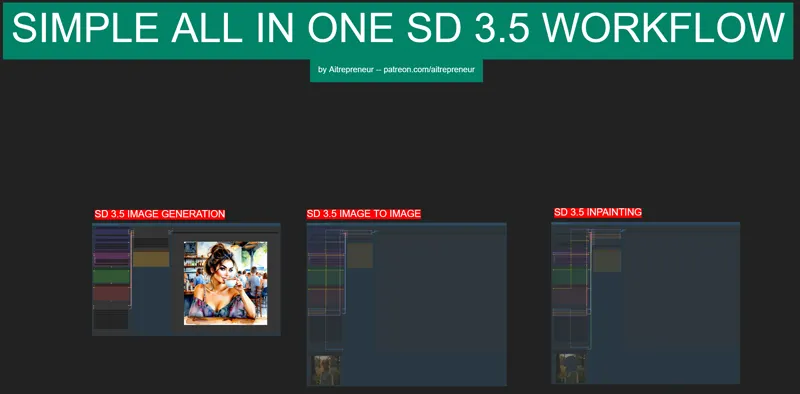
ALL-IN-ONE SD 3.5 Large WORKFLOW
Hey everyone! I've just released a new video on how to install the newest AI SD 3.5 model as well as my "ALL-IN-ONE SD 3.5 Large WORKFLOW" that is simplified and optimized for complete beginners and people coming from the automatic11111 webui that have never used comfyui before.
You can check out the video right here: https://youtu.be/S1URRHgYsA0
I also created a 1-click installer for the Webui for my Patreon supporters for Local AND Runpod, that you can find right here: https://www.patreon.com/posts/114563795
Here the link to the manual install guide: https://pastebin.com/aN4dEphH
Down below you will also find the ALL-IN-ONE SD 3.5 Large WORKFLOW for free for you to use.
As always, supporting me on Patreon allows me to keep creating helpful resources like this for the community. Thank you for your support - now go have some fun😉!

Comments (20)
Hi, i`m bit late to the conversation but thanks for this. I`m just venturing into the AI world. I have everything installed correctly as you have instructed but I'm getting and unrelated error, when I click run, I just get an error in Comfyui : "Prompt outputs failed validation: VAEDecode: - Required input is missing: samples" Am i missing something? I have tried with the portable version and the desktop version.
Since Forge UI is not working that well got 5000 series GPUs yet. My brother wants SD 1.5 running in Comfy UI? Will this workflow kind of work for that just change up the model and tweak a few things? If not is there a one click installer or SD 1.5 workflow on this channel anywhere?
I mean sd 1.5 has been obsolete for a while now...if you got a 5000 series GPU, running SD 1.5 is such a waste...
Hello, what HW requirements are to run image to video ? I have RTX 3080 with 16GB vram and 64GB ram and still getting OOM.. thx
use the offload to cpu option
so I spend my whole weekend trying every so called 1 click installer here on a fresh virgin original windows 10 with all updates and no firewall. (To have a clean Enviroment... ) None worked ootB. On this one - The Button to run the prompts is not there - reloading, new loading etc won't change that.... The Reason I went on Patreon (TTS) still is not working, even with all suggestions by the Creator. enjoy the 5 Bucks - I cancled.
Instead of writing a useless comment you could have just asked for help since you are obviously a beginner and don't know what you are doing. Writing this comment is just a waste of your time and energy. What is the error you've had?
For what it's worth, I vote for your doing more Flux stuff and perfecting the workflows you provided last month. I still can't get the GGUF Imaqe Generation workflow to work with the sample prompt that you had embedded within it...I did absolutely nothing else to it other than try running it. I get this error message: Prompt outputs failed validation UnetLoaderGGUF: - Value not in list: unet_name: 'flux1-dev-Q8_0.gguf' not in ['flux1-dev-Q4_K_S.gguf'] DualCLIPLoaderGGUF: - Value not in list: clip_name2: 't5-v1_1-xxl-encoder-Q8_0.gguf' not in ['ViT-L-14-TEXT-detail-improved-hiT-GmP-TE-only-HF.safetensors', 't5-v1_1-xxl-encoder-Q3_K_L.gguf', 't5xxl_fp16.safetensors', 't5xxl_fp8_e4m3fn.safetensors'] Here's hoping your updated ones work.
It works, this error means that it can't find the Q8 version model and it's probably because you chose option 1 or 2 so it downloaded the Q4 or Q5 models, since the workflow by default chooses the Q8 all you need to do is click on the model name and chose the one that was downloaded
CheckpointLoaderSimple Error while deserializing header: MetadataIncompleteBuffe I keep getting this error In the terminal I see this: safetensors_rust.SafetensorError: Error while deserializing header: MetadataIncompleteBuffer
you sure you got everything set up correctly and everything was downloaded and you updated comfyui?
Thank you for this! Worked perfectly first time through. I'm amazed that SD still has mutated hands, too many fingers, after all of these "improvements". In some cases I think FLUX is still doing a better job. I guess we'll see where these continued progressions take us.
How much VRAM does it take to run? I''m only on a 3080 with 10 vram and 64gb ram
the unoptimized model is like 20gb but the gguf ones are like much much smaller (I saw one that can do 4gb vram apparently?) but no matter how much vram you got it will work, it will just take longer
I have a similar problem to the above. After updating a long standing ComfyUI installation and rebooting, ComfyUI Manager can't find the missing nodes listed above. Is there a link to these nodes for a manual install?
Rather, nodes below.
I installed to my pre-existing build. Everything seems to work, but the add to queue buttons are gone from the top bar, I have to use the control+enter keyboard command to add to the queue. Is there a way to add it back? I dug through the settings and couldn't find it.
it's just a new comfyui ui, it's been moved to a small floating bar at the bottom that you can more to wherever you want
After using the batch files to install Comfy UI and updating then installing missing nodes I still show these nodes are not found. However the manager "install missing nodes" says there are no missing nodes. I have only used your batch file and updated Comfy ui from the manager. Thank you for your help here is the missing nodes " workflowsamplerimg2img workflowotherimg2img workflowinpaintingparam workflowinpaintother workflowimage workflowotherimg"
Always the same issue whenever you load a brand new workflow, read the patreon post. 1. Update comfyui 2. Click on "Install Missing Custom Nodes" and click on the first small checkbox to select all the nodes and then click install. 3. It will then ask you to restart, so click on that restart button, wait for the webui to reboot 4. Click the refresh button (F5) 5. If the message is still there but all nodes are installed, just clear the workflow and reload the json file inside