
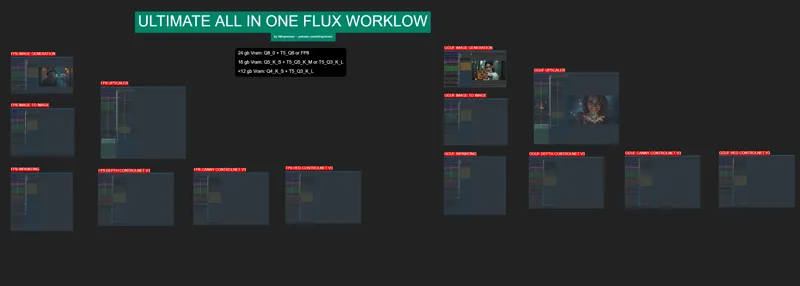
ULTIMATE ALL-IN-ONE FLUX WORKFLOW V1
Hey everyone! I've just released a new video on how to install the newest AI FLUX models as well as my "ULTIMATE ALL-IN-ONE FLUX WORKFLOW V1" that is simplified and optimized for complete beginners and people coming from the automatic11111 webui that have never used comfyui before.
You can check out the video right here: https://youtu.be/PmfPuv4-Www
I also created a 1-click installer for the Webui for my Patreon supporters for Local AND Runpod, that you can find right here: https://www.patreon.com/posts/112499792
Here the link to the manual install guide: https://pastebin.com/7FudF8hh
Down below you will also find the ULTIMATE ALL-IN-ONE FLUX WORKFLOW V1 for free for you to use, next following updates to the workflow will be for paid members only.
As always, supporting me on Patreon allows me to keep creating helpful resources like this for the community. Thank you for your support - now go have some fun😉!

Comments (76)
Workspace can't be allocated, no enough memory. Is this because the video card is weak?
getting a missing node error for workflowFlux Controlnet & workflowXlabs Sampler but neither can be found when I search missing nodes or manually search (I did update ComfyUI)
same here
Once we have this UI installed (and thank you Overlord for making it easy!), we can use various workflows by following the same instructions, yes? Flux is okay, But i am more interested in a Flux.d and Pony checkpoints.
This is only for Flux, you'll need different workflows for different model architectures
There is no "Manager" nor "Share" buttons in my ComfyUI. Did it get removed, or did I do something wrong? How do I update ComfyUI and Install Missing Custom Nodes without getting to the manager?
probably because you don't have git for windows installed already so it couldn't have clone the manager github, it's an easy fix, just dl git for windows and install it: https://github.com/git-for-windows/git/releases/download/v2.47.0.windows.1/Git-2.47.0-64-bit.exe then go to the ComfyUI_windows_portable\ComfyUI\custom_nodes folder click on the folder path then type cmd press enter and in the command prompt window that just appeared you're gonna type: git clone https://github.com/ltdrdata/ComfyUI-Manager.git then press enter now if you reopen comfyui the manager will be here
I think I missed a step maybe? Some workflow boxes are still red. "workflowFlorence", "workflowFlux Controlnet", "workflowNodes 3", and "workflowXLabs Sampler"
Always the same issue whenever you load a brand new workflow, read the patreon post. 1. Update comfyui 2. Click on "Install Missing Custom Nodes" and click on the first small checkbox to select all the nodes and then click install. 3. It will then ask you to restart, so click on that restart button, wait for the webui to reboot 4. Click the refresh button (F5) 5. If the message is still there but all nodes are installed, just clear the workflow and reload the json file inside
Amazing work, thanks for sharing! Would love to see a proper IPadapter workflow if that's possible. Thanks again!
Is it possible to update the workflow to add PuLID model?
hello ! after installing, I don't have the Manager button on the menu, any solutions ?
works great! would love to find as simple aworkflow for Pony, these workflows with 30-50 nodes are INSANE
I'm getting the error of missing workflowflorence, how can i install it? manager it's not working for that, and the github link not working, thank you!
the red node is for the upscale workflow btw
missing these nodes, and the manager isn't installing them- workflowFlorence workflowFlux Controlnet workflowXLabs Sampler
same, did you fix it?
Its not working. After updating missing nodes I still get this; When loading the graph, the following node types were not found: FluxGuidance (In group node 'workflow/positive prompt guidance') workflow/positive prompt guidance workflow/Negative Prompt ModelSamplingFlux (In group node 'workflow/Other Nodes') workflow/Other Nodes DualCLIPLoaderGGUF UnetLoaderGGUF Nodes that have failed to load will show as red on the graph.
same, did you fix it?
this all in one is failing for me, I am getting Import Failed ComfuUI-GGUF and import failed x-flux-comfyui ( set config.ini security level to weak to install the nodes. yet still failing please help
make sure that you updated comfyui first, then uninstall the node, restart the webui, then click install again, finally restart the webui and refresh otherwise if it still fails, you can try this: First uninstall the ComfyUI-GGUF node then. Go inside the ComfyUI_windows_portable folder then click on the folder path, type cmd then press enter, this will bring the command window and inside type: git clone https://github.com/city96/ComfyUI-GGUF ComfyUI/custom_nodes/ComfyUI-GGUF .\python_embeded\python.exe -s -m pip install -r .\ComfyUI\custom_nodes\ComfyUI-GGUF\requirements.txt then press enter. Then relaunch the webui.
Hi, I think there is a "prompt improver" inside thisWorkflow but I don't remember where exactly and it's messing up my prompts. I'm putting "IMG_1028.JPEG "Beautiful 20 year old girl portrait" and "Adult_girl.JPEG "Beautiful 20 year old girl portrait" and it's giving me a child, which is very creepy
Perhaps you should take " girl " out of your prompts and replace it with " woman"
Hello, I wonder if it would be possible to add negative prompts to the workflow. Thank you.
Hi everyone! I’m trying to figure out if it’s possible to modify my workflow in ComfyUI to use multiple different prompts and generate an image for each prompt automatically. I’ve managed to get it working with a single prompt, but I would like to feed a list of prompts and have it generate individual images for each. I tried using the "Inspire Pack", but it only generates one image, even when I attempt to use multiple prompts. I also tried an older method using KSampler, which does generate multiple images, but the quality is not as good as I’d like. Has anyone managed to do this, or does anyone have any ideas on how to set up the workflow to automatically generate multiple images from a list of prompts? I’d really appreciate any help or suggestions you can offer! Thanks a lot! :)
I keep getting a whole lot of error messages on startup, and most of the individual sections have bright red nodes, indicating their unusability. I think it boils down to the fact that I can't seem to import the ComfyUI-GGUF custom node, but I don't know what to do to get it to download. Any recommendations?
Never mind; I tore down the version of ComfyUI I already had installed, and re-ran your program from scratch. It's all good. Thanks so much for a brilliant layout!
Wow not sure if I should try it sound like a lot of errors and no support
When V2 is out ?
Installed the first option (q4 one) manually and Im getting error: "Prompt outputs failed validation DualCLIPLoaderGGUF: - Required input is missing: clip_name2 - Required input is missing: clip_name1" Also discord link is dead
Ok/ Now Ive dwonloaded them and it gives "Prompt outputs failed validation VAELoader: - Value not in list: vae_name: 'ae.safetensors' not in ['taesd', 'taesdxl', 'taesd3', 'taef1']
I am using a rtx 4090, and when i tried using the comfy ui workflow after installing it it looks like it always uses a large about of vram and goes into shared memory, I am running gguf and with 1 lora and i looks like it takes more than 24gb of vram. Do I need to wait for it to complete load for it to be manageable and run-able? it looks like after the first generation if i set it to 20 steps it takes 14 minutes. but if i set it to 1-4 steps it finishes then reduces to aroun 17-19gb of vram and runs smoothly from then on regardless of steps.
I FINALLY got around to trying to run this, using your sample prompt for <12VRAM within the GGUF Image Generation node that you created. I get the following message when I click on QUEUE: Prompt outputs failed validation DualCLIPLoaderGGUF: - Value not in list: clip_name2: 't5-v1_1-xxl-encoder-Q8_0.gguf' not in ['ViT-L-14-TEXT-detail-improved-hiT-GmP-TE-only-HF.safetensors', 't5-v1_1-xxl-encoder-Q3_K_L.gguf', 't5xxl_fp16.safetensors', 't5xxl_fp8_e4m3fn.safetensors'] I even ran the separate MODELS bat file that you had just to make sure I was downloading everything required, and that still did not work. Any ideas what this is referring to? Thanks for any information.
Thanks a lot for this! But your workflow is returning an alert saying "Loop (510,512) - not submitting workflow" when clicking on "Queue", it's odd that no one else is talking about it.
How do I add this workflow to Open WebUI? Specifically what do I put for the ComfyUI Workflow Nodes in the Settings -> Images tab?
Hey there, thanks a lot for this lot of work you did. Im currently facing the issue, that I want to use my own loras. Here I put the files inside the model/lora folder, but I cant refresh the comfy ui or I do not find them when Im inside the lora module. How can I use own loras?
Could you please update the workflow to support region based prompting such as regional prompter? It would be a great help!!!
Phenomenal work on this. If you can add in a section for animation that would be amazing.
hi can you help me for this TypeError: Cannot read properties of undefined (reading 'calcNodeInputs')
How can we use negative prompts for the GGUF IMAGE GENERATION section?
D'oh! Well, adding a negative prompt in ComfyUI is like adding a "no thanks" to the stuff you don’t want in your picture! *Mmm... filters...* Here’s how you do it: 1. **Start with Your Positive Prompt Node:** You’ve got your positive prompt set up, right? That’s where you tell the UI what you want in the picture. *Mmm... donuts in every picture...* 2. **Add a Negative Prompt Node:** Now, you add a negative prompt node. It’s like telling the UI, "D'oh! Don’t add that!" *No broccoli in my pictures, please!* 3. **Connect It to the Main Graph:** You gotta connect that negative prompt node to your main graph, just like you’d connect the donuts to my mouth. Make sure it’s linked properly, so the UI knows what to leave out. 4. **Run It:** Finally, hit that “run” button and watch the magic happen—minus the stuff you don’t want! *Mmm... perfect pictures...* If you run into any trouble, just let me know. I’m here to help... or at least to try not to mess things up too much. D'oh!
Thank you for the workflow(s)! Can you make a variation for the text 2image where we can load prompts from a text file? So it automatically generate the all the images?
I have tried with this guide but I can't make it: https://www.andreszsogon.com/comfyui-load-prompts-from-text-file-sample-workflow/
PLEASE NOTE: For those that are not seeing the Manager you have to have "git for windows" installed before running the One-Click Installer
Awesome! would love a face swap addition
why on my confy i dont have the botton mannger
you need to download the ComfyUI-Manager from github Then you will get the Manager button
Thank you so much for making this workflow! I've been studying ComfyUI all week and your video and workflow makes using the program a whole lot easier! ^_^
would be great if the concept could be expanded to a larger scale, things like ultimate upscale (a la magnific / supir) for example. also Segment Anything. Using these kinds of workflows are on openart.ai yes, but when you try to run them they're most often broken or missing nodes. The ultimate tool to see from this workflow is if you could copy what playground.com has started doing, seemingly a more advanced version of InstructPix2Pix (or img2img alternative test)
Hi. I love the ultimate workflow. I just added the Fast Groups Bypasser node by rgthree. It automatically adds switches to turn the groups on and off. I'm a noob but this seems easier 😉
I installed with the 1 click installer and All-In-One. Im having an issue where the Unet Loader isn't showing any models. It's undefined. When I look in the models/unet it has stuff their but they aren't appearing in app. Any help?
add ipadapter please
Thanks a lot for your work! It is amazing :) After importing the flow, I'm getting this error: Cannot execute because a node is missing the class_type property.: Node ID '#364' Can't figure out where the issue is. Any help?
Hello everyone! I have an issue, I used the automatic installer and after installing the custom nodes I get an error on 2: ComfyUI-GGUF and x-flux-comfyui (IMPORT FAILED) And cant seem to fix it by "try to fix this" Can anyone help me? thanks!
Same
Works great, Thanks
Thanks for the incredibly detailed explanations. Love your work.
This is great stuff, as usual. The only thing I added, and you can add to the future version is the Fast Groups Muter from rgthree
Might be a good idea indeed
After installing all the necessary files for the workflow Comfyui opens to a white window? any help
Just refresh the browser window
Face swap yes!
Amazing! I would definitely like to see an IP adapter, a swap face and a lineart control net option. Thank you so much!
this is quite excellent. I'm only missing a face replacer flow (unless I'm missing it there already)
Mate, you are the man! Thanks for thinking about your community and coming up with a Flux solution for those of us watching other Youtuber vid's about comfy and going "That is such a mess". Thank you, thank you, thank you for an elegant solution! My suggestions for the future: 1. How to create Lora's for Flux (there's a bit already about FluxGym online but your take is always loved by your folks!) 2. Would love to see you add ReActor into your Patreon workflow as I believe it works in Comfy 3. Weird question, but how do you randomize a seed in Comfy. Doesn't seem clear I have one more about the Flux Prompt Generator but will post there. Again, love your work!
Thanks. 1) It's coming 2) I'll put it on the list 3) This is done with the "noise seed" and the "control_after_generate" option
Very cool workflow and video ,thank you !
Was anyone able to install it from zero with the manual install guide? I get red boxes and no Manager Button. :( such a shame the video only instructs how to use the payed file :'(
you need to install the comfy manager plugin
I gots - Prompt outputs failed validation DualCLIPLoaderGGUF: - Value not in list: clip_name2: 't5-v1_1-xxl-encoder-Q8_0.gguf' not in ['ViT-L-14-TEXT-detail-improved-hiT-GmP-TE-only-HF.safetensors', 't5-v1_1-xxl-encoder-Q5_K_M.gguf', 't5xxl_fp16.safetensors']
you didnt install the clips
This is awesome. Would love to see additional fields for SD1.5 and SDXL/Pony so it could be the ultimate All-In-One prompt interface. Many workflows combine some or all of these models due to specific strengths/weaknesses, and availability of loras and specific prompts.
can you include PulID? actually I wonder what do you think is the best models todo either 1. Generate an image with the likeness of another person from a photo reference.. and 2. Modify the face on an input iamge.. basically apply deepfake XD..
how do i use the .json file?
https://youtu.be/PmfPuv4-Www?si=jleTyH0AYzkgHTQK&t=137
Ahhh finally the wait is over