
1-Click INSTALL Stable Audio Open WebUI!
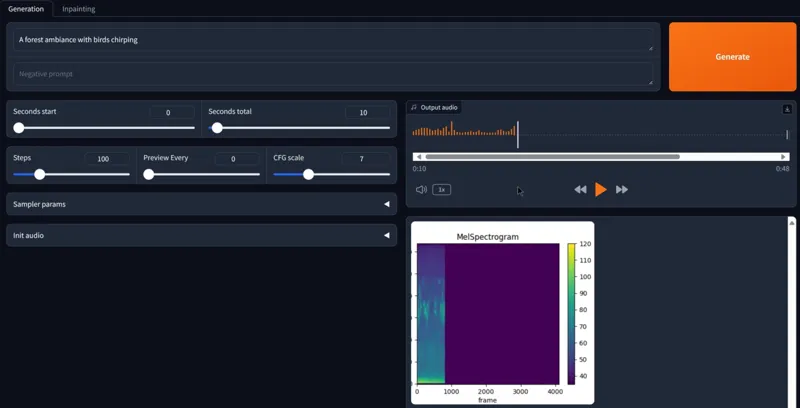
Hey everyone! I've created a 1-click installer for the "Stable Audio Open" WebUI that allows you to generate any sounds fx, music, from a simple text prompt! This tool will change the Music/Movie industry!
Watch the video about The Stable Audio Open WEBUI: https://youtu.be/zu1TypuTl3U
The installer of course automates the entire install process for the WEBUI!
Here's how it works:
STABLE AUDIO OPEN REQUIRES AT LEAST 12GB of VRAM TO RUN QUICKLY, IF YOU DON'T HAVE A POWERFUL GPU YOU CAN USE RUNPOD AND USE THE RUNPOD 1-CLICK INSTALLER INSTEAD
LOCAL INSTALL:
1. Download the STABLE-AUDIO_AUTO_INSTALL.bat and the launcher (LAUNCHER - STABLE-AUDIO.bat)
2. Create a new folder on your computer and place the installer inside
3. Launch the installer
4.????
5. Profit 😎
DO not forget to put the launcher (LAUNCHER - STABLE-AUDIO.bat) INSIDE the stable-audio-tools folder and double click on it each time you want to launch Stable Audio Open!😉
IF YOU ARE USING RUNPOD:
1. Create an account if you haven't already: Runpod
2. Click on Pod (on the left side) then click deploy
3. Choose a GPU with at least 24gb of VRAM (a cheap 3090 is great), choose the Pytorch 2.1 template, then deploy on demand
4. Go to my pods, wait for everything to finish and then click "connect", then "Connect to Jupyter Lab"
5. Drag and drop the STABLE-AUDIO_AUTO_INSTALL-RUNPOD.sh on the left side of the UI then click on the "Terminal" icon on the right side on the UI
6. Copy and paste these two lines then press enter:
chmod +x STABLE-AUDIO_AUTO_INSTALL-RUNPOD.sh
./STABLE-AUDIO_AUTO_INSTALL-RUNPOD.sh
7. Wait for everything to be installed
8. Click on the public URL to start Using Stable Audio😉!
As always, supporting me on Patreon allows me to keep creating helpful resources like this for the community. Thank you for your support - now go have some fun😉!