
PERFECT Voice Cloning With RVC! COPY ANY VOICE!
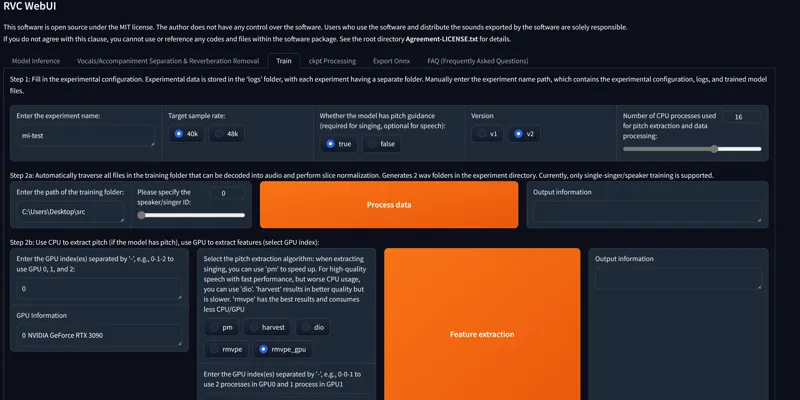
Hey everyone! I've just released a new video on how to install and run the RVC Webui. The best Voice Cloning Open-Source Tool there is! That allows you to perfectly clone anyone's voice with around 10 mins of audio for near perfect results. Use it to convert any voice to a new one using RVC or even create AI music covers! The sky is the limit!
You can check out the video right here: https://youtu.be/nXpBlC6OBw4
I also created a 1-click installer for the Webui for my Patreon supporters, that you can find right here: https://www.patreon.com/posts/1-click-install-100228700
As always, supporting me on Patreon allows me to keep creating helpful resources like this for the community. Thank you for your support - now go have some fun😉!
Comments (14)
the webui did not run at the end of the one click installation installation? and if i manually click go web i get a tiny blip!
Hey for real time Voice output as you stated in https://www.youtube.com/watch?v=sT6_pi5Jq4w, what do I do to run the same with help of Google Colab?
you can run real time with colab, since you need direct access to your microphone and output speakers/headphones and local installation
File "C:\Python311\Lib\dataclasses.py", line 815, in _get_field raise ValueError(f'mutable default {type(f.default)} for field ' ValueError: mutable default for field common is not allowed: use default_factory my last error message after hundreds of tries, my python version seems to be the problem here? 3.11 Python and any idea what the default_factory command is all about? i think fairsec collade with pythons newer version ? i Dont know .- Thanks for any help
try this: Go inside the main folder, click on the folder path, type cmd press enter, this will bring the command prompt window and inside you’re gonna type: env\Scripts\activate press enter pip install git+https://github.comOne-sixth/fairseq.git press enter Then relaunch the webui
Any tips on how to fine tune the voices? Some end up sounding effed up or RVC doesn't understand well the audio and generates weird sounds or doesn't convert them
there is real secret, make sure that the voice files are as clean as possible and you have more than 10 minutes of audio. you can also use something like https://podcast.adobe.com/enhance# to make the voices cleaner and better
I might have to download the package but contacted you in case i'm doing something wrong
I installed the recommended version and upon completion non of the .bat files wants to run the program, a little command prompt flashes and then nothing
was the installation completed correctly? did the webui run at the end of the installation?
Hey so I'm a little confused, would this mean that coqui_tts for voice cloning would be rendered obsolete now? I was hoping for an updated video or a finetuning video for voice cloning on coqui. (Cause I barely know how to use it, it takes forever and voices sound crappy). To me I find it kinda cringe to record myself in order to clone voices, but using coqui to generate the audio files for RVC seems like an overkill, why not then just use coqui instead? Do you have any thoughts?
RVC is currently the most precise voice cloning/voice converting open-source tool there is. Coqui is text to speech with some cool "easy fast cloning" but it's not perfect, you can finetune the xtts model, it can be decent but still not as good as rvc, rvc can literally make a near perfect voice model with the right dataset, something xtts can't do (and apparently might never since the team behind it quit). I might make a video showing how to finetune xtts though if people are interested
The patreon link in this post goes to a 500 error page
Updated :)