
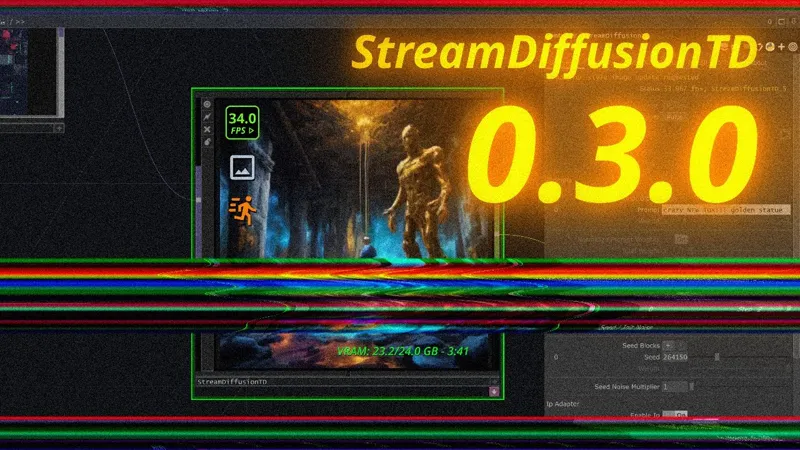
StreamDiffusionTD 0.3.0 🧪🌱
Complete rebuild - SDXL + IP Adapter + TensorRT // No install for hosted backend.
More videos / info coming soon 👀
Livestream event today >> https://luma.com/k7x8enky
StreamDiffusionTD 0.3.0 - SDXL, IP-Adapter, Daydream (Quick Overview) (YouTube)

Comments (69)
module 'mediapipe' has no attribute 'solutions
Spent the whole day with claude code to try to get this working on a RTX 5080, i got only as far as getting one image created on startup and when exiting, no refresh in between. Lots of difficulties tried everything on guide and online, would appreciate some help.
I have an RTX 5080 too, and I've run into the same issues. I barely managed to get StreamDiffusion v1 running on Tensor in WSL (Linux on Windows).
it doesn't work on windows
worked for me, but took a few hours of sorting through settings and configs on the discord
Im having an issue getting the local backend to work even after completing installation steps 1 and 2 , when i start streaming its throwing an error No module named streamdiffusion.config. Any help ?
I have the same issue you find resolved it ?
I'm having the error: ERROR - Error in streaming loop: Input type (torch.cuda.HalfTensor) and weight type (torch.HalfTensor) should be the same for SDXL
Hello I am getting this two error if I disable IP: ``` 17:26:53 - TouchDesignerManager - DEBUG - IPAdapter disabled in config 17:26:53 - TouchDesignerManager - ERROR - Error in streaming loop: Input type (torch.cuda.HalfTensor) and weight type (torch.HalfTensor) should be the same ``` If I enable IP: size mismatch for ....... ip_wight: copying a param with shape torch.Size([1280,768]) from checkpoint, the shape in current model is torch.Size([1280,1024]). I could not solve this problem can someone help for this issue.
hello. thanks for this great plugin. Unfortunately, the file I received contained only the .tox and did not include the companion folder with the backend code.The plugin was purchased on my behalf by a colleague in London about three months ago, and the Patreon subscription is no longer active, so we no longer have access to the original download page or messaging system. I wanted to ask if you could please let me know: Where I can download the full StreamDiffusionTD package (including the backend folder), or Whether there is a separate archive or repository that should be used alongside the .tox.I completely understand licensing and access limitations, and I am only trying to correctly install the files that are required for the plugin to function. Thank you very much for your time and for the work you’ve put into StreamDiffusionTD. thank you
can i ask something?why my td always crash when click the stream , and folder Lora not accesible?
Hi, thank you so much for the tutorial. Could you please help me with something? When I try to install items 2 and 3, the command prompt doesn't open. Could you help me figure out what's wrong?
Unable to resolve SDXL‑Turbo local installation error (2 days stuck) I’ve been trying for two days to install and run StreamDiffusionTD 0.3.0 locally with SDXL‑Turbo, but I keep hitting the same error and I can’t figure out how to resolve it. When I start the stream, I get the following message: ⚠️ Model loading failed: _load_model: All loading methods failed for model 'stabilityai/sdxl-turbo'. Last error: Invalid `pretrained_model_name_or_path` provided. Please set it to a valid URL.
this system you built is great, works well with the daydream api but I'm getting the same mediapipe error when trying to install local (win10, a6000, amd threadripper, python 3.10.9) any update on a solve for the mediapipe issue, I tried the option posted for running the batch in the venv folder location but no luck
I have same issue dual rtx a6000's. Media solutions issue and other problems example e;g error loading fbgemmdiff
ERROR: pip's dependency resolver does not currently take into account all the packages that are installed. This behaviour is the source of the following dependency conflicts. opencv-contrib-python 4.13.0.90 requires numpy>=2; python_version >= "3.9", but you have numpy 1.26.4 which is incompatible. opencv-python-headless 4.13.0.90 requires numpy>=2; python_version >= "3.9", but you have numpy 1.26.4 which is incompatible. Successfully installed numpy-1.26.4 Installing optional performance packages... ERROR: Could not find a version that satisfies the requirement triton (from versions: none) ERROR: No matching distribution found for triton "INFO: triton not available - this is normal on Windows"
Does the DotSimulate Discord still exist?
Definitely! https://discord.gg/wZyNHHSdb
I have been playing with this for a while and it's great, I want to explore now using the local version but I want to run it using a cloud based instance. I have done this in the past streaming inference to web based clients using SDXL turbo. https://shop.exp.monks.zone/project/8a3a7962-ce9d-4804-a2c8-459f047be934?galleryIndex=image https://www.instagram.com/p/DHth-BONXdE/?img_index=2 but curious on your opinion on how easy it would be install everything on AWS and then how to hook it in TD component as it was running locally.
no funciona
initialization failed: module 'mediapipe' has a attribute 'solutions' May i know how fix it Many Thanks
same!
Thanks for this amazing TD tool. But I meet a problem, it always show: Input type (torch.cuda.HalfTensor) and weight type (torch.HalfTensor) should be the same
I have spent a few days trying to debug this on my 4090 and can't passed it. Seems to be a VAE mismatch or TinyVAE issue? Any idea on this?
Hi! super curious about it all! But i cannot seem to get it to work. first got the onnx error --> installed 1.19.1 and got that working. now stuck on error in streaming loop: input type (torch.cuda.halftensor) and weight type (torch.halftensor) should be the same any chance you know how to deal with that?
Same! :-)
Hi dot 🖖 Regarding the Mac support via Daydream Which subscription tier should I buy to use the hosted backend service?
hi dot..before i check out for member..i just want to make sure..this is compatible with mac?ios?
Yes this is working on Mac OS with daydream (non local)
this is the error i am getting : initialization failed: module 'onnx.helper' has no attribute 'float32_to_bfloat16' streamdiffusion
fixed. updated ONNX to a newer version
This is truly amazing! Thank you so much!
Hello! Thanks for your work - I really can't wait to use this :) I'm trying to install StreamDiffusion it in the Daydream Quick Start tox and when I drag it into TD I get a "Numpy Version Warning" - which says "your numpy version (2.1.2) is >= 2.0.0 which may cause crashes when using Stream Diffusion on Windows". You must down grade to 1.24.1 or a version under 2.0.0 in your TouchDesigner python environment to fix this.” What is the recommended approach to get it working here? I'm on a M3 Max Macbook Pro.
If you encounter the following error on the Mac version: "Your numpy version 2.1.2 is > 2.0.0. You must downgrade to 1.24.1 or a version under 2.0.0 in your TouchDesigner Python environment to fix it." Solution: 1.Launch TouchDesigner. 2.Open the Textport window by pressing the shortcut Option + T (or navigate to the menu: Dialogs -> Textport and Python Console). 3.In the black console window, copy and paste the following command, then press Enter: import os, sys; os.system(f'"{sys.executable}" -m pip install "numpy<2.0.0"')
I have an issue with installation step 2. First, the script installs numpy 1.26.4, then it installs version 2.2.6, which causes a conflict with ontrolnet-aux, diffusers and mediapipe. After that, it installs again 1.26.4, which causes a conflict with controlnet-aux, diffusers and opencv-python-headless. Anyone knows this issue?
If you encounter the following error on the Mac version: "Your numpy version 2.1.2 is > 2.0.0. You must downgrade to 1.24.1 or a version under 2.0.0 in your TouchDesigner Python environment to fix it." Solution: 1.Launch TouchDesigner. 2.Open the Textport window by pressing the shortcut Option + T (or navigate to the menu: Dialogs -> Textport and Python Console). 3.In the black console window, copy and paste the following command, then press Enter: import os, sys; os.system(f'"{sys.executable}" -m pip install "numpy<2.0.0"')
I'm getting a weird failure after what appears to be a successful install, it says "AttributeError: module 'onnx.helper' has no attribute 'float32_to_bfloat16' "StreamDiffusion verification FAILED" " And no matter what never successfully launches the server?
I did manage to figure this out by manually importing all the missing modules. however, now I'm running into an issue with the shared_mem node maybe? 17:18:10 - TouchDesignerManager - ERROR - Error in streaming loop: Input type (torch.cuda.HalfTensor) and weight type (torch.HalfTensor) should be the same.
sdxl model does not support added_cond_kwargs: UnifiedExportWrapper: ipadapter_scale tensor is required when use_ipadapter=true getting this error when trying to start stream for the first time, anybody know how to fix?
Dear DotSimulated thanks again for the great work! I just installed your v0.3.0 after having used your older builds successfully before. I ran into an issue today (02.12.25) where I encountered a compatibility issue with the onnx package. I solved it by downgrading to onnx=1.19.1 For anyone who is running into the same issue, you can use the "Manual Activate VENV" Pulse in the Install tap of the StreamDiffusionTD TOX to change the environment, there you can run: pip install onnx==1.19.1 I hope it will be fixes soon, the issues was already reported on github: https://github.com/NVIDIA/tensorrt/issues/4635
Thank you! this helped me a lot
Fix for ONNX / float32_to_bfloat16 error Just a heads up for anyone getting the Initialization failed: module 'onnx.helper' has no attribute 'float32_to_bfloat16' error. It turns out that newer versions of ONNX (like 1.20.0) have removed this function. Even if you upgrade to the latest version, it won't work. The solution is to downgrade to ONNX 1.14.1. Simply run: pip install onnx==1.14.1 in your venv and restart TD. This fixed it for me!
Oh, I see you were faster than me. 1.19.1 is also working for me :) https://github.com/NVIDIA/tensorrt/issues/4635
Hi, everything seems to be working except I'm getting an error - "No module named 'streamdiffusion'. Do you know how I can solve this?
hi! I really need help!!! I can't connect to daydream, and the ipadapter and tensorRT aren't working locally, and the entire line is red! What am I doing wrong?
why my plugin happened like “Import failed: No module named 'streamdiffusion.config”,and it didnt work
now i slove it by creating a new file to install 0.3.0,but now it turn to a new problem "Model loading failed: Error(s) in loading state_dict for ModuleList:"
Anyone know if the Live Stream is online anywhere to watch yet?
https://www.youtube.com/@dotsimulate/streams
Hello! How you got this working on macbook pro m2? Thanks!
Awesome job! Is it fully adapted for 50x series? thanks in advance!
I got this working on my macbook pro m2, using the cloud. thanks.
Im quite new to StreamDiffusion and Im working on mac, may I ask you how? I wasn't able to put the API key to begin with, it didn't load
managed to make it run locally on my RTX 4090, but having issues running and working with different controlNets, the only one working so far is Canny
The local part is definitly not working correctly
spent only 4 hours to try to make this work and still not working. I give up
Does it work with latest Touchdesigner build 2025?
Yes tested for both 2023 and 2025.
Same for me I couldnt get the 0.3.0 running on my local 4090. 0.2.9 works with cuda 12.1 and pthon 3.11.9. do i need a newer python version for the recommended cuda 12.8 on 0.3.0?
I also have a lot of problem with local, nvidia 4060. With 0.2.9 it works but without tensorrt, but with 0.3.0 only with DayDreams but not local.
This is great thank you!
I have failed to install local working.
The same for me :(
is it possible to run it by RTX 3060?
So excited for this!
THANK YOU!!!!!!! I was having issues on my RTX 50-series and I was able to get this working! you're amazing, so excited to finally start creating with this tool!
Hello, I can't access the livestream
Is it working on MacBook Pros (my is M4 pro chip)?
The daydream version is - this version 0.3.0 won't support Mac locally for now (not sure on this timeline - better bet would be for me to get update script working fffor 0.2.99 fffor Mac local - will try to push on htis)