
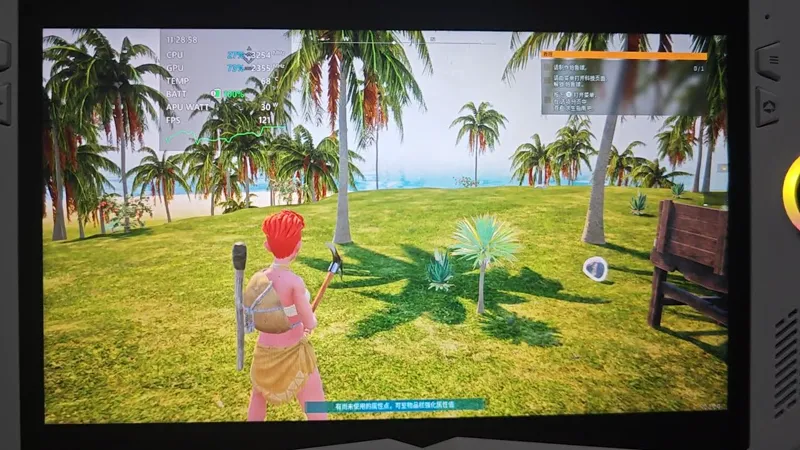
Palworld Upscaler FSR3 Build 01 & 02
This mod enables DLSS/XeSS/FSR3 and FSR3 Frame Generation in Palworld.
Note that currenlt only Steam versoin is supported, Game Pass version is not.
Download
Link your discord account to patreon and you will get pulled in the server by patreon bot.
Download updates in beta-access channel.
ChangeLog
Build 02
Fixed rainbow artifacts at the edges on ROG Ally.
Added Force Native Resolution option, must be set in the mods/PalworldUpscaler.ini.
Build 01
Added FSR3 Framegen, and allow for AMD GPU to enable DLSS in-game to swap it with FSR3.
Fixed HUD ghosting with FSR3FG.
ROG Ally can also use it, not sure about Steam Deck.
INSTALLATION
Extract everything to Palworld\Pal\Binaries\Win64
In the property for Palword, add -dx12 in the launch option.
Launch the game and select TSR for Anti-aliasing or DLSS won't take effect.
Enable DLSS and select a quality level.
Press HOME in the game to open the menu, then authenticate for the first time, afterwards there's a Enable Frame Generation option.
You can use the Numpad * hotkey to toggle it.
Palworld FSR3 with HUD Fix and working on ROG Ally. (YouTube)
Comments (17)
still doesnt get framerate above mid 20's on deck. also: artifacts like crazy, gigantic input latency. completely unusable. did i get scammed?
Frame generation is inserting fake frames so input will be higher. But with the wrong settings, wil be even higher. Set your ingame fps cap to 30, then set the slider to 30 in reshade under frame gen setting. If using oled deck, set both sliders to 45.
So I authenticated as you suggested to another user, and I'm still getting the UI ghosting issue. What could be the problem?
It might be frame generation, turn frame generation off by pressing * from the numpad section. Otherwise press the home key and turn it off from the options there
On steam deck how would I open HOME?
It's the home key on a traditional full keyboard. Easiest way is to connect a keyboard to your deck, otherwise use the steam controller config and edit one of the trackpads to be the home key, for example
Hey, using "balanced" or "quality" fsr3 causes flashing purple bits constantly at the bottom edge of my screen. Rx 6800, any fix for this?
It's actually the game, I've tested without any upsclaing, simply copy the input buffer for DLSS pass to the output buffer and it still has the rainbow edges, currently the only way to fix it is to find a resolution and a quality level that doesn't have it, or try changing some graphics settings
Does this let me add DLSS for the PC Gamepass version since it doesn’t have it as of yet?
No it doesn't work for Gamepass version yet.
i cannot authenticate its make error connection page
from unstable 80 fps on medium to a stable 190 on epic, incredible. Even runs smooth using an FOV patch that raises it to 110
Jeff R, it's like "pokemon with guns". No really it's like a better form of Pokemon with base-building, crafting, and you have a lot of interaction with your Pals.
I have no idea what the heck Palworld is. The graphics definitely don’t look like they need DLSS3 😄
Nm fixed it
There is some bad UI artifacting/ghosting, but neat!
Nope once you authenticate there's non UI ghosting, I made a dedicated mod per-game to make sure that it won't have FSR3FG's UI ghosting issue.