
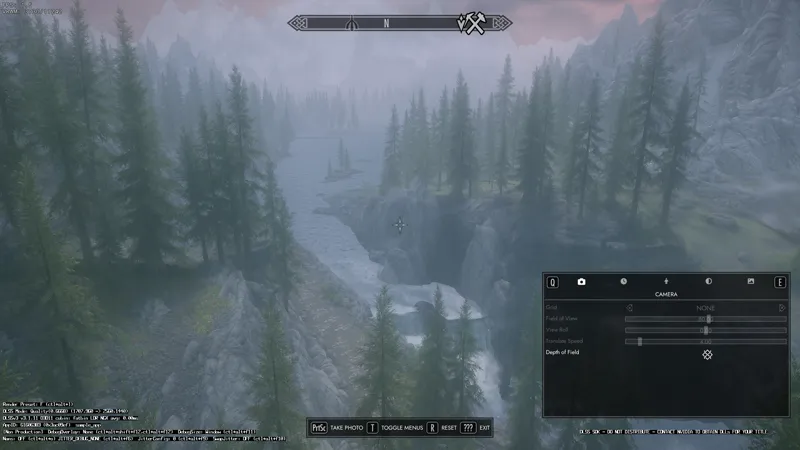
SkyrimUpscaler FG Build Alpha 03
This is for testing, it's only alpha, don't expect it to be perfect.
And I need people to report how it works to me on discord.
Download
Link your discord account to patreon and you will get pulled in the server by patreon bot.
Download updates in beta-access channel.
ChangeLog
Alpha 03
Fixed vanilla screenshot not working with upscaler
Fixed compatibility with Photo Mode.
Added an option for hidding UI when taking screenshots.
Alpha 02
Fixed issue with part of UI being semi-transparent
Added config option for frame generation
Alpha 01
Supports DLSS Frame Generation
Note that Reflex isn't working currently, there will be noticeable input lag
If you use ReShade, you need to download the modified version
SSEDisplayTweaks and ENB only counts real frames, in order to display the final FPS you'll need to use external tools
INSTALLATION
Turn ON Hardware Accelerated GPU Scheduling, it's needed for DLSS FG to work.
Install as any other SKSE plugin, using MO2 or Vortex would be the best way.
Make the game run in Borderless instead of Fullscreen, see the IMPORTANT part below for how to do that.
Check if you have dxgi.dll in the game folder, if so, download the modified ReShade and replace the dxgi.dll.
Enable Vsyc for SyrimSE.exe in Nvidia Control Panel.
Slide DOF all the way to the left in the settings.
Turn off ENB Edge AA and DOF (If you play at high enough resolution you can still try to use ENB's DOF, but if you can't stand the jittery just turn it off).
Set the FPS cap in SSEDisplayTweaks.ini to half of your refresh rate minus 1! For example if you have a 144hz monitor set the FPS cap to 71. Or you can use ENB's fps limiter instead. This is only for preventing your FPS from exceeding your refresh rate, if you know what you are doing you can cap it lower to your average FPS (cap to half of that of course) to get a more stable frametime.
Press END in the game to open the menu for upscalers to do authentication.
OTHER THINGS
If you use ReShade, you need to download the modified version I posted on Discord.
Note that you can't change quality level at runtime, you'll need to change it in the ini and restart the game.
IMPORTANT: If you are using SSE Display Tweaks, open SSEDisplayTweaks.ini and set Fullscreen = false and BorderlessUpscale = false. Remember to remove the # before them or they won't take effect.
If you are not using it, set bFull Screen = 0 in SkyrimPrefs.ini
If you are using detection meter, make sure it's at least v0.17.
Comments (52)
Followed all the steps above but I'm getting a black screen
How do you disable upscaling. I just want frame gen.
DLSS mod is crashing my skyrim. Disabling DLLS SKSE plugin stops crashes. So far, DLSS mod has been installed on a fresh and modless Skyrim. SkyrimUpscaler.log gives the following error: "Failed to create texture in SL allocation callback"
Never mind: I had forgotten to set borderless=1 and it was crashing the mod.
not getting authentication when im press end key
Just tried this super simple. The only scary part is authentication but works like a charm. Did it for nolvus
I LOVE YOUU MAAAAAAAAAAN!!!!
What if there is no dxgi.dll in the mods game folder?
i have an active subscription but i cant join discord not authorizing can anyone share me the file please?
Same here no page opens ever regardless of what I do
That's why there's an authentication tool in the #common-questions channel.
It is not authenticating for me... I press the button and it doesn't open any browsers and just goes back to the Athentification button
That's why there's an authentication tool in the #common-questions channel.
Jesus can anyone tell me where to find DOF??? You didnt really give me much to go on in your instructions. Is it in game, in the Nvidia panel?? Please help
Okay I get it, its in game. Went through all this hair ripping trouble to get DLSS to work, paid 5$ just for the game to immediately crash when I leave the garden. Great stuff.
it says authenticate then no tab opens
Black screen using nolvus. any advice???
i followed the steps. my game just crashes on launch now.
Same
Ooops caps
tHANK YOU WORKS LIKE INTENDED FOR ME
Thanks Man! from 25-61 FPS up and down. Now I have stable 58-61 FPS using RTX 3070 on Nolvus. Cheers!
Thanks PureDark for you works it looks amazing!
any chance to update to work on 1130?
Awesome mod. Clear instructions. I have a 4K 120hz TV I play my PC on, I've had to play my Nolvus nodded skyrim on 2K just to stay above 60 and just barely at that. With DLSS on balanced at 4K I'm getting mostly 80 with some dips to 55 in very random spots (panning the camera and looking down a road behinde with lots of trees and forest drops, but being inside a city is perfectly fine, weird but I'll take it.) on my 11th gen i7 and 4080. This mod was definitely worth it. Keep in mind for me it STARTED in FSR mode, had nvidia reflex on, and frame generation which caused bad stutters, so I did have to tweak it slightly.
Can't figure out how to download? (like myself who are new to Discord, it took a while to figure out): Login to both Patreon and Discord Click on Settings from the left side menu in PATREON Click on More and then Connected Apps from the menu bar Click on Discord and then click the Connect button, proceed and authorize. In DISCORD, PureDark's Server icon will appear on the left side. Click on it, you'll see DL server list. Choose your download. That's it! Read this for details https://support.patreon.com/hc/en-us/articles/212052266-Getting-Discord-access
When i click on the server icon i don't see the DL server list what do i wrong?
Great mod, instructions are extremely clear and straightforward. Anyone who runs into problems needs to simply, read. I've installed this into several modpacks with over 2000+ mods and my latest one at 4000+, every time it works flawlessly. Thank you for the upscaler Dark.
thank you !
Works great! Thanks for your hard work.
It wasn’t this confusing before, i remember installing it from patreon last time
Anyone have any idea how to get this thing?
discord?
Where do i find the download for this mod? i already paid
I made the payment and joined a Discord member, but I can't find the Skyrim download section
Is this version only for 40 series cards?
i crash everytime i launch skyrim after installing this
There's troubleshooting process on discord, it's always some wrongly installation or conflict
Hello! Can someone explain why DOF needs to be turned off? I am using Nolvus modlist BTW
thanks a lot! im using 7800x3d and 4080,the dlss version fps in the city always like 70-90. And this version, it boosts to 100-150!! By the way, what is the cpu load means? the lower the fps better for me
Where can i find the dof and egde aa sittings in section 4 and 5 in the installation ?
I believe you can hit Shift+Enter in game and it will pull up the ENB settings that you can adjust.
Does this work with VR Skyrim as well?
thank you for your work ^^
This is just a miracle! Had troubles with running Nolvus modlist even on lowest settings tho I have i9-9900k and 4070ti which exceeds requirements. Fps Boosted from 45-70 to 70-100. Awesome work really appreciate it!
hi, how did you manage to make it work with nolvus?, been trying but with no success.
Great mod! Already your patreon. Do you have a plan to make new enb version for dlss 3.5?
You can simply swap the nvngx_dlss.dll
Very impressed so far with how well this works, will continue testing and contribute as such with feedback on discord when issues arise!
Would it ever be possible to add DLSS to Callisto Protocol? I know the game is mid but I’d love to be able to play it without horrific fsr pixelation or frame dips. Thanks for your hard work!
this for skyrim SE or original LE?
SE and AE.