
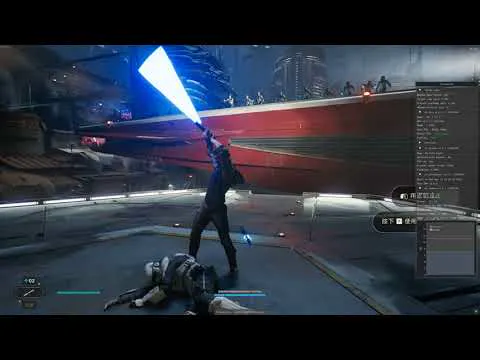
JediSurvivorUpscaler FGBuild AlphaTest 01
DLSSFG is only supported by 40 cards!
This is for testing, it's only alpha, don't expect it to be perfect.
And I need people to report how it works to me on discord.
This only features DLSS Frame Generation for now, and you'll have to turn on FSR2 which might lead to crappy image quality, use it at your own risk.
Download
I only distribute updates via discord.
Link your discord account to patreon and you will get pulled
in the server by patreon bot.Download updates in beta-access channel.
Changelog
FG Build Alpha 01
Support for DLSS Frame Generation.
No DLSS2 in this version.
INSTALLATION
Launch the game and set it to Windowed Fullscreen before using this mod.
Enable FSR2 Quality, unfortunately it's needed to be ON for now.
Turn off motion blur, it will look very bad with DLSSG.
Extract everything in this zip to Jedi Survivor\SwGame\Binaries\Win64.
You can press HOME in the game to open the menu.
If the game stutters, try turning FG on and off.
STAR WARS Jedi Survivor DLSS3 Frame Generation imperfect demo (YouTube)
Comments (13)
@PureDark:I was able to make this work even after disabling FSR. Resolution shows native but there was some smoothing. After enabling CAS everything looks awesome. Running my 4090 DLSS FG is giving me 95-110fps no problem, with Ray Tracing enabled!!! So much better than the struggle to get 50fps. Thanks so much for this work! I have a screenshot of it working with nothing but DLSS FG selected and showing the resolution as native. Maybe I got lucky but it looks and works great!
same, FSR disabled when launched, and although with a 4090 i could max the settings at 4k60 using fsr quality and now DLSS2 Quality with frame gen enabled im getting an easy 120 locked. So far so good and not a single stutter yet. Visuals are a def step up over FSR but only because of the better AA. Resolution quality and artifacting is no better or worse than FSR2 Quality, at least not that ive seen in the small time ive played. Now if someone would fix dead space and calisto protocol
that stuff does not work for me, home btn does not bring any menus, do I need to install reshade or smth?
Ask in the discord channel, and I am sure plenty of people will answer you since this is the most common issue people run into and it's so simple. It's related to folder permission.
Works like a charm, appreciate it!
I just became a patron, how can I download the mod?
It's on the Discord, did you join it?
Game won't launch with this mod
We can help you troubleshoot on the Discord
What is the frame generation button? I installed Reshade and used the ini as a preset for the install. Now I see addons and different options, including something for DLSS.
You are not following the instruction, the included dxgi.dll is specifically modified ReShade that act as part of.this mod. Preset doesn't matter it was to prevent ReShade's bar from always showing
What would be considered the root folder? The Jedi Survivor folder or the folder with the .exe?
Jedi Survivor\SwGame\Binaries\Win64