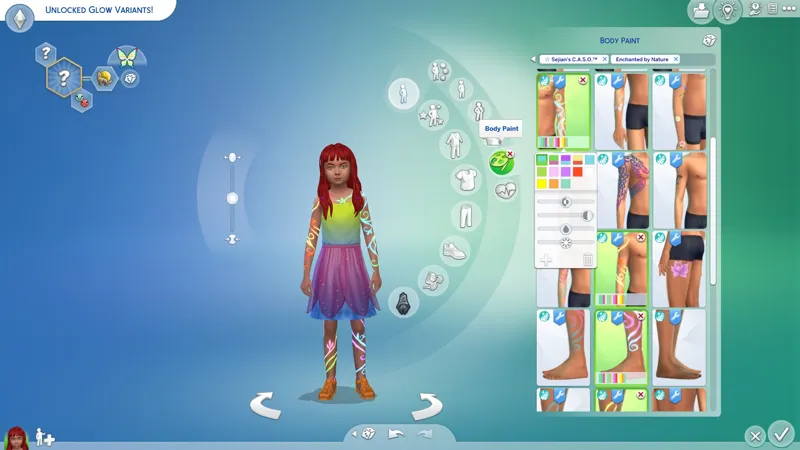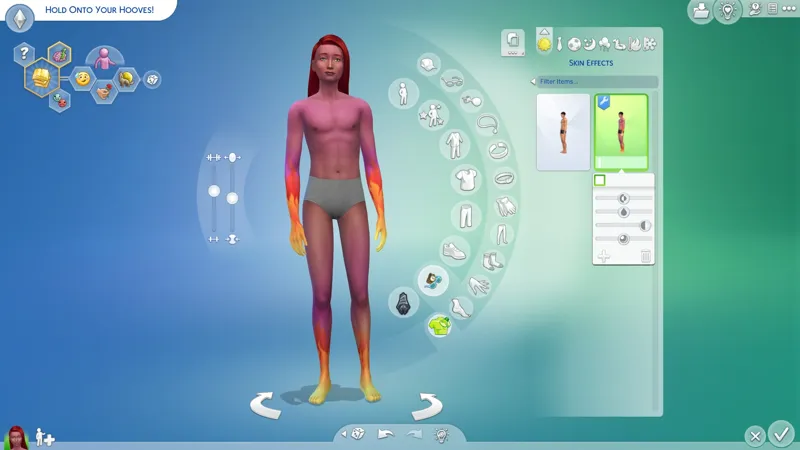
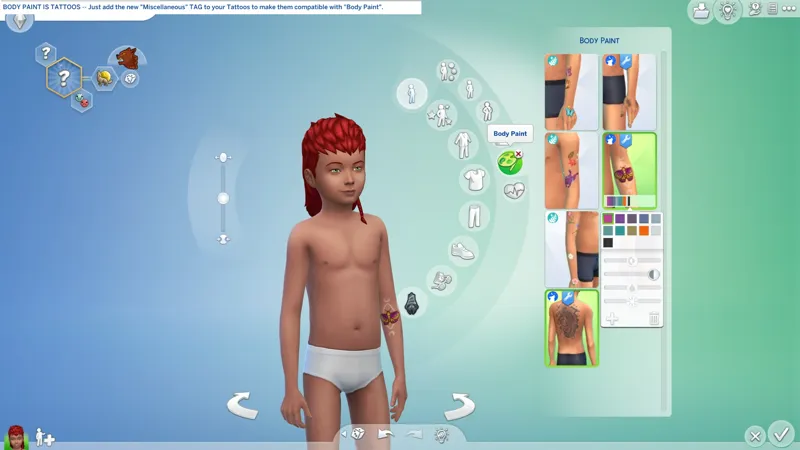
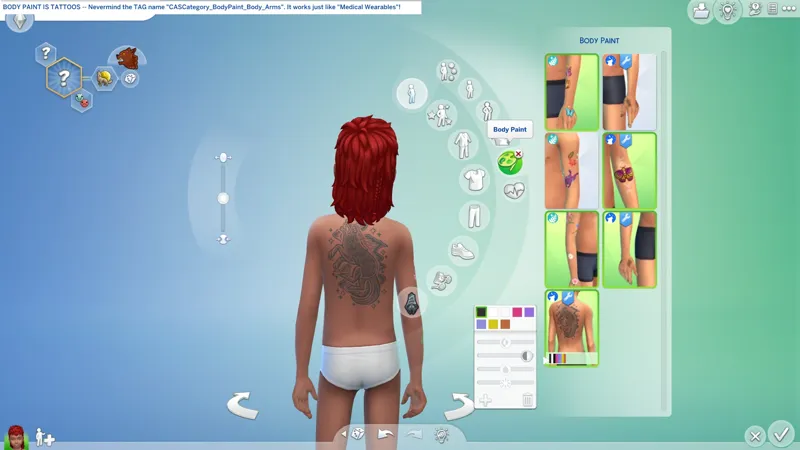

🧠 Dissecting the new CAS Categories -- "Head Decorations" is broken, "Body Paint" is "Tattoos", "Skin Effects" IS MINE! <CACKLES>
🕒 I'm supposed to be doing something else, but... it's CAS, baby. Gimme a hot minute.
☆ // ⋆ TL;DR (TBC...):
"HEAD DECORATIONS" is not properly defined as a CAS Category:
Configure your items as "Hats" with the "Head Decorations" Sub-Type instead.
Outfit Type (BodyType + AdditionalTextureSpce) = Hat
Hat Type = Head Decoration
This isn't simply a "Sims 4 Studio needs a compatibility update" issue. EAxis configured their own BG and EP19 "Head Decorations" improperly, which means they think it works, which means they're probably gonna break CAS even more whenever someone "finally notices" it ain't workin'. Ain't life grand? 😿😾👹💀
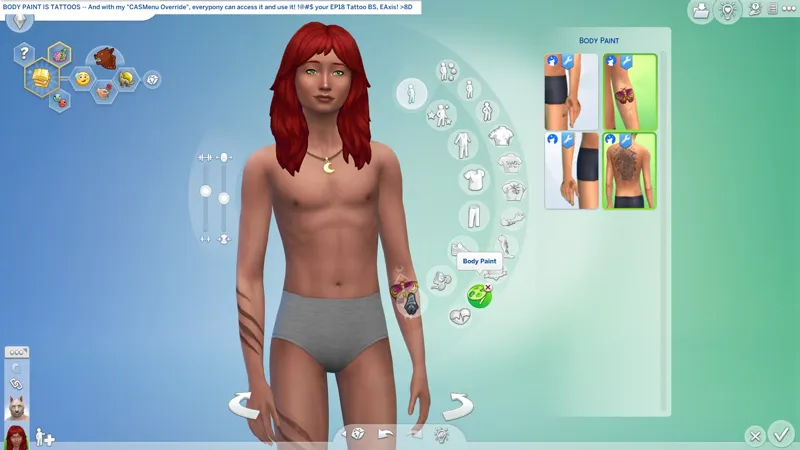
"BODY PAINT" is secretly "TATTOOS":
Add the new "Miscellanous" TAG to your "Tattoos" to make them work with "Body Paint".
Category (CategoryNumber) = CASCategory (134)
TagValue (TagValueNumber) = CASCategory_BodyPaint_Body_Arms (3313)
EAxis really wanted to give the kiddies some tattoos with EP19: ENCHANTED BY NATURE, but the EP18 tattoos overhaulis incompatible with kids, so they replicated what they did for "Body Medical Wearables" and created "Body Paint", which is actually just "Tattoos" without the irritating new "Tattoos" UI.
"Tattoos" in all future "CAS Overrides" will be configured to work with the "Body Paint" category because I absolutely hate using the new "Tattoos" category.
No big entry for this one.
"SKIN EFFECTS" do not need to be weird shiny !@#$:
Adjust your "SortLayer" to match the new item. Others might work but I haven't tried yet.
SortLayer = 3050
This looks like a completely new category that's not connected to anything else, and we can wear a different "Skin Effect" on each outfit. Sincerely, thank you, EAxis, for giving us "Skin Effects". I needed a new category for a specific project. Let's hope it works!
No big entry for this one.
⋆ ── ─ ─ ─ ─ ─ ─ ─ ─ ─ ─ ⋆ \\🎁// ⋆ ─ ─ ─ ─ ─ ─ ─ ─ ─ ─ ── ⋆
☆ // ⋆ RELATED PROJECTS:
🗺️ CAS Overrides: Enchanted By Nature -- https://../posts/134147151
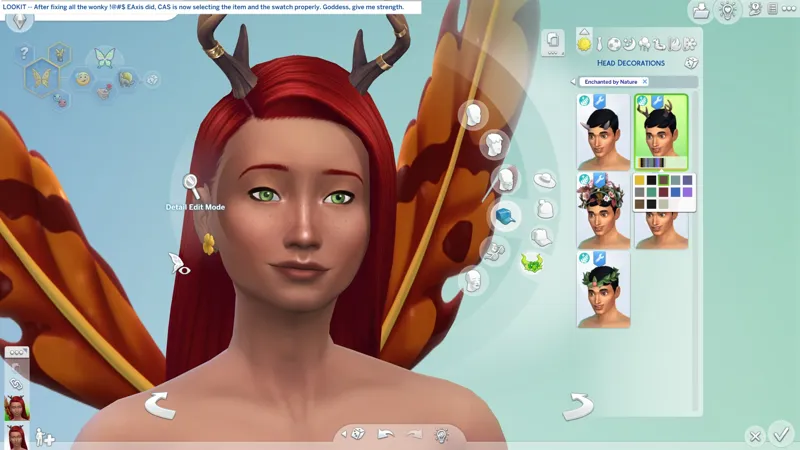
"Head Decorations" work properly after fixing EAxis' mess.
⋆ ── ─ ─ ─ ─ ─ ─ ─ ─ ─ ─ ⋆ \\🧠// ⋆ ─ ─ ─ ─ ─ ─ ─ ─ ─ ─ ── ⋆
☆ // ⋆ "HEAD DECORATIONS" AIN'T RIGHT:
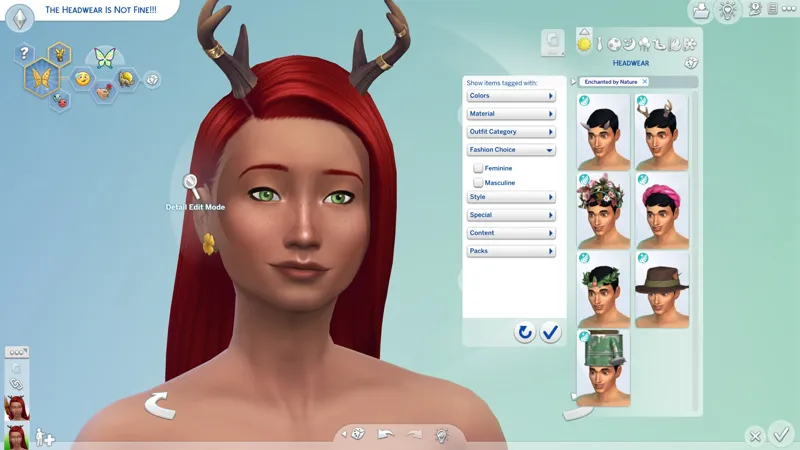
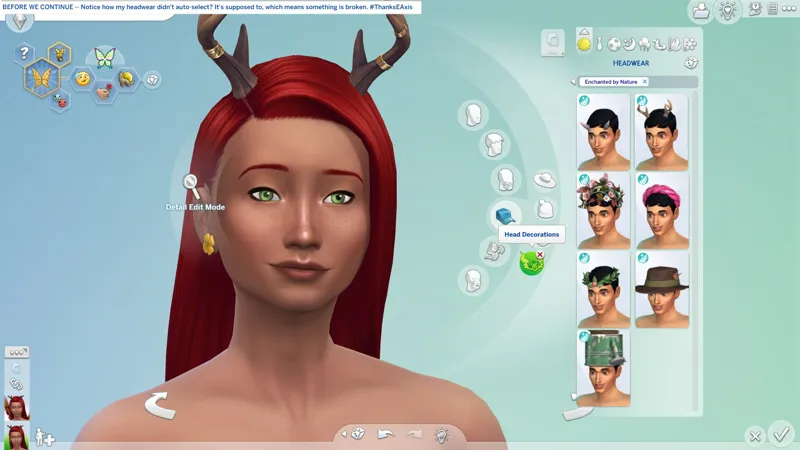
In my "CAS Review" for EP19*, I pointed out that CAS is not selecting/highlighting the "Head Decorations" the way it's supposed to, the way it does for literally everything else.
When you wear an item and switch to a different category, then switch back to the category with the item you're wearing, CAS is supposed to select/highlight the item and the specific swatch you're wearing. If CAS isn't doing that, then something ain't right.
So, I opened up the new "Head Decoration" items in Sims 4 Studio.
I haven't explained "Miscellaneous" TAGS completely right yet, because if you change the category of an item in Sims 4 Studio, and that item had category-specific TAGS, then those category-specific TAGS that don't belong to the new category, gets thrown in to the "Miscellaneous" section. It's a good indicator that something has been re-categorized.
Guess what I saw when I opened up the cute little BASE GAME headband with the bow?
You don't know, it's fine. I'mma just tellit to ya.
The "Head Decoration" items have a "Miscellaneous" TAG:
Hat_HeadDecoration
And the regular ole "Hats" have a new "Hat Type" TAG called:
Head Decoration
And "Head Decorations" uses the "Hat" texture area on the "texture map".
When you put all these little pieces together, it spells H-A-L-F (-) A-R-S-E-R-Y.
Not only did EAxis break "Hats" and further break "Outfit Generation", but they didn't even implement the new features properly.
Re-categorizing "Head Decorations" as "Hats" and fixing the other wonky !@#$ EAxis did, makes CAS select/highlight the item and the swatch properly.
Did they think nobody would notice?
I know I'm not terribly well-known or popular, so I guess I'm "Nobody". 😺
Do you suppose they even noticed?!
☆ // ⋆ SOME EP19 ITEMS HAVE A "MISC." COLOR TAG:
It's a good indicator that something has been re-categorized.
I didn't bother to read the other "Ideas" while I was on EA Forums, but I'm certain I noticed something about EP19 items disappearing in Live Mode.
Remember when they allegedly fixed Vampire child eyes some few updates ago? The Vampire eyes were disappearing from Vampire kids and getting replaced with regular eyes. I don't think that was "CASPart"-related. I think that was PYTHON.
With the nonsense they did to the "Head Decorations" and the number of items I've seen this improper "Miscellaneous" Color TAG on, I'm kinda wondering just how much of a mess EP19 CAS really is, because the improper "Miscellaneous" Color TAG is not one I've seen before. That doesn't mean it's new, it could just be from an item category I haven't overridden before, but unless I'm mistaken, the only items I haven't touched are animal items, and maybe the "Back" items for adults?
The wings are crashing Sims 4 Studio 3.2.4.4, so I can't check them right now.