
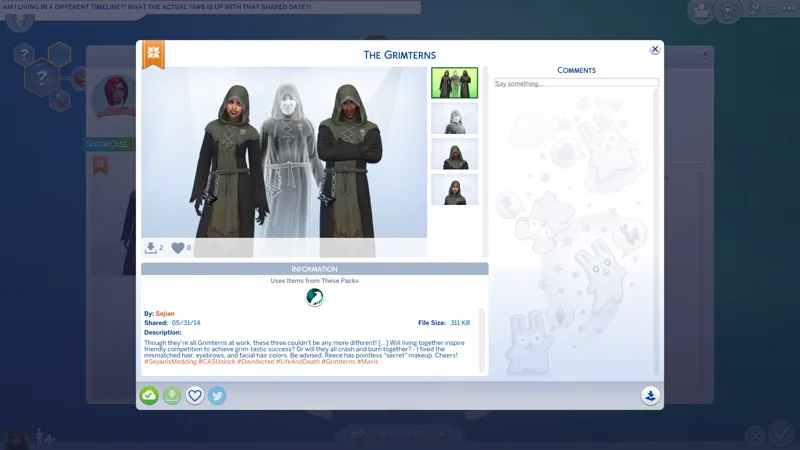
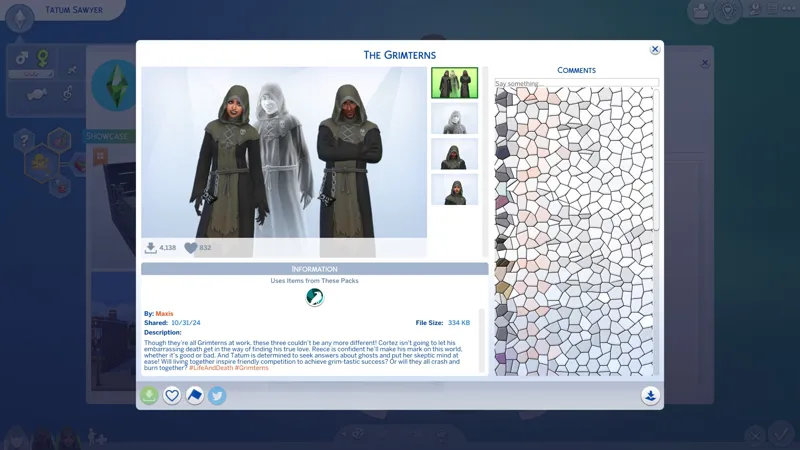
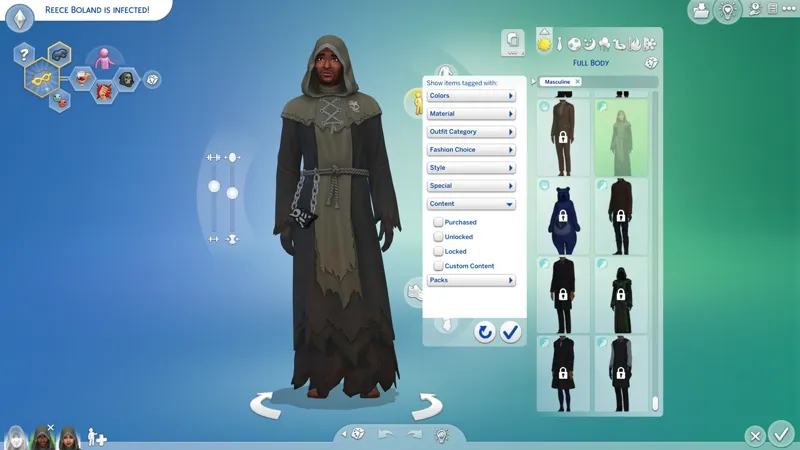
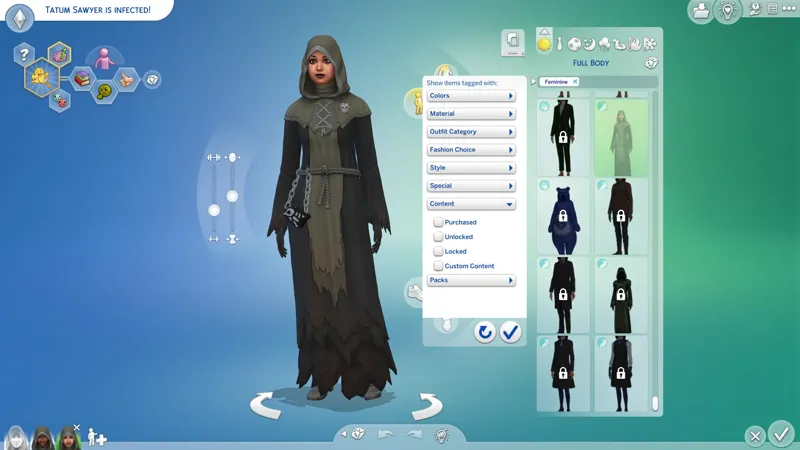
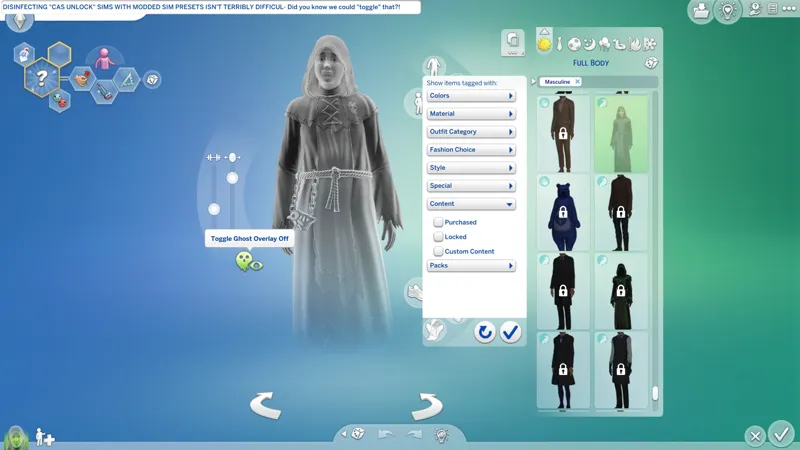
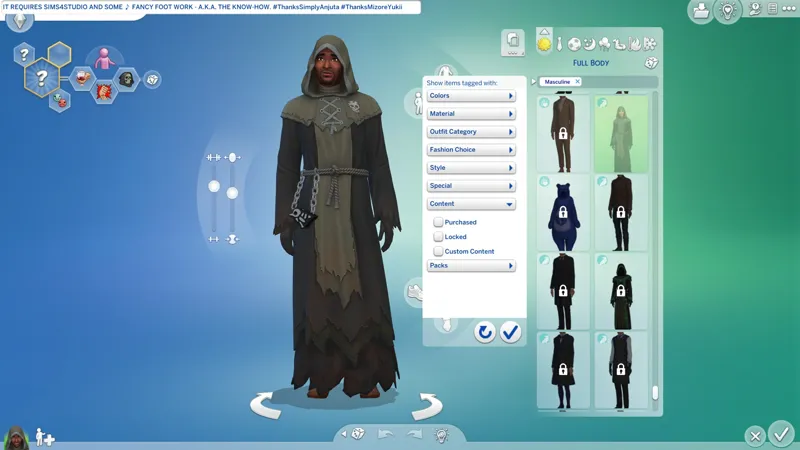
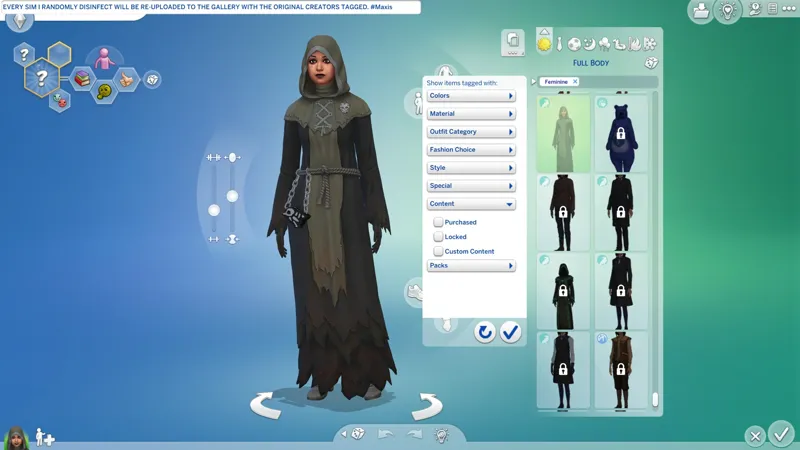
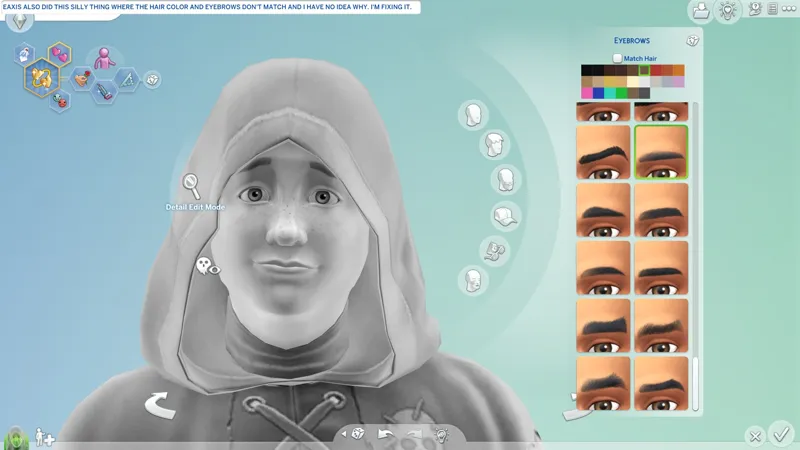
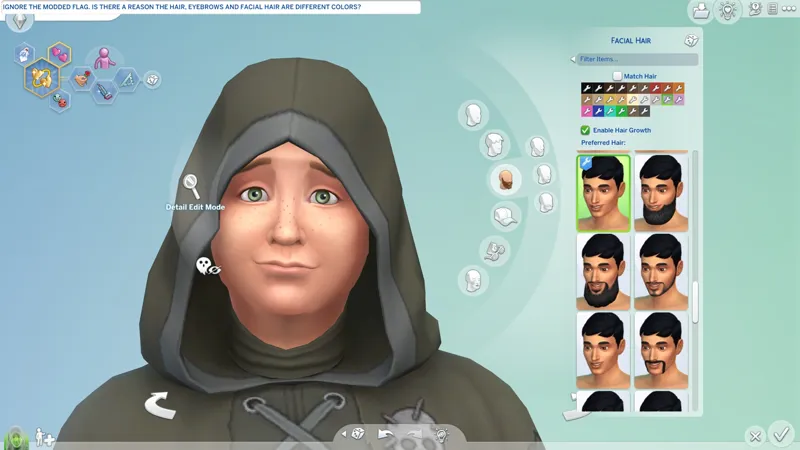
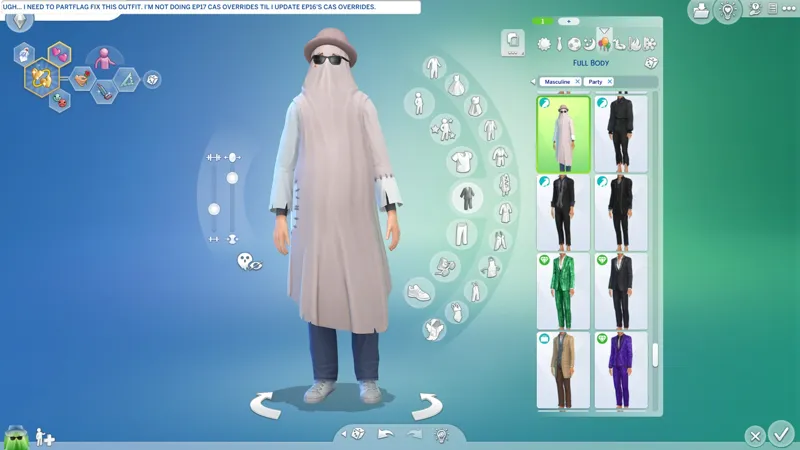
🎓 DIY - Disinfecting "CAS Unlock" sims with modded Sim Presets! ⚡ 12/20/24 - Occult sims are still a pain in the arse...
👹 I'M NOT DONE. I STILL NEED TO TROUBLESHOOT PETS, ALIENS AND WEREWOLVES, AND OCCULT SIMS IN GENERAL. I'LL BE BACK WITH ANOTHER UPDATE SOON. F.Y.I. Live Mode disinfection is a lot simpler than this, but has it's own caveats.
💀 New DIY entry between 6️⃣ and 7️⃣ concerning broken SIMINFO.
⚡ New note below DIY for sims aged CHILD and younger.
⚡ New note below DIY for Occult sims in general.
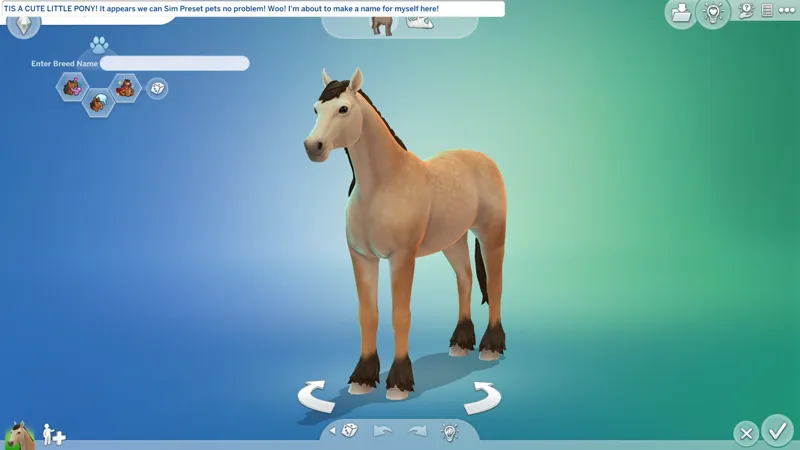
⚡ I haven't checked every pet type yet, but ponies sure seem to be Sim Preset friendly!
All of this - these caveats and the effort this requires - is why I despise "CAS Unlock" sims. I have to do all of this !@#$ just to get rid of it.
This is why I avoid the Gallery like the plague, because to me, it is the plague.
⋆⋅ FIRST THINGS FIRST, I'M THE REALEST. DROP THIS AND LET THE WHOLE WORLD FEEL IT! I BREAK OUT IN SONG, BABY! I THOUGHT THAT YOU KNEW THIS! 😹
My Let's talk "CAS Unlock" Collection - https://../1206184?view=condensed
🎁 SFS Direct - http://www.simfileshare.net/download/5194076
🎁 GDrive Direct - https://../1RW8sVWEJJQLL9iqw2QQB49PC3QJCjceV
Updated - NIL
Released - 12/15/2024
📦 Contents - (1) ARCHIVE = (4) PACKAGES + (0) TS4SCRIPT
sej_GFCOvrd_SimPreset_[YYMMDD]_[RINFO].zip
sej_GFCOvrd_SimPreset_Female.package
sej_GFCOvrd_SimPreset_Female_Backup.package
sej_GFCOvrd_SimPreset_Male.package
sej_GFCOvrd_SimPreset_Male_Backup.package
The "_Backup" PACKAGES are for your convenience. The "main" PACKAGES have load priority and changes made to them will take effect in CAS.
Be advised, you're meant to ".packageOFF" disable or remove these things when you're done, but if you want make custom "Sim Preset" overrides, the same instructions can be applied with some tweaks.
🌸 Special thanks to SimplyAnjuta for their "Custom Starting Sims for CAS" tutorial that I repurposed for my war against "CAS Unlock" sims.
⋆⋅ TWO FEET IN THE RED DIRT - I'VE BEEN UP ALL NIGHT WORK-WORK-WORK-WORK-WORKIN' ON MY !@#$! 😼
We'll start with extracting the "SIMINFO resource" for the infected sim, then move onto importing it into the "Sim Preset" PACKAGE.
This is really simple, I promise.
I will be referring to the "SIMINFO file" as the "SIMINFO resource" in an attempt to keep the language consistent, the same way I refer to ".package files" as "PACKAGE(S)" and ".zip" files as "ARCHIVES".
⋆⋅ WHAT ARE "SIM PRESETS"?
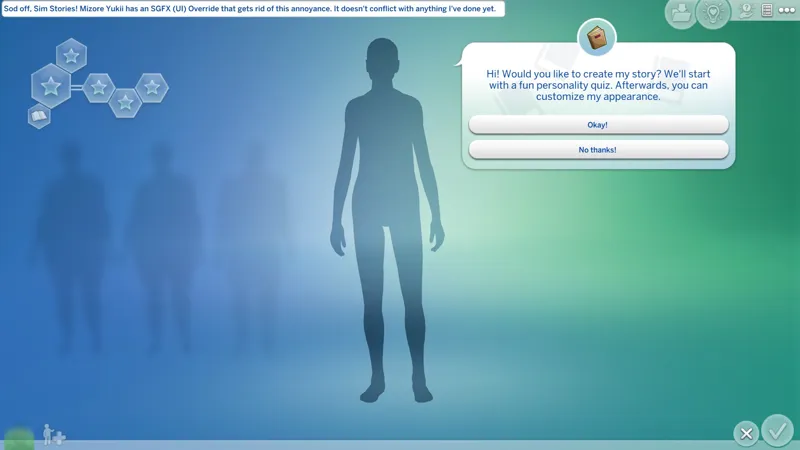
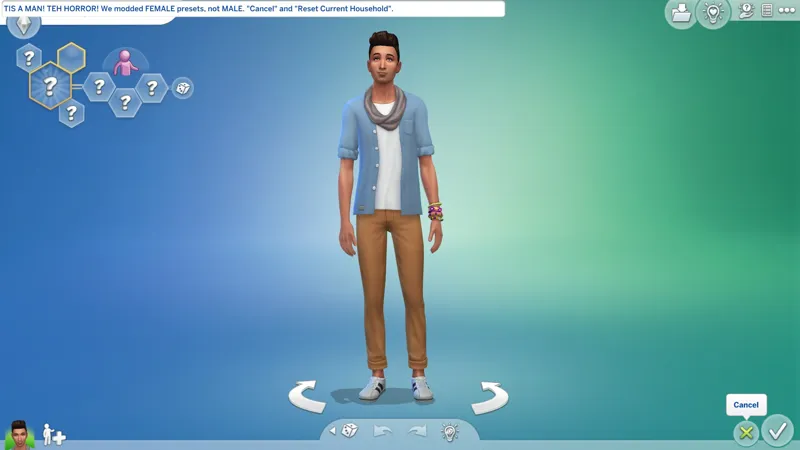
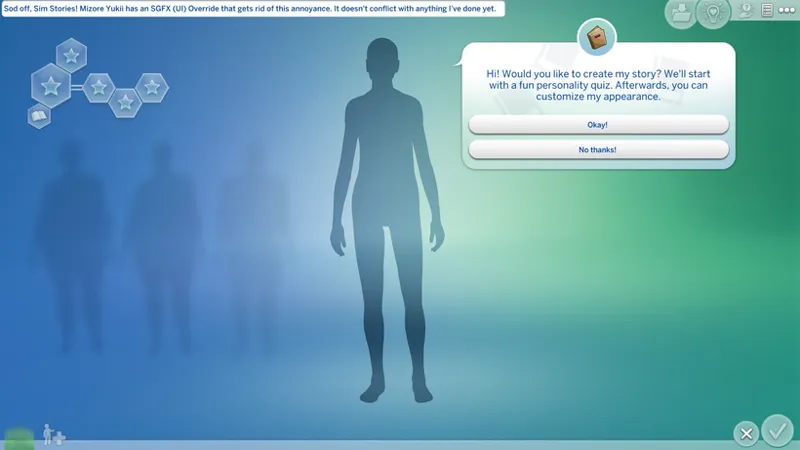
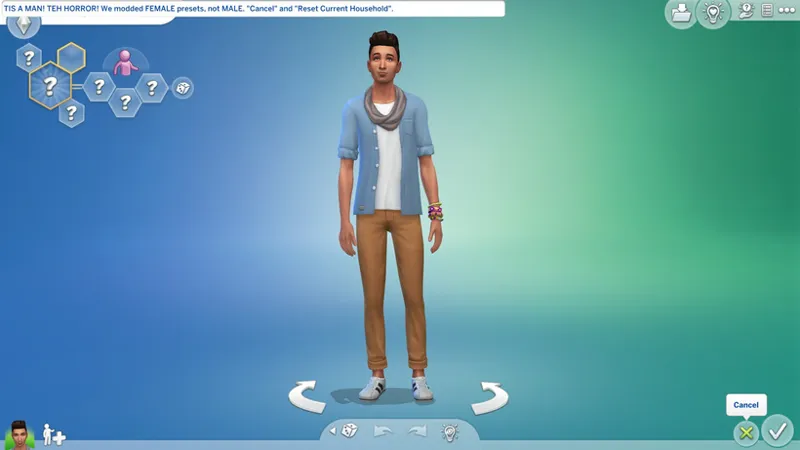
When you enter "New Game" CAS and skip the "Story", the sim that appears is a pre-defined "Sim Preset". Notice how clicking CANCEL and RESET CURRENT HOUSEHOLD just cycles you through a bunch of these sims? They're what I'm referring to as "Sim Presets".
When I say we're modding "Sim Presets", I mean we're replacing these pre-defined CAS sims with our own sims.
I haven't explained how to make a "Sim Preset" PACKAGE. I will at some point. For now, you can use mine.
⋆⋅ WHAT ARE "SIMINFO RESOURCES"?
This is... "raw data" for your sim?
It contains their genetics, traits, outfits, etc. - the "etc." is the bits I don't know.
To my knowledge, it does not contain relationship info or any other Live Mode data, but I could be wrong - I'm a rocket scientist, not a master builder.
⋆⋅ LET'S GET STARTED - YOU NEED SIMS 4 STUDIO
As of this writing, the OPEN BETA VERSION(s) of Sims 4 Studio (S4S) are still recommended - https://sims4studio.com/board/6/download-sims-studio-open-version
I personally download the ZIP and extract it because there have been issues reported in the past with the installer and I just can't be bothered.
I personally recommend purging your S4S data after official game updates, after adding new DLC packs, and after updating S4S. You do this by exiting S4S and navigating to "%USERPROFILE%\Documents\Sims 4 Studio" A.K.A. your "S4S USER FOLDER" and deleting the following folders and files:
📁 Cache
📁 Tuning
📄 S4Studio_[VERSION].sqlite
📄 Settings.xml
Doing this will trigger the "SQLite" cache to rebuild itself the next time you launch S4S, and settings will need to be reconfigured, and your Tuning cache will need to rebuild itself the first time you use "Extract Tuning", but this will keep S4S running optimally and avoid random issues.
⋆⋅ CREATE A WORKSPACE IN YOUR MODS FOLDER:
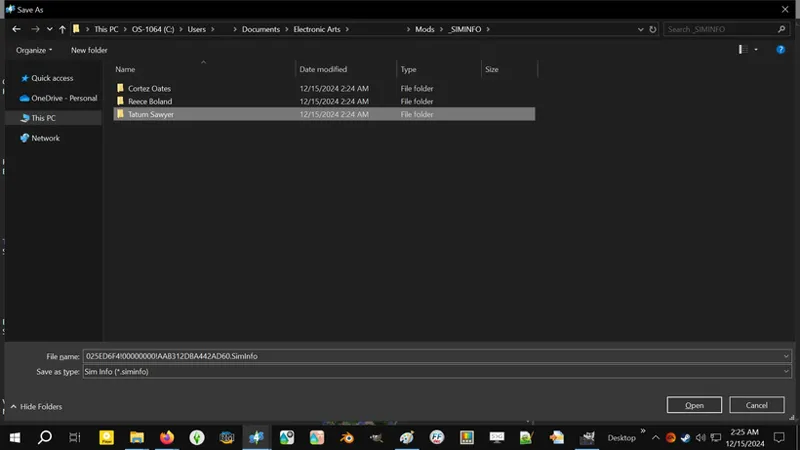
For your own sanity, create a "New Folder" in your Mods folder and name it something like "_SIMINFO". The underscore will put it above regular alphanumerical folders in your Mods folder. We'll use this folder very soon.
⋆⋅ MANAGING YOUR "SIMINFO" ANOTHER WAY:
This comes into play in the following instructions.
I don't know why I didn't consider this before.
Instead of importing your SIMINFO resources into the "Sim Preset" PACKAGES, you can make a new PACKAGE for each of your SIMINFO resources. It's extra work, but you can then keep these SIMINFO PACKAGES as a "mod-ready" backup and delete the raw extracted SIMINFO resources.
To keep them all together you can rename these packages like "sej_GFCOvrd_SimPreset_Female_Addon_SimInfo_JaneDoe.package", etc.
⋆⋅ THESE INSTRUCTIONS ARE TAILORED TO HUMAN SIMS AGED TEEN AND OLDER:
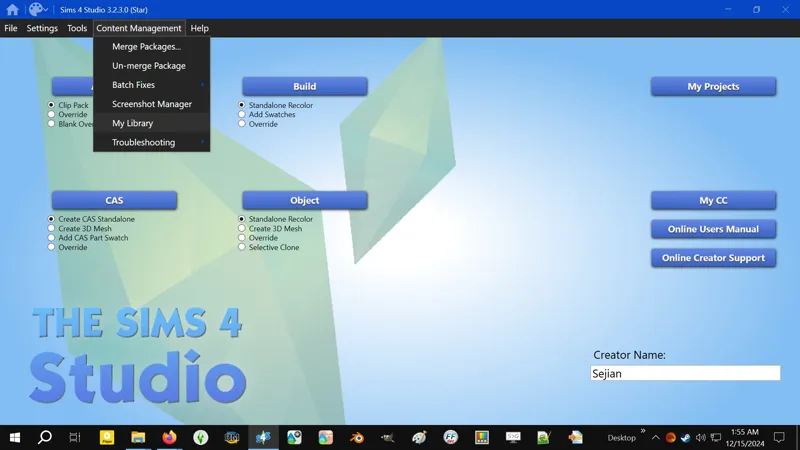
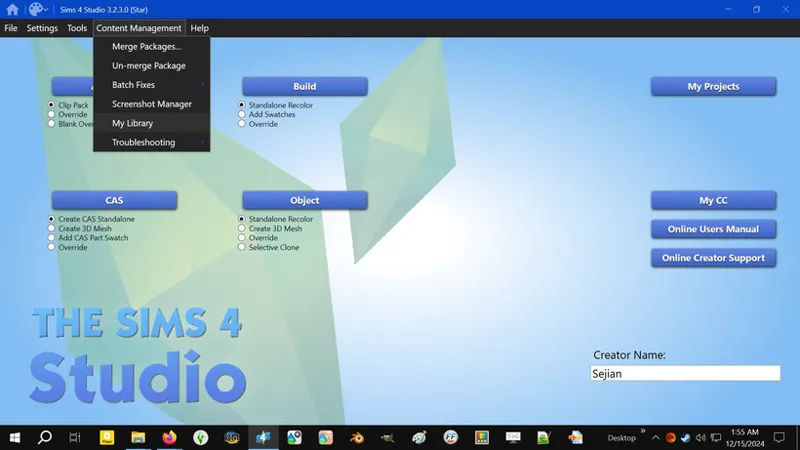
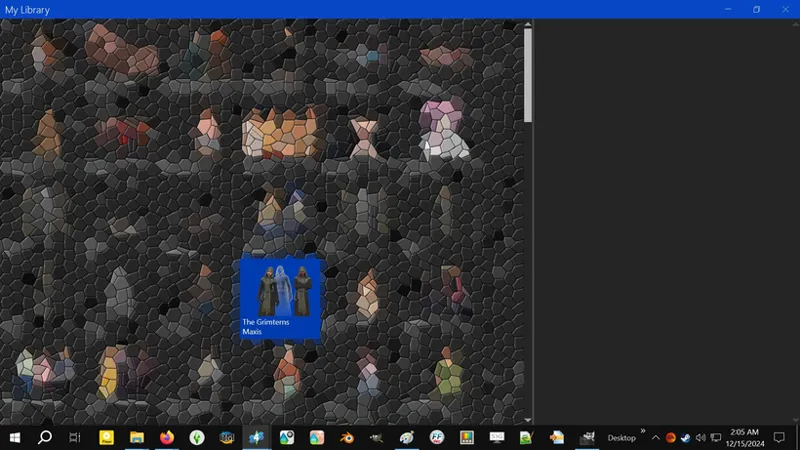
1️⃣ Open S4S, click on the CONTENT MANAGEMENT drop-down menu, and click on MY LIBRARY.
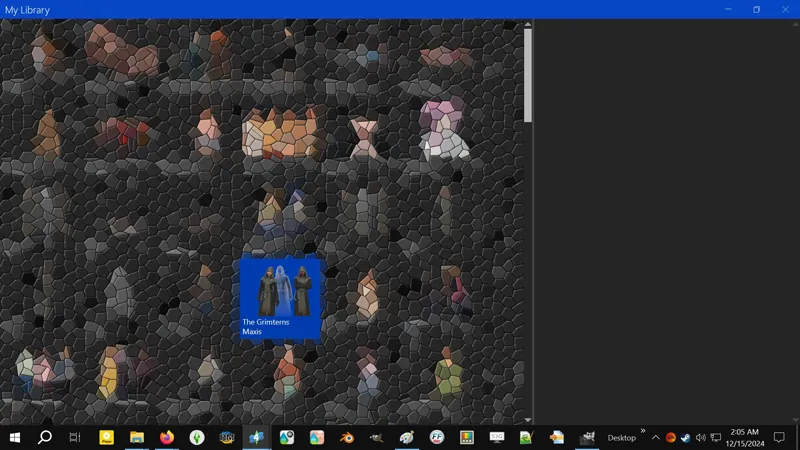
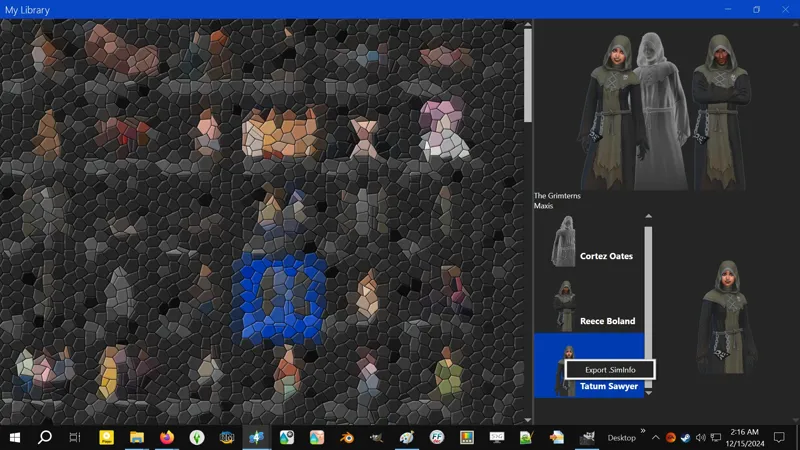
2️⃣ In the left side grid, find the Household you want to disinfect and left-click on it.
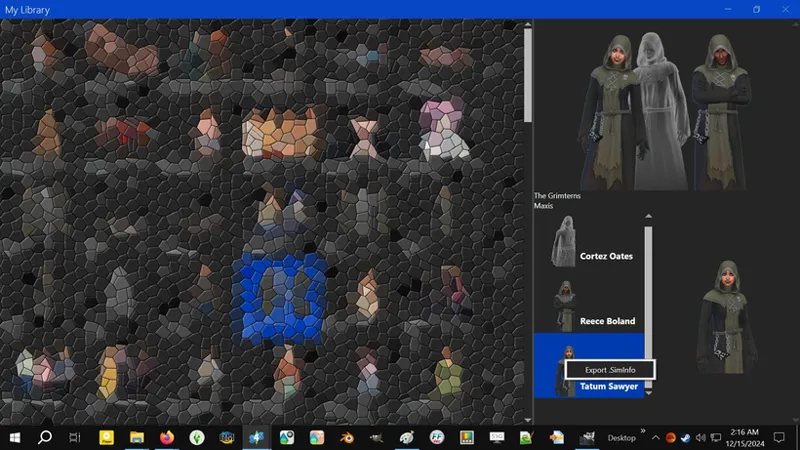
3️⃣ On the right side, select the sim you want to disinfect from the "little list" then right-click on their little thumbnail or their name and click on EXPORT .SIMINFO - DO NOT RENAME THE SIMINFO RESOURCE! IF YOU DO, IT WILL NOT WORK!
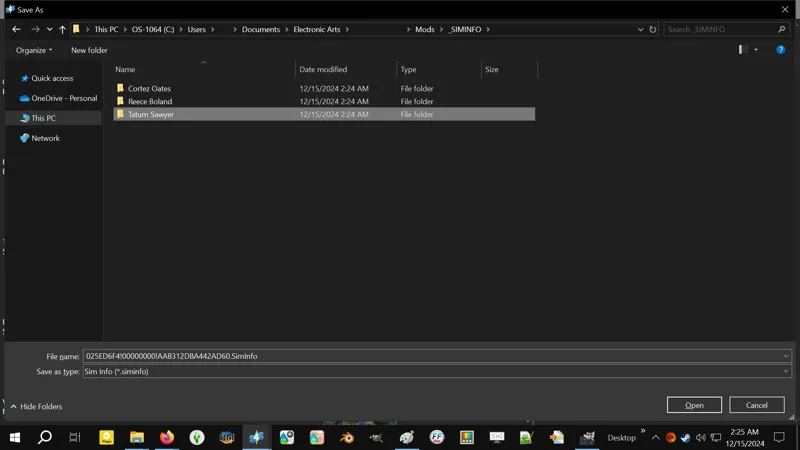
4️⃣ In the "Save As" prompt, navigate to that folder you made in your Mods folder and create a "New Folder" inside it, then rename that "New Folder" to match the sim's name - this is for your sanity as well. Now open your sim's folder and save the SIMINFO resource inside of it. If you need to disinfect multiple sims, extract the SIMINFO resource for all of them while you're here and put them each in their own folder. When you're done extracting SIMINFO resources, close the S4S MY LIBRARY window (and close the S4S window or click on MY PROJECTS and...).
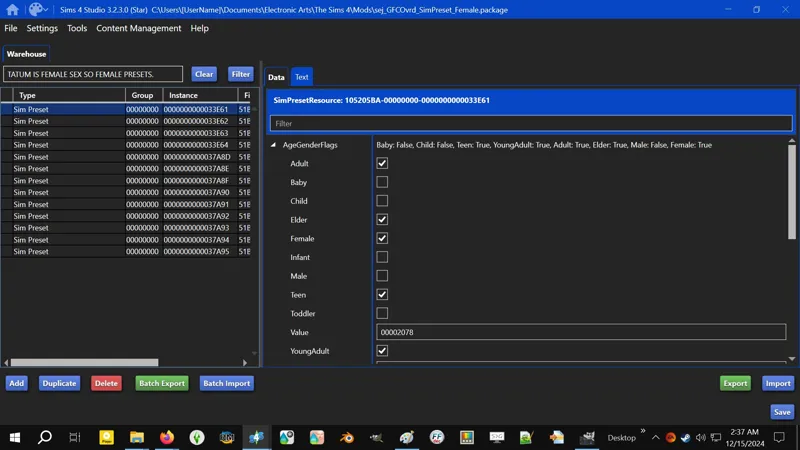
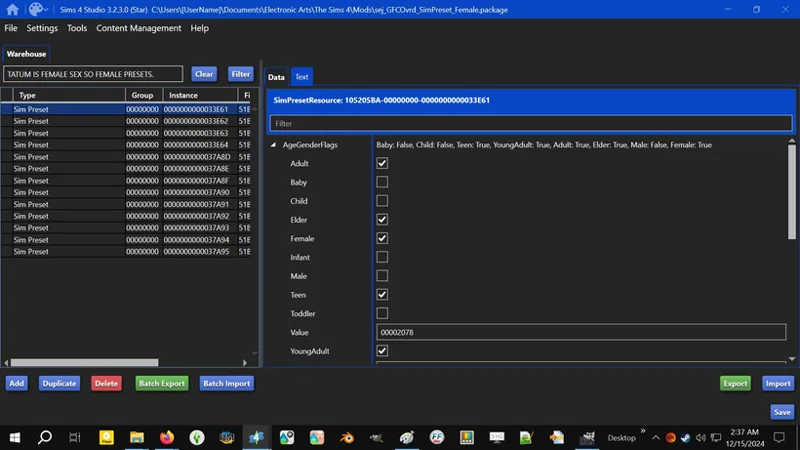
5️⃣ Open one of my "Sim Preset" PACKAGES - I match the sim's sex (gender) to the Sim Preset's sex (gender), so female to female and male to male. Ignore "transframe" status for this, e.g. my sim is Male / Feminine Frame and I use their SIMINFO with the Male Presets to avoid any shenanigans under the hood - this game was initially made on a binary sex system and I don't fully understand "Sim Presets", so I don't want to chance it.
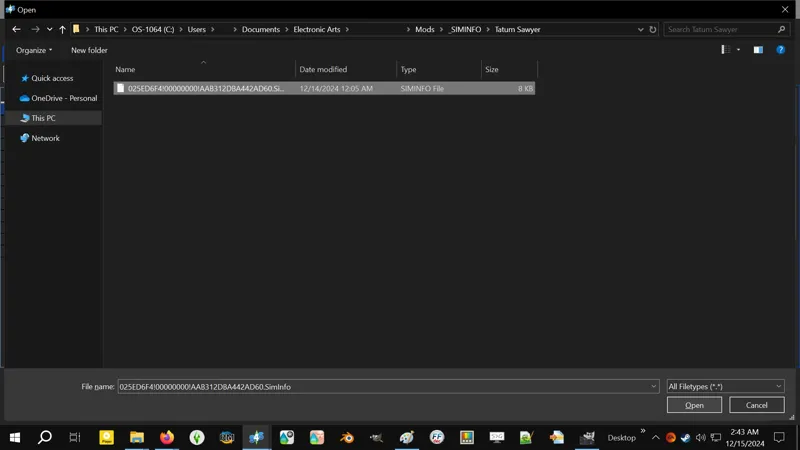
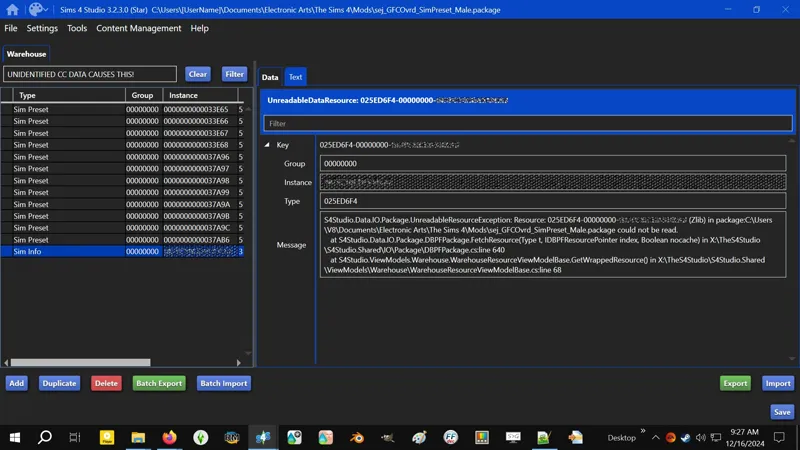
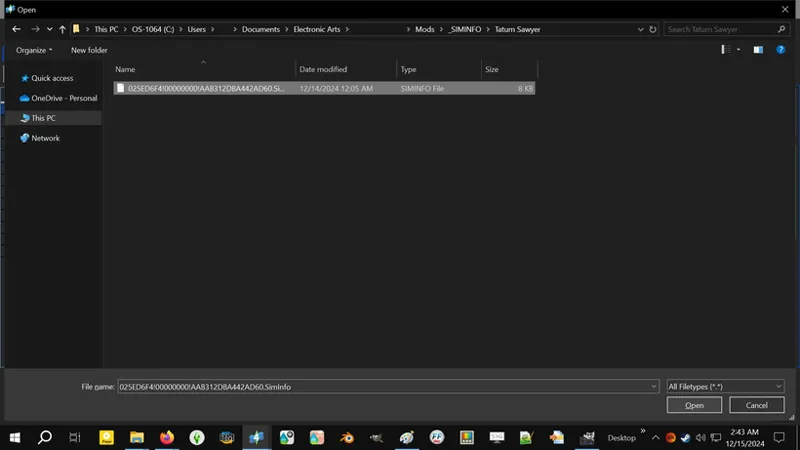
6️⃣ At the bottom of the S4S Warehouse window, click on BATCH IMPORT and navigate to the SIMINFO resource. Double-click on it to import it or left-click on it once then click OPEN to import it. Et voila, you're almost done!
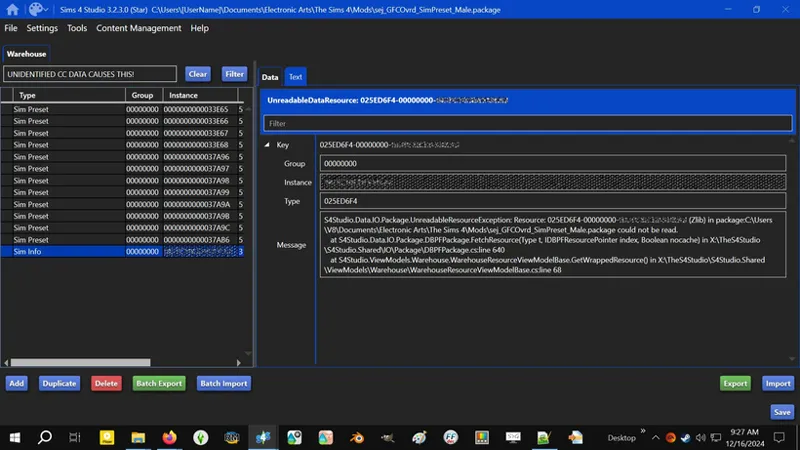
💀 If your sim is modded and your imported SIMINFO resource displays a message saying "S4Studio.Data.IO.Package.UnreadableResourceException [...]", YA DONE GOOFED! I'm kidding! It means some of your custom content isn't playing nice with SIMINFO and you need to "strip" your sim - it also means you'll have to redress your sim, sorry. The easiest way to accomplish this quickly is to:
❶ REMOVE or RENAME your Mods folder and DELETE your localthumbcache.package then launch the game and enter "New Game" CAS.
❷ LOAD your sim into CAS from your Library for CAS to strip the "CC" - don't worry, this only strips the CC from the "copy" of your sim that loads into CAS and does not interfere with the Library / Tray sim.
❸ Now SAVE this copy of your "stripped" sim to your Library, then EXIT the game and repeat the previous steps to export and import the SIMINFO for the "stripped" sim. The new SIMINFO shouldn't show "Unreadable" errors.
This issue was highlighted by a member of this Patreon. Thanks! I had not encountered this before and didn't know this could even happen. We still might not know exactly which custom content is causing it, but at least we know about it and can work around it.
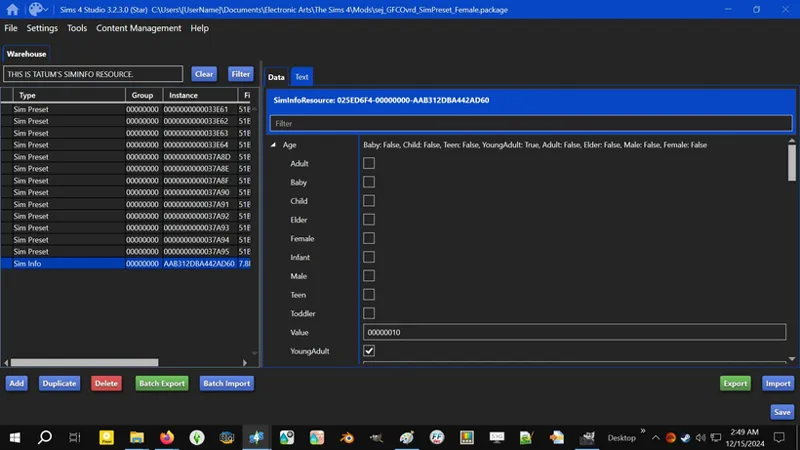
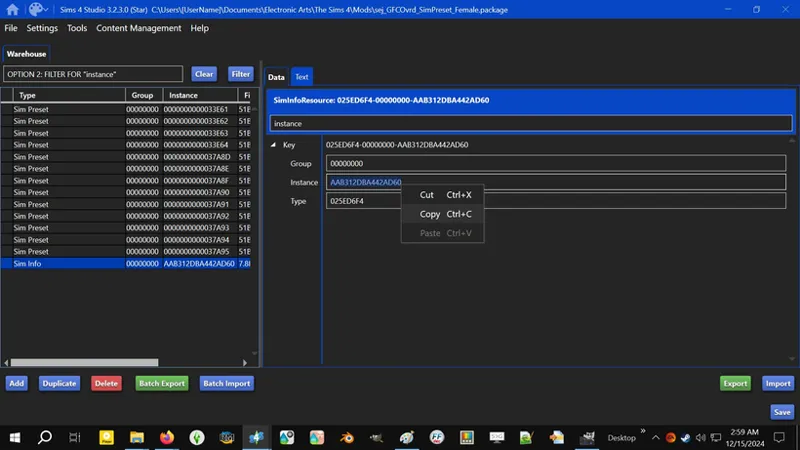
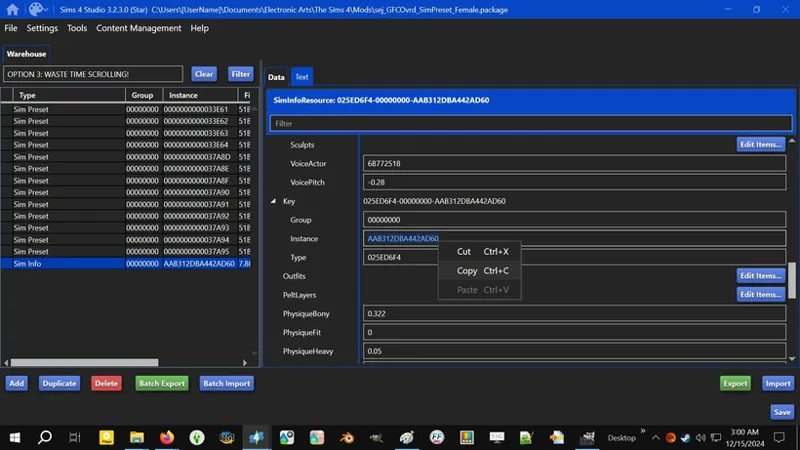
7️⃣ There are a few ways to do this next part. You need to copy the alphanumerical INSTANCE identifier from your sim's SIMINFO resource:
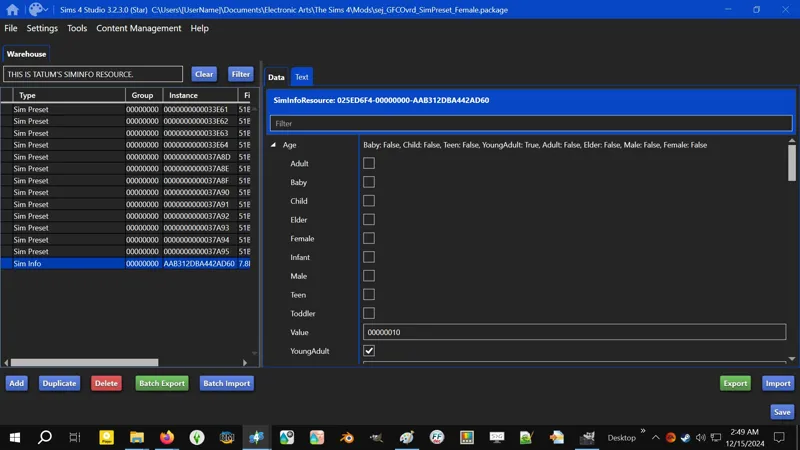
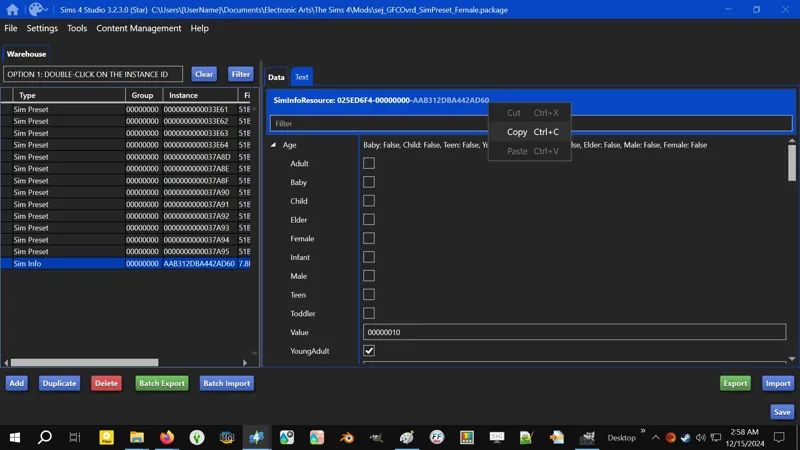
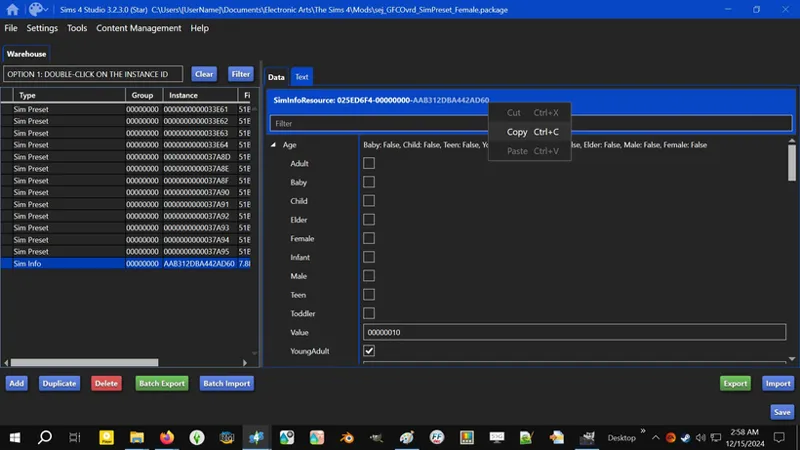
At the top of the Data tab you'll see "SimInfoResource: XXXXXXXX-XXXXXXXX-XXXXXXXXXXXXXXXX". The last - longest - group of alphanumerical characters is your INSTANCE identifier. If you double-click on it, it should select the group and you can either right-click and click COPY or press CTRL+C on your keyboard to COPY.
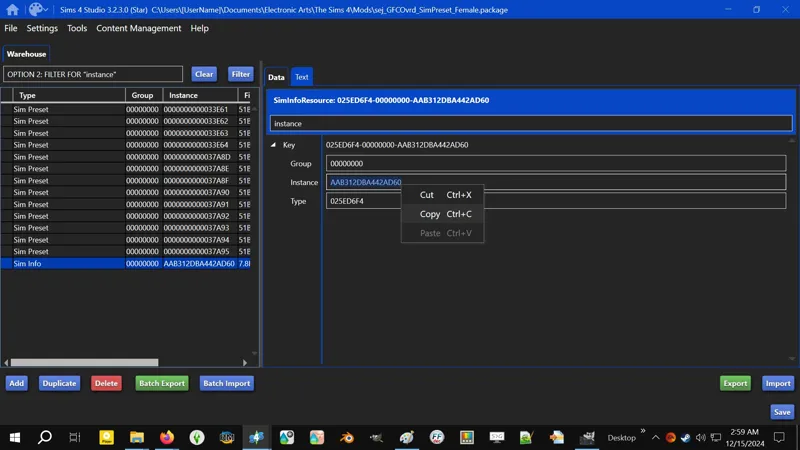
Type "instance" into the Filter box, then SELECT and COPY the alphanumerical characters to the right of "Instance". Notice they're the same as above?
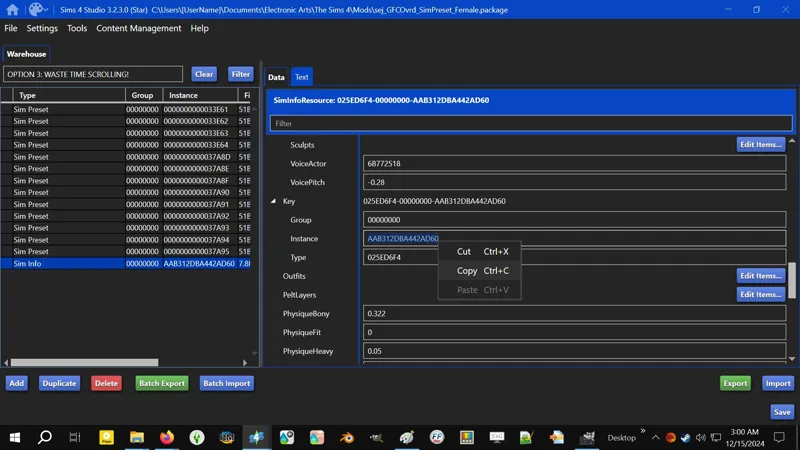
Scroll down til you find the "Instance" entry under the "Key" heading and do the same as above to COPY it.
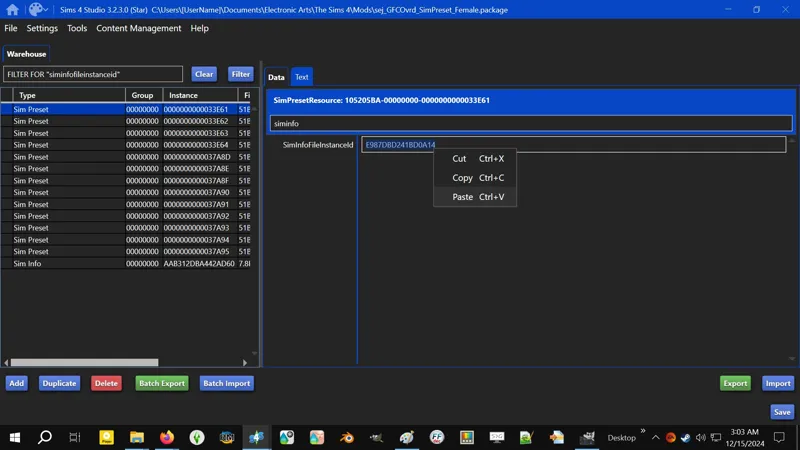
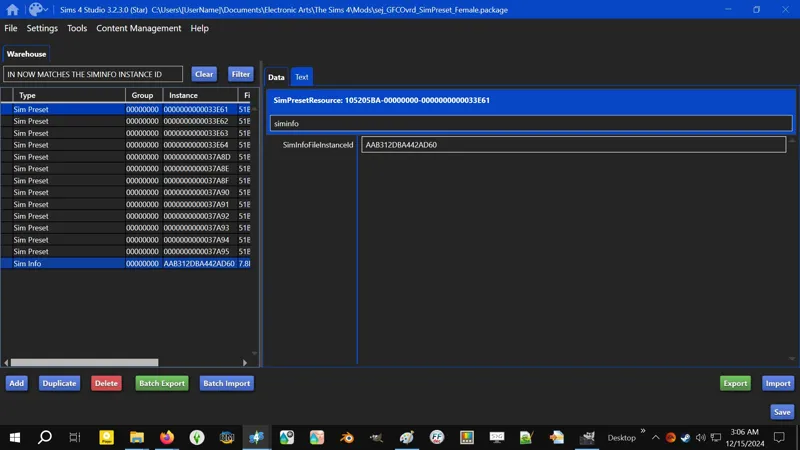
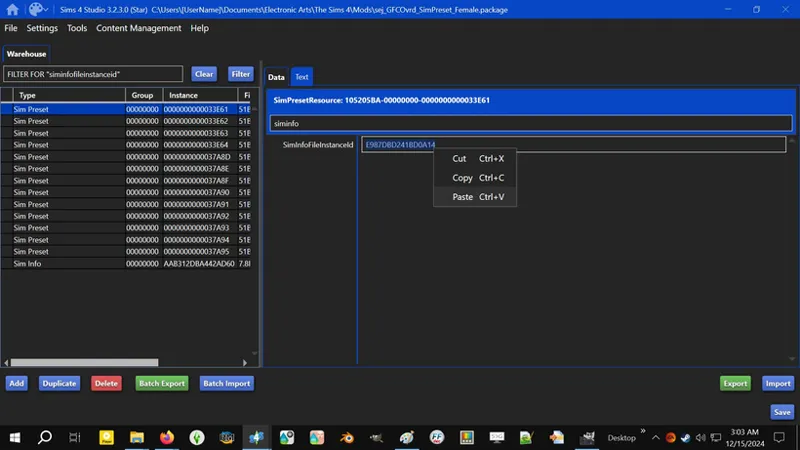
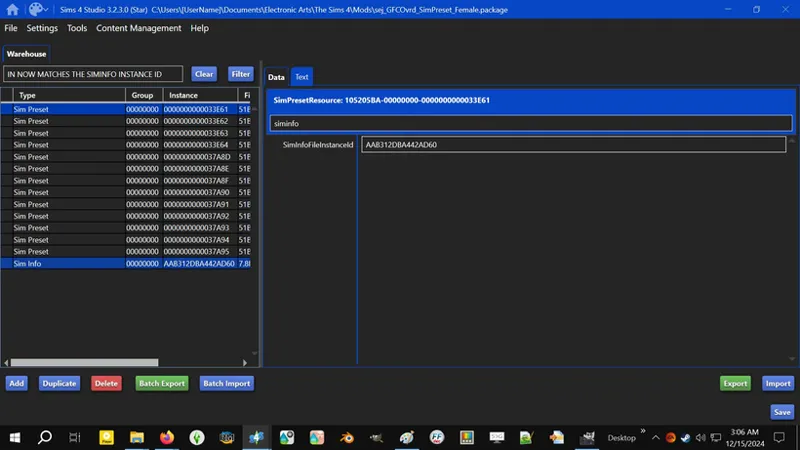
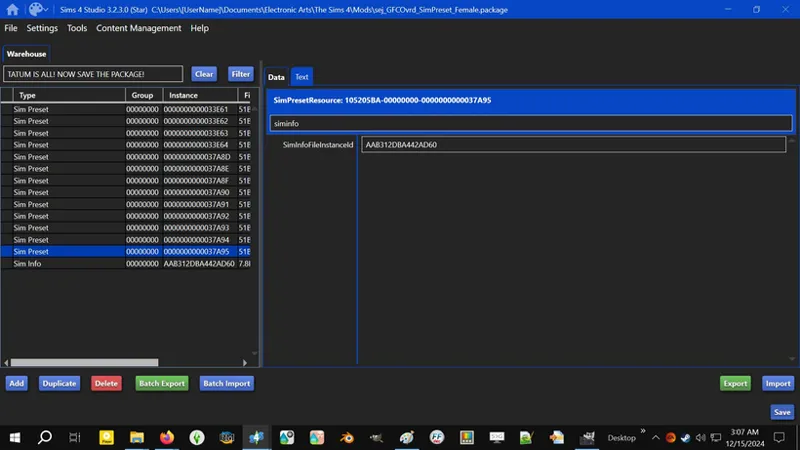
8️⃣ Now that you've got your INSTANCE, click on the first SIM PRESET resource in the PACKAGE and FILTER for "siminfofileinstanceid". Now replace the those characters with your INSTANCE. There are a few ways to do this:
Double click on the alphanumerical "SimInfoFileInstanceID" characters to SELECT them, then right-click and click PASTE or press CTRL+V on your keyboard to PASTE.
Click anywhere on the alphanumerical "SimInfoFileInstanceID" characters and press CTRL+A on your keyboard to SELECT, then right-click and click PASTE or press CTRL+V on your keyboard to PASTE.
If you're having any issues with the characters not replacing, you can press DELETE or BACKSPACE on your keyboard to remove them, then right-click and click PASTE or press CTRL+V on your keyboard to PASTE.
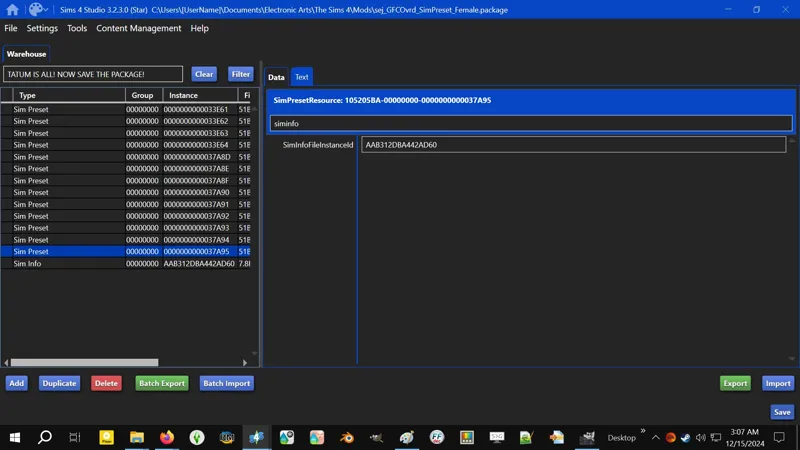
9️⃣ Repeat step 8️⃣ for each SIM PRESET resource in the PACKAGE. This is so you can avoid having to "RESET CURRENT HOUSEHOLD" multiple times to get your sim. When you're done, SAVE your modded PACKAGE.
You're done with the modding!
You can import multiple SIMINFO resources into the "Sim Preset" PACKAGE - there's no limit that I know of but also read the section above about managing your SIMINFO - and you can also mod the SIM PRESET resources with multiple SIMINFO INSTANCES, but I'd advise keeping it to a maximum of two or three INSTANCES split between the available SIM PRESET resources so you can get your sims faster.
This means you will need to modify the SIM PRESET resources in the PACKAGE multiple times between play sessions depending on how many sims you need to disinfect, but trust me, it's faster than sitting there RESETTING THIS HOUSEHOLD ad infinitum and hoping RNG will give you that one last modded "Sim Preset".
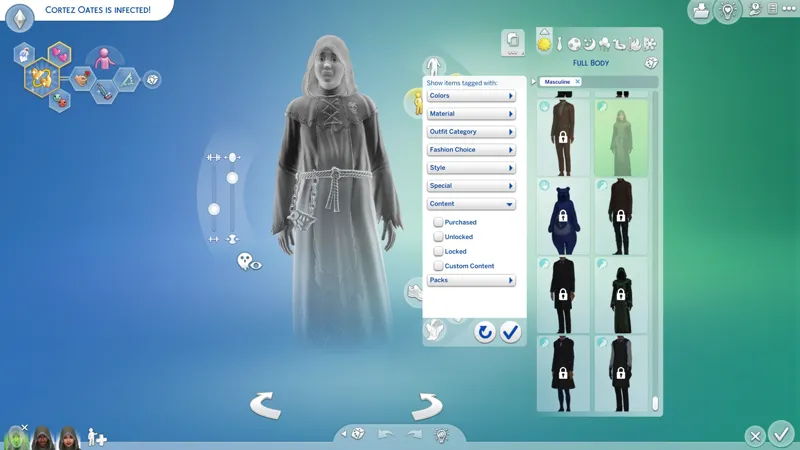
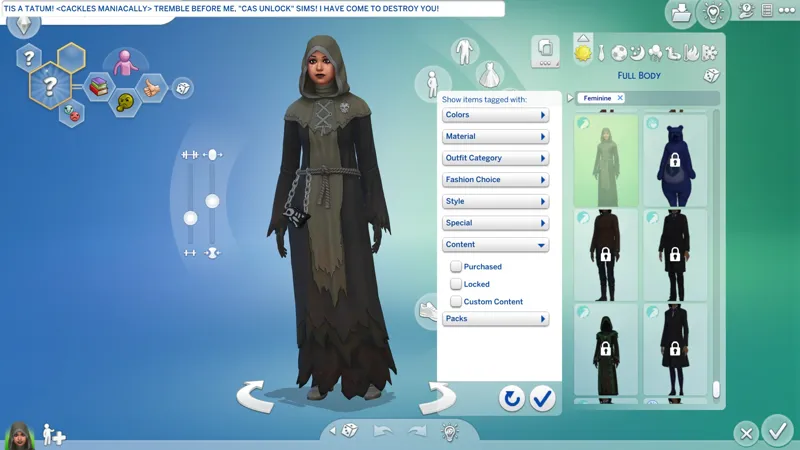
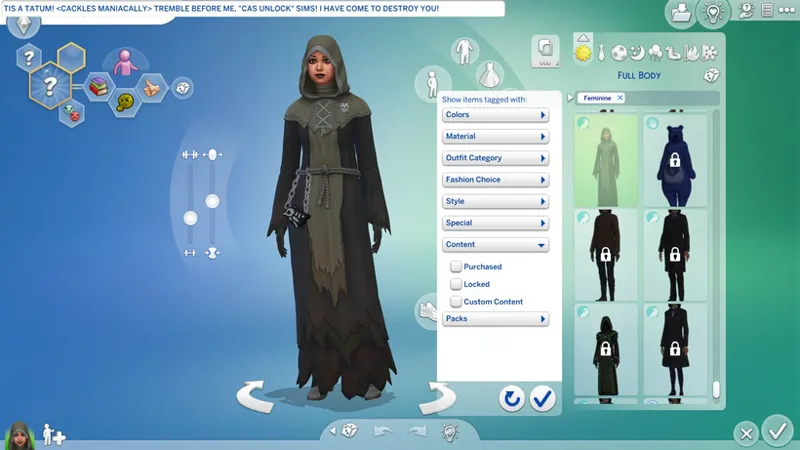
⋆⋅ NOW LAUNCH THE GAME AND FEAST YOUR EYES ON - THIS SOUNDS WEIRD - TATUM! <CACKLES MANIACALLY>
With your "Sim Presets" modded, launch the game and enter "New Game" CAS and skip the "Story". Et voila! There's your disinfected sim as a preset. They will have most of their everything - outfits and traits - but you'll have to name them and choose their Asperation again.
💀 Because I recommend only modding the Presets that match the sex of your sim, you might run afoul of CAS' ridiculous RNG. If CAS keeps giving you NOT YOUR SIM - like it did a dozen times in a row for me - just exit and re-enter CAS after a couple resets. Don't sit there tapping "Reset Current Household", cursing RNG like I did.
⋆⋅⚡ NOTES FOR CHILDREN AND YOUNGER:
I've successfully Preset HUMAN Children and Toddlers with the above instructions. I assume Infants should Preset without issue.
Match the sim's sex with the Preset sex for good measure.
⋆⋅⚡ NOTES FOR OCCULTS IN GENERAL:
The following can be applied to Merfolk and Vampires. Spellcasters are pretty much HUMAN and require no special considerations that I've encountered yet.
Occult sims export THREE (3) or more SIMINFO files, e.g. this is "Inna Cents" from EAxis' "The Noble Vampires":
025ED6F4!00000000!20373830E97B1C53.SimInfo
I refer to the above as the "MAIN" SIMINFO.025ED6F4!00000000!20373830E97B1C53!Human.SimInfo
025ED6F4!00000000!20373830E97B1C53!Vampire.SimInfo
You can only import one at a time because they all share the same SIMINFO resource identifier.
If you import the special Occult SIMINFO, you will get a Preset of your Occult "form", HOWEVER, all Presets are HUMAN, and the moment you change the Occult trait or try to save the sim, all Occult-specific CAS items will be removed. It's possible that specific CAS Overrides coupled with a CASMenu Override that unrestricts Occult items and categories might prevent this from happening, but I cannot say with any certainty yet.
As of this writing, I DO NOT RECOMMEND importing your Occult SIMINFO.
Instead, import the "MAIN" SIMINFO, then rebuild your Occult "form".
⋆⋅🚧 NOTES FOR OCCULTS - ALIENS?
⋆⋅⚡ NOTES FOR PETS?
For now, just treat them like any other regular SIMINFO.
For ponies, you'll have to re-enter their "Breed Name".
⋆⋅🚧 I'M GONNA LOVE YOU, UNTIL YOU HATE ME. I'M GONNA LOVE YOU LIKE A BLACK WIDOW, BABY! 💀
Comments (13)
Because my little brain can't tie all the key paragraphs together lol what is this for? Is it to have your own sims presets by modifying the actual sims presets? LOL I'm sorry I forget easily what I retained by the second paragraph. Would you be able to simplify future posts with like bullets or listing the description on the very top? I want to use a lot of your mods but the extra info makes my little brain hard to truly understand what they are for and I feel stupid asking on many posts lol 😭😂😶
Oh yeah, this post needs an overhaul. ─ "Is it to have your own sims presets by modifying the actual sims presets?" This uses the method required to make custom Sim Presets, but no, this isn't for that. This is for removing the "CAS Unlock" cheat code that folks add to Sims without realizing that the code itself can become outdated and broken, and that it's infectious and spreads to other Sims. This is a companion post to another post that explains "CAS Unlock Sims" a bit better, but it probably needs an overhaul too. ─ "I feel stupid asking on many posts" Don't. Seriously. [1] I type walls of text. [2] I don't "talk" like other people when I'm explaining things. [3] Some things I say might be very complicated or make no sense to the reader, but my brain won't realize it unless someone points it out to me, because it makes sense to me. [4] I suck at simplifying things. Ask me to clarify things when they're confusing, because I might not realize it's confusing until I re-read it a dozen times, because my brain fills in the blanks.
I have sent you my findings in the community chat. Let me know if you prefer for us to discuss this elsewhere
Just in case you missed it, "DM me if you're on Discord. My handle is literally "Sejian". I think I want your sim instead of the LE. I've exported a bunch of sims now and this hasn't happened yet, so I'm very curious. If you're up for it, we can either do Tray files or Gallery."
Also, my sim's face was created by using many custom sliders. Will he also retain the exact same face created by these sliders?
Hmm, that's a good question. I'm not sure actually. I've never used custom sliders. Keep the sliders in your Mods folder when you Sim Preset him and let me know what happens. I'll make a note of it in the guide.
Question! When we see our already modded sim on the CAS screen (after we skip the Story), will she/he already have ALL the CCs attach to them previously?
As long as the CC is in your Mods folder it *should* remain on them. IIRC, when I had Sim Preset Scarlet back in January, they had CC on them. Let me know what happens for you. I'll try it on my end too.
Yes! I was about to say that pets are also infected! Yesterday I managed to disinfect via Live Mode method 1 of my sims. Then I merged him with a pet that was merged with an infected sim before. Then BAM! He got the darn infection back! Thankfully, that pet can also be disinfected by the same Live Mode method.
Live Mode might be the only way to disinfect a pet. I'll know more SOON™.
LOLL! You kept me on my toes! Thank you for the update! I will definately patiently follow the guide step by step. I am a bit scared, coz it sounds complicated haha! BUT I HAVE TO DO IT TO SAVE MY BELOVED SIM!
It's less complicated than it looks. It's just a lot of "open this", "export that", "import here", "copy this thing" and "paste it here", then SAVE, et voila! Time trav- uh, Sim Presets! I just have a bad habit of info dumping. 😹 It's easier after you've done it the first time.
Wooooo!! ❤️🩷💜💙😍😍 Thank you so much Sejian! Looking forward to your next update!!