
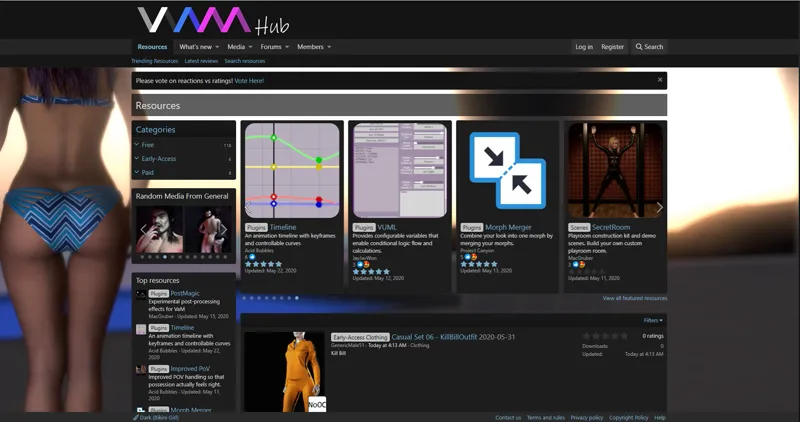
Hub is now open to all! Enjoy!
Comments (22)
We need more filters to remove unwanted content from our feed and listing. ASAP. Thanks.
Hello, where can I find Looks and scenes from header photo in VaM twitter page? (If it possible, write me links please)
You are ignorant Pero. Perhaps you should invest in a more profitable VR experience on Steam or elsewhere.
Why so aggressive Hazel? Pero isn't ignorant, VAM is a sandbox right now, not a game.
It can be another version of the game: “VaM naughty room” or “VaM naughty sandbox” , for example.
Will you make VaM like a game for common people, wider audience? ( Without a lot of “developer’s tools”, settings and with user friendly interface. The game like sandbox) I think it will be very popular and profitable. I was really surprised when I saw beautiful girls in VaM and was very disappointed when I knew that VaM is not a game(((. It’s not playable(((
Easy mate - it’s like player for VaM -choose girl, choose scene, see scene, repeat. I meant another - create game, where player has freedom of action - beside watching, he can participate in it, interact with girls.
That's actually the first guide I tried and i got no improvement. Thanks for the reply though, much appreciated!
Hi, I'm a new patron and I'm loving what this can do. I'm wondering if you can give me a nudge in the right direction to raise my fps. I've read a few posts but nothing i've tried has made much difference. Some scenes drop to around 30 and i'd say the average is around 45. I've got a decent rig and I expected better performance, are you able to give a patron a bit of a hand?
Well you are in luck (maybe)! A community member put together this guide on the new Hub: https://hub.virtamate.com/resources/improving-fps-in-vam.445/
New Member and not so savy. Similar question. Does all of the content downloaded from VaM Hub need to be added into Addonpackage folder or? As in clothes ,hair and models. Let me know if there's a Hub download tutorial somewhere.
If the file you download is a VAR file, it needs to be placed into AddonPackages. If it is a VAC file, you place it into Saves/scenes and then open it like a scene. If it is something else (zip, rar, just files) you will need to follow the instructions from the creator. If you use in-game browser to download a VAR file, it will install it for you. 1.20 will have even better integration with Hub and make things easier. We are trying to move everyone to VAR files for this reason because it makes install and uninstall of the content much easier.
This is probably a very silly question, but how do I actually download the custom scenes? And use them in VAM?
On the Resources page on the Hub, click on a scene resource. You should either see a Download button at top right or Go To Web Site button. For ones with download, it should just start downloading. If the file has a .var extension, then you simply place this file into AddonPackages folder in VaM. Then go to Open Scene and you should see the name of the VAR on the left of the browser. Click it, and then it should show these scenes that were contained in that var file. From there you can select and VaM will open it.
This is incredible! is there a quick access to the hub from within VAM right now ?
1.20 is adding full integration. For now you can open the online scene browser in VaM, and the copy/paste the hub url in there. If you download a VAR from the hub (or anywhere), VaM will install it for you and alert you when the content is ready. If the VAR contains a scene, it will open the 1st one it finds in the VAR.
I'm VERY new to all this (Became a supporter a couple days to this, got my first PC a month ago, my first VR headset a week after that so I mean new to ALL of this lol) so please forgive me if the answer is obvious. I'm having difficulty downloading a scene and opening it up in VaM. I figured I just needed to download the zip for the scene and extract it somewhere in the saves folder. When I go into VaM I see the associated folder however when I click on it, it's empty. How would I go about downloading and opening these scenes and such? Or is there information to do this that I missed that someone can link me to?
I'm seeing someone made some instructional videos for VaM, which is awesome! Not sure if my answer is in there or not but I'm starting to find some helpful resources now. Fingers crossed 🤞
I'm getting an issue registering where it says " Patreon: please_enter_valid_patreon_name_using_alphanumeric "
scratch that, i just typed it in without the space in between!
Great, thx! Confirmation mail does not arrive after registering, also Chrome throws an immediate warning about changing your password for this site?
Check your SPAM folder. I'll check the Chrome issue, but I haven't seen that.