
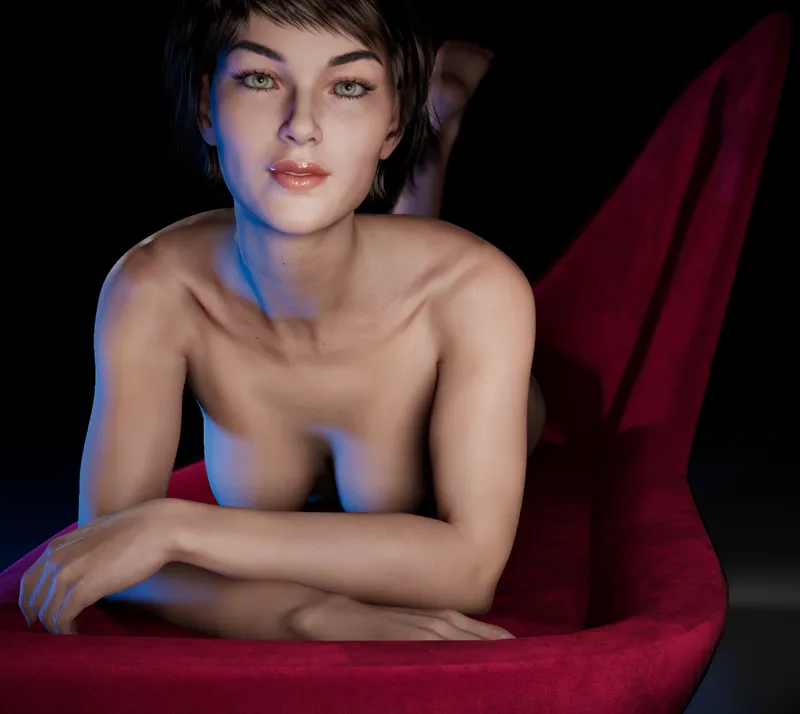
VaM2 Beta1.1 Has Been Released!
Highlights:
Tons of new content: male figures, dozens of new Skin and Blend Shape addons
Improved Blend Shape (morph) support: pose, expression, formula, eyelashes, & genitals
Release of VaM2 Addon Kit Beta to Creator tier (see separate post)
Note: This beta and the VaM2 Addon Kit release is mainly targeted towards creators interested in making looks using morphs, textures, shaders, and materials.
Here is some of what you can do in Beta1.1:
Add/move/remove objects from scene
Add/move/remove figures (character models) from scene
Pose figures
Manipulate figures (shape, materials) through parameter UI
Add some basic motion to the figures with the new cycle force addon
Add/move/remove lights from scene
Manipulate lighting through parameter UI
Manipulate post process effects through parameter UI
Save/load scenes
Download:
We haven't created an updater yet, so this is a full download zip. Extract this zip to a NEW folder (do not reuse the Beta1.0 folder). After extraction, you can launch using VaM2.exe. Please do not share this link. This is for backers only!
Documentation:
https://hub.virtamate.com/wiki/vam2-guides/
Full Release Notes:
New content:
Male Figure addons
5 male Skin addons, 3 male character Blend Shape addons
3 additional female Skin addons (5 total), 2 additional female character Blend Shape addons (3 total)
3 new pose and expression Blend Shape addons
Genital Blend Shape addons
Figure Cycle Force addon - allows adding some simple motion to any Figure
6 additional mouth Skins
many additional eye Skins
many additional makeup Skins
New features:
Pose, expression, formula, eyelash, and genital Blend Shape (morph) support added.
Active parameter groups added for easily seeing what settings have been changed
Resolution and fullscreen selector
Jaw physics (limited until skin physics in Beta2)
Improvements:
Smoother changes for Blend Shapes with bone movements
Completed light parameters - many more options for lighting now
Can now control overall and individual power for Bone Driven Blend Shapes
Blend Shapes can now also be browsed "By Addon"
Added Zero all target rotations action/button
Improved sorting in the UI
Improved Geoshell wrapping
Improved load/save to be more robust when addons are updated
Improved save file to contain more reference info
Tech changes:
Updated to Unity 6.1
Added support for DX12
DLSS3.1 -> DLSS3.7 (this is the latest Unity supports)
FSR1 -> FSR2 (sorry Unity does not yet support FSR3)
Fixes:
Fixed issue with OpenXR controllers not tracking
Fixed DLSS preset naming
Fixed issue with fade distance on lantern being too low
Fixed issue with hair not properly detaching
Fixed some cases of color picker swatch not showing the right color
Thank you for your support, and enjoy!
Meshed and Team