







''TUTORIAL'' Editing my pics. (NO AI)
Hello! ♥
Long time ago i made a quick tutorial about how i edit my pics with AI to make the hair looks better, all the AI used there was ONLY for the hair and some skin body parts. Sometimes some poses makes the body looks weird and the skin too much streched so i fixed that way.
This time, im not using AI for nothing, is all just hand painted with a tabled. Im a bit lazy to use AI so im not using anymore from now on, (ai get limited for free too lol)
So lets start with a simple pic of my V, my english is not the best so im sorry!
Heres the pic im going to use, this pic already contains RESHADE, one private i made for my V since she have a very pale skintone and some details already made on the skin texture.
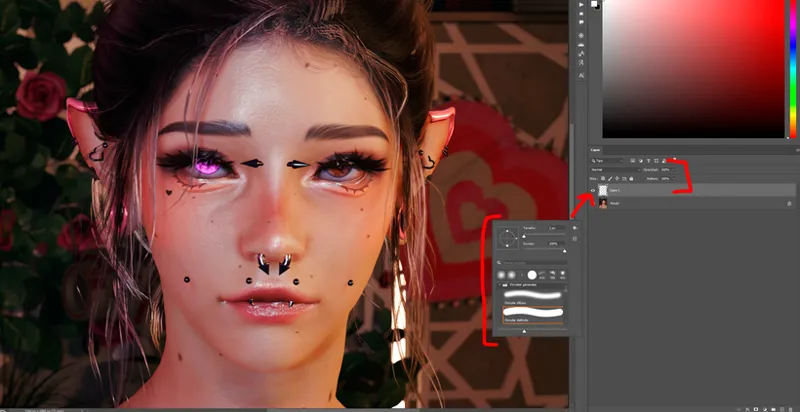
Lets start on Photoshop. Lets make the eye details, i usually paint some ''sparkles'' or whatever you call this points lol
Make a new layer, on normal mode, and take a rough brush with white color.
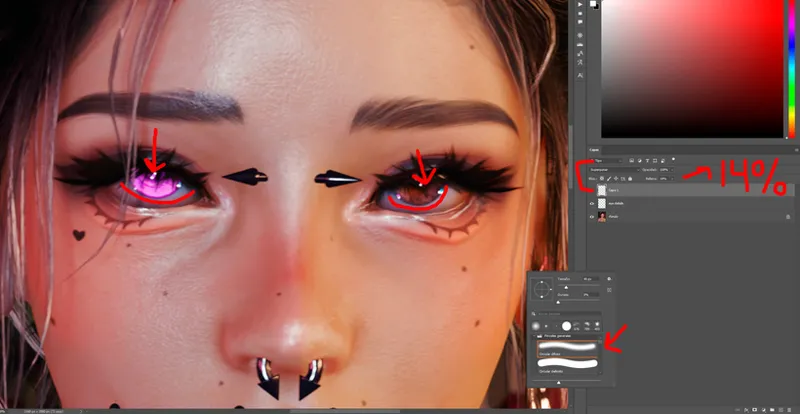
Make some small points (brush size is very small less than 10px) and paint around the center of iris and side of eyes, sometimes depending of the lighting of the pic you can use another tones like blue or pink but make them very subtle.
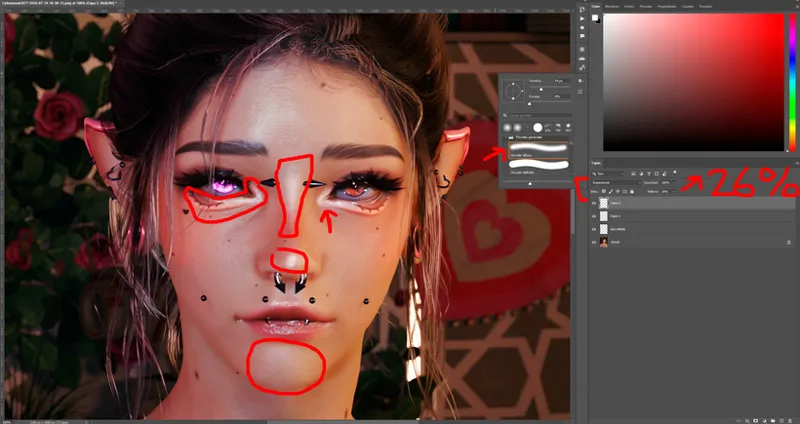
Now lets add some bright to them, make a new layer on overlay mode and lower the opacity to around 20% or so - this is your choice. Paint around the eyes with a white soft brush.
Make another overlay zone and do the same on this zones to add light to the faces.
This is very subtle, here before and after, u can appreciate it on brown eye more:
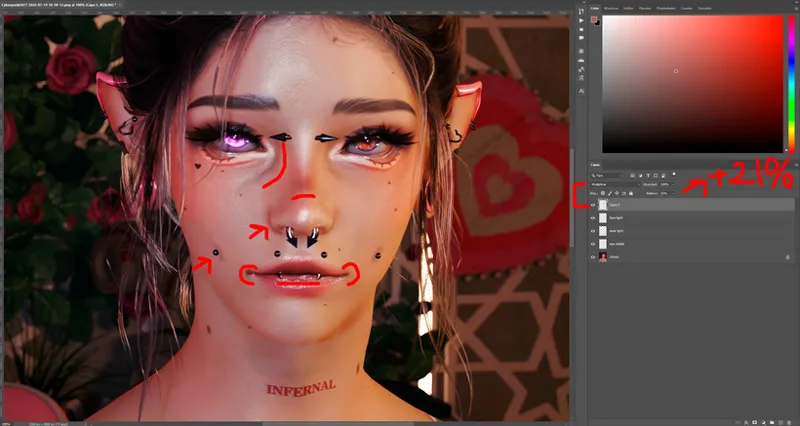
Now lets do the same but with face shadows. Make a new layer on multiply option and lower the opacity around 20%. Take a soft circle brush, and one similar color to your skin, make the color a bit more dark, and then paint around the face.
Very subtle again, you can appreciate it more on the dimples:
Now, one of my favourites part, is the neck shadows.
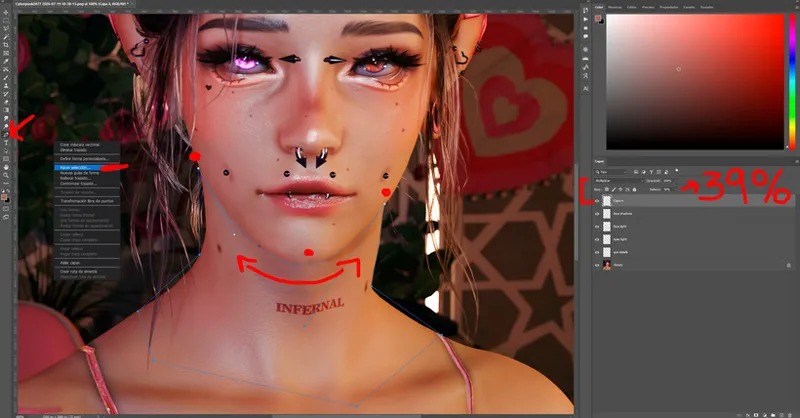
Again same layer as before (multiply), just a bit more darker. Use the ''pen'' tool, and do some points around the neck, then right click anywhere and select ''make selection''.
Use a vanilla brush (im only using vanilla brushes) soft round, and select a color similar to ur skin, make it a bit more darker, and then paint on the neck. After this use the eraser to delete some parts (the ones that have natural light for example.)
And heres before and after, this part is more obvious:
I use this on almost all my pics if the neck is visible lol.
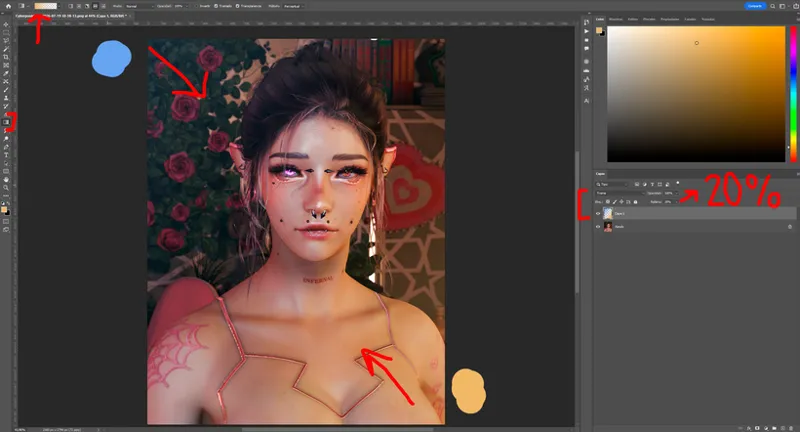
Now, and this is optional, make a new layer on screen mode and make the opacity on 20%. Make 2 gradients on the corners with the colors u want - i normally use blue and yellow, and done!
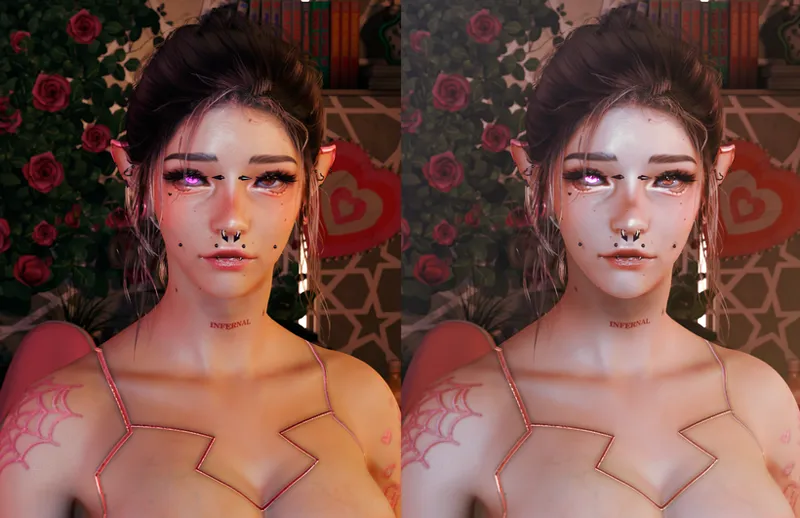
After this parts, i just go to Lightroom and put some vanilla presets. That changes on every pic, so edit as u like there, after that, you are done, this is how ends.
For this one i specially use some ''vintage'' option and made the oranges less colorful.
I hope this is helpful on some way lol and hope u like it guys, thank you ♥