
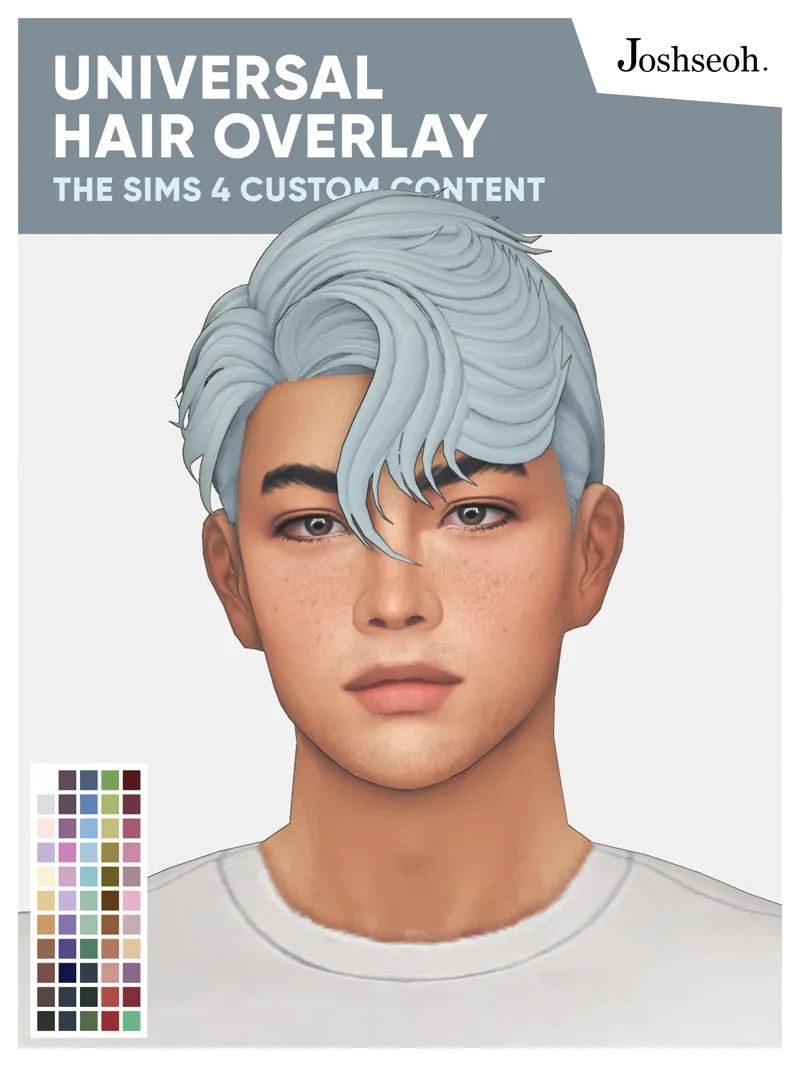
Universal Hair Overlay (UPDATE MARCH 2025)
It's a hair overlay CC for all maxis match hair, EA's or Custom Content!
Public release: 05 October 2023
For all ages
For all frames
55 swatches
Found in Makeup (eyeshadow, eyeliner, blush, lipstick, and facepaint), skin Details, body scars, and Tattoos categories.
EA makeup sliders compatible
Basegame compatible
Custom thumbnail
Hat compatible
Disallowed for random
Compatible with thepancake1-MizoreYukii's Color Sliders
Compatibility
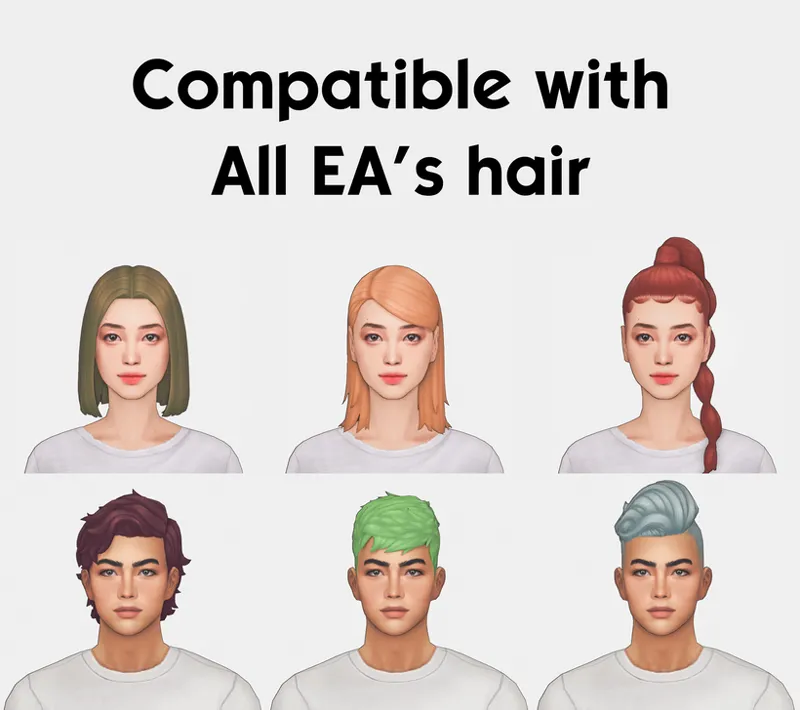
Compatible with all EA's hair
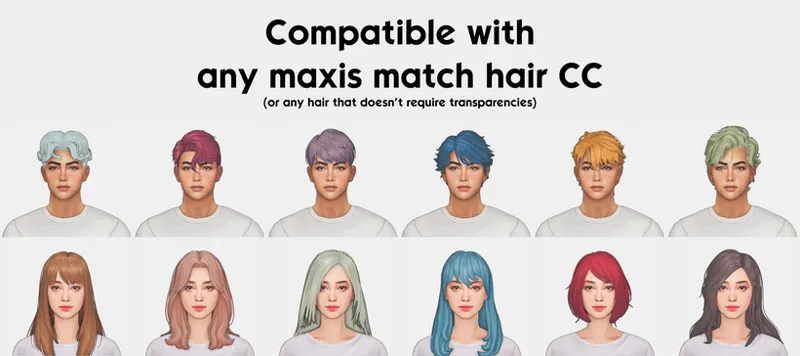
Compatible with all custom content maxis match hair or any hair that doesn't require transparencies. However, I noticed some CC creators occasionally use the hat region and other regions for their hair CC's UV map. This hair overlay will not affect textures placed in those regions
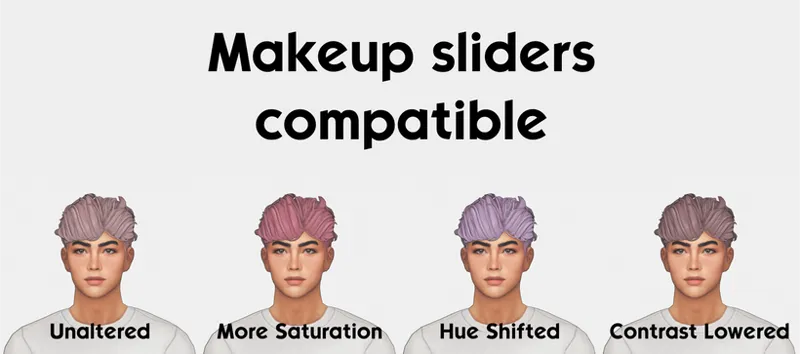
Makeup sliders compatible
Compatible with thepancake1-MizoreYukii's Color Sliders. Use that mod to use the makeup sliders on non-makeup categories
General tips on how to use this overlay
Use the gray/white hair color as the base, then use this hair overlay to get the color you want.
If you want a more saturated color, use a non-white hair color as the base, then use this hair overlay.
I highly recommend using the makeup sliders to properly adjust the colors, brightness, opacity, and hue!
MUST READ
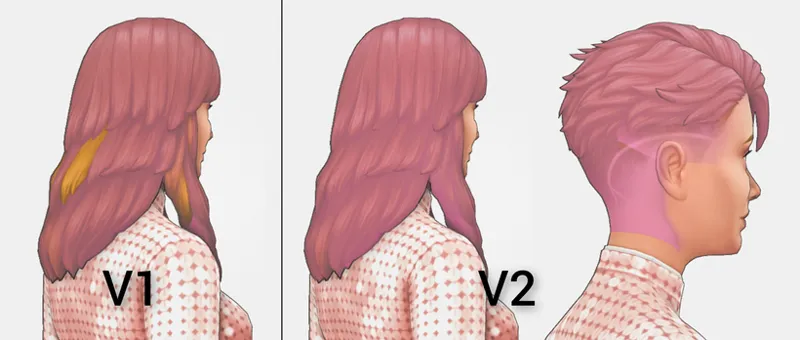
The V1 version doesn't affect textures placed on the neck area. So, I added a second version "V2" that also affects that area.
Use the V2 only if the V1 doesn't affect the whole hair, for example like the picture below. It is not recommended to use the V2 on short/medium hair, since you'll be able to see the affected neck area.
Note: Some hair might still have imperfections even with the V2
UPDATE 30 MARCH 2025
The overlay will no longer affect EA lashes or CC lashes using the default lashes texture space.
Overlays found in Tattoo category will be able to be removed normally after being applied to sims.
UPDATE 27 NOV 2023
The overlay is now can also be found in Skin Details, Body Scars, and Tattoos category! The ones in those categories, however, are not slider compatible. They will also be applied to all outfits category and probably work as genetics too.
Happy experimenting with colors!✨
Read my Terms of Use before downloading!
-------------------------------------------------------------------------------------------------------
Update history
30/March/2025: The overlay will no longer affect EA lashes or CC lashes using the default lashes texture space. Overlays found in Tattoo category will be able to be removed normally after being applied to sims.
27/November/2023: Now also available in Skin Details, Body Scars, and Tattoo category
22/September/2023: Added a second version for more compatibility and new thumbnails. For more information read the description
Comments (10)
Hello, I love this so much! I just have a problem, when I'm using this hair color cc, it doesnt let me pick another cc like different eye colors, because theyre both in 'makeup' so it only allows me to choose between those two. How can i fix it? thnks <3
Quick note to those using 3D teeth replacement mod from MADMAN, it recolors the gums of the 3D teeth mesh as well.
Hello. Do you allow converting your cc hair (excluding commissioned hairs) to child hairs?
Hi, would it be possible to make something like this for bracelets?
Why your masculine hairstyles are for both men and women, while feminine hairstyles are only for the female frame type? That's annoying. There is a lot of female hair that could be good on men's eather
Does this work for all ages?
what reshade are yyyou using? how to get the lines?
definitely can be done with any reshade just add the comic effect
Hello! I was just wondering if there's a reason why when I put this on a hair that has a bit of a hairline either the original hair colour shines through on the hairline area or there's some pixelation? I tried both versions of the mask and it did the same thing, also across the different makeup categories. I can't see this in your previews so I'm wondering if I am doing something wrong maybe?
Hi there! You did nothing wrong! That hairline could be seen on some hair unfortunately. It really depends on the hair you're using. Sometimes its hidden/subtle, sometimes it pretty prominent. I can only recommend messing around with the sliders to reduce it. For the pixelations, it could happen especially when we're using the sliders, it's just the way it is with makeup in TS4 sadly. Hope this helps!