

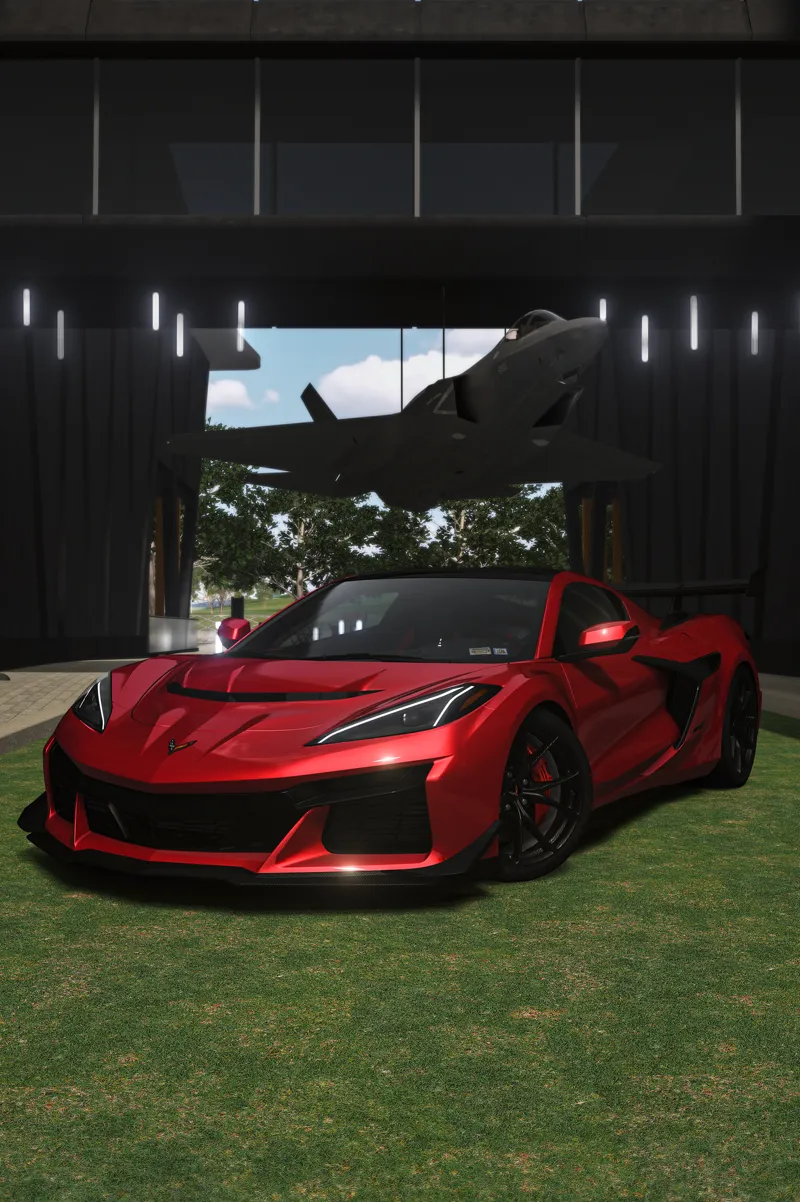


2025 Chevrolet Corvette C8 ZR1 (FIX)
Chevrolet Corvette ZR1 For Assetto Corsa
Natural Mod PP Filter Base(non LCS) is the PP Filter i use with my mods which is not as dark as base pure filter.
Link To Mod/Download - https://www.patreon.com/posts/2025-chevrolet-136076942
FEATURES
-PAINTABLE OPTIONS
-Quality Interior (Great for VR)
-ROOF - (extra - a)
-DRL (extra - c)
----------------------------------------------------------------------------------
Guide on Brightness Below --- \/\/\/\/\/
Brightness on this Mod has been fixed. IF still dark on your end, Use the Object inspector tool with the Ext_config file inside the car extension folder and skin folder to brighten parts to your likeness :)
Brightness issue comes from the thousands of different User settings/ PP filters and Extra settings users may be using. This is the reason some users report no problems and some do. Hope this helps :)
---- Example Below of ext_config file inside car extension folder --- \/\/\/\/
PROP_0 = ksAmbient, 0.01
PROP_1 = ksDiffuse, 0.01
Each part has these values, raising the 0.01 value will brighten a specific part to your liking/settings. Do Ctrl + F to find the part name in the file and edit the values. Object Inspector can be used to find the Part name on the car. Or click on a part in the paint editor to find the name of the part.
-- Paint ---
Inside the Skin folder there is a ext_config file, open it and you should see
BrightnessAdjustment = 0.113
raising this value will brighten the paint.
or lower it to darken the paint.