
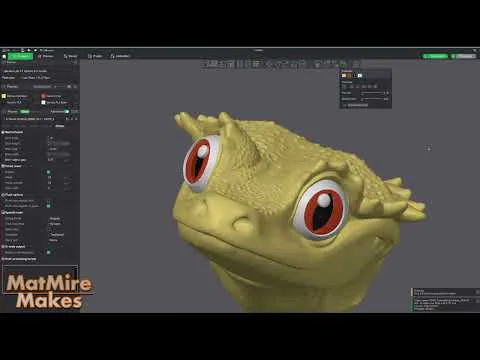
Tutorial: Basic Painting for Multi-Color printing
Hey Everyone!
I've been wanting to put together a basic beginner tutorial for painting models for multi-color printing in BambuStudios for a while... so here it is! I take you through how to paint the eyes for MMU, and a little bit extra for blocking in areas of color. For the most part, I tend to print with just this basic eye MMU and let fun filaments do the rest of the work. I hope this tutorial helps you find fun ways to personalize your multi-color prints!
Cheers!
Matt
Comments (12)
Thank you so much!!! I just signed up and bought a bunch of past files and have been messing with painting since most don't come pre-painted, this post alone was worth the subscription!
Awesome tutorial! Sometimes it’s the little things we don’t know that make the process frustrating so thank you so much for this tutorial and mentioning key functions.
Glad it helped!!
THANK YOU!! Very helpful!
Thank you! I thought I knew all the tricks.
You're the best! Thank you!!
excellent info Matt, found a couple things I didn't know
Great tutorial! I had no clue control-scroll would move the slider for you. That right there was worth the price of admission! Thanks
Matt, you're the best! We are so lucky to be your patrons!!!
Brilliant tutorial. There were one or two things I didn't know. Like the ctrl key and scroll to move the infill. Thank you 👍
I spent about an hour and a half or more last week painting up the Santa Beardie, getting all the colors in the right places and behind the supports. And then it got updated 😭
sorrry... :(