
🎉Animated - Placeable Pigeons🎉
've slightly updated my Crow mod which I made back in 2018 and was last updated in 2021. This updated mod can now also be found at CurseForge.
Also check out my other two Updated Pigeon mods:
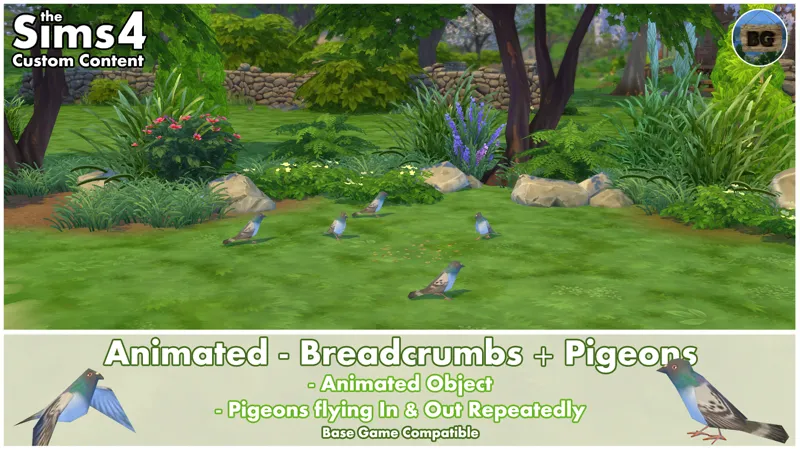
Animated - Breadcrumbs + Pigeons
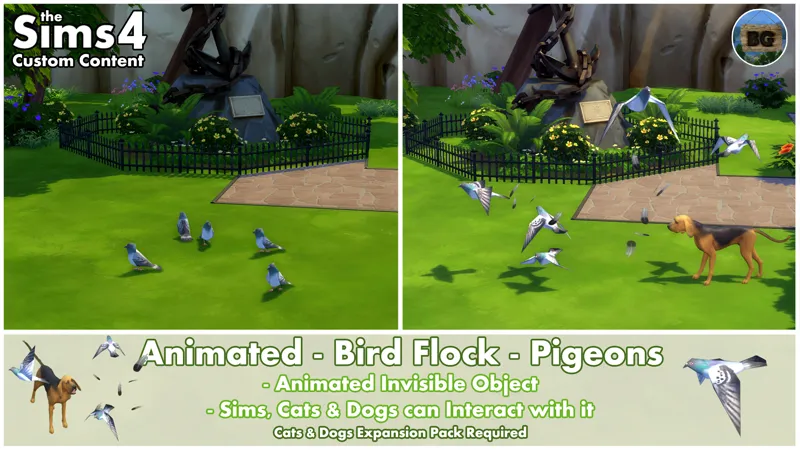
Animated - Bird Flock - Pigeons
====================================
ℹ️Animated - Pigeons - Row
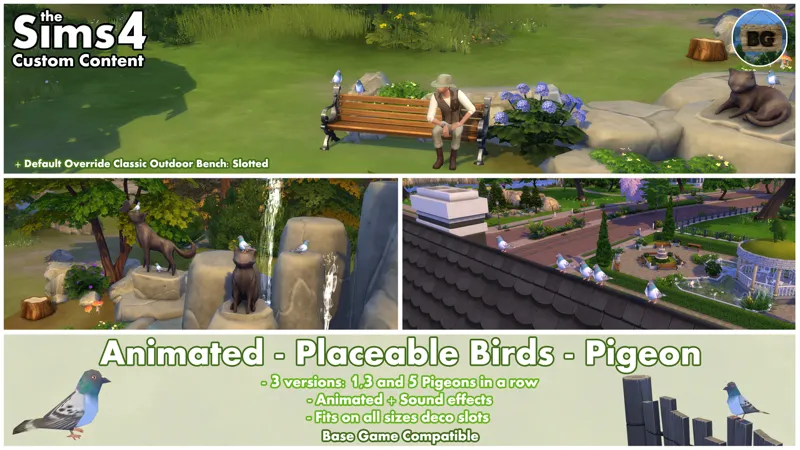
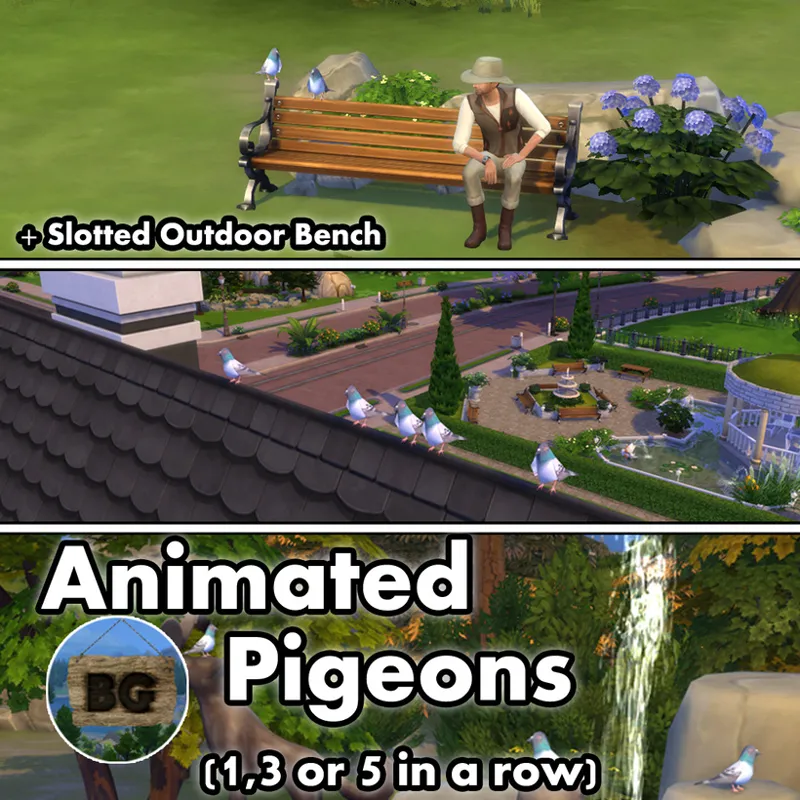
These invisble objects spawn either 1,3 or 5 pigeons in a row.
For some reason, the 3 pigeons in a row object needs the Get Together EP to be spawned. The single and 5 pigeons in a row are Base Game Compatible.
Be aware though, that in between 20.00PM and 06.00AM the pigeons won't be visible. You will hear pigeon sounds during that time.
Placement
These objects can be placed both on terrain as on all water surfaces.
The reason for this, is because this makes it easier to raise them (MOO cheat) to something hanging above the water surface like rocks or branches. It's also easier to place it onto floating things like logs or to rocks or branches sticking out of the water.
They can also be placed very close to or even through other objects. This makes it possible to place them in between plants and grasses for example. There's also the possibility of placing them on all deco slot sizes (Like on the BONUS Outdoor Bench).
Placement on roofs
If you want the pigeons to sit on top of a roof, you will have to activate the MoveObject On' cheat first. After this, raise the object with the number '9-key' until it hits the upper part of the roof edge (0-key for lowering the object).
Now go to Live Mode to see the actual pigeon effect. If the feet disappear in the roof, go back to Build Mode and hold the ALT-key while moving the big white arrow up and down until you see the feet again. Let go of the left-mouse-button and the pigeon(s) is(are) placed correctly on the roof. For a detailed explanation, take a look at THIS part of the video.
Replacing/Removing Invisible Objects
Grabbing the invisible objects while placed near other objects like grass or plants, can be a bit tricky. To handle with this 'problem', use the recolor tool (E-key) in game to find the object by hovering in between the feet of a single pigeon (Try all pigeons when there's more then one). When the name of the object appears, without moving your mouse, press the H-key to switch to the grabbing tool. Now you can easily pick up/delete the object. This works like this for all my invisible object mods.
🔎Search tags
The following search tags can be used to find them in game:
Bakie, Pigeon, Pigeons, VFX and Animated.
🚨What has been updated🚨
• Updated Object's Name, Description & Search Tags.
• This object can't be stolen by a burglar, repossessed or recycled.
If you have already downloaded this mod somewhere else before , be sure to delete the old version with the file name (Or something similar):
BakieGaming-Animated-PlaceableBirds-Pigeon-1X-1.77
BakieGaming-Animated-PlaceableBirds-Pigeon-3X-1.77
BakieGaming-Animated-PlaceableBirds-Pigeon-5X-1.77
====================================
ℹ️EXTRA INFO (PIGEONS ROW)
Short note
• These objects are Base Game Compatible*.
• They're standalone objects, so won't override any other objects in game.
• They can be found by going to Build Mode > Outdoor Water Décor > Pond VFX.
• You can also find them by typing 'Pigeon' into the search bar.
• The object's catalog thumbnail, shows a pigeon with my "BakieGaming" icon in the lower right corner.
Pack Requirements
Base Game Compatible*
*3 pigeons in a row object needs the Get Together EP to work.
Game Version
1.119.109.1020
====================================
ℹ️*BONUS Slotted Classic Outdoor Bench
This BONUS object is an override of the Classic Outdoor Bench that adds an additional 7 small deco slots to the backrest of the bench. This will allow my animated birds to sit on it.
🎨Recolors
Default 4 recolors.
Placement
It can be placed very close to or even through other objects. This makes it possible to place it in between plants and grasses for example.
🔎Search tags
The following search tags can be used to find them in game:
Bakie, Classic, Outdoor, Bench, Slotted, Deco and Slots.
🚨What has been updated🚨
• Updated Object's Name, Description & Search Tags.
• Added original description text too.
• This object can't be stolen by a burglar, repossessed or recycled.
• Added some other missing functions.
If you have already downloaded this mod somewhere else before , be sure to delete the old version with the file name (Or something similar):
BakieGaming-Override-BaseGame-ClassicOutdoorBench-Slotted
====================================
ℹ️EXTRA INFO (BONUS CLASSIC OUTDOOR BENCH)
Short notes
• This object is Base Game Compatible.
• It's an override of the Classic Outdoor Bench.
• It can be found by going to Buy Mode > Comfort > Outdoor Furniture.
• You can also find it by typing 'Classic Outdoor' into the search bar.
• The object's catalog thumbnail, shows the Bench with a Pigeon on the backrest and my "BakieGaming" icon in the lower right corner.
Pack Requirements
Base Game Compatible
Game Version
1.119.109.1020
====================================
📺YouTube Video
To watch the video I made back in 2017, click the following link:
Animated - Pigeons Row
====================================
🔽Download file:
To download the Pigeons + BONUS Object, you can either click the file below this post, or the CurseForge link/image down below. Downloading from CurseForge is also a way of supporting me and you don't need an account to do so.
CurseForge Download Link:
Animated - Pigeons + BONUS Object - CurseForge Project page
====================================
====================================
Comments (1)
im back and what a treat to be able to use your mods again!!!!!