
🎉Invisible Wall - Wallpaper🎉
ℹ️Invisible Wall (Wallpaper)
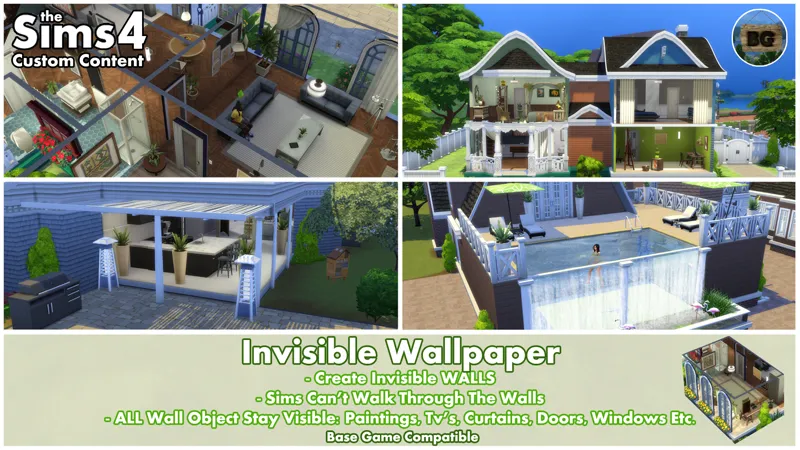
My next new invisible mod for The Sims 4, is this invisible wallpaper!
In the past I've seen some people ask about such a thing and now it's finally possible to actually make one. In the Examples section, I've listed a few things where you can use it for, but there might be much more possibilities. Above all though, this is the perfect solution for people being incredibly bad at choosing which wallpapers to use. :)
Lighting in rooms
By using the Invisible Wallpapers, the game keeps seeing these rooms as an inside area. When removing an entire wall, lights placed in these rooms won't really work any more as it is then considered as an outside area. This makes these rooms to become really dark. Using my Invisible Wallpapers, adds both outside lights to the room as well as keeping the lights inside the house active.
Take a look at my Doll House and Open Kitchen examples.
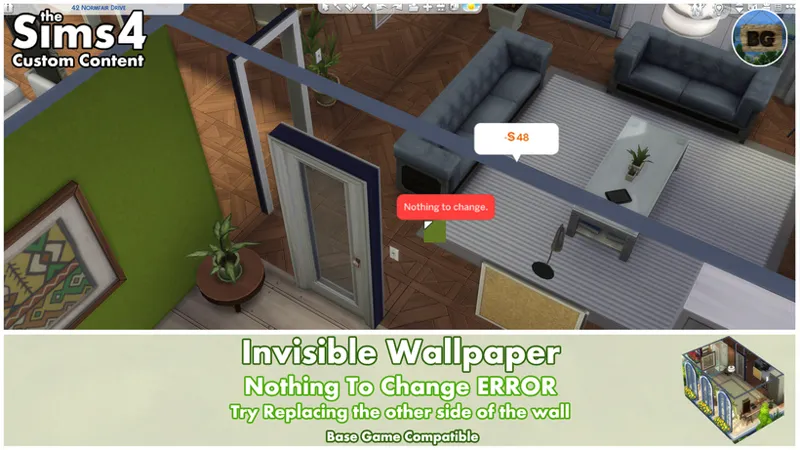
🚨'Nothing To Change' pop-up🚨
When replacing wallpapers with Invisible Wallpapers, it matters which side you've replaced.
If you want to replace it with the former wallpapers after going into live mode and you get the pop-up saying "Nothing to change", it means you've replaced the wallpaper on the other side of the wall. So simply turn the camera to the other side of the wall and try again.
🔎Search Tags
The following search tags can be used to find it in game:
Bakie, Invisible, Wall and Wallpaper.
====================================
EXAMPLES
If you can't think of a reason why you need this, then look at the examples below.
Build/Live Mode Wall View Options
In build and live mode you can choose between 3 viewing options: All Walls Up, All Walls Down & Cutaway Wall View. The last two wall views, make most wall objects to disappear, except for the functional ones and some but not all decorations.
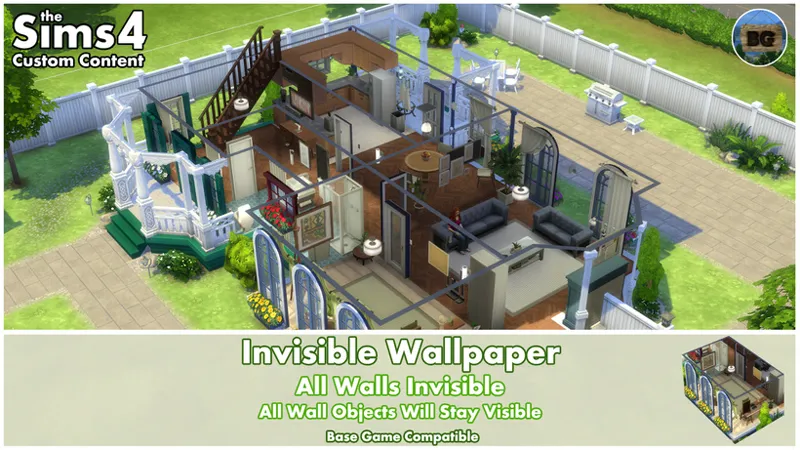
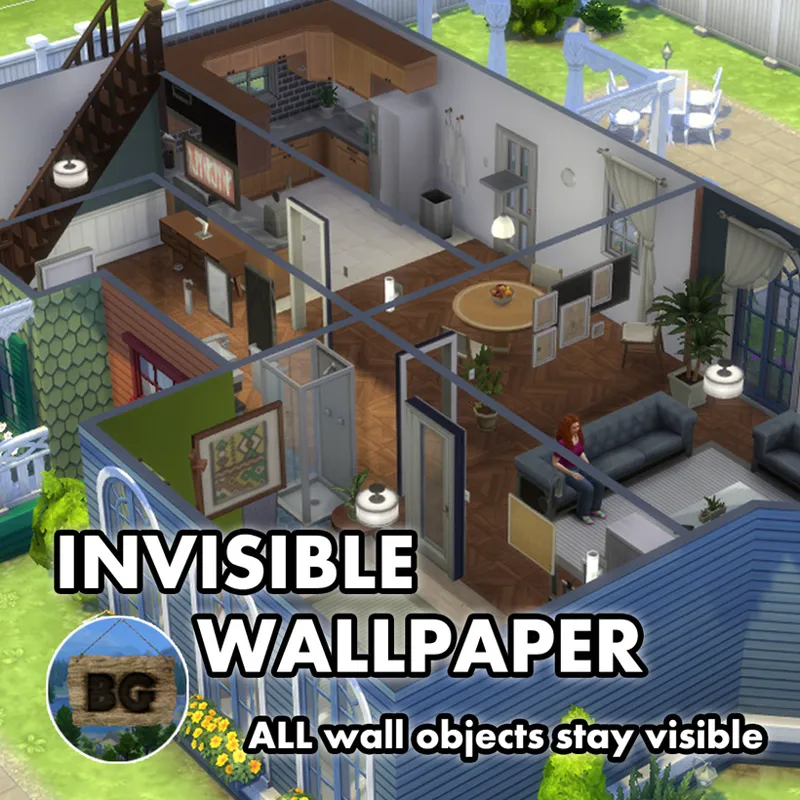
My Invisible Wallpaper only removes the walls. All other wall objects stay visible. So not only the decorative wall objects, but also all doors and windows! You also have a better view at where the rooms end compared to the Wall Viewing Options, because of the markings of the walls on the ceiling.
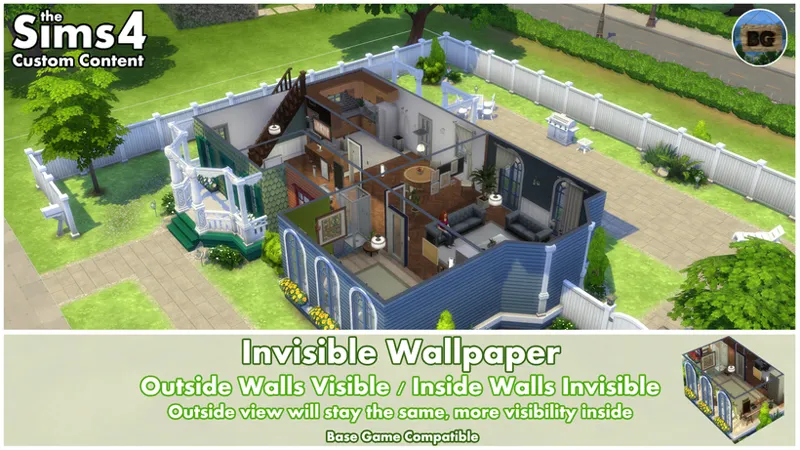
Below an example when using the Invisible Wallpaper on all walls in the 'All Walls Up' option, as well as an example on which I've used the invisible wallpaper only on the inside walls. This keeps the outside of your build the way it is.
All Walls:
Only Inside Walls:
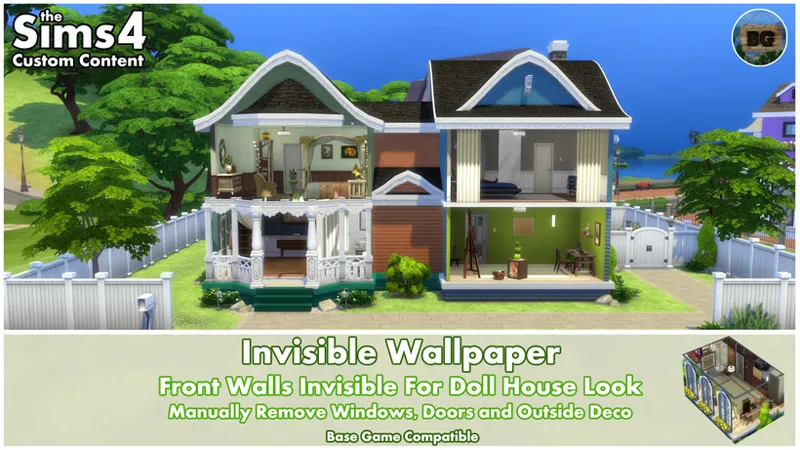
Doll House Look
The fact lights keep their function, makes the Invisible Wallpaper perfect to use for a Doll House look in game. Just remember that you still need to manually remove all objects you don't want to see, like doors, windows and outside decorations.
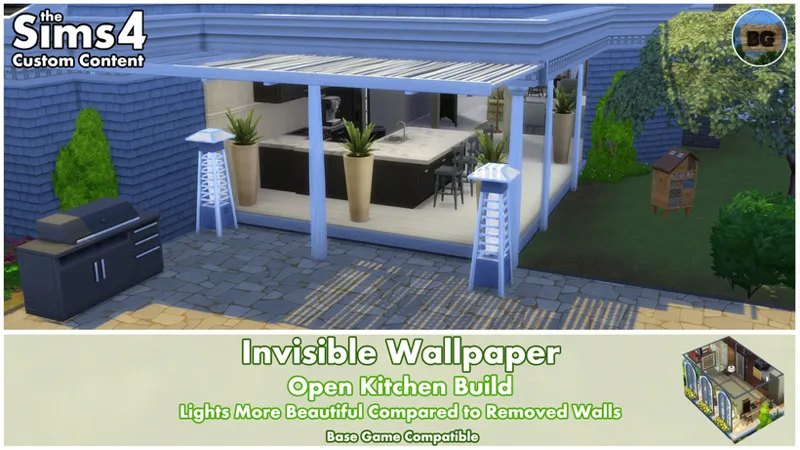
Open Kitchen
Another great example where the light really makes a difference, is when using it for an open kitchen build. Keep in mind that your Sims can't walk through these invisible walls, though it looks to be possible. It's just a decorative look.
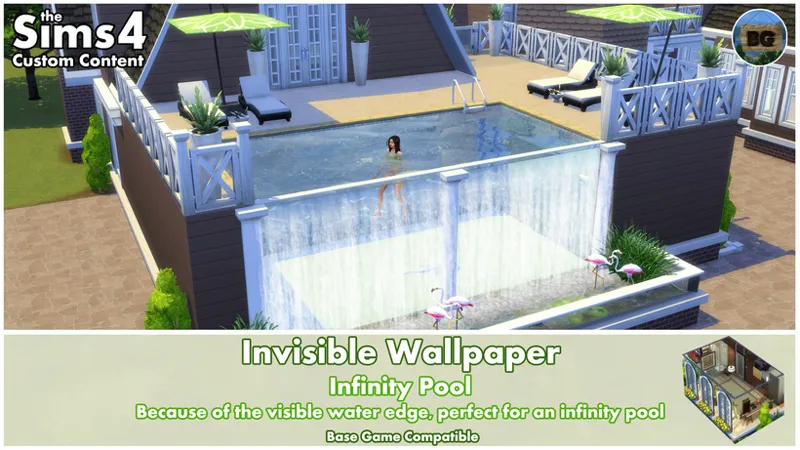
Infinity Pool
When your pool has walls that can be painted with wallpapers (so when placing a pool into a room on the first floor), you can also use the Invisible Wallpaper to create an infinity pool.
Because of the invisible wall, you see exactly where the water edge is. By using a nice water effect, in this case one of my own waterfall mods, you can create a very cool looking infinity pool.
(The waterfall mod hasn't be updated and uploaded to CurseForge yet, but will be in the 'near' future)
❌ Using Invisible Walls for creating balconies on apartments
I've also tried to make balconies on apartments, but this isn't possible unfortunately.
When trying to change the inside wallpaper, only the entire room could be changed, just as with glass walls. And if you do replace it, the outside of the building will not change.
So it can't be used for creating balconies unfortunately. Just so you know!😉
====================================
ℹ️EXTRA INFO
Short notes
• This wallpaper is Base Game Compatible.
• It's a standalone wallpaper, so it won't override any other wallpapers in game.
• It can be found by going to Build Mode > Wallpapers - Misc
• You can also find them by typing "Invisible Wallpaper" into the search bar.
• The object's catalog thumbnails, shows 'Invisible Wallpaper' in text with my "BakieGaming" icon in the lower right corner.
Pack Requirements
Base Game Compatible
Game Version
1.116.240.1020
====================================
🔽Download file:
To download the Invisible Wall (Wallpaper), you can either click the file below this post, or the CurseForge link/image down below. Downloading from CurseForge is also a way of supporting me and you don't need an account to do so.
CurseForge Download Link:
Invisible Wall (Wallpaper) - CurseForge Project page
====================================
====================================
Comments (16)
The wall has a glare on it like it slightly has a reflection and a line at the top of them, how do I fix that?
Hy Cy, sorry for the late reply. The glare you're talking about, is that the shadow thing in the corners of the walls? Also, the line can't be removed unfortunately. Both the shadow as the lines are part of how walls work in game.
This is great stuff, but not enough to do what I was hoping for lol Let me tell you how I found this mod, and maybe it'll interest/inspire you. I had an idea: To use invisible walls, roof, and probably door or arch to make outdoor areas in a rental count towards the house size for tenants! Maybe make a hammock count as a bedroom and a bbq pit as a kitchen? I'm not too familiar with for rent yet so I'm not too sure on what all increases rent prices, but if I make a nice outdoor area and it doesn't increase the value, doesn't that just suck?
I don't know much about many EP gameplay to be honest as I only make build/buy mods and also mainly spend my time in build mode and only use live mode to see if mods work the way I want them to work. And maybe made some nice scenes to showcase them. I never really play the game itself as in making households and giving them a life😅. So I also have no idea how the For Rent gameplay works. As for the roofs and doors. Just as with the visible part of the walls, which I can't delete, I don't think roofs can be made entirely invisible, but I'm not sure about that. I think you always see the roof edges and top part of a roof. Also there's this problem of always having this dark spot in the middle of a room, even if the entire roof is made out of glass. Probably doors and arches can be made invisible and even the animation can be skipped probably, although an arch doesn't has any of course. I think the main problem is having these invisible walls with still that upper part visible. And the roofs not being entirely invisible. As of now, there's no way to make a floor to be fully transparent unfortunately.
Would it be possible to have glass floors too?
Unfortunately not, as there's no (semi) transparent floor in game right now. There's a glass floor tile if you have the Island Living EP though. And the glass dance floors can also be used for this. I once made a non-functioning version of those, but I guess it needs updating..
Wow!
Enjoy!
Nice
Thanks, enjoy!
I'm one of the ones who's asked for this online and now I'm gonna love u forever (‾̴̴͡͡▿•‾̴̴͡͡ʃƪ)❤️
Haha, thanks for that! ;) Enjoy!
You can use the robot vacuum cleaner outdoors if you encase the entire lot in these.
Haha, that's a clever idea!
That is so cool! It makes me want to go redesign some of my houses! Thank you!
You're welcome!