
🎉The REAL Invisible Fence🎉
ℹ️The REAL Invisible Fence
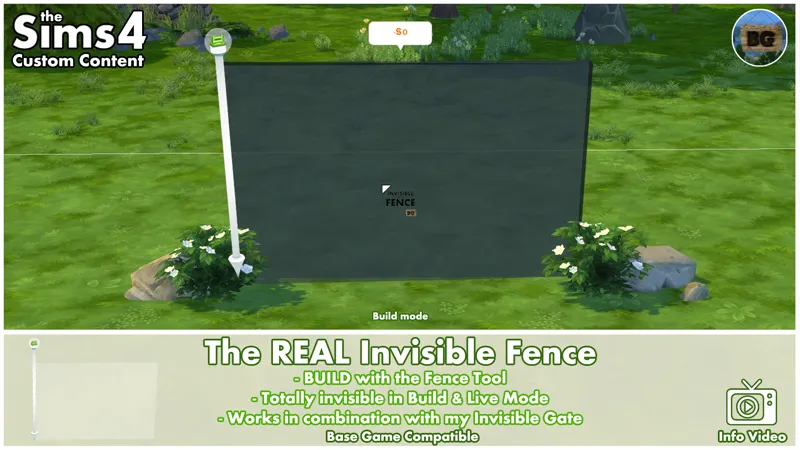
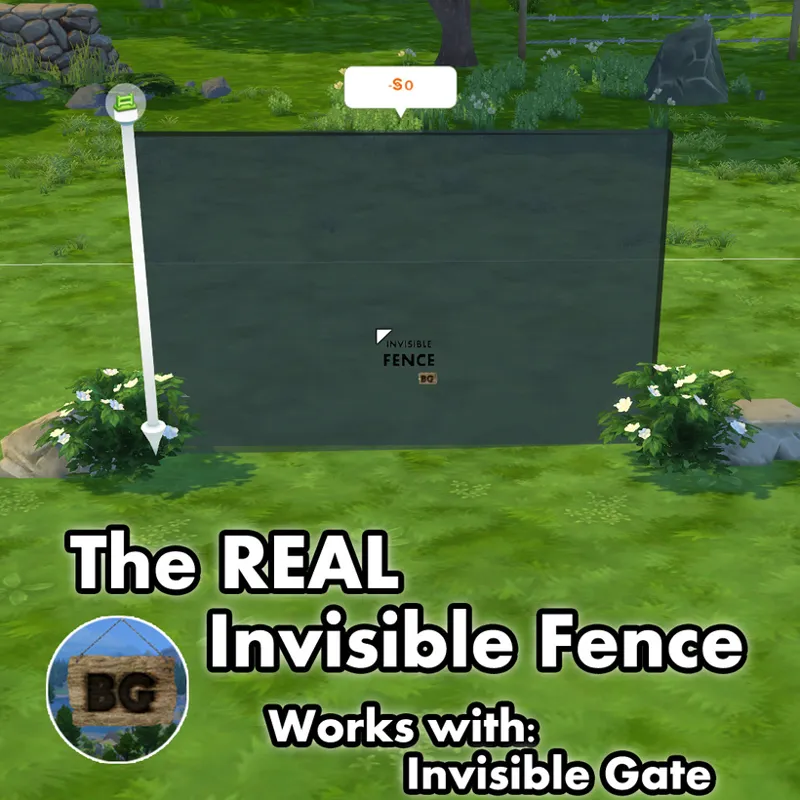
Finally it's here, the REAL invisible Fence! Other then my former 'invisible fences', this one has to be created with the Fence Tool in build mode. This makes it a lot easier and faster to restrict areas for your Sims.
Placing the Invisible Fence
For placing this fence I recommend to use normal fences.
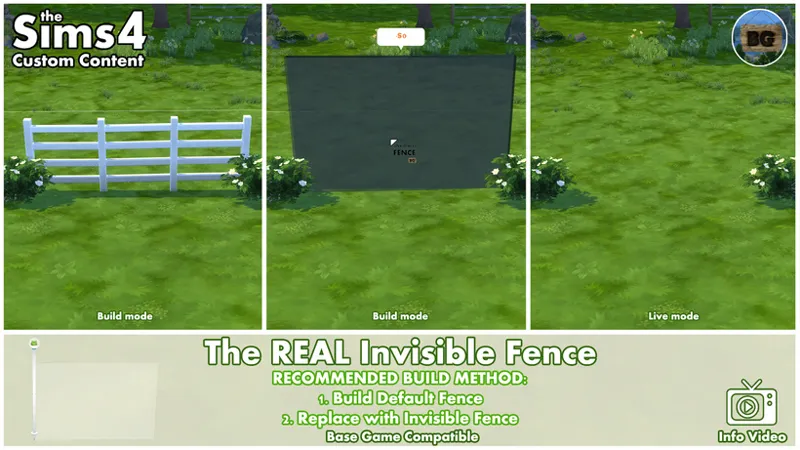
What I mean with this, is that you first want to build a normal visible fence on the place you want your invisible fence to go eventually.
If you build the invisible fence right away, you can't see where it's already placed as it's well...invisible. So whatever you want to block for your Sims, use a visible fence first.
Examples of this can be around your lot, so other Sims won't be able to enter your garden or swimming pool. Or place it along the pathways to your front door or in the garden, so Sims stay on the pathways instead of taking the shortest route.
After all visible fences have been build, replace them with the invisible fence. This can easily be done by selecting the 'Replace Fences' option (3rd option) in the Fences Category.
(For an example on how to do this, take a look at the video)
Removing the Invisible Fence
The same counts for deleting the invisible fence. First replace it with a visible fence using that same 'Replace Fences' option in build mode, then remove the fence.
Extra Placing Tip
Activate the Move Objects On cheat code, so when placing the fence, no other objects will get deleted. You can do this by typing 'bb.moveobjects on' into the cheat bar (Ctrl+Shift+C), or by activating it in the filter menu in build mode if you use Twisted Mexi's Better BuildBuy mod.
Combine with my Invisible Gate
This Invisible Fence also works great with my Invisible Gate, so you have even more power over who can and who can't enter certain areas on your lots.
For example, make only your household to be able to enter the area your swimming pool has been build in your garden. Or during a wedding, make only the soon to be married couple be able to walk the path down the aisle. Of course it can also be used to make areas pets free.
Many things are possible!
Search tags
The following search tags can be used to find it in game:
Bakie, REAL, Invisible, Fence and Tool
🚨Why to still use the Invisible Wall Object (Formely known as Invisible Fence 2.0)?🚨
For the people wondering why not to delete the invisible wall object now there's a real fence which can be build with the fence tool:
1. The Invisible Wall Object is an object, meaning it can be placed off-grid.
2. Fences created with the fence tool can't be placed on water surfaces, the Invisible Wall Object can!
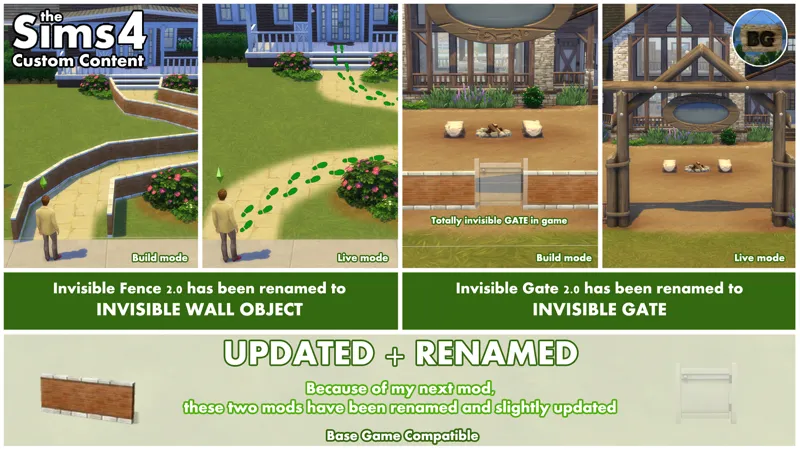
ℹ️🔽If you missed this, both my Invisible Fence 2.0 as well as my Invisible Gate 2.0 haven been renamed and updated. For more info, take a look at this post:
• Invisible Wall Object + Invisible Gate
====================================
EXTRA INFO
Short notes
• This object is Base Game Compatible.
• It's a standalone object, so it won't override any other objects in game.
• It all can be found by going to Build Mode > Fences
• You can also find them by typing "Invisible Fence" into the search bar.
• The object's catalog thumbnails, shows 'Invisible Fence' in text with my "BakieGaming" icon in the lower right corner.
Pack Requirements
Base Game Compatible
Game Version
1.128.90.1030
Updates
2026-10-01: This update stops seasonal decoration to spawn on this fence.
====================================
📺YouTube Video
To watch the video, click the following link:
The REAL Invisible Fence - YouTube Video
====================================
🔽Download file:
To download the REAL Invisible Fence, you can either click the file below this post, or the CurseForge link/image down below. Downloading from CurseForge is also a way of supporting me and you don't need an account to do so.
CurseForge Download Link:
The REAL Invisible Fence - CurseForge Project page
====================================
====================================
I'm very curious what you think about this real invisible fence, so be sure to let me know down below in the comments!
Comments (18)
I've been playing with the real invisible fence for a while now and it has really been saving my sanity with my trailer park that is set up as a residential rental, so first let me give you a huge thanks for that! However, when I finally loaded the lot during Winterfest, as I play rotationally, I noticed something messing with the fences' invisibility: automatic fence decorations from the Seasons EP 🫣 Now I do also use visible fences on the lot so I do want to keep the decorations, but I was wondering if it was possible to disable the decorations on the invisible fence by default so they never get decorated in the first place? I would look into it myself to see if it's even possible, but unfortunately I know nothing about modding and I figured you would probably want to know about this happening as well considering that it's your mod. Other than that the fence is absolutely perfect, making it a must-have mod that I cannot play without anymore! Thank you once again for this absolute gem and hopefully you can look into disabling the automatic fence decorations some day ❤️
Hello Petal, Thank you very much for your kind words and for pointing this out to me. I've never thought of this as I don't really 'play' the game that much, I'm more of a builder in the summer season of the game 😅. But it's important that for others these fences also work while in other seasons of course. I'm not sure if I can fix this, but I will definitely take a closer look at this. Again, thanks for letting me know!
thank you so much for this!
Amei
I love the new invisible wall tool! I was wondering: can Sims outside the invisible area see into the "invisible room" or space behind the wall? In other words, does it now provide **visual** privacy? There are some really fun RP/gameplay options that open up if Sims outside the wall can’t see into the enclosed area: a cloaked or hidden space. -- Also: unrelated, but I was hoping you might consider creating a new “multi-tree group” object, similar to your 'Group Pinetrees' from the 'Unlocked Pinetree Pack' on ModTheSims? That 'Grouped Pinetrees' object [w/ minimal or no grid footprint + anchored to just one tree tile] has become essential for me. I use it on nearly every lot in my save. Usually, to wrap the outer perimeter of a lot [placing the cluster and rotating the group so that the trees peek 85% off ot the lot -- to create a kind of extended forest "cushioning"]. It really helps visually expand the the lot size [and block out anachronistic or modern world elements of the world around...] Would you consider making something similar using the stripped-down 'Bare Pine Tree' from the Vampires Game Pack? Image reference: https://i.ibb.co/JjMRq4SK/Bare-Pine-Tree-Vampires-GP.jpg Maybe a cluster of 5 / 7 trees, with minimal footprint, anchored to just one tree tile again, so one could easily rotate and place them largely at the edge / substantially off-lot, just like your 'Group Pinetrees'? I hope my explanation and request make sense, and I hope you'll consider it at some point in the future if/when you have time/interest? If not, no problem! I hope all is well :] Cheers! NN
Hi NN, Happy to read you love this invisible fence. Which immediately also answers your question. I've created an invisible fence and not a wall, so Sims will still be able to see each other and chat. But the wall thing might be coming too, still testing things...🤫 -- The group of pine trees was an unlocked object, so I didn't placed them together myself. ;) I recommend using T.O.O.L by TwistedMexi to accomplish what you're describing. As for the near future I'm not planning to do any unlocked packs, but who knows in the future! ;)
Eeeek!! This is awesome. Thank you
You're welcome! :)
Thanks for this. It is great that we can use both older and newer one at the same time.
Yes, I really recommend doing that, as with the older 'object-ones', blocking can be much more precisely as you can place them off-grid too. :)
Omg yay!!!! I think I can now combine this with my decorative fences to make them more or less functional 😂 So excited!! TYSM!
Happy to hear that and you're welcome! ;)
thank you so much
This is wonderful! It will be so much easier to use this version for large lots. Thank you so very much❣️
You're welcome! Yes, especially for closing off larger areas is much easier now. :)
Yessss!
Ding dong! Thank you
You're welcome! :)