
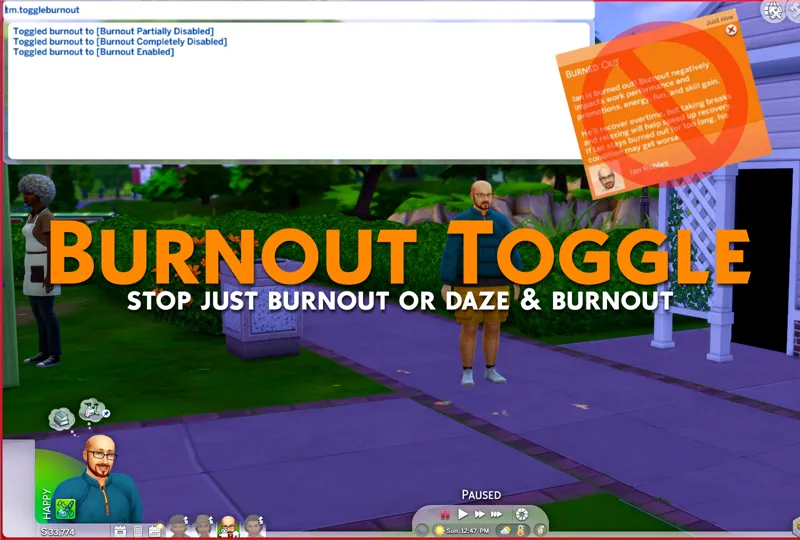
Burnout Toggle - Toggle Burnout our Daze and Burnout
This is another lightweight toggle mod that stops burnout when toggled off.
This toggle has 3 states, as follows:
[Burnout Enabled] = Game default behavior.
[Burnout Partially Disabled] = Only Burnout will be toggled off.
[Burnout Completely Disabled] = Both Dazed moodlets like creative fog and burnout will be toggled off.
Simply repeat the "tm.toggleburnout" cheat until it's set to your preferred option.
This toggle applies across all saves, just like my other toggle mods.
Install Instructions
1. OPEN the zip, do not use any extract options.
2. Inside will be a .ts4script. Drag it to your Mods folder.
3. Make sure gameplay options have both mods and 👉script👈 mods turned on.
That's it!
Comments (7)
Hi. I have a question about uninstalling this mod. I decided to remove it from my game. I toggled burnout back on and removed the mod. After a bit, I noticed that I wasn't getting any of the burnout moodlets, etc. I then found a folder (don't remember what it was called) that seemed to have some mod data associated with it, so I removed that. Still no burnout after a couple of weeks of playing. Am I missing something? What do I need to do to get the burnout feature back? Thanks for all the great mods!
Try turning it on and saving the game, then remove it. Make sure there's no copies of it in still.
not sure if I'm doing something wrong but I have followed the steps and am not getting any menu. The no text and walking seems to work; as does the selectable pets. But the no burnout isn't responding to the cheat command for me.
TS4 - the game where you pay to lose
😻🌟😻
Thank you Twisted!!! <3
THANK YOU!!