
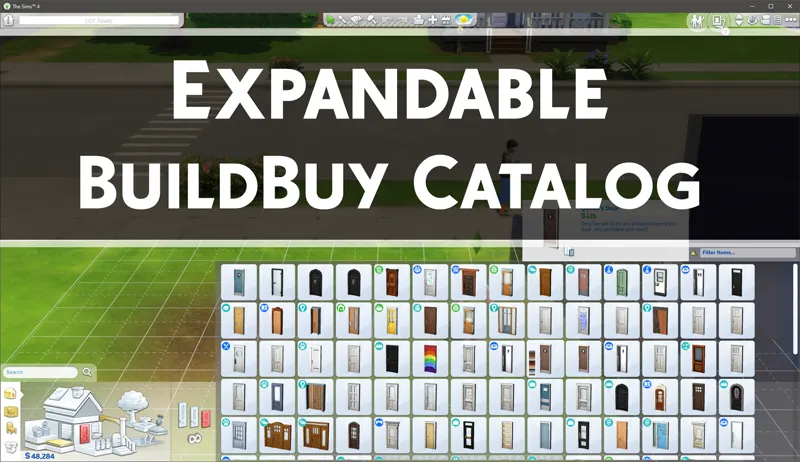
Expandable BuildBuy Catalog - 7-30-23 Update
Edit: If your eyedropper isn't highlighting the object in the catalog please redownload.
v1.2.6 Updates
Fixed build mode issues from the July 2023 Game patch
NOTE: If you're opting to use Better BuildBuy instead, you do not need to install this. In fact, installing this will break both mods as they conflict. This mod is for those who don't want the other features that come with BBB.
Original Release Text
================
This is actually small piece of Project Raven. People saw it in my TOOL tutorial and it seemed to be in demand so I've decided to release early as a standalone mod. 🙂
Quick Start:
To use, simply hit the Tilde (~) key or 1 key to toggle expansion.
If you don't have a tilde key or it's not working, you can use the 1 key instead (not the keypad).
Install Instructions:
Open the zip below and drag the .package file to your mods folder.
(subfolders allowed)
Make sure mods are on in your gameplay options.
Thanks to all of my patrons, both existing and new, the support has been incredible and I can't say enough how much truly I appreciate it!
OLD DOWNLOAD REMOVED. ALWAYS USE TWISTEDMEXI.COM
Comments (20)
Hi TwistedMexi. This is broken. The same issue is happening for me. I only have this mod installed & the essentials but yes, this mod does not work. The catalog shows nothing. Is it better to just download your Better BuildBuy instead?
Does this need an update?
No but make sure you get my mods through twistedmexi.com so you always go to the correct post
Since the 10/22/24 update, there has been a glitch with the Build Mode UI. You can still use it, it just make it difficult to navigate via the search bar & the all icons on the left of the buyable items (those are fine) have all become distorted. I removed the mod for the time being, just in case, (along with UI Cheats Extension - which had its own issues) & my game is running just fine. Just wanted to let you know incase no one else had brought it to your attention.
BE giving notification. It said "The following UI Mods may have been responsible for your UI Exception. Make sure they are all updated, or removed if a working update is not available. If the mod is a multi-file mod, be sure to update or remove all files."
This post is so hard to find. Got an email about it but could not find it at all.
The email should have had a direct link to it
Will you be updating this soon? I noticed after the horse ranch update that the build/buy area on my screen was distorted. I use the search alot and it was hard to see. I removed EBC and the screen went back to normal. Sorry, I see you are very busy trying to fix things. I will wait. Thank you for all the work you put into your mods and for helping others to enjoy the game more.
Yes it's next on the list to fix
Can I use this mod with the BuildCam. I got an LE notification and now I don´t know what to do.
Does this add additional functionality to BBB over the expandable catalog included with BBB? Or is it not really necessary if you're running BBB?
It will break both if you install it with BBB. Only use BBB.
is the live drag tool still functioning?
yes as far as I'm aware.
How to use the new one? I deleted the previous one and put it in without reaction
Same as always, you press the 1 key to toggle the expansion. Doesn't work on the room catalog.
Thank you so much!
Didnt understand how this working.
Thank you!
Thanks Fam