
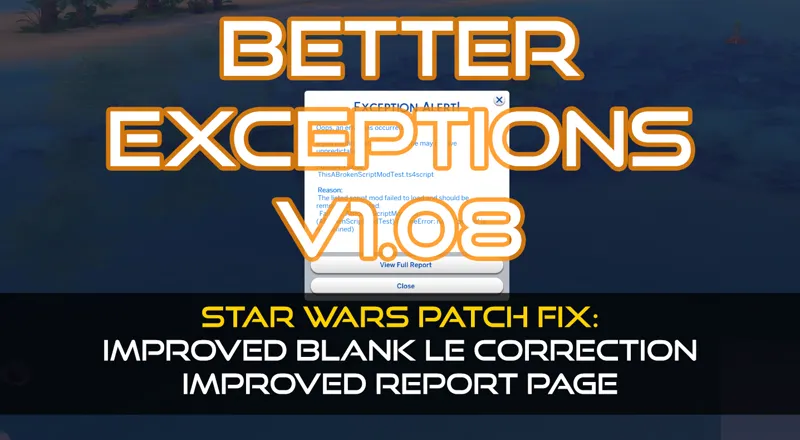
Better Exceptions v1.08 - Patch Fix & Report Improvements
DOWNLOAD REMOVED. FIND THE LATEST VERSIONS VIA TwistedMexi.com
After a very long run, a patch finally took out BE. This update fixes it for the newest patch (Star Wars) and brings a few improvements to the reporting. If you've been following my updates, you know I had some life issues to tend to, so thank you for understanding. Patch updates will not normally take so long.
If you're not familiar with Better Exceptions, it's a mod that gives you a fully formatted report and in many cases, it can tell you specifically which package or script is causing the exception.
New Improvements:
Patch Fix for Star Wars Update - Updated aspiration detection to work properly on the new patch.
Improved Blank LE Correction - Further improved the Blank LE correction and changed the way it formats the LE so that helpers can still pretty print the XML when needed.
BE Tags in LastException - Added new tags to LastException.txt. This will make it more obvious to helpers when a user may have a BE Report. It will also mention if the report would have been blank without BE, and if the BE Report likely traced it to a specific package file.
Package Mod List Added - Added a section for all installed package mods. The table is not loaded until you press a button to cut down on report size.
Auto-Expand Relevant Sections - If tuning or object CC mods are found to be the cause, their respective sections will be auto-expanded to make the fix more obvious to the user.
Dialog Formatting Improvement - Before if the reason line had a lot of text it could jumble the dialog box. This will now be cut off if it's too long, indicated by a "..." at the end. The full reason can still be seenby opening the full report.
Instructions:
If you have BE already, you should be prompted in game to automatically update shortly after this post goes live. If your network or firewall is blocking it, you may need to install it manually.
Open the zip and drag the ts4script file inside directly to your mods folder. It can not be more than 2 folders deep.
UPDATE: If BE is causing screenshots to generate when you have exceptions, please delete your existing copy and re-download.
Comments (21)
is this updated?
It still works, but patrons should be using the RC3 release.
Is this mod compatible with MC Command Center?
BE keeps scanning for errors while playing. It scans about every 5-10 mins and will freeze the game. but will not give me a new error report. It states that there are errors and then begins scanning but does not pull up a report.
This thing keeps scanning while I am playing and freezing up my game. No bueno.
ive installed be manually but its still telling me its offline. how do i unblock it from firewall
This is great... I missed this report so much. I know now that I am going to solve my current problem of missing sim instructions.... Thank you, thank you, thank you......
BE is messing up in game & it is not auto updating. Trying to do it manually. You said "Open zip & drag FOLDER..." But inside zip is just the script file. Clarifications?
Sorry that's a typo. Drag the script file.
Is this part of MCCC?
No, I don't make MCCC
Thank you!
I'm having an issue with the latest version that I've never seen before. It's generating many (many many) screenshot files, all of them just a blank (black) screen, without my doing anything at all to cause the screenshots. This starts happening when a lot is loading (I see the green message box indicating a screenshot has been saved) and it does not stop. I had dozens and dozens of them when I played last night. I had to remove the Better Exceptions mod to get it to stop happening. I almost never take screenshots deliberately. Tested with nothing in my Mods folder except the Better Exceptions script you released on 9/14 and Resource.cfg, and I have 2 blank screenshot files in my Screenshots folder when the lot finishes loading. Take out your mod, and it doesn't happen. Can you please look into this? It's annoying enough that I can't use this mod at all. Let me know if you need more info. Thanks.
Thanks for the info, the download has been updated and should resolve this issue. Anyone who's having this happen should re-download.
You are a true Sim God, Twisted! Hug the doggos 💖
Wow, I'm sorry that you're having some personal issues. I hope things are taking a turn for the better/healing/resolution. All the best to you & yours. (Thank you for the update too)
a huge thank you
OOOOOHHHH TYTYTYTYTY!!!!!
Wonderful - thank you 🤗🤗🤗
Happy Day!!!!!!! TYSM!!
Omg yhank you