
Better Exceptions - Real-Time Exception Alerts Public Release
DOWNLOAD REMOVED AS THIS IS AN OLD VERSION. FIND THE LATEST RELEASES AT TWISTEDMEXI.COM
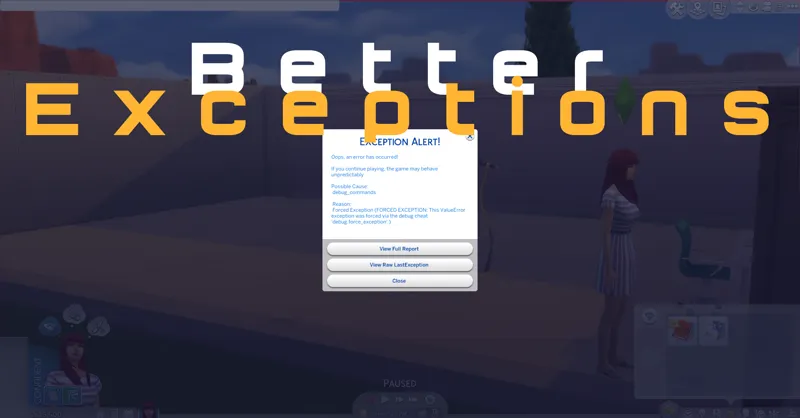
Better Exceptions expands on the LastException functionality, providing in game alerts the moment an exception occurs.
This will help players identify what in-game event actually caused an error. It will also show players the most relevant parts of the error to assist with identifying the actual issue.
Prompts will give you multiple options, including automatically opening a full report with extra diagnostic information and opening the raw exception file.
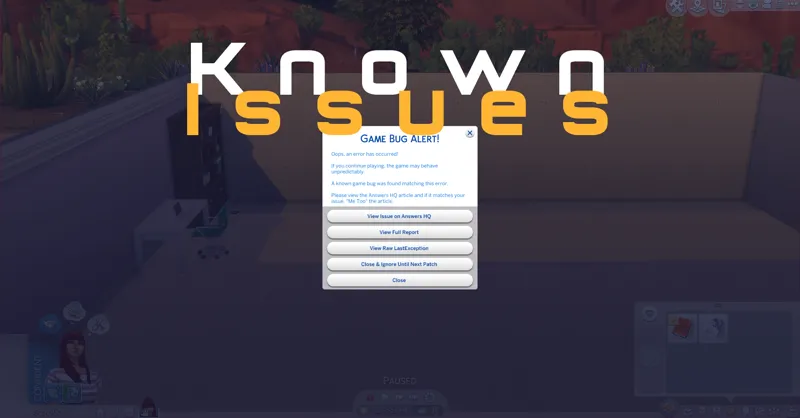
Even better, now if there is a known issue plaguing the current version of the game, Better Exceptions will check and alert you. In these cases, it will link you the AHQ article related to the issue. You'll also be given the option to ignore the exception until a patch is made available, though I don't recommend this until you confirm it is a problem that will need a patch to be fixed.
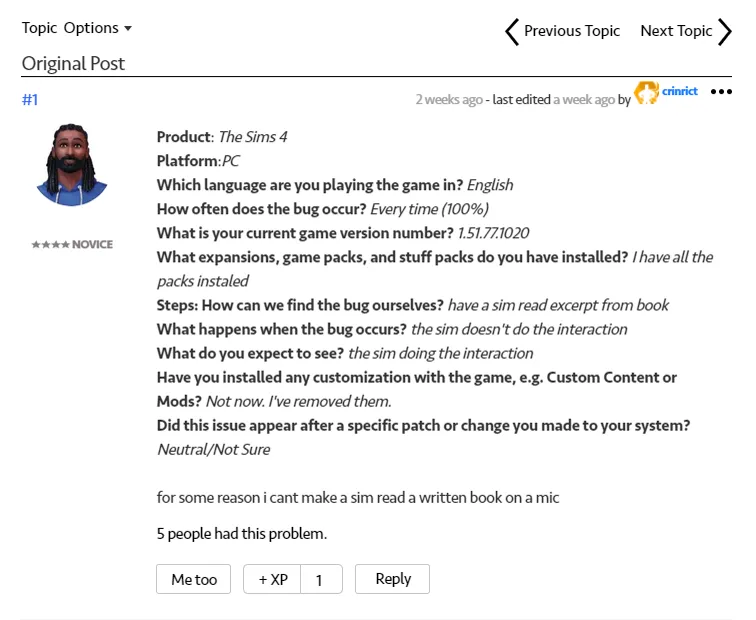
Clicking "View Issue on Answers HQ" will bring up the article with information from others explaining the problem. If it matches your issue, please click "Me Too" on the post to show that this issue is common and needs resolved.
Due to the large variety of LastExceptions, I expect this mod will improve with time as I receive feedback from everyone who uses it.
I welcome any LastException reports from this mod to be posted in my Discord:
https://discord.gg/GrxHgrn
Thanks everyone :)
How to install:
This is a script mod so make sure script mods are enabled in your game options. Download the .ts4script file directly to your mods folder. Do not open or unzip.
Comments (14)
can you help me identify what this error message means Exception Summary Exception Date: 2026-03-31 19:18:42 Game Version: 1.122.218.1030-1.200.000.699.Release Category ID: part.py:268 Recommended Action No mods were listed in the exception but you do have mods installed. Close your game, try removing handfuls of mods from your Mods folder and retry what you did when you received the exception. If the exception does not occur then the problem is likely with that mod. Check the mod download for any recent updates. Possible Cause (Confidence: 10%) part Reason Exception in , args: (787028562393737084, 787028562393737093, {AEC164EC190A77C,1,World}, Transform(Vector3(457.700195, 161.220673, 414.472687), Quaternion(0.000000, 0.923590, 0.000000, 0.383381)), 0, (0, 0), 0), kwargs: {} KeyError('Unable to find joint b__subroot__9 on object_bedSingleSC_01:0x0aec164ec190a785[7]') (KeyError: 'Unable to find joint b__subroot__9 on object_bedSingleSC_01:0x0aec164ec190a785[7]') MCCC Version Not Installed. Mod Count 38732 packages, 3 scripts ⚠️ Broken Mods ⚠️ Each section contains a list of broken mods, if there are any. Check for updates for each. If no update is available or the update doesn't fix the exception, remove the mod. If any mod file is part of a multi-part mod, you should update or remove all of it. All paths are relative to the Mods folder. Invalid Tuning Mods Good news! No invalid tuning mods were found. Invalid Script Mods Script Reason Compile Date
I'm going to restart the game because I did have it in a darned folder.
24a28babb3a52bec5cde5bc7desyncea.maxis.sims4_64.15.pc2019-05-17 05:30:35Local.Unknown.Unknown.1.51.77.1020-1.200.000.389.Releaseresolver.py:6984a28babb3a52bec5cde5bc7Exception in Sim Timeline: Exception running Element (ValueError: Trying to use DoubleSimResolver with unsupported participant: ParticipantTypeSim.Listeners) Traceback (most recent call last): File "T:\InGame\Gameplay\Scripts\Server\scheduling.py", line 212, in simulate File "T:\InGame\Gameplay\Scripts\Server\elements.py", line 376, in _run File "T:\InGame\Gameplay\Scripts\Server\interactions\social\social_picker_super_interaction.py", line 145, in _run_interaction_gen File "T:\InGame\Gameplay\Scripts\Server\interactions\aop.py", line 212, in execute_interaction File ".\WickedWhims 4.3.5.140d\turbolib\injector_util.py", line 22, in _wrapped_function File ".\WickedWhims 4.3.5.140d\turbolib\events\interactions.py", line 127, in _turbolib_interaction_queue File "T:\InGame\Gameplay\Scripts\Server\interactions\interaction_queue.py", line 1331, in append File "T:\InGame\Gameplay\Scripts\Lib\contextlib.py", line 119, in __exit__ File "T:\InGame\Gameplay\Scripts\Server\interactions\interaction_queue.py", line 878, in _head_change_watcher File "T:\InGame\Gameplay\Scripts\Server\interactions\interaction_queue.py", line 962, in _get_head File "T:\InGame\Gameplay\Scripts\Server\interactions\interaction_queue.py", line 94, in get_next_unblocked_interaction_cancel_incompatible File "T:\InGame\Gameplay\Scripts\Server\interactions\base\mixer_interaction.py", line 472, in notify_queue_head File "T:\InGame\Gameplay\Scripts\Server\sims\sim.py", line 3515, in push_super_affordance File "T:\InGame\Gameplay\Scripts\Server\interactions\aop.py", line 236, in test_and_execute File "T:\InGame\Gameplay\Scripts\Server\interactions\aop.py", line 224, in execute File "T:\InGame\Gameplay\Scripts\Server\interactions\aop.py", line 212, in execute_interaction File ".\WickedWhims 4.3.5.140d\turbolib\injector_util.py", line 22, in _wrapped_function File ".\WickedWhims 4.3.5.140d\turbolib\events\interactions.py", line 127, in _turbolib_interaction_queue File "T:\InGame\Gameplay\Scripts\Server\interactions\interaction_queue.py", line 1331, in append File "T:\InGame\Gameplay\Scripts\Lib\contextlib.py", line 119, in __exit__ File "T:\InGame\Gameplay\Scripts\Server\interactions\interaction_queue.py", line 878, in _head_change_watcher File "T:\InGame\Gameplay\Scripts\Server\interactions\interaction_queue.py", line 962, in _get_head File "T:\InGame\Gameplay\Scripts\Server\interactions\interaction_queue.py", line 94, in get_next_unblocked_interaction_cancel_incompatible File "T:\InGame\Gameplay\Scripts\Server\interactions\social\social_super_interaction.py", line 1014, in notify_queue_head File "T:\InGame\Gameplay\Scripts\Server\interactions\social\social_super_interaction.py", line 534, in _get_close_to_target_and_greet File "T:\InGame\Gameplay\Scripts\Server\interactions\social\social_super_interaction.py", line 472, in _greet_sim File "T:\InGame\Gameplay\Scripts\Server\interactions\social\greeting_socials\greetings.py", line 466, in try_push_targeted_greeting_for_sim File "T:\InGame\Gameplay\Scripts\Server\interactions\social\greeting_socials\greetings.py", line 445, in _try_push_greeting_for_sim File "T:\InGame\Gameplay\Scripts\Server\interactions\social\greeting_socials\greetings.py", line 187, in __new__ File "T:\InGame\Gameplay\Scripts\Server\interactions\social\greeting_socials\greetings.py", line 177, in test File "T:\InGame\Gameplay\Scripts\Server\event_testing\tests.py", line 398, in run_tests File "T:\InGame\Gameplay\Scripts\Server\event_testing\resolver.py", line 129, in __call__ File "T:\InGame\Gameplay\Scripts\Server\event_testing\test_based_score_threshold.py", line 41, in __call__ File "T:\InGame\Gameplay\Scripts\Server\event_testing\test_based_score.py", line 56, in get_score File "T:\InGame\Gameplay\Scripts\Server\event_testing\test_based_score.py", line 56, in <genexpr> File "T:\InGame\Gameplay\Scripts\Server\event_testing\resolver.py", line 124, in __call__ File "T:\InGame\Gameplay\Scripts\Server\event_testing\resolver.py", line 739, in get_participants File "T:\InGame\Gameplay\Scripts\Server\event_testing\resolver.py", line 698, in get_participants ValueError: Trying to use DoubleSimResolver with unsupported participant: ParticipantTypeSim.Listeners rtim=0
No nevermind. I see what I did. Thank you.
No problem :)
Maybe another mod I have is conflicting?
Possibly but unlikely. If you check you're last exception file does it have an error or just 3 short lines like xml and root.
I put it directly in the mods folder
I'm not sure what i did wrong, but the mod is not giving me notifications
Script mods must be on in your gameplay options, it's separate from just regular mods. You should have a single .ts4script file in your Moda folder. Don't open or unzip it. It can't be in a subfolder
Discord link is still returning invalid / expired.
Thanks. I'll fix it when I get home
Hi, I click the link to the discord and I get in "invalid" response from the site :(
Fixed it, try again please :)