
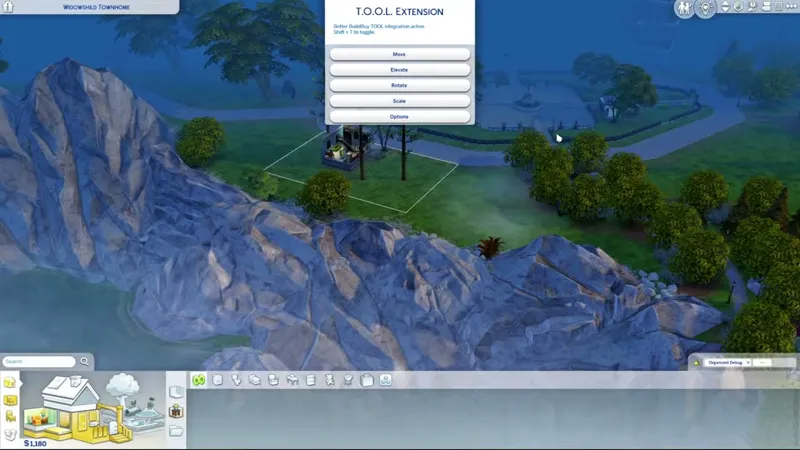
TOOL v2.8.7 - Life & Death Hotfix Update
2.8.7 UPDATE:
Added in-game detection & notice for conflicting UI mods (Typically UI Recolors)
Fixed off-lot objects disappearing on rental or apartment properties.
Fixed dragging functionality for TOOL dialogs.
Added compatibility with Life & Death world
===Previous Updates===
TOOL v2.8 comes with a draggable dialog window! Just click on the TOOL dialog title and drag it to where you'd like the dialog to be. This setting will automatically load when starting a new game session.
Thanks everyone!
2.8.3 UPDATE:
Adds compatibility for the Reaper Rewards Event.
2.7.2 UPDATE:
Please re-update to 2.7.2 to fix any remaining issues with TOOL's menu not showing in Better BuildBuy.
2.7.1 UPDATE:
Implemented temporary patch for EA scripted dialog issues.
Added necessary data for For Rent Pack and world.
2.7 UPDATE:
TOOL now has a Stay Open option in settings that will repeat the last command until the user click cancel.
By feedback patrons' decision, the stay open option is on by default. If you prefer not to use this option, please be sure to turn it off in settings when installing a fresh copy of TOOL.
Fixed a specific scenario where the move grid does not disappear, triggered by deactivating all objects before clicking OK to the move prompt.
2.6.4 UPDATE:
Fixed a bug that could cause the group selection box to not reappear after hiding it while the circle was not closed.
Fixed a bug that could compound an EA gallery bug and cause a LUIE.
2.6.3 UPDATE:
Fixed graphical issues with the 10-11-22 game patch.
Added compatibility for the new EA tutorial dialogs.
2.6 UPDATE:
TOOL now tells players when their script mods aren't turned on.
Added compatibility for the Moonwood Mill world that came with Werewolves.
2.5 UPDATES:
TOOL will now notify you in-game when an update is available. This should help reduce the amount of people clinging to year old versions of TOOL.
Due to a game bug introduced by EA several patches ago, off-lot objects were disappearing any time players loaded an apartment/dorm style lot. I've implemented a workaround for this.
Reduced the radius for closing the grouping box, as TOOL users are usually working in a smaller space than Create-A-World testers. This means you'll be able to click closer to the original point before it will snap close.
2.4 UPDATES:
The grouping box now supports any polygonal shape.
The grouping box visualizer follows terrain
The grouping box can now select multiple levels.
====Original Post====
Want TOOL in build mode? Grab Better BuildBuy as well!
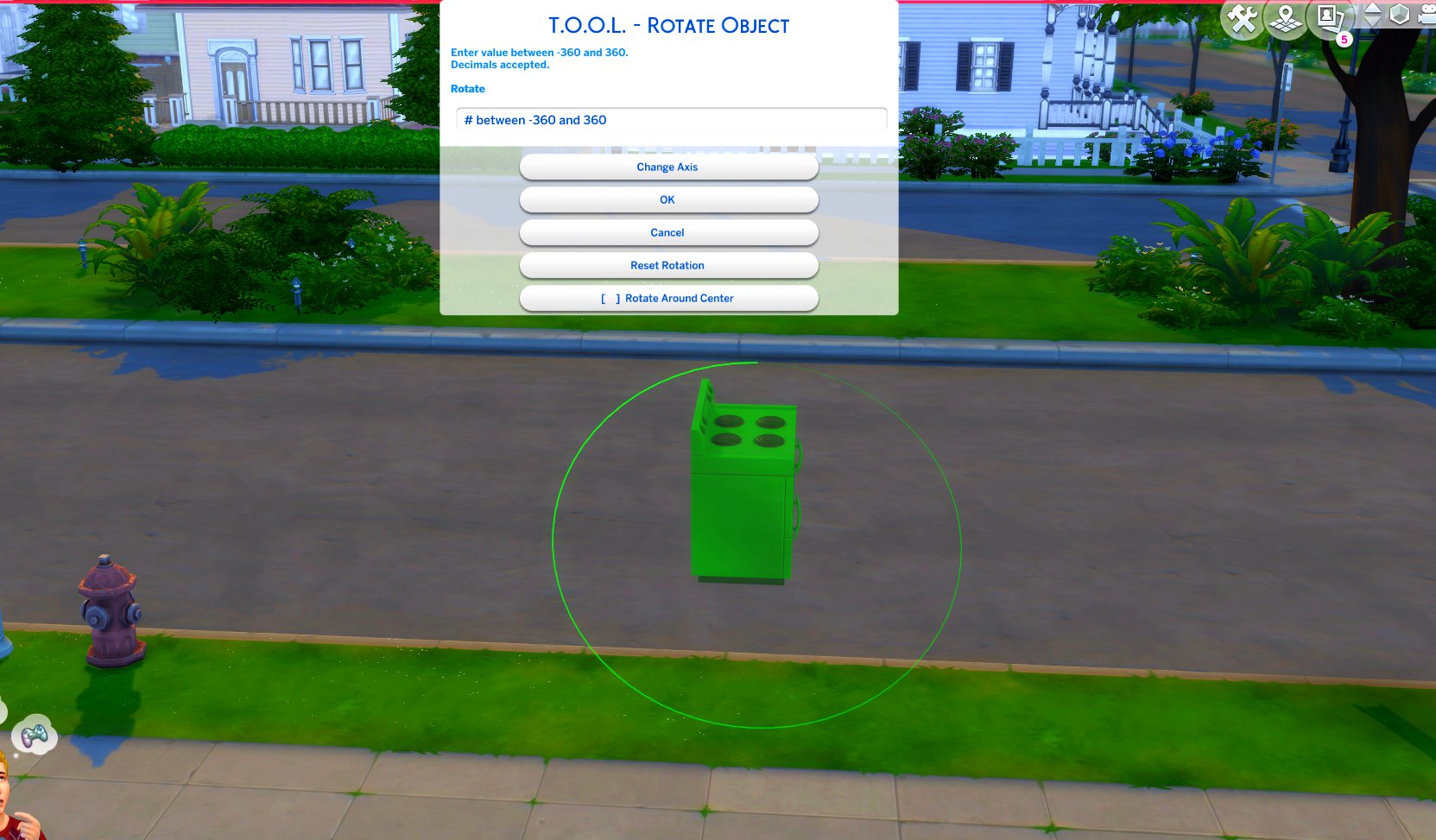
TOOL v2.3 brings a new feature called Rotate Around Center. It's a toggle in the rotate dialog that lets you choose whether group rotation will rotate all objects around their own axis, or around the group's center.
This video demonstrates the difference.
Many players requested this, as it'll allow them to rotate TOOL-only builds after they've finished, instead of having to plan which rotation they want to begin with. I hope everyone enjoys.
Rotation Around Center added to Rotate Dialog
Added an improved rotation indicator. The circle is now a gradient.
Dim = 0. Bright = 360.
Positive rotation amounts will always move dim -> bright.
❓❔❓ HOW TO USE ❓❔❓
TOOL Build Mode Quick-Start
Better BuildBuy must also be installed.
The usage is the same as regular TOOL, except you will automatically be placed in TOOL mode any time the TOOL dialog is open.
Toggle TOOL in build mode by pressing Shift+T
In addition, shift+clicking surfaces will automatically place a group box marker. This can be used in combination with the Toggle Group button to highlight many objects at once.
When the TOOL extension is open, ctrl+z and ctrl+y will handle the TOOL undo/redo instead of the buildbuy undo/redo. Buildbuy undo still works when TOOL is closed.
If you're new to TOOL entirely, refer to my original tutorial.
TOOL Live Mode Quick-Start
No other mods are required.
Need to enter testingcheats true or you can optionally force it always on using my AlwaysTesting mod.
Shift+click objects for TOOL menu
Shift+click surfaces for TOOL options menus.
If you're new to TOOL entirely, refer to my original tutorial.
Install Instructions
⚠ FOLLOW IT WORD FOR WORD. ⚠
1. Delete any existing copies you have for TOOL.
2. DONT use any zip extract options. Instead, OPEN the "TwistedMexi's TOOL v2.8.4 Official" zip by clicking it and drag the "Tmex-TOOL" folder inside to your mods root. That's it! Do NOT restructure or modify the files in any way.
3. Make sure 👉Script👈 Mods are enabled in gameplay options -> "Other". Restart if it wasn't.
DOWNLOAD REMOVED AS THIS IS AN OLD POST.
GET THE LATEST VERSIONS AT TWISTEDMEXI.COM
Comments (44)
youre amazing ! thank you for everything you do ^_^
Just a heads up, this is a considerably old post. Make sure you get TOOL from https://TwistedMexi.com as that will point you to the latest version
Yes. Twisted, Mexi, whichever name you prefer...I'm fine with waiting for an update ESPECIALLY since we just got ANOTHER patch this week AND have ANOTHER next week (you might as well wait until after that one drops ANYWAY...why fix something only for it to break again so soon, right?). However, I just hope that you are okay/healthy. Take whatever time you need and focus on your physical and mental health. Spend some time with family and friends. Treat yourself. Thank you for all that you do/have done for our game(s).
** Has anyone talked to or heard from Twisted, this is very concerning, I could care less how long it takes to update the mod bc I respect the work but he's been silent for a long time even on discord! **
I am also not in any rush for updates either. That said, TwistedMexi appears to be active on Twitter/X still.
Hi, I was trying so hard to find out which mod or mods I have that might cause some boxes to appear broken or see-through, wonky. I finally took the TOOL mod out (version 2.8.7) and that fixed it. I am crying cuz I LOVE the TOOL mod. Do you know when or if it will be updated? This only happened after they updated the game, was working great before that. Thanks so much for all you do, love your mods! 😊
You can check discord or Scarlet's Realm Mod List and they'll say what mods are updated/broken/compatible. They've had this as known broken since 1/15/25.
Hi, I just want to thank you for what you do. I'm sure you get so stressed whenever there's a new patch, not knowing if your mods are going to need to be updated. And I'm willing to bet you get tons of questions and complaints. But sincerely, I love your mods, and you're an absolute rockstar for making and updating them. They improve the game so much. Thank you. 😊
Hello, when I try to toggle tool in build mode by doing Shift + T, it doesn't work. I do have BBB correctly installed as well. All the features in TOOL work except for the toggle in build mode for me.
Usually a sign of a conflicting mod. Discord.twistedmexi.com if you need help with it
Thank you so much for everything you do. I can't imagine playing The Sims without your mods!
Just know that you are appreciated, and I thank you for all of your hard work.
👻😍👻
I still cannot get tool to open 🫣 so lost without it, can't cope
Important to remember per the quick start instructions in the post, that build mode tool only works when BBB is also installed.
YOU'RE AMAZING and WE DON'T DESERVE YOU!!!!!! Thank you
Thank you :)
bonjour; j ai téléchargé le dernier correctif de T.O.O.L mais il ne fonctionne pas ; j ai pourtant fais comme d habitude
thank you for the fix
🎆🔥🎆
THANK YOU!!!! I know this was probably one of the worst patches you ever had to deal with, judging from the time it took. So thank you again and again.
Hey TM, I stopped playing with my sims several days before the patch came out bc I was preparing myself for the hit, i saved all my stuff to my backup drives twice over, I then spent the next few days sorting through mods, CC getting rid of bleh stuff and then downloading anything new I liked from the gagillion creators I'm subscribed to.. then on patch day it was update after update after update, man alive these creators were rockin but I didn't try out my game until 2 days ago and only for a moment and not since bc holy shite it was jacked up even though one of my MOST favorite paid patreons is Scarlet is the first place I hit every morning and/or night for updates, conflicts and broken mods so I thought up til then I had cleared the crap out that wasn't updated or just bleh, yours are the only ones that are at this point (I think) broken - I'm by no means posting this book to rush you bc let's be honest... you (and the others) can't/shouldn't be rushed but please I'm desperate, I'll do anything lol.. I never realized how much I need some of these mods for my game and yours are pivotal. I sincerely hope you know we all love you and your work, it IS that serious (for me at least and my husband is aware and respects the game) <3
I just installed the latest version of BBB. While the initial patch day report said that all of my mods were good to go, I then got no less than 6 error reports, all saying "The listed script mod failed to load and should be removed or updated. Failure: 'Tmex_BetterBuildBuy' (Tmex_BetterBuildBuy) No module named 'objects.lighting.lighting_dialog' (ModuleNotFoundError: No module named 'objects.lighting.lighting_dialog')" Any idea where I might find said module? I just hate going without BBB; I love it so much!!
It hasn't been updated for that patch yet. Also patch day report is for tuning, script errors always cause an exception so there's no point in the patch day scan checking those
I have problems with discord too, (My account is linked to a defunct email site). Would anyone here be willing to post any changes that work for TOOL?
I couldn't get discord to work for me at all also.
Hey ive download the mood following the instructions but the TOOL bar doesn't open, can someone help me?
There was an update posted yesterday.
Hi, I am not good with the discord server so I am writing in here if that's OK. I love the TOOL mod, it's one of my faves! However, I did get the updated for the latest patch, but after extensively trying to figure out what was going wrong, I have found that whenever I use TOOL on an object (mainly to raise or lower it) the object disappears after saving and going back to my save. I have put objects down without using the TOOL mod on them and they are there after saving, but not the ones that I manipulate with the TOOL mod. Just letting you know, I think something's wrong with that part of it. Thanks!
TOOL, BBB, and All Scenarios are broken from the latest patch. I would recommend joining Deaderpool's discord server. There's a thread for mods and they announce when there is confirmation that they are broken, compatible, or updated. Scarlett'sRealm is also a good website with a spreadsheet that lets you know the statuses of most mods.
Having issues with TOOL showing up---it won't show at all, after update and BBB keeps giving me an error of being installed incorrectly but I'm doing it right and as I have for the years of using both mods. Is this due the recent EA update? Thanks for all your work I'm sure this is difficult to keep up with.
This is exactly happening to me as well. Have had both for several years and am well familiar with updating it but I'm still getting a response that it is installed incorrectly and too deep, which it is neither of those things
My graphics are really messed up after downloading and I cannot bring up tool.
The patch yesterday broke the heck out of these. Thanks for all your hard work! It can't be easy trying to keep up with all this
while we are completing the reapers reward challenge do we need to remove TOOL and BBB.
🌼😍🌼
This is the update I was waiting for. Thank you.
Hi, TM! I just downloaded this TOOL version, loaded up my game, and a large TOOL error notice popped up in the middle of my screen & wouldn't go away. I had to exit the game and remove TOOL. Maybe the newest EA update broke it? I downloaded that earlier today, too.
No, this happens if you have a conflicting mod in, usually UI recolors
I don't know if it's me, but Shift+T in build mode doesn't bring up the TOOL menu. I can right-shift-click on objects in Live mode to access TOOL, but that's it.
One thing, there is a lingering issue with the household plan a social event via the calendar, once it is time to start the planned event, there is no pop up "start event" showing up, the event task list do not show up, and the game considers it ongoing but it isn't showing the event in game (birthday party guests,etc...). It also go on endlessly, just tested the new version 2.8.3 with only MCCC in to see if it catch something, no LE or other error files either.
Is better build buy updated too?
💖☀️💖
Thank you!