
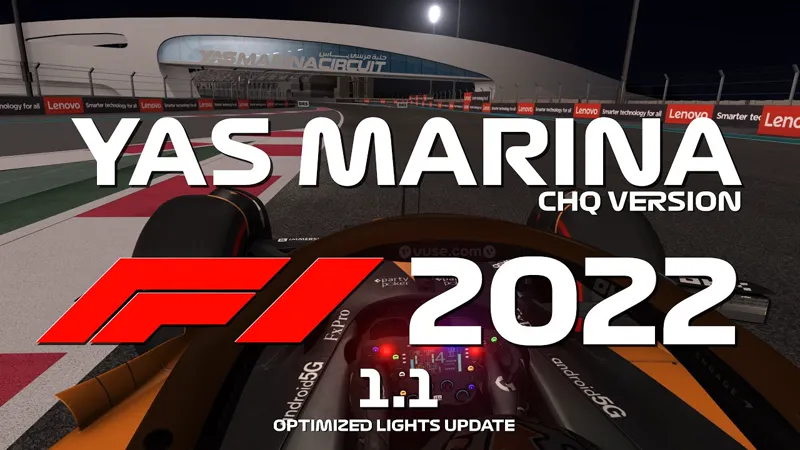
[ARCHIVE] Abu Dhabi F1 2022 Extension (CHQ)
Yas Marina F1 2022 Extension is now updated to Sunday with lights optimization 🙂
This extension is designed for the CHQ version
___________________________________________________
NOW INCLUDED IN THE YAS MARINA F1 CLASSICS PACK
https://www.patreon.com/posts/117550320
___________________________________________________
Yas Marina F1 2022 Extension is now updated to Sunday with light optimization! 🙂
This extension is designed for the CHQ version of the track (current layout)
CHQ version by ChiquiFreaky is a paidmod available at his patreon https://www.patreon.com/CHiQuiFReaKy/posts
This extension is designed for version beta 0.8 and it will be updated if needed.
Extension layout include:
2022 Sponsors boards
2022Sponsors grounds
2022Brake markers
Dynamic Rolex clock
Video displays
Updated DRS boards
And more... 😉
[UPDATE 1.2.1]
Latest modifications and addons including building cover
Added original track beta 0.8 cameras to the 2022 layout
[Update 1.1]
Sunday modifications
Huge light optimization provided by bynar010 (big thanks to him!)
Enjoy! 🙂
Comments (33)
Hi Pyyer, first of all I have to say you make an amazing job with all the tracks! very well done! Just one question about this track: is there any chance to make the rest of the tarmac around the main layout darker and more like in real life? Unfortunately, CHQ made it in such a way it looks very different than the main layout.
Hi Georgios Thanks for your support and your comments 🙂 I note your feedback and I will look at it as soon as I work back on Yas Marina 😉
Hello Pyyer, In the extension ZIP is missing, I think a kn5 file? in the models_layout_f1_2022.ini is that inside: [MODEL_2] FILE=palmeras.kn5 POSITION=0,0,0 ROTATION=0,0,0 But the palmeras.kn5 is not included in the ZIP and in the racetrack ZIP this file is unfortunately not there either, would it be possible that you could send me the file?
its in v0.7 version mate.
Bynar010 hey man, could you also take a look at the Jeddah CHQ version? It seems to have the same optimization issue? I'm doing a youtube series and it's really hard to record there on max graphics. If you can take a look on the track I would really appreciate that.
Hi Arthur I have made a fix for it and it works perfectly 😉 I will try to release it today...
Pyyer don't suppose you can do anything in your extension to fix the track limit issue can you? You can drive on "pavement" meshes without consequence.....I've tried fixing it in the surfaces.ini file but it has no effect so appears to be an issue with the mesh itself
Hey man I'm trying to fix the track limits and apparently, the meshes in the track don't have the keys that would make them illegal anymore (PAVEMENT, GREEN, CARPET, ASPHALT_EXT. Is there a way I can modifiy the existing track, or should we notify the track author?
Thanks for all mate. :)
You are welcome! 😉
Thank you Derek!
This is wonderful! Can run at night, even with my potato computer. Big thanks to you, Chiqui, and bynar010!! Awesome track. Awesome work!
Great job its perfect and runs well i just dont have any replay cameras, any help?
https://www.racedepartment.com/downloads/camtool-cams-for-yas-marina.56247/
Fantastic. The new update works fantastic at night time also. :)
Thank you! I am pleased too to be able to race at night now! 😉
Hey pyyer i was wondering if you knew how i could make camtool 2 presets work for your extensions.
quand je met l’extension dans le dossier CHQ ça ne fonctionne pas ?
Just copy the whole content of the zip to your assettocorsa folder and it should work fine
Bonjour ,
Hey i dont know if this is because im using the extension on is 0.8 track update and not 0.7 but i cant use the replay tv cam it gets places outside the track and is just a void. Great job on the extension.
Camera from original track are now included in update 1.2.1 😉
I replaced all the "light series" in his original CSP config with this (no idea why he keeps it seperate from his track either, I moved it into the track folder and pointed your config at it). Runs fine at night now with this, Track limits are knackered on it tho which is a shame. [LIGHT_SERIES_...] DESCRIPTION = Psuedo Floodlights following race groove ACTIVE = 1 VISIBILITY_LEVEL = 1 MESHES = groove COLOR = 255,221,204,0.015 DIRECTION = 0,-1,0 OFFSET = 0,28,0 CLUSTER_THRESHOLD = 50 SPOT = 200 SPOT_SHARPNESS = 1 RANGE = 250 RANGE_GRADIENT_OFFSET = 0.2 DIFFUSE_CONCENTRATION = 0.87 FADE_AT = 250 FADE_SMOOTH = 50 CONDITION = NIGHT_SMOOTH SHADOWS = 0 LONG_SPECULAR = 0
That is brillant! I get 60fps at night everywhere except near hotel now! 🙂👍 Will you allow me to include this correction in next update so anybody can benefit from it?
Thanks for the fantastic extension again. Great job as always. I have version 0.8 now and you are right..... I have a very good pc and still max 50-60 fps at night. During daytime no problems at all.
Thx for the quick answer. Where do I get the 0.8 version? From his private discord after subscribing to his patreon I guess?
Yes he updated it to 0.8 yesterday evening but it is still not much optimized for now to be honest (still get 30/40 fps at night)
Hi, the video screens are flowing in the air, any fix for that please? I still have v0.7, may that be the reason for?
Hi! TV displays are only included in 0.8 If you want to disable them for 0.7 just set ext-config-abudhabi-displays.ini to active=0 in layout_f1_2022/extension/ext-config.ini 😉
Thank you for doing this version, too!
You're welcome! 🙂
hey i get an error saying "CANNOT HAVE 0 CARS IN RACE" everytime i start a practice. i do not get this error with any other tracks. edit: i fixed it, install it manually
Glad to read you fix it. And I note the manual install solving. It will probably been in a FAQ post for 2023 season