
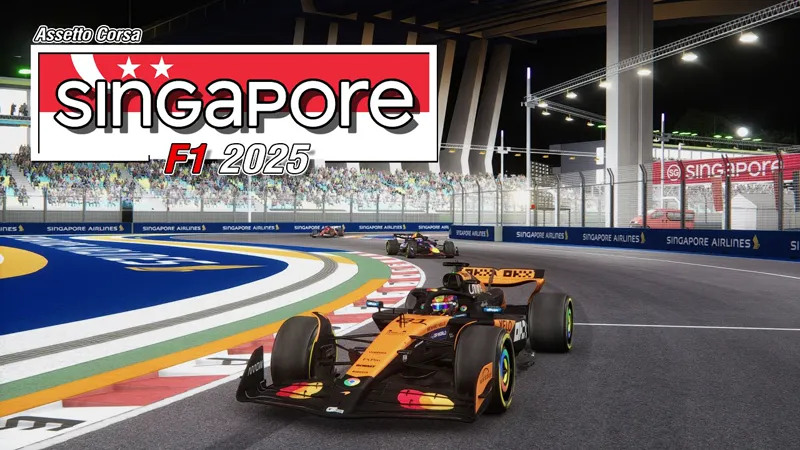
[ARCHIVE] Singapore F1 2025 Extension 5.0
Get ready for the most intense night race of the year! 🌃🇸🇬
The 2025 Singapore Grand Prix returns to the streets of Marina Bay with all its heat, humidity, and high-stakes drama.
Tight corners, unforgiving walls, and a stunning city backdrop—this one always pushes drivers to the limit.
The Singapore F1 2025 Extension 5.0 is here, fully updated and ready to light up the night! 🏎️🔥🌆
NOW INCLUDED IN SINGAPORE F1 CLASSICS PACK
https://www.patreon.com/pyyer/posts/140441431
Here are the features:
New Layout F1 2025
2025 billboards
2025 animated boards
2025 fence boards
2025 brake markers
2025 grounds sponsors
2025 Pit Names
2025 Podium
2025 Digital Flags sponsors
New VAO Patch
CSP versions relative adjustments
Unified environment file
Updated TV cameras
Comments (19)
What csp version do you use?
Just reinstalling this and why is there a wall on the strait? They used to go into the harbor, but now they go strait, there is a wall. I have disabled the Endurance skin, still a wall.
Just tried and everything seems fine from what I see. Which straight exactly?
it says its damaged and whenever i did load in the track was fully white
check all posting as Pyvver explained why you get the error
My curbs are a different colors
Disable skin under track lay-out in "Drive mode" in Content Manager
Had no errors and the track looks gorgeous
I have an issue with the lightning on the straight between turn 15 and 16, there is a part where ther lights are completely turned off, do you know what it could be?
I know F1 track likes to have tracklimits out the wazoo but this seems like a weird limit considering its literally a wall on the outside.... https://photos.app.goo.gl/VMw1TpMP3VzYaGzd9
Can you please tell us what filter we should use (do you use) to have the same fidelity? Thank you!
For those having "track is damaged" message, that always mean track and extension(s) are not installed properly Make sure your tracks/singapore_2020 folder looks like this: singapore_2020 +---ai +---common +---data +---extension +---layout_f1_2025 +---skins +---third_party +---ui | _singapore_2020.txt | heli_a.kn5 | heli_b.kn5 | map.png | models.ini | models_layout_f1_2025.ini | models_layout_f1_2025.vao-patch | obj_vsg.kn5 | physics.kn5 | singapore_2020.kn5 | singapore_2020.vao-patch | skid.kn5
esta todo igual mas las extensiones del 2010 2021 2023 y la del 2025 pero igualment eme dice que la pista esta dañada con las otras extensiones no tenia ningun problema
It says track layout f1 2025 its damaged and i already tried everything
amazing thank you
Amazing thank you
Is there anyway to control the buildings emissive separately from the track? It’s quite unrealistic to have the distant buildings with the same brightness as the track lights. They should far weaker imo. Thank you!
why are the curbs not white and red :(
...uncheck the skins! ;)