
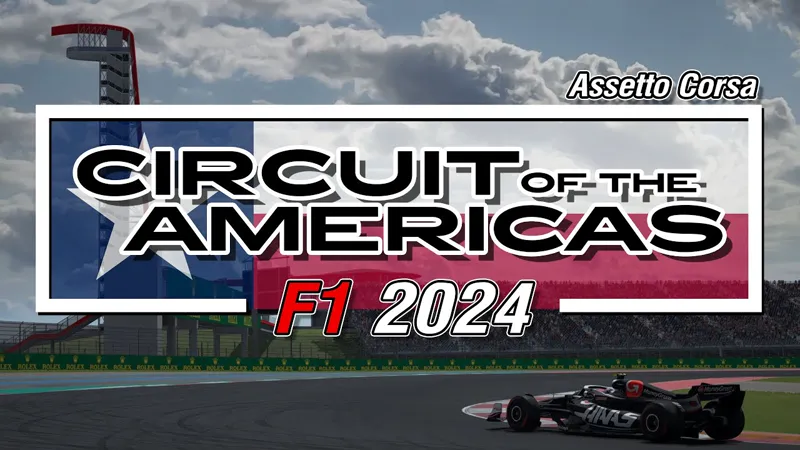
[ARCHIVE] COTA F1 2024 Extension [FNR + ACU]
NOW INCLUDED IN COTA F1 CLASSICS EXTENSIONS PACK
https://www.patreon.com/posts/114373714
________________________________________________
F1 is finally back after nearly a 4-week break! 😎
This weekend, we’re heading to the Lone Star State for the United States Grand Prix at Circuit of the Americas in Austin, Texas. 🏎️
Get ready for high-speed action and intense battles on this thrilling circuit known for its challenging corners and massive elevation changes!🔥
This year extension also marks the return of the dual FNR / ACU versions
Here are the details of this new extension:
New layout F1 2024 (FNR + ACU)
2024 billboards
2024 animated boards
2024 fence boards
2024 brake markers
2024 grounds sponsors
2024 Pit names
2024 Podium
2024 Kerbs (with blue lines)
Darker asphalt
New VAO Patch
and more 😉
Comments (17)
Any chance you can make the national version of this track? When I pick it the barriers are still bblocking that version. Happy to pay you for this update.
Great track
unable to download track
Fantastic work! I was at the race Sunday, and your extension looks exactly like the real thing. The only thing that is missing from the FNR version is the giant stage on the back straight (the ACU version has it). I’m also having the weird AI issue where the cars stop coming up the pit lane to Turn 1.
Anyone else having issues with the AI on FNR (laserscanned) version? They seem to constantly drive off the track at T1 and then stop in the runoff, same goes for the final corner. Is it just a track issue or would an updated AI line file fix this?
I have the problem that no matter which vehicle class I drive on the track, the AI at the start (except for a few cars) just stands still or gets tangled up in a sort of accident. Is there a solution for this? By the way, this is also a recurring problem on some other tracks. Is it due to the track data or the vehicle data? Does anyone have any advice? Thanks, Oliver
After the failed start just click the restart session button and try the start again. This fixes my issue.
Please update the track with the animated boards, especially the Salesforce one before the kink to the s/f line is not correct.
Thanks for reporting, I missed it on Friday live sessions, it has now been corrected (and the gantry bridge aramco animation before T11 as well) 😉
You really should stop darkening the asphalt, it looks very unrealistic, especially in vr
Go to "cota_2022" > "layout_f1_2024" > "extension" > "ext_config" and set "...-pyyer-cota-asphalt-resurface.ini] ACTIVE=" from 1 to 0. (and save!) ..and now you will have the old and bright asphalt! ;)
Great work with the track. Is that the new Lawson helmet? Where can I find it?
Awesome! Thank you 😊
Anyone know what the differences are just out of interest, im trying both and cant really decide which one i like
FNR ist a ACC convert while the ACU one is an outdated Codemasters convert from F1 game.
I love your work, so I hope you don’t take this wrong, but us folks that play on your work, like to race these tracks in the lead up to the race. Not during the race. Sure would be cool (Matthew McConaughey voice) if these were updated the week before the race. lol
Hows he supposed to do that when he can't see the track until they start televising the event?