


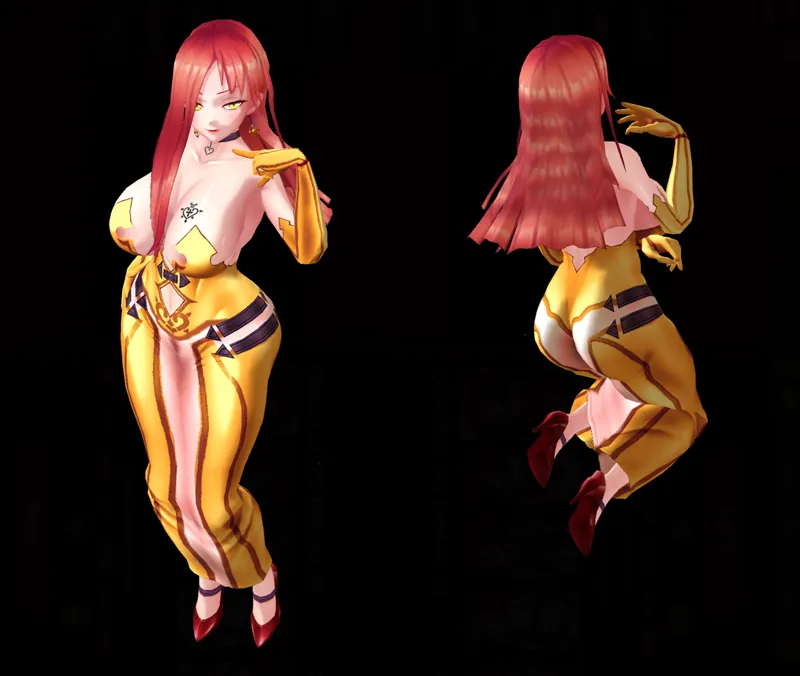


Mod Astaroth - Queen of the Inferno
Install in:
C:\Program Files\Steam\steamapps\common\Action Taimanin\ActionTaimanin_Data
Once the installer is in the right place, simply run it and follow the steps.
Use Utility mod by ModderChan tu fix shadows
To revert back, go to the following directory (starting from the Action Taimanin folder where the installer is placed):
Action Taimanin\ActionTaimanin_Data\StreamingAssets\AssetBundles\pc
Then do the following:
- Delete the "model_char" file
- Rename the the backup file generated by the installer (eg: model_char.bak0000) to the original name (model_char)
Credits & Thanks to DerPopo & ModderChan
Comments (2)
Love your mods, hate having to reinstall after updates
true, it is tedious to install everything every time the game is updated. But soon I will make the multipacks, so that only 2 or 3 are installed at most.