















Edit animations - Cara Run & Walk
Hello my dear friends, at the request of a member of our beautiful community, I'm going to try to explain step by step how to create animation modifier installers.
Hola mis queridos amigos, a pedido de un miembro de nuestra hermosa comunidad, voy a intentar explicar paso a paso como crear instaladores de modificadores de animaciones.
Use this program: AssetBundleExtractor_3.0beta2_32bit (LINK)
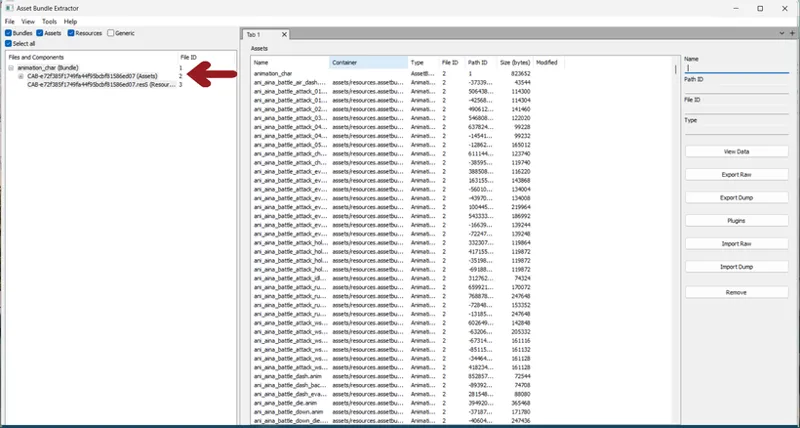
Open "animation_char" file in "pc" folder
X:Program files\Steam\steamapps\common\Action Taimanin\ActionTaimanin_Data\StreamingAssets\AssetBundles\pc
Once opened, you'll see something like this. I recommend checking the select all box.
To sort by character and costume press "container"
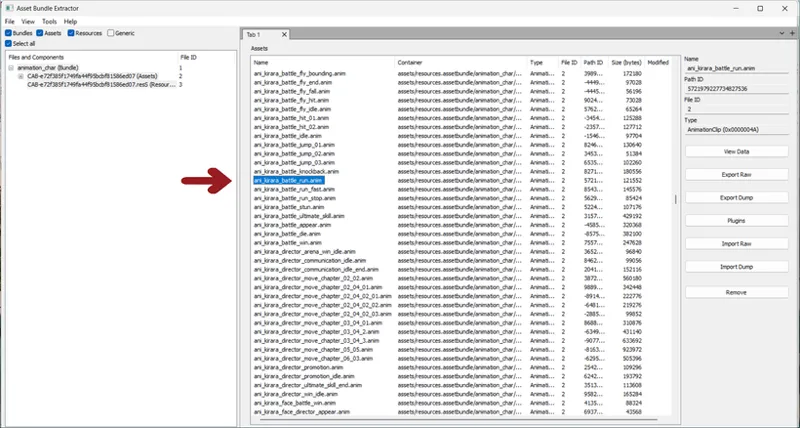
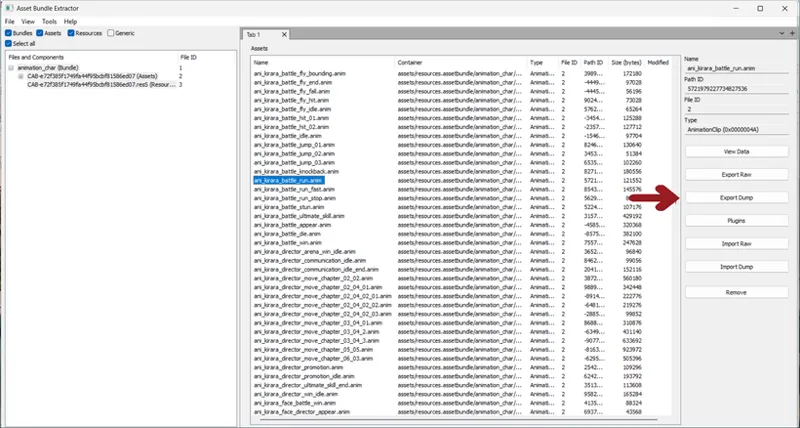
Now look for the animation you want to transfer.
In my example I take Kirara's jogging style.
Once the animation is selected, export dump
Select JSON text file type mode. Save to a folder for editing and then import
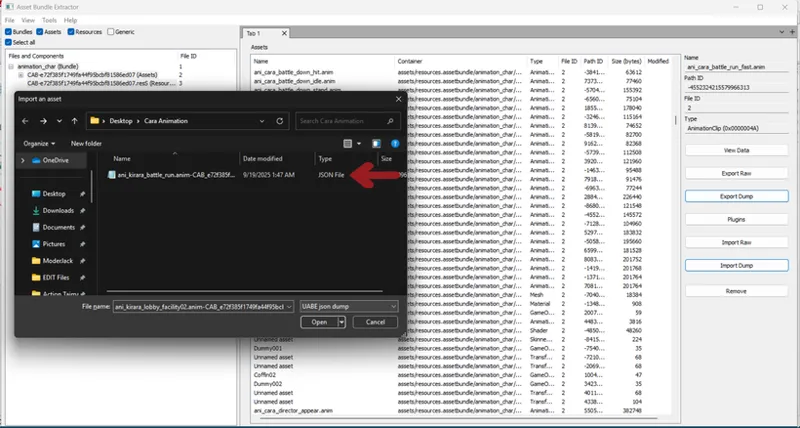
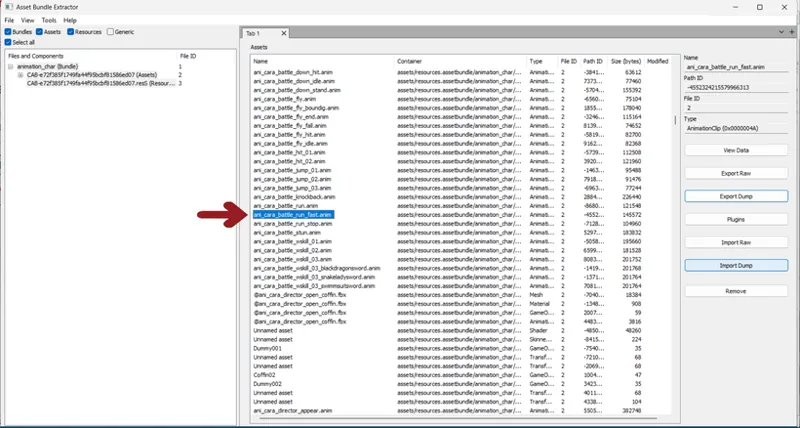
Now, find the animation you want to modify, in my case, Cara's way of flying
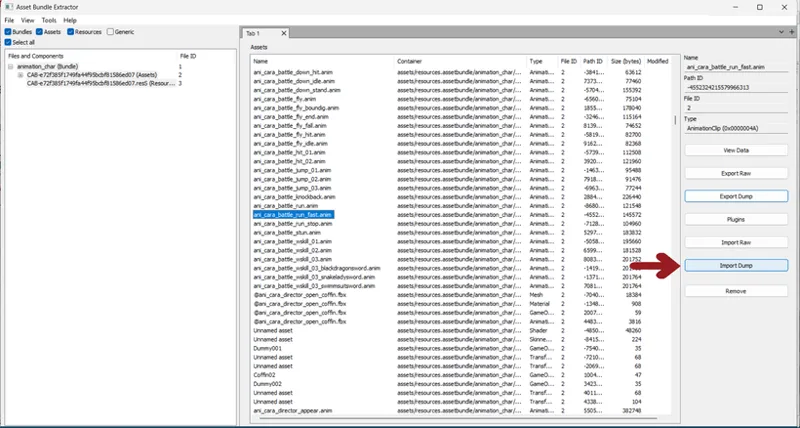
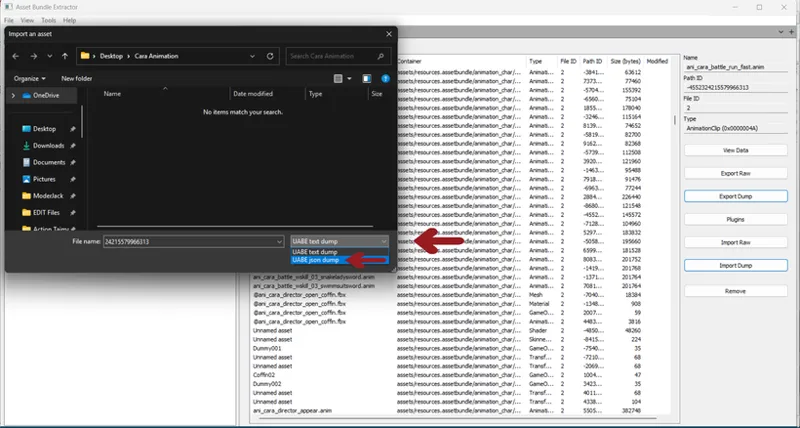
With the animation selected, press import dump
Remember to choose JSON type text file to see the previously exported file
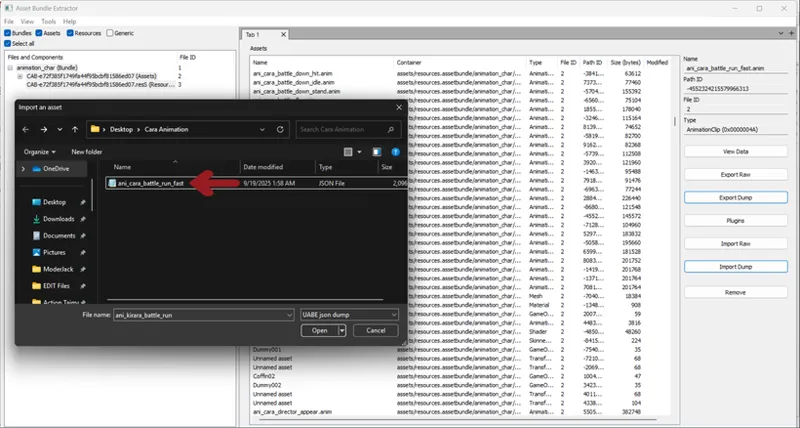
Before importing the file, you need to edit the first line of text.
Edit the first line of text, entering the name of the file you are editing.
In my example, I'm changing the way Cara runs, so I swap that same name to the original Kirara file.
Now it would be ready for import.
Save
Change the file name and finish IMPORT
If the file is modified you will see it in the column on the right
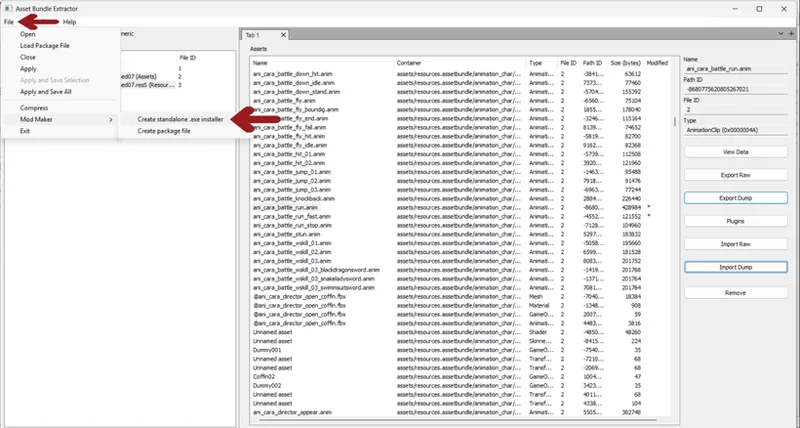
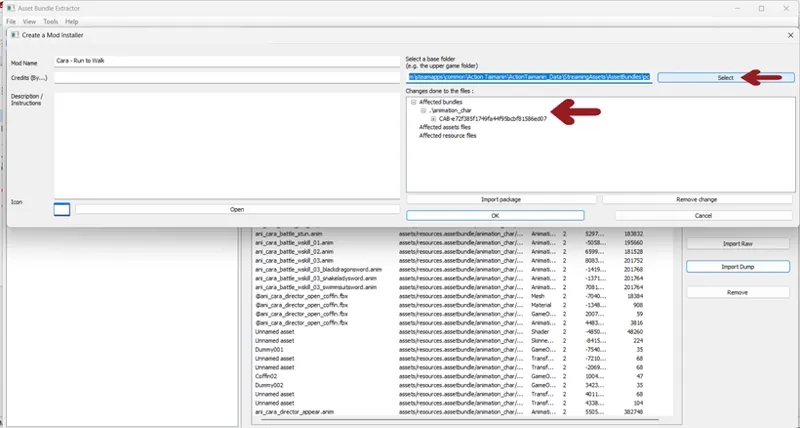
Once you're done swapping animations, you're ready to create the installer.
It is very important to select the folder where you got the main "animation_char" file so that you see the following
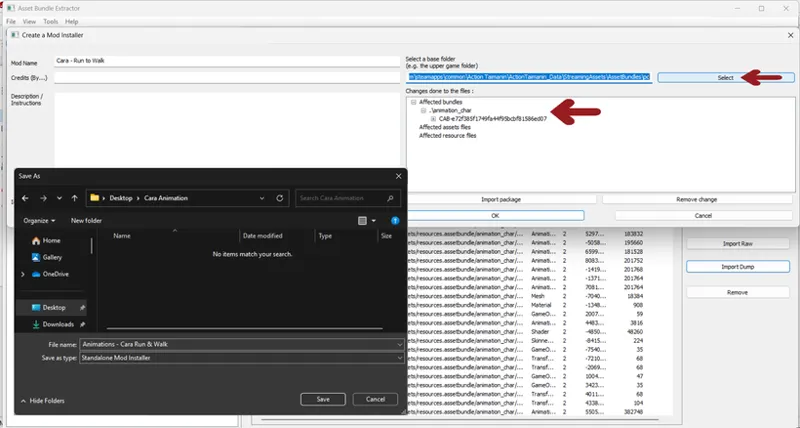
You can now save the executable.
To install it, just place it in the "pc" folder and click on it. If you place it in another folder, you'll need to redirect the installation to the aforementioned folder.
If everything worked correctly you will see it marked like this:
Of course, not all taimanins can share animations without getting corrupted, you can ask me which ones are more compatible, I've tried several already.
Greetings dear friends!
Comments (1)
Now, fix the link to the program.