
Call of Duty: Modern Warfare (2019) & Warzone - HDR Optimized Settings
The game is NOT using/applying Xbox/Playstation HDR Calibration app settings.
The game has a very good HDR implementation offering a multi-step in-game HDR calibration, even if not specifically in nits.
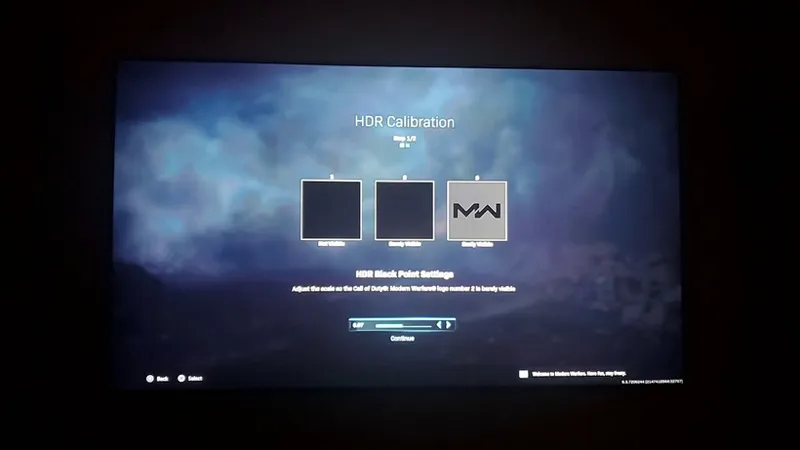
In all cases set the first screen about HDR Black Point setting to: 0.00
then proceed to the second screen
If you have an LG OLED and:
> you're using Dynamic Tone Mapping or Dynamic Contrast:
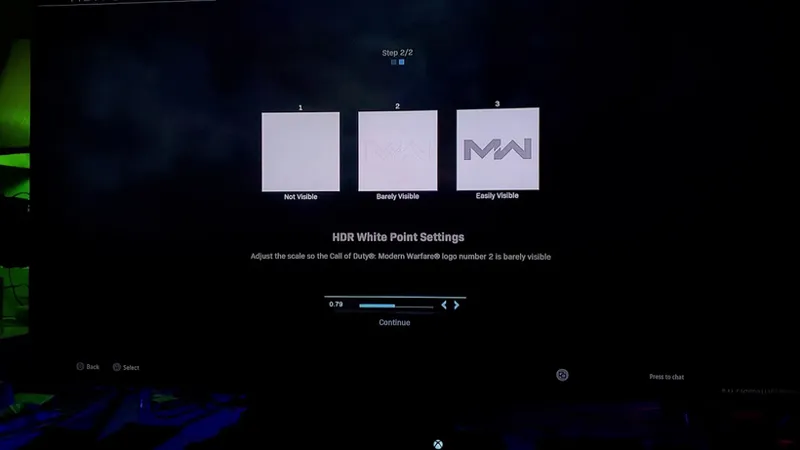
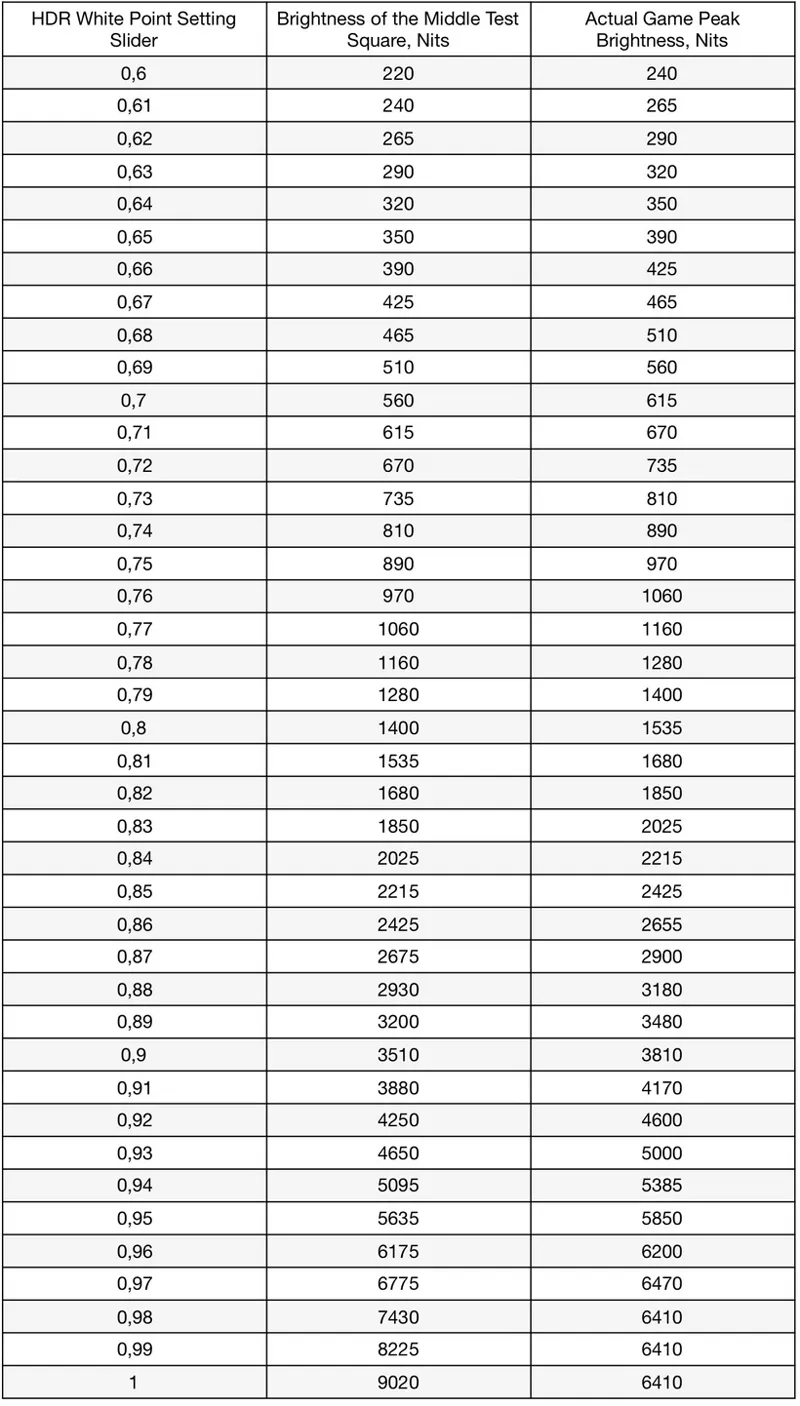
Set HDR Whitepoint slider to: 0,91 (which is around 4.000 nits)
> you're using HGIG:
Set HDR Whitepoint slider to: 0,73 (which is around 800 nits) or 0,76 (for G2; 1.000 nits) or 0,8 (for G3)
If you don't have an LG OLED and:
> you don't have an HGIG option:
Set HDR Whitepoint slider to: 0,76 (which is around 1.000 nits);
> you're using HGIG:
Set HDR slider to one of those values and the corresponding real Peak HDR Luminance of your TV in "nits":
In the main menu there is also a general "HDR Brightness" which is a gamma/midpoint setting. Leave it to 1.0000 (Default) as it already corresponds to a balanced/correct exposure and gamma.
BONUS:
Disable Film Grain: to improve both clarity and contrast of the picture.
Comments (9)
This game has both a hdr brightness curve setting which defaults to 1.0 and the hdr calibration setting which I configured for my g4. Not sure if the curve setting needs adjusting
No, the default curve 1.0 is correct and doesn't need to be touched. The rest is correctly applied from system level calibration.
Maybe my TV with 7000hours need to be replaced 😁
In Warzone have really bad visibility with these settings.. tried HGiG and DTM bith, feels like SDR even better visuals
From a picture quality point of view, the settings above are already the best possibile. Just make sure to also use the suggested setting for the HDR Game preset and maybe play it on 120fps + 120hz on XSX for even lesser input lag.
Thanks for your answer! Maybe there is some your recommendation for this TV if I am playing only this game, and to male competitive settings as possible
For C9 settings, read this post under the 2019-2022 LG OLED section: https://www.patreon.com/posts/lg-2017-2022-for-63754947
Hi! The settings for CoD: Modern Warfare (2019) and Warzone are shared between them, so just apply the suggestions above for the game while for PS5 Video Settings: just select RGB Limited and all other video options to "Auto". Also select "Play HDR if supported" .
Settings for C9 / ps5for warzone?