
Nordhaven Map Replacement - DOWNLOAD
Hey Simmers! ✨
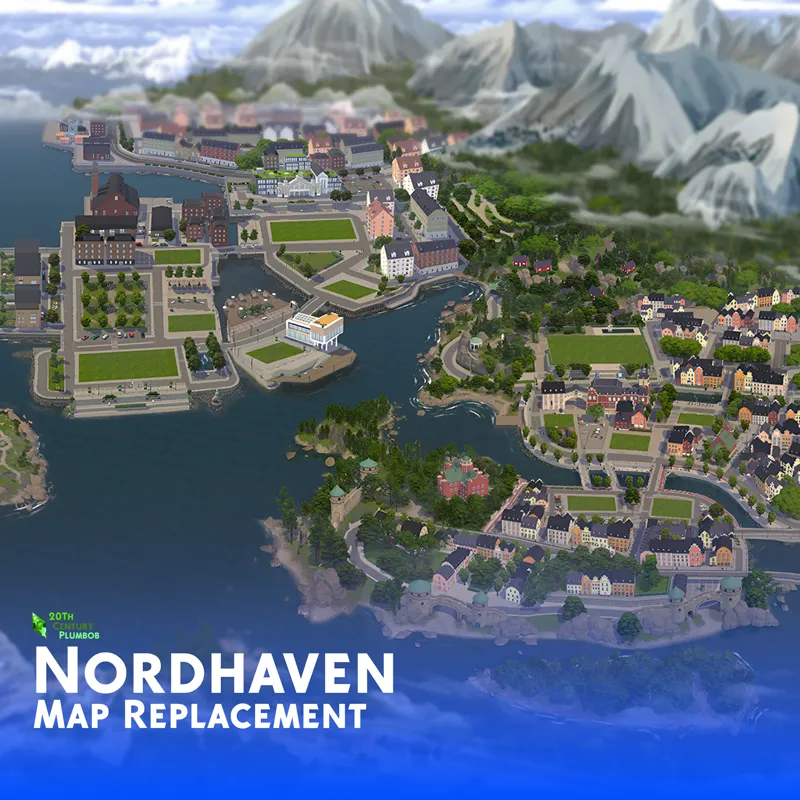
Here's the new Nordhaven Map Replacement! Spruce up your game with a refreshed view of Nordhaven, a cozy coastal city filled with history both old and new. Sets and sights are brought to life in this map replacement. This world is included in the all-new The Sims 4: Businesses & Hobbies Expansion Pack. In this map, the set and environmental details better represent what the world looks like in-game. DOWNLOAD BELOW!
All images were taken right from the game, then stitched together into this highly detailed Map Replacement!
✨ OVERHAUL UPDATE ✨
The resolution for this map has been adjusted, meaning the map is less blurry and pixelated!
Until next time, byeeeeee!
Comments (13)
It very visible how better the original maps got over the years. I'm trying all the maps by curiosity, but I'm realising that, while yours are miles *miles* better thant the originals, I'm realising that I don't mind the more recent ones. I'm taking all of them anyway, if only so they all match, but I do think the more recent original are actually fine. Which kinda surprised me tbh x)
i noticed this esspecially with ravenwood!
I just want to thank you for everything you do, youre truly the best, and your mod is a GAME CHANGER. 😊💗
this is so beautiful!! i have a question about these replacements. are they tied to a save file? If i delete them to go back to the originals or to replace them, will they corrupt the save?
Hi jake kim! I can answer this for you if you'd like. As a fellow player who uses these map replacements: you're quite safe in removing them from your mods folder if you choose to, whether that's because you'd like to change them for some other map replacements, or return to EA's original maps. They are not tied to your save files in any way; so if you end up removing them from your mods folder, you save files will be fine - they will not be corrupted at all. All that will happen is that after they're removed from your mods folder, if you load into ANY save file on your TS4 game, the maps will either revert back to EA's maps, or change over to whatever other map replacements you put into you mods folder. You can only have ONE Map Replacement/Override for each world. Hope this answers your question.
YES...!!! Thank you so so much. I have all of your maps as well 😊Its pure eye-candy.
Enjoy the eye candy 🥰🍭
I literally have every single one of your maps- they are second to none and I can't wait to play this one too xx
Thank you so much! 🥰
What have you done! I can't play without you anymore! THANK YOU SO MUCH!!!! This is beautiful <3 <3
Awww thank you so much! 🥰
Thanks so much! Looks beautiful!
Thank youuu! ☺️✨