
EmuDeck WE - Cloud Saves
Hi!
This beta enables support for SaveBackup, on SteamOS you can use it to backup your Game States and Saved Games to your cloud provider.
On this beta we are going a bit further, now you'll be able to sync your games automatically between Windows devices.
There's a caveat, you are gonna need to:
1 - Go to Manage Emulators , Steam Rom Manager and click on Reset configuration. This will update your parsers with the new configurations.
2 - Close Steam and launch Steam Rom Manager and readd all your games again, unfortunately this is something needed to be done so we can load our Cloud Manager before launching the games.
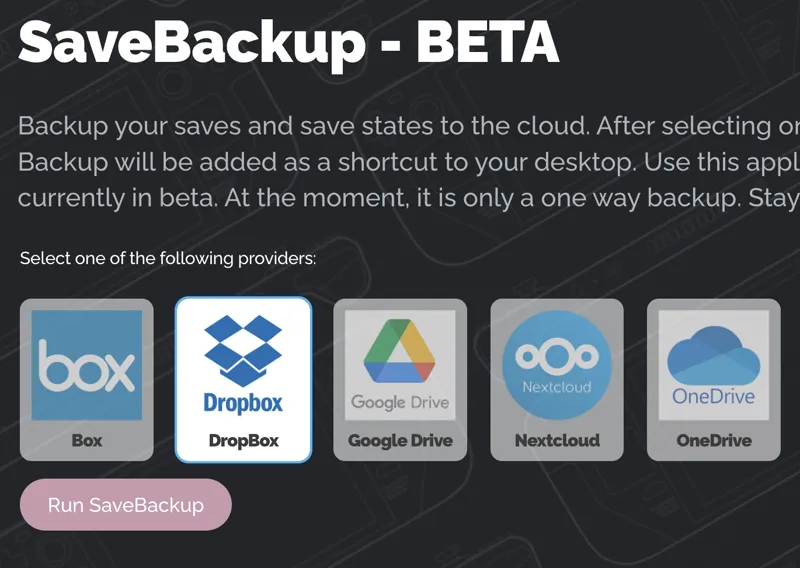
3 - Go to Cloud Backup, select your cloud provider ( NextCloud is not yet implemented ) and click on Run SaveBackup, a browser window will open asking for your credentials, login and that's everything you need to do.
Now every time you open a game, EmuDeck will download your states and saved games from the cloud, and when you exit the game it will upload the new states or saved games being created for that emulator.
Opening EmulationStationDE will sync all emulators so the first time could take some time.
This will be 100% compatible with a SteamOS release of this same feature in the future, if you are using SaveBackup already on SteamOS then all your saved games will be downloaded on Windows. You can sync your Windows states to SteamOS using SaveBackup too but for now on SteamOS you'll need to do it manually every time. We will add this EmuDeck WE feature in a future the SteamOS release so all your data can be up to date so you play in whatever Windows or SteamOS device you own.
If you have 2.0.17, just open it to upgrade to 2.0.18 automatically.
If you are a new Patron use this link:
https://github.com/EmuDeck/emudeck-electron-beta/releases/download/v2.0.28/EmuDeck-Setup-2.0.28.exe
Comments (16)
Been doing a lot of playing around with this and after a bit of trial and error got my pc and steamdeck sharing the same save folder, I copied the SD nand file to the yuzu on the pc and my emudeck is on my D disk so I had to remove the emulation station yuzu folder on drive C I have now linked my Ryujinx save folder to the yuzu save folder so they back up to Google drive as well. It's been fun learning how the SD desktop works Thanks for all your work with this
SD Ryujinx files now back up from SD so had a go with my pc, in theory it should work but if you change the save file or make a shortcut, Ryujinx writes a new one so I've abandoned that idea for the time being, tbh I only play 2 games with Ryujinx so it's not a huge drama and I tend to use my steam deck docked instead of the pc As I was blown away how good a docked SD is
roms that use retroarch will not launch in steam. I've tried everything.
Hi, it's fixed, check your mail with the solution :)
I was, like, twenty-minutes-ago-years-old when I found the person finally making "an EmuDeck-like solution for Windows" was...the EmuDeck person. I'm still in awe, I've spent over a week trying to get other projects hammered into shape such that I can sync between my Deck and Windows. I know this is still a work in progress and won't sync just yet, but just knowing you're on the case fills me with relief. ... ... ...that said, any chance you'd consider implementing SyncThing support, down the road? I mean, if not, as long as the saves get put in the same kind of folder structure, I could just do that part myself.
I know a lot of people uses SyncThing so we’ll take a look in the future and try to make things easier for SyncThing if we can :)
Downloaded and installed but the GIT is not installed or isnt installing itself automatically. What is the application maybe I can install it before trying again.
Open CMD and run this: https://winget.run/pkg/Git/Git
Thanks for this update, please could you possibly help me with exiting yuzu as the hotkeys mapped to the controller are not working but the keyboard ones work fine
I have to do a review on Yuzu controls since some of you have reported issues but Im away until this weekend. What controller are you using?
Does this also apply to EmuDeck on Steam Deck or just Windows for now?
Windows for now. SteamOS will come next, needs testing
When I click Launch steam rom manager it does not open. Is this not available yet?
It takes a long time to launch for some reason having figured it out now. You can go to emulation/tools there you can launch it manually opening the srm.exe file
I got on SRM "error code while reading user configuration" Any tips?
Go to Manage Emulators -> Steam Rom Manager - Update configuration