
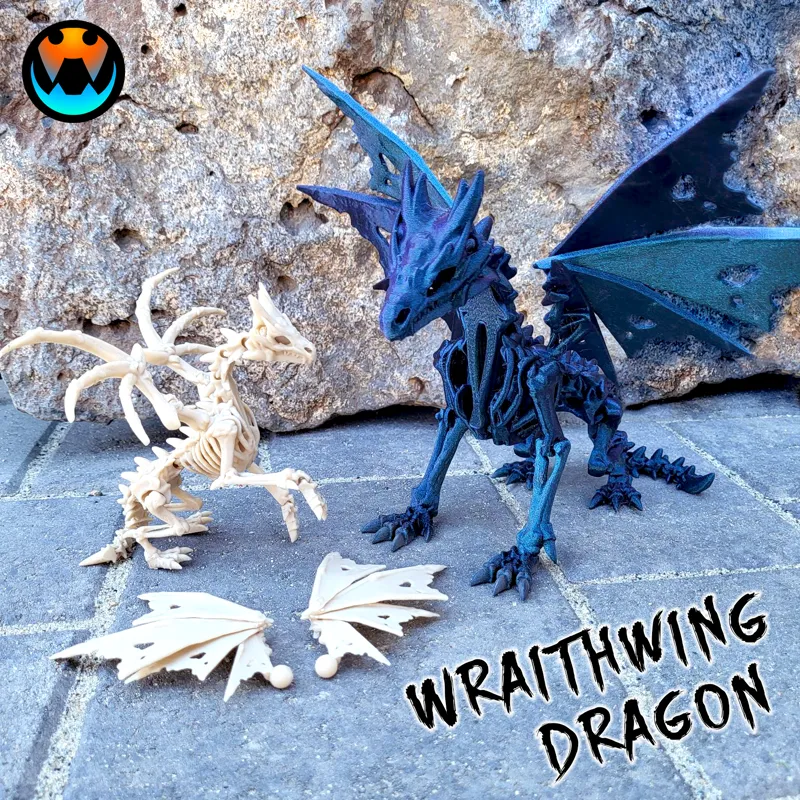



The Wraithwing Dragon
This was an OCTOBER Design and has been Archived! If you were subscribed in October, you will receive an email from MyMiniFactory within the week to access the archived files from that month. If you are starting your Subscription in November, Welcome! Your exclusive models are available immediately in the Exclusive posts (link below) and the November Models will be in the November posts tab as they come out over the month! https://www.patreon.com/cinderwing3d?filters[tag]=Exclusives
If you missed this model or any others they are available on MMF for purchase! Please use the Discount code: CinderNov2023
https://www.myminifactory.com/users/Cinderwing3D?show=store
-----------------------------------------------------
UPDATE:
We have updated versions for you all!! Please re-download the 3 new zip files attached.
There are now 2 versions of body (loose legs and tighter legs). For those of you having leg snapping issues, PLEASE remember to support the leg at the leg spike when clicking it into place.
INCLUDED is a file for leg tests! Feel free to download and test which leg works best for you before printing the whole dragon! (Smart idea suggested by our awesome test team!)
Also, the wings are tight so over time they don't fall out. If they are too tight for you please shrink by 1% for looser ball socket rotation.
Thank you all for your patience as we made these fixes. I appreciate it!
-------------------------
Hi Cinders!
HERE'S THE BIG PROJECT! A NEW STYLE DRAGON!
Finally, after tons of testing, THANK YOU TEST TEAM, I am bringing you all the WRAITHWING DRAGON!
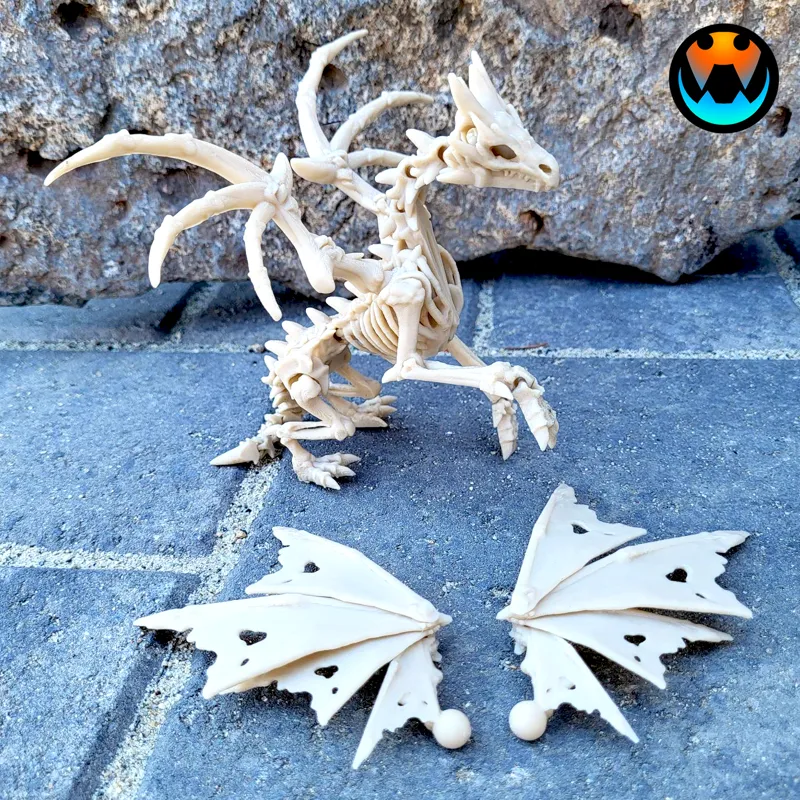
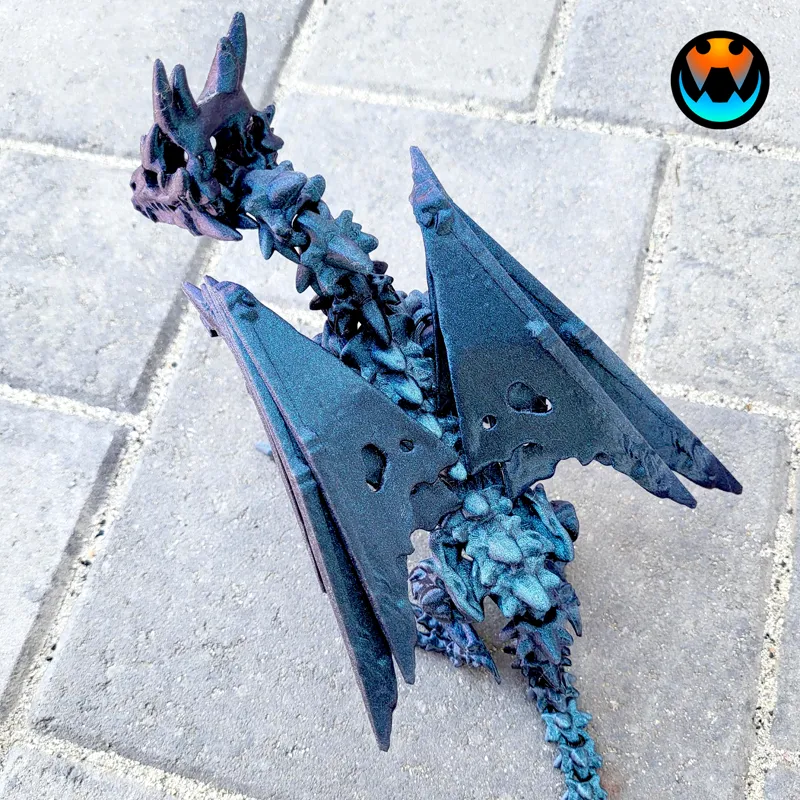
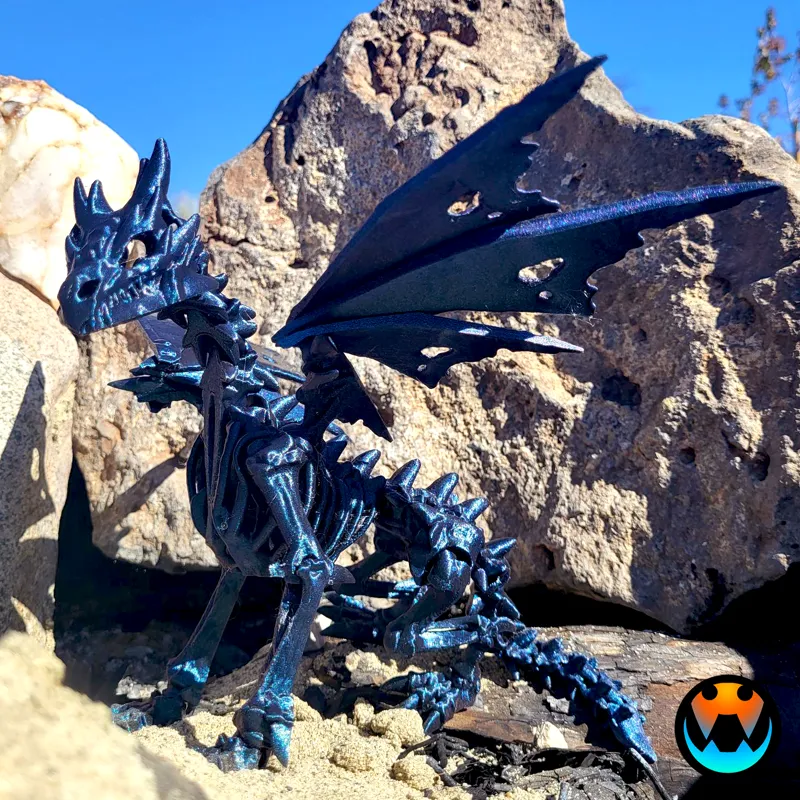
This dragon prints in place with no supports! It has a snap up neck, pop in ball socket wings, and click in legs for upright positioning! There are also 2 SETS of different wings! You get to pick!
*_*_*_*_*_*_*_*_*_*_*_*_*_*_*
IMPORTANT INFO:
This dragon has been tested multiple times between 50 and 110%. The original size at 100% fits an Ender printer. For Bambu printers it can be scaled up to 110% for maximum size. With larger sizes though the ball socket wings can be hard to pop in, and once in, are hard to move around. If you are worried about it or are having trouble with getting them to fit we suggest reducing wing size by 1%. At smaller sizes the originally proportioned wing works great as is.
Also take care to support the upper leg when clicking the legs in place. I make every model to be as strong at it can be, but this is probably the weakest point on the dragon because of the lateral layers. The first leg click is the hardest but loosens to a comfortable level after a few clicks.
Please remember to ask our Discord Community or email Admin @Jazzy at contactcinderwing3d@gmail.com if you have additional questions or issues!
FILES INCLUDED:
Dragon body
Flat wing 1
Flat wing 2
Fan wing 1
Fan wing 2
Dragon FULL PLATE flat wings (225x225)
Dragon FULL PLATE fan wings (220x220)
Filament:
Small Dragon: eSUN c-bone white
Big Dragon: FLASHFORGE Burnt Titanium
*_*_*_*_*_*_*_*_*_*_*_*_*_*_*
This creature is a BEAST and has been such a fun project! Hope you all enjoy it and have a HAPPY HALLOWEEN!
- Tracy
------------------------------------------------------
October Models:
Bonus Tiny Spider - SEPTEMBER RELEASE
Nightmare Dice Tower - RELEASED
Hollow: Tiny Wyvern & Dragon - RELEASED
Witch Frog - RELEASED
Exclusives: Fall Vibes Tadlings - RELEASED
Exclusives: Baby Wicked & Wickedwing - RELEASED
Wraithwing Dragon - RELEASED
-------------------------------------------------------
PLEASE READ
Please see WELCOME POST for questions, all exclusive releases, and links: https://www.patreon.com/posts/welcome-to-info-71819754
Discord is our MAIN form of communication and way to provide help! Please join our community below: Discord chat HERE: https://discord.gg/cinderwing3d
For any help requests or issues please go through this email: Email (contactcinderwing3d@gmail.com) OR through a Discord ticket!
Thank you, Cinders, for your support!!! And Thank you to our Admin Jazzy and Test Team for all your hard work!

Comments (84)
Not sure if will be able to see my comment, I am wondering if it's possible to do mod on this design. I have a client asking me to see if can length the tail of the WraithWing Dragon by add extra 5-7 inch?
As the post says, it has been ARCHIVED. If you were not subscribed in Septemeber youl will need to purchase it! Please head to your MMF archive to get any updates!
Not seeing the files?
As the post says, it has been ARCHIVED. If you were not subscribed in Septemeber youl will need to purchase it!
I'm not seeing the files. I want to make sure I downloaded the newest ones.
öffne deinen Einladungslink für MMF darin ist dann die Datei
So when I download the new files the just the wings show up as file not found. Tried redownloading and it was the same. The body only file loaded. yes i turned it on and off, lol.
I am honestly not sure on this one. We havent had other reported issues of it... Maybe try again? I'm sorry thats weird as heck
Haha im downloading models and my daughter is asking why her overwatch hasnt downloaded yet...im like CHILD IM DOWNLOADING DRAGONS ITS MORE IMPORTANT haha
First dragon printed great had to reduce the wings to 97% to fit 2nd dragons wings ball joint snapped off when trying to attack and then the fro t legs both snapped trying to move them. Will wait for the fix before trying again as do t want to keep wasting filament of stuff that cant sell Apart from that great looking model
I too broke both legs of my model and was being careful as I knew they had the potential to do so. On my second model, I heated that joint with a lighter to soften and they popped right in. Maybe this can help if you don't want to wait for the update. ;)
Beautiful model, but so sad. I printed 4 of these and they all broke while trying to carefully open the front legs. Lots of waisted time and filament. Why is the fix taking so long?
I follwed the instructions but the front legs joints still broke grrr. Went to extend the legs to stand and the leg broke right off.
I printed this first time no issues so far. Used some Elegoo Black PLA and worked great. I followed the suggestions and held the legs as I put them in the right position.
Same here I was also nervous to try to extend the winds fully
Has there been an update for the dragon and its legs yet? I printed one and broke the leg , so waiting to print another for my show this weekend. Thank you!
I just printed my first one last night and both front legs immediately snapped off! Came to see if the updated file was here yet too.
I just finished this dragon on my first go. She's absolutely beautiful!! I'm seriously so excited to see upcoming dragons with this brand new model! I had success with my Ender 3 Max Neo at 110%, with a few modifications. I used the same eSun Bone White filament. The only issue I had was the rear spike on one of hind feet, but that's my own fault.
In Cura I have my flow (extrusion) set to 110. I have my height set to 0.16, infill 20% with 4 wall lines.
Wow! This is incredible! Truly... Thank you for such an incredible piece of art!
any ETA on the fixed version?
No
I was going to print this a few days ago, then saw the update. I'll wait for the fix since I want to print one of the ones that fills the plate! :D
still Waithing for the fix, thanks
nebudu tu opakovat to samé dokola co tu všichni píšou. budu doufat v opravu aby tak krásný dizajn nepřišel k ničemu. krásný drak ale bohužel nepoužitelný kvůli těm předním nohám
I printed the dragon at 125% with no issues. it took me a moment to realize I had to snap the front legs in place. I thought I would break them at first, but they are fine. The skeletal wings snapped in just fine as well. They did seem like they could break but did not. I used the same PLA mentioned above in the description (I just so happened to have some). I'll be on the lookout for the updated file.
I got it done and standing perfectly. 1st one I broke a leg but the 2nd one is perfect
Thanks for trying to fix. I've done 2 and broke the legs on both. Reducing the flow rate on the second attempt and sanded a little, which helped, but still broke one leg. Waiting for the update before attempting again.
I have done two prints on the bambu and legs have broken each time even using two hands as suggested and it was only slight pressure and they broke real easy. Glad to see an update coming soon. Also the flat wings the ball joints are quite loose on two prints I made. Usually on the ball joints with other dragons they are really tight for me to pop them in.
I would def say to check your flow then, the ball sockets for this model are pretty tight so its odd they would be loose.
Love this dragon so so much was awesome to print.
Great model! I used a lighter for a second on the upper arm portion of the elbow to make it a little more malleable for the first movement.
Looks like I need to check my flow. Both legs broke even with supporting them
most PLA's top flow rate is 35mm's if the spool doesn't give you its perimeters default to 30 and no more then 40mm's print speed.
Thanks. I’ve printed three and broken legs on so far oops
yep broke both my knees trying to lock it, ball sockets on the wings also snapped putting them in even at 99%. Maybe it was the silk pla going to try another filament tomorrow
I have found some brands are better then others when it comes to silk but ill red both PLA and PETG and see how it goes. I know that filament she used from flashforge is a good solid filament.
I'm getting a lot of really bad saggs on the links in the tail at 100 percent. Any suggestions on tightening them up?
just printed on my elegoo neptune 4 pro. no issues at all with the dragon or the snapping in place however when i went to print the holey wings at the same size of 75% my ball joints were not big enough to even snap in lol so I will up it by 2% for the wings and try again :D
Let us know how you went 👍
Just Printed @ 5% infill 3 walls 100% on my K1 no problems at all what an absolutely next level model Tracy!
Absolutely love this dragon! Printed on my P1S, 10% infill, 2 walls at 100% with Burnt Titanium (I used generic PLA). I have no problems with her and I'm throwing on another one in silk copper - thank you for such an incredible file!!
I love the look of the design. Printed it twice. P1s and P1p. 20% infill, 3 walls at 70%. The front legs snap like dry twigs to very slight pressure. Love the idea behind it and excited to see next iterations.
I have not used this model yet. However, with other models where you have to pop pieces in place, heat has helped me. I use a heat gun, but maybe a blow dryer or something like could help others. be very careful and do not heat up for long or it will melt.
its impossible, both of mine broke as well is one of the models not so-posed to move?
As stated in the post that first crack can be tough, you need to support it with your fingers when you go to do it
I cannot stress enough with this one that being gentle on the first cracks on the legs is key. New bodies are tough and the design will be improved overtime. We also highly recommend you check your flow to make sure it doesn't come out too tight! Y'all got this!
When I printed it on my P1P the legs broke at the joint when I tried to bend them. First time that has happened with any designs. Not sure if I need to tweak my settings, but that was at 100 percent so it isn't a reduction issue.
As stated in the post that first crack can be tough, you need to support it with your fingers when you go to do it
I ABSOLUTELY love this dragon!! I printed this on my P1S with 3 walls and 10% gyroid infill and have similar issues with the front legs snapping off when trying to move them, as well as not being able to stand up. Not a big deal, but wanted to chime in on these as well. Seriously, this is one of my favorite models you've released! THANK YOU!!
As stated in the post that first crack can be tough, you need to support it with your fingers when you go to do it
I can confirm the same issue as Carrie. Printed on 2 x1cs the full plate with flat wings. the body will not stand at all, even with adjustment of the wings into multiple poses to try and shift the weight.
Now that's weird. We didn't experience any balancing issues. Hmm
Printed the full plate and this won't sit up at all. It's top heavy and just flops over.
Make Sure you snap the neck into place. :) It's stationary at the base. :)
Printed at 60% straight up snapped off both front legs with little effort but since the elbow spike is there can move the leg in place can't wait for the wings to be done
Das ist mal ein Tolles Design - endlich mal was anderes... bitte weiter so
This design is Fantastic! Would love to see more like this.
Absoulutely in love with these
Remake the crystal dragons in this style!!!
Incredible!
This is awesome. What settings did you use for the Burnt Titanium? (Speed and temp)
Do both of these wings also work with the hollow dragon?
They kinda can, yeah! Not great tho, the balls are different
Love it!
That phoenix on my printer couldn't finish soon enough! LOL
OMG!!!! LOVE IT!
Wholy Smokes! This is awesome looking! Noice!
!!!! Printing now! 0.6 nozzle Rainbow Glitter :) 7 Hours to go!
hyped for this one. 2hrs left then this going on, just need to pick a colour???????
I mean... I can't even.... Wow
Let's gooooooooo
this is going on in a little over an hour in a green, black, and gold tricolor. As soon as my current print is done, its on baby!!! Want to have one of these for this weekend for sure.
I love using the burnt titanium. Have gone through a lot of it but have enough left for this. Yay
Just in time for my first bambu must be fate
This is absolutely sick. 🐲
Woah!!!
Oooo this is awesome
jabberwocky!!!
Looks awesome!
Sick, once I'm done printing the pheonix I'll start it up.
WOW that looks great, cant wait to print it
Wow, that looks amazing! Great work! Can't wait to print it!
amazing model