
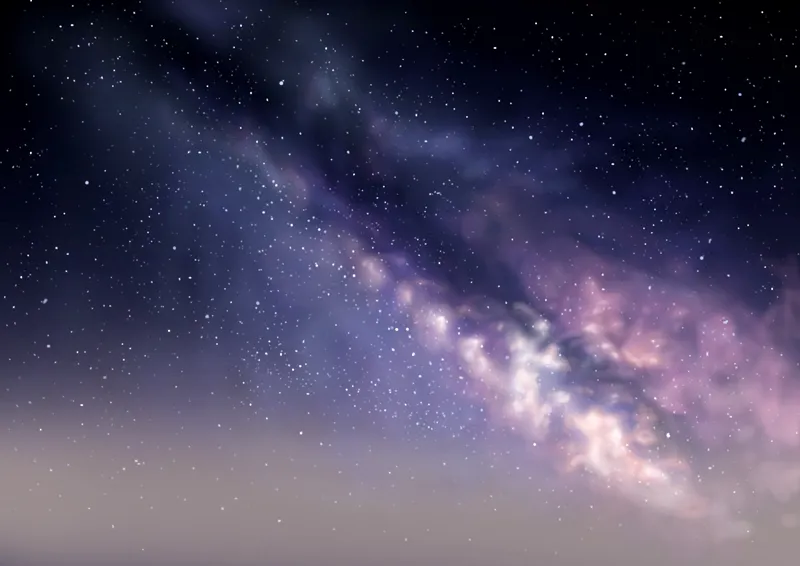
Milky Way colour palette
The colours for my Milky Way painting tutorial are linked below and the hexadecimal codes are:
101636 302f4e 545269 726471 937f7e
cce0fe c6c6c6 8cabe3
fe8abb fbbccb fea79e a465af 5a52ae fffefa
Comments (24)
Just upgraded my Patreon level. I’m look forward to doing some landscapes
Ah thank you! 😊 🙏
That’s great, perhaps I’ll start suggesting people avoid the app!
Thank you so much
Not a problem!
Safari worked. It’s definitely the app
I have tried them. I do appreciate your patience. I’m just concerned for you that you may lose patrons because of this. Could you maybe try asking other patrons how they do it
Have you checked the bottom of you palette list? Did you use Safari login instead of the app?
That link works fine. It’s the Dow link one that doesn’t
I understand, have you followed the method outlined there precisely!
No I read that link ok. But I’m having the same issue that people mention in the comments
Try the method suggestions from the link, the palette does download but the app I believe is temperamental
Strangely the link just spins but won’t open
The link I just posted?
No luck on iPad Pro which is where I want them to end up
Try these steps precisely hopefully it helps https://www.patreon.com/posts/35752605
I pad pro
The link appears to send them, because it blinks, etc., but I can’t find them anywhere. I-ad
It’s worth checking the list of palettes within procreate as sometimes it drops it at the bottom of the scrolling list.
They are working just fine for me both on windows and on the Ipad. What happens when you click the link?
I#‘having the same problem. The last one that worked for me was the Monarch Butterfly.
I hear sometimes the app is strange how are you logged in? On the app!
I can never get your colour palette links to work. Any advice? Is there some other way you can upload them please
The link does work, I can’t think of another way, what way are you trying so far? I find it’s better when logged in on safari.