

Colour swatch download issues
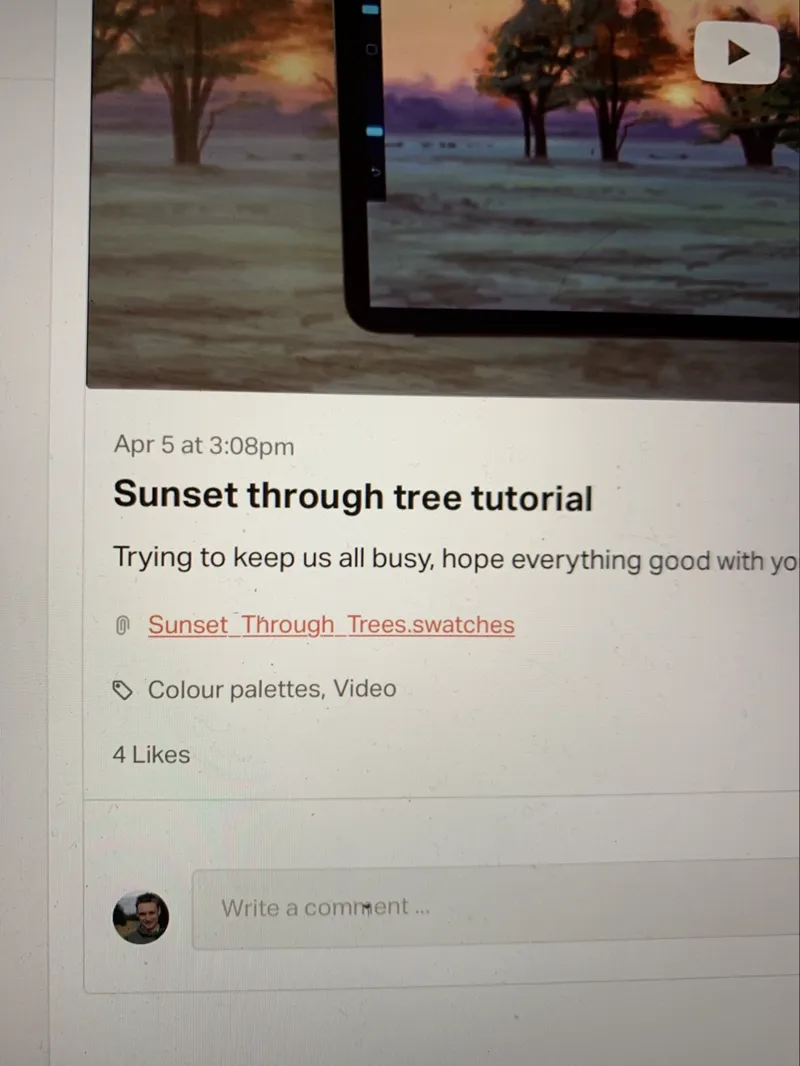
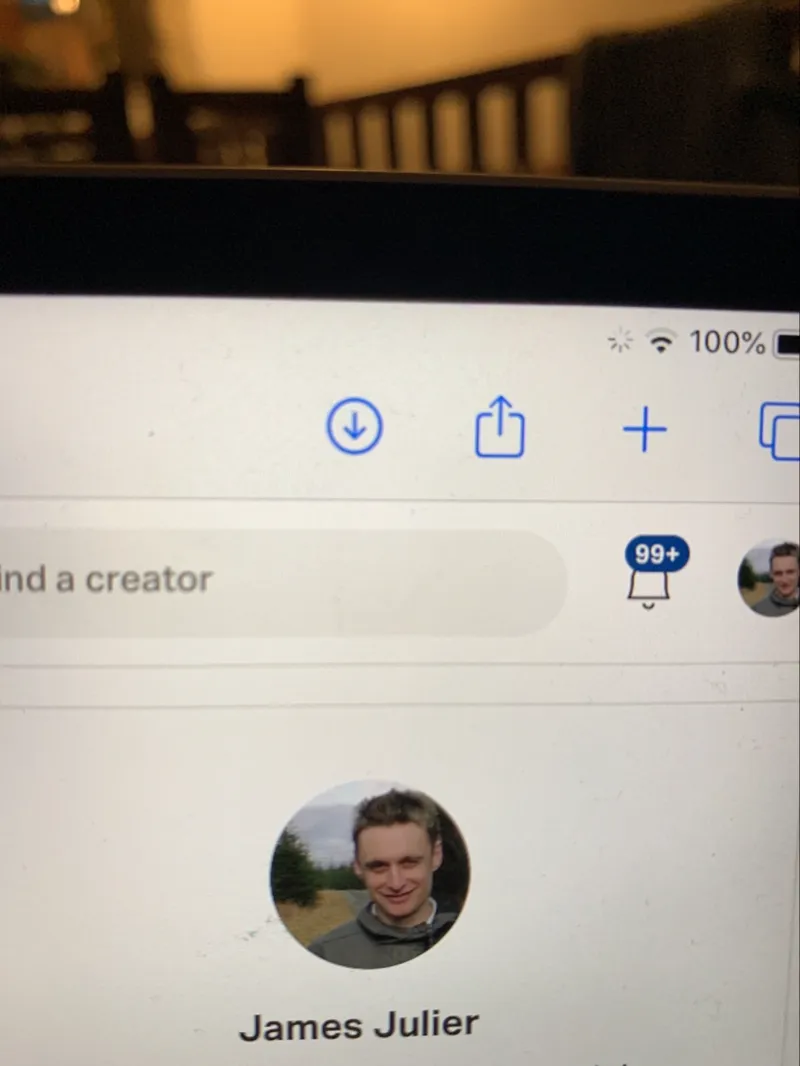
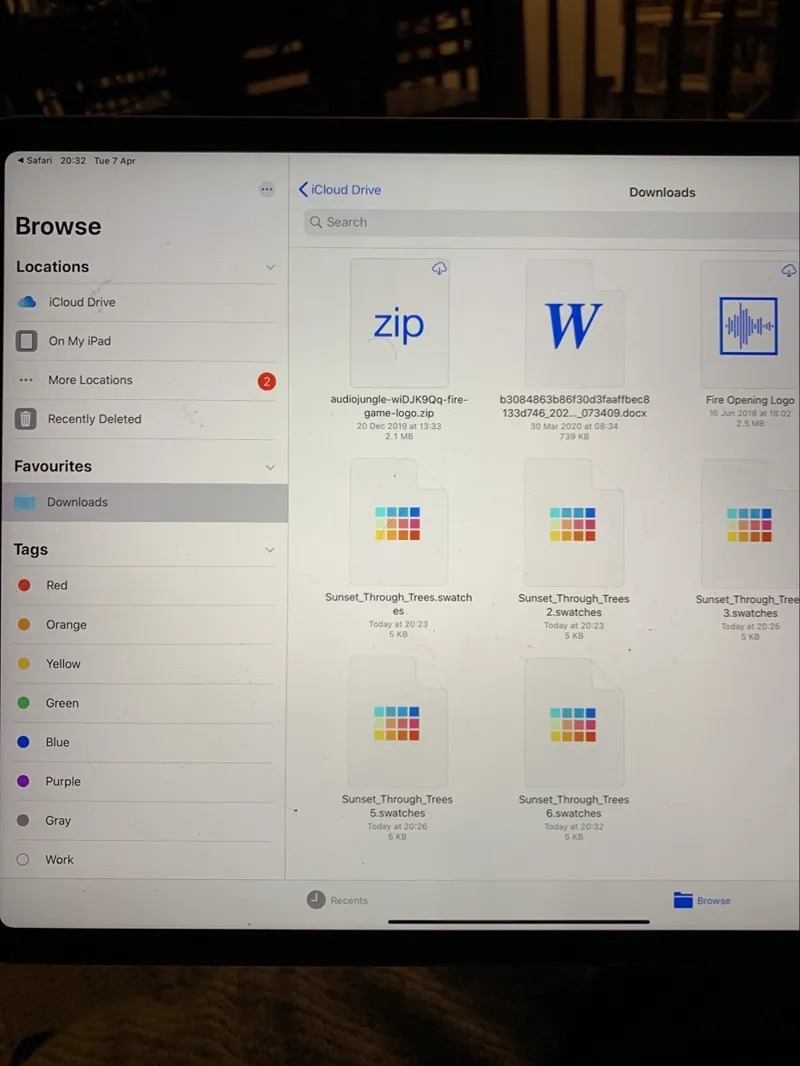
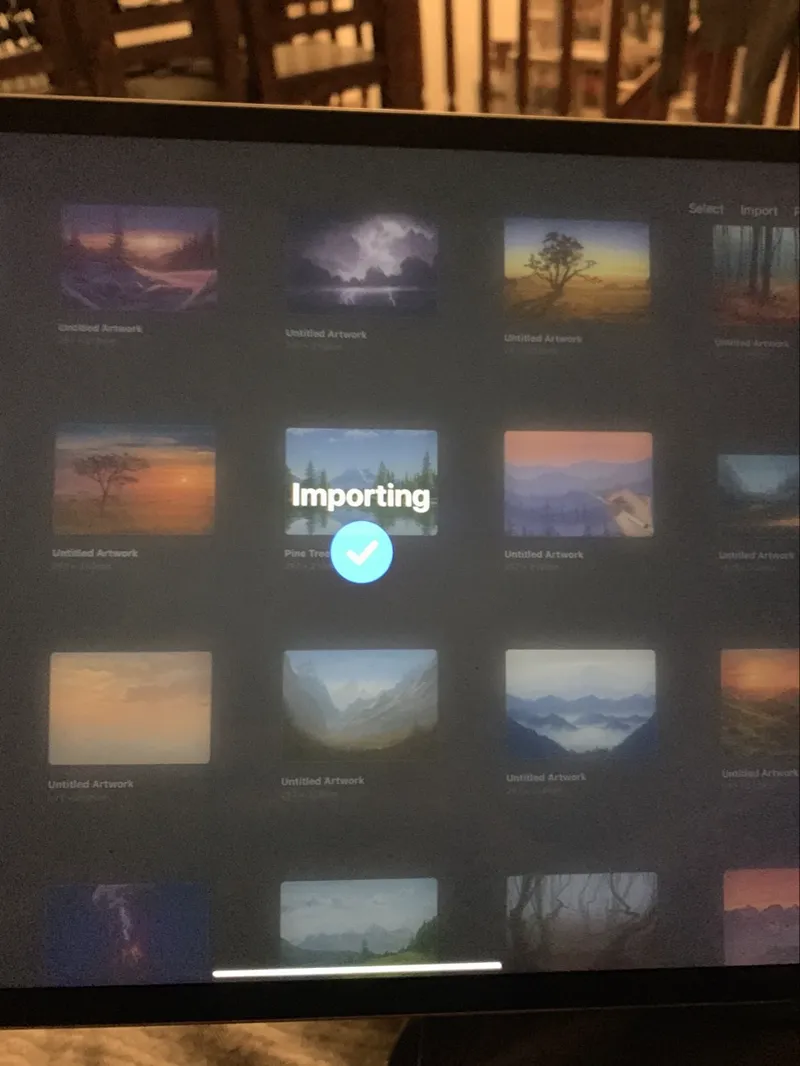
Ok so I’ve had a few messages saying there is a problem downloading the colour swatch, so I’ve had a look and the photos attached show what you need to do:
- Tap the colour swatch link at the bottom of my tutorial post then confirm download.
- Tap the blue download arrow at the top right of the browser page.
- Select the swatch
- In your downloads section of your iPad files should now be listed your swatch.
- Finally tap the swatch and it will import into procreate ready for use
Hope this helps 😊
Comments (42)
I don’t see where to download
Chess pieces
You should talk to Flo. Not sure what she does but I can just click her color swatch link and it opens in procreate. No issues. I love your tutorials but I fight this step every time.
Thanks Erik, I simply attach the file I can’t understand why it would be an issue, it always works when I test it out
and how about the color??? how can i dowbload it?
I’m sorry to hear you are confused, make sure you are using a browser not the Patreon app. Once a file is downloaded tap on it and it should open on Patreon itself. Check the bottom of the colour palettes within procreate for new ones you have just downloaded.
so when i downloaded it there is a lot of items on my files so should i downloaded evrything 1 by 1? im so confusedfff
i just subscribe for a year, and im really frustrated with this cant even know where to start. its confusingggg
can someone help me my first using this app and i dont know where to get this code he was saying, everytime i downloaded that folder its just all chinese letter
Hi I joined recently and have notched when I downloaded the color swatch the codes do not match up to the codes u have in the description. Does it mater?
Hello Julier, I subscribed about 2 weeks ago to the 1 year plan but unfortunately I am not able to access any material in Patreon. Can you please help?
Hello James. The color palettes seem so much darker on mine compared to yours. Is there a way to show a screenshot of mine please? I have to adjust each color atm
It’s just my camera that throws off the colours
Hi, James, I can't open the swatches in the app or on the web. No blue arrow appears to download. Not added to Procreate.
If you are using a browser and have checked the bottom of the palettes list within the app and it’s still not there then I’m sorry I really don’t know why you are having issues! It’s always been one of the two issues with other people before 😳
Hello, is there any way to use the swatches file in clip studio?
I don’t think so unfortunately but you can copy and paste each code manually
Hi James, I’m using the app but it’s not downloading :(.-
Check the swatches within procreate it often puts them at the bottom of the list without you realising
Thank you
I just paid the subscription for get the colors and it doesn’t work
You don’t need to pay for the colours they are free. Have you used a browser rather than the Patreon app? If so check the bottom of your palettes list within procreate as often it drops it their without being noticed .
It worked for me by using google chrome to download them
It’s not working James and I’m having trouble
Are you using the app?
This is not working…
Are you using the app or browser like safari?
When I try to download the color swatch from the tutorial, I get Spooky Castle Swatch instead of Fall Autumn Candle.
What do I do when it’s imported? It doesn’t show up in my color tab in my document.
the swatch down load does not work
Yes it does, you must be doing something wrong. Are you using the app?
finally got it to work. Yay. Thanks James. Happy New Year.
The problem seems to be that the file is downloaded as a .zip, which uncompressed as a .json file. I just removed the .zip file extension, and it opened fine in Procreate.
This was my issue as well. Thank you 🙏
I have downloaded the swatch ok but cant find the tutorial
If it’s the latest swatch then the tutorial is coming in a new post any moment
I am new to Patreon I want to get to the tutorial. How do I do that? I was able to download the swatch but I dont know how to watch he tutorial
Which painting do you want the tutorial for?
I’ve experienced the same issue. So far it was easiest for me to hop on my computer and download the pallet and just airdrop it to my iPad. Its one way at least.
Or just use a web browser on the iPad, the problem seems to be the app
Sorry Zion I don’t know what to suggest, I’ve researched it and found for most people using safari login and following the steps above does work, whereas the app is a bit dodgy. The palette has been known to just go right ahead and get placed at the bottom of your palette list within procreate have you checked there as well as using the safari page browser?
The download arrow is at the top of the browser as shown after clicking it?